Choosing to repair a device at the component level—replacing a single blown capacitor or a worn-out charging port rather than discarding the entire unit—is the most effective way to combat rising tech costs and extend the functional lifespan of the gadgets your family relies on every day.
- Economic Sense: Component-level repairs often cost a fraction of a full device replacement, helping families manage household budgets.
- Environmental Impact: By keeping hardware in circulation longer, you directly reduce your contribution to the growing global e-waste crisis.
- Empowerment: Adopting a “repair-first” mindset shifts you from a passive consumer to an active owner who understands how their tools work.
We have all been there. You are sitting at the kitchen table, perhaps balancing a pile of school permission slips and a lukewarm cup of coffee, when your laptop screen flickers and dies. Or maybe it is the tablet your youngest uses for homework that simply refuses to hold a charge. The immediate, modern response is often to check the price of a replacement model. But have you noticed how quickly those prices have climbed, and how often the “new” version feels remarkably similar to the one you already own?
The “Repair-First” mindset isn’t just for hobbyists or engineers. It is a practical, money-saving, and environmentally conscious philosophy that is gaining momentum among people in their 30s and 40s who are tired of the “planned obsolescence” cycle. It’s about recognizing that most electronic failures are not catastrophic, but rather isolated issues that can be solved with the right information and a bit of patience.
Understanding the Shift: Why Now?
For years, the tech industry has pushed us toward a “replace-by-default” culture. Device designs have become increasingly slim, often using proprietary glues and tamper-evident seals that discourage opening the hardware. However, a significant pushback is occurring. Legislative movements like the “Right to Repair” in the US, the EU, and other regions are forcing manufacturers to provide better access to parts and repair manuals. This shift is not just legal; it is cultural.
As the costs of inflation bite into family budgets, the realization that we don’t need to replace a $1,200 laptop because of a $15 battery or a $5 charging port is becoming common sense. When we talk about “component-level” repairs, we are talking about moving beyond the “modular” repair—where you swap out a whole screen or motherboard—and digging into the board itself. While this sounds daunting, the accessibility of high-quality tutorials and affordable precision tools has never been better.
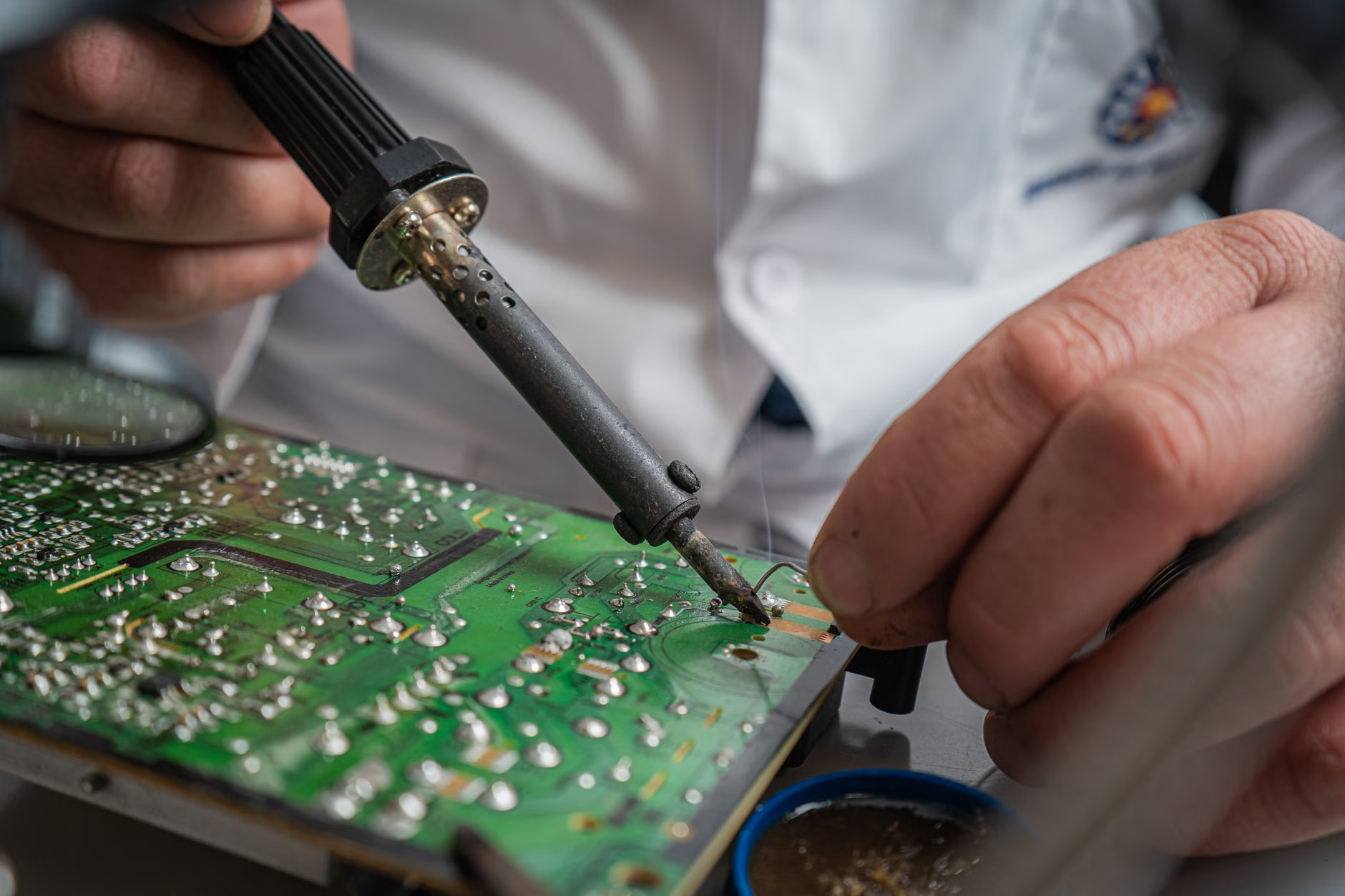
The Economics of Repairing vs. Replacing
Let’s look at the math. A typical mid-range smartphone might cost $700. If the charging port fails after two years, the manufacturer might suggest a replacement or a service fee that approaches the cost of a new device. If you perform a component-level repair, you might spend $20 on the part and $30 on a basic tool kit. Even if you factor in the time spent—say, two hours—the return on investment is significant.
| Scenario | Replacement Cost | Repair Cost (DIY) | Savings |
|---|---|---|---|
| Smartphone Charging Port | $700 | $30 | $670 |
| Laptop Battery/Fan | $1,200 | $60 | $1,140 |
| Game Console HDMI Port | $400 | $40 | $360 |
Beyond the direct financial gain, there is the “hidden” cost of replacement: data migration. Setting up a new device, logging into dozens of accounts, and transferring photos and documents is a time-consuming headache. By repairing your current device, you maintain your environment exactly as it was, avoiding the “digital friction” of switching hardware.
The Sustainability Argument: More Than Just a Buzzword
We often talk about the environment in terms of recycling, but repair is the highest form of recycling. Electronic waste (e-waste) is one of the fastest-growing waste streams in the world. When you throw away a device, you aren’t just tossing plastic and metal; you are discarding the energy, water, and rare earth minerals used to mine, manufacture, and transport those components across the globe.
For parents, this is also a powerful lesson to model for children. Showing that things have value and can be maintained rather than treated as disposable commodities helps build a mindset of stewardship. When a child learns that a broken toy or a slow computer can be fixed, it changes their perspective on consumerism. It teaches patience, problem-solving, and the value of labor.

Getting Started: The “Repair-First” Toolkit
You don’t need a degree in electrical engineering to start. Most modern repair projects follow a logical sequence: observation, documentation, disassembly, repair, and reassembly. Here is how to approach it without feeling overwhelmed:
- Document Everything: Take photos of every screw and cable before you disconnect it. This is your insurance policy.
- Use Magnetic Mats: These are lifesavers for keeping tiny screws organized. A single lost screw can turn a 30-minute job into a three-day search.
- Invest in Quality Bits: Cheap screwdrivers strip screws. A high-quality set of precision bits (like those from iFixit or similar reputable brands) is worth every penny.
- The “Heatsink” Rule: When working with solder, remember that heat is your enemy if applied too long. Use quick, controlled bursts.
The biggest hurdle for most people is the fear of “breaking it further.” Here is the secret: if the device is already broken and out of warranty, you have nothing to lose. The “worst-case scenario” is that you end up in the exact same position you are in right now, but with the added knowledge of what’s inside the machine.
Common Challenges and How to Avoid Them
Even with the best intentions, things can go wrong. The most common mistake is impatience. We often want to rush to the fix. However, the most important part of any repair is the disassembly. If you force a plastic tab, it will snap. If you pull a ribbon cable too hard, it will tear. Always look for hidden screws under rubber feet or stickers before applying force.
Another challenge is the availability of parts. Not all manufacturers make parts easy to find. However, secondary markets for parts are thriving. You can often find salvaged parts from other units, or high-quality third-party components that perform just as well as the original. Before you start, search for your device model and the specific issue on forums to see if others have faced the same problem. You will rarely be the first person to encounter a specific failure.
Building a Culture of Repair in Your Home
This mindset doesn’t just apply to laptops. Think about your kitchen appliances, your vacuum cleaners, and even your kids’ electronic toys. Most of these items are built on simple circuits. By keeping a basic “repair kit” in a drawer—a small soldering iron, a multimeter, and a set of precision tools—you are prepared for the inevitable minor failures of modern life.
Consider the “repair-first” approach as a form of self-reliance. In a world where we are increasingly dependent on proprietary ecosystems, being able to fix your own gear is a small act of independence. It’s about taking control of the technology you own, rather than letting the technology control your wallet.

Conclusion: The Long-Term View
Adopting a repair-first mindset is not about being cheap; it is about being intentional. It is about recognizing that every object we own has a life cycle, and we have the power to extend that cycle. While it requires time and a willingness to learn, the rewards—financial savings, reduced waste, and a deeper understanding of the world around us—are well worth the effort.
Start small. Next time a device acts up, don’t rush to the checkout page. Open the back, look at the components, and search for a guide. You might be surprised at how capable you are when you decide to take matters into your own hands. Remember, every device you save from the landfill is a small victory for your budget and the planet.
For more information on the Right to Repair movement and global initiatives, you can explore resources from iFixit and the Repair Association.
Frequently Asked Questions
1. Is it safe to open my electronics if I don’t have technical training?
Yes, provided you take basic precautions. Always unplug the device, discharge any static electricity by touching a grounded metal object, and work in a well-lit, organized area. For beginners, start with devices that are already broken and out of warranty to remove the pressure.
2. Won’t opening my device void the manufacturer’s warranty?
In many jurisdictions, “void if removed” stickers have no legal standing, but opening a device can still complicate warranty claims. If your device is still under a manufacturer’s warranty, it is usually better to pursue that route first. The repair-first mindset is most powerful once the warranty period has expired.
3. What if I can’t find a repair guide for my specific device?
Don’t panic. Look for guides on similar models from the same manufacturer; often, the internal design philosophy remains consistent across product lines. Community forums like Reddit’s r/electronicsrepair or specific manufacturer-focused subreddits are excellent places to ask for advice from experienced hobbyists.