Buying “refurbished-premium” hardware is the single most effective way to equip your household with high-end technology while keeping your savings account intact. By shifting your mindset from “brand new” to “professionally certified,” you can secure devices that are often indistinguishable from retail units for 20% to 40% less money.
- Certified vs. Used: Always prioritize “Manufacturer Certified” or “Authorized Refurbished” over generic “used” listings.
- The Warranty Rule: Never purchase refurbished hardware that does not come with at least a 90-day, or preferably a one-year, limited warranty.
- Battery Health: With portable devices like laptops and tablets, the battery is the most critical component; ensure it is either replaced or verified to hold at least 85% of its original capacity.
We have all been there. You are standing in a store aisle, or scrolling through a website, looking at the latest laptop or smartphone. The price tag is eye-watering, especially when you consider that you have school fees, groceries, and a dozen other “life” expenses to cover. Then, you think about your old device—the one that is slowing down, struggling to run the latest software, or just generally feeling its age. Is it possible to upgrade without the typical “new release” premium?
The answer is a resounding yes, provided you know how to navigate the “refurbished-premium” market. This isn’t about buying someone else’s broken junk. It is about tapping into the supply chain of returns, overstock, and trade-ins that get a second life through rigorous testing and certification processes. Let’s break down how to do this safely and effectively.
Understanding the Refurbishment Ecosystem
Before you start browsing, you need to understand exactly what “refurbished” means. It is not a single, universal term. It exists on a spectrum. At one end, you have “Manufacturer Certified,” which is the gold standard. These are devices returned to the original company—perhaps because of a minor cosmetic flaw or a buyer’s remorse return—that have been inspected, tested, and restored to factory standards using genuine parts.
Then, there are third-party refurbishers. These companies buy large lots of corporate returns or trade-ins. The quality here can vary wildly. Some are excellent, providing professional-grade testing and long warranties. Others are simply cleaning the device and checking if it turns on. As a consumer in your 30s or 40s, your goal is to minimize risk by sticking to the top tier of this ecosystem.
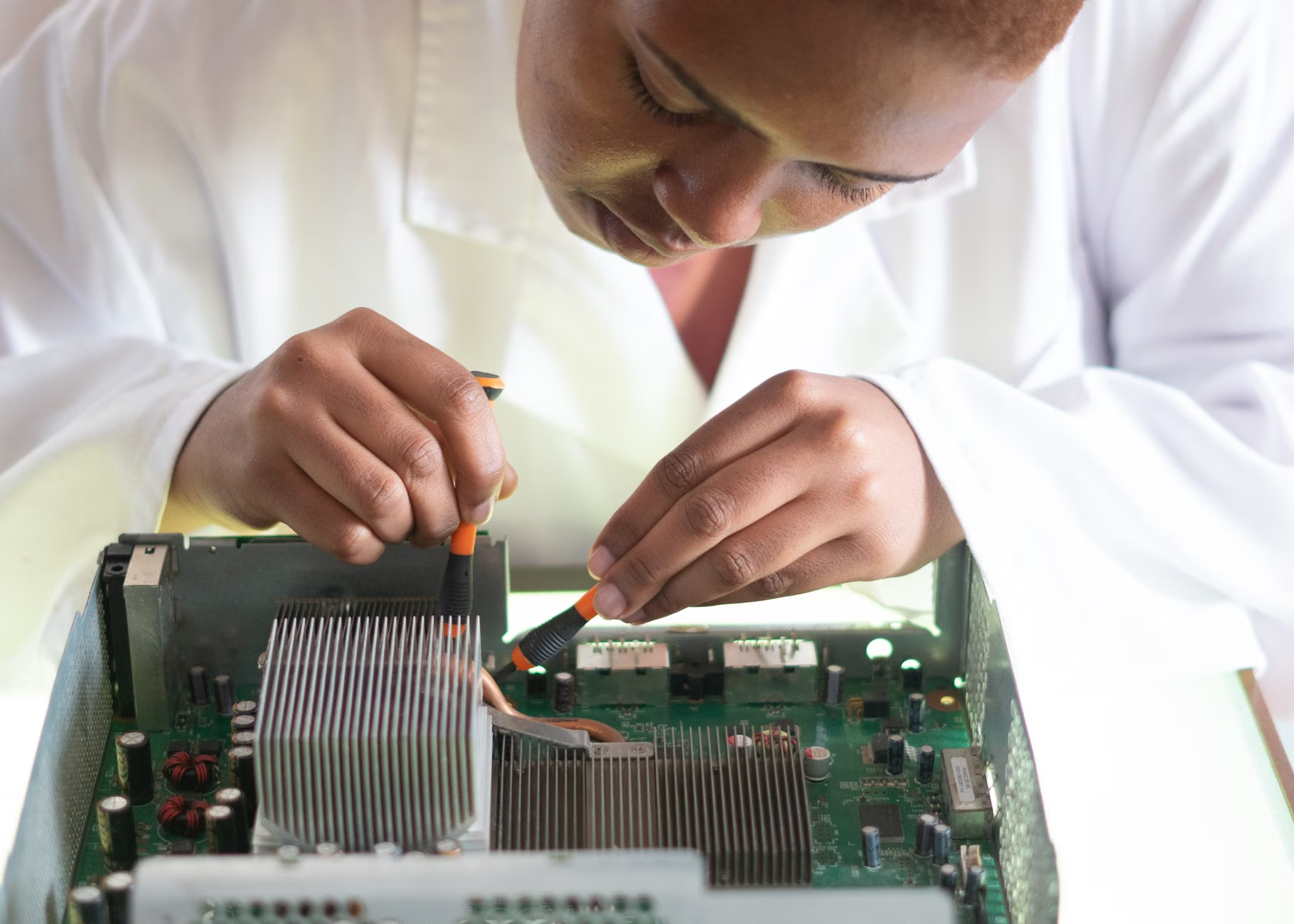
Why does this matter for your family? Because high-end hardware is often over-engineered for the average user. A laptop that was the top-of-the-line model two years ago is still more than capable of handling professional tasks, photo editing, and schoolwork today. By buying refurbished, you aren’t just saving money; you are buying a machine that has already been “burned in”—meaning any potential manufacturing defects were likely caught and fixed in the first few months of its life.
The Checklist for a Stress-Free Purchase
When you are ready to pull the trigger, follow this checklist to ensure you are getting a premium experience rather than a headache. If a seller cannot provide answers to these questions, walk away. There are always other listings.
| Criteria | What to Look For |
|---|---|
| Certification | Look for “Manufacturer Certified” or “Authorized Refurbished” badges. |
| Warranty | Minimum 90 days, ideally 12 months. Avoid “as-is” listings. |
| Battery | Check for a stated battery health percentage (85%+ is standard). |
| Return Policy | Ensure there is a simple, no-questions-asked return window of at least 14 days. |
| Included Parts | Confirm that original cables and chargers are included, not generic third-party substitutes. |
The biggest mistake people make is falling for a “too good to be true” price on a secondary marketplace site. If the price is 70% lower than the retail price, it is either a scam or the device is significantly damaged. Stick to reputable platforms where the refurbisher is held accountable by the host site’s policies. Most major tech manufacturers now have dedicated “outlet” or “refurbished” sections on their official websites. Start your search there before heading to third-party marketplaces.
Why Battery Health is Your Primary Concern
If you are buying a phone, tablet, or laptop, the battery is the part that ages the fastest. Unlike a desktop computer that stays plugged into the wall, a portable device relies on its lithium-ion chemistry. Over time, these chemicals degrade. A device that is three years old might look brand new on the outside but have a battery that needs to be charged twice a day.
When you are looking at product descriptions, look specifically for the term “Battery Health.” If a seller says “new battery installed,” that is a huge plus. If they say “original battery, 90% capacity,” that is also acceptable. If they don’t mention the battery at all, assume it will need replacing soon. This is a vital calculation to make. If you save $200 on the device but have to spend $80 to replace the battery, is that still a good deal? Usually, yes, but only if you factor the cost into your budget upfront.

For parents, this is especially important. You don’t want a tablet dying in the middle of a long car ride or a laptop failing right when you need to finish an urgent email. Always verify the battery specs. If you are buying a device where the battery is not user-replaceable—which is most modern tech—factor in the cost of a professional battery swap if the current capacity is below 80%.
Managing Expectations: The “Cosmetic” Factor
Refurbished devices are often graded by their cosmetic condition. You will see terms like “Grade A,” “Excellent,” “Good,” or “Fair.” “Grade A” or “Excellent” usually means the device has no visible scratches or dings. “Good” might have minor scuffs on the chassis. “Fair” might have visible scratches on the screen or body.
Here is a piece of advice from someone who has bought dozens of these: unless you are buying a gift for someone else, “Good” condition is usually the sweet spot. You are going to put the device in a case or a sleeve anyway. A tiny scratch on the back of a laptop that you will never see is a great way to save an extra $50. However, never compromise on the screen. A scratch on the screen is a permanent distraction that will annoy you every single time you look at the device. If the description says “screen has minor marks,” keep looking.
The Psychological Shift: Moving Past “New”
There is a lingering social stigma that buying used or refurbished goods is “less than.” We live in a culture that celebrates the unboxing experience—the plastic wrap, the pristine smell of new electronics, the feeling of being the first owner. It is a powerful marketing tactic, and it is designed to make you feel like you are missing out if you don’t have the latest model.
But consider the reality: within two weeks of owning a new device, it is no longer “new.” It has fingerprints on it, it has dust, and it has likely been dropped once or twice. The “newness” is a fleeting emotion that costs hundreds of dollars. Once you make the mental switch to valuing functionality, reliability, and value over the vanity of being the first owner, the world of refurbished-premium tech becomes an playground of high-end options.

Furthermore, there is an environmental argument to be made. Electronic waste is a massive, growing problem globally. By choosing a refurbished device, you are extending the lifecycle of a piece of hardware that already exists. You are preventing it from ending up in a landfill and reducing the demand for raw materials needed to manufacture a replacement. It is a small but meaningful way to practice conscious consumption in a household that is already juggling a million other responsibilities.
When to Avoid Refurbished Hardware
While I am a massive proponent of the refurbished market, there are exceptions. There are certain types of hardware where the risk-to-reward ratio doesn’t make sense. For example, I generally advise against buying refurbished storage media like external hard drives or SSDs. These components have a finite lifespan based on read/write cycles, and you don’t always know how hard a previous owner worked the drive. When it comes to your family photos, tax documents, and important files, the peace of mind of a brand-new drive with a full warranty is worth the extra cost.
Similarly, be cautious with “budget” hardware that was already cheap to begin with. If a laptop retailed for $300 new, it was built with cost-cutting materials. Refurbishing a low-quality device doesn’t make it better; it just makes it a refurbished low-quality device. Stick to the “premium” in “refurbished-premium.” Look for business-class laptops (like the ThinkPad, Latitude, or MacBook lines), flagship smartphones, and high-end tablets. These devices are built to last five to seven years, making them the perfect candidates for a second life.
Practical Implementation: A Step-by-Step Guide
So, you have decided to take the plunge. Where do you actually start? Follow this structured approach to ensure you get the best outcome.
- Define Your Needs: Don’t look for a “deal.” Look for a solution. Do you need a laptop for light photo editing? Do you need a tablet for the kids to use on flights? Define the specs (RAM, storage, processor) you actually need before you start looking.
- Set Your Budget: Determine what the new version of that device costs and aim for a 30-40% discount.
- Research the Seller: If you are not buying from the official manufacturer’s outlet, check the seller’s ratings. Look for reviews that specifically mention how they handled returns or warranty claims. Avoid sellers with a high volume of “item not as described” complaints.
- The Unboxing Protocol: When the device arrives, don’t just turn it on and start using it. Take photos of the box and the device condition immediately. Test every port, the speakers, the screen for dead pixels, and the battery charging status. You have a limited window to return it if something is wrong—use it.
- Run Diagnostics: Most operating systems have built-in diagnostic tools. Run them. Check the health of the hard drive and the battery. If the diagnostic reports a failure, contact the seller immediately.
This process might sound like extra work, but it takes less than an hour of your time. Compare that to the hours of work required to earn the extra money you would have spent on a brand-new device. You are essentially paying yourself a high hourly wage to be a smart, informed consumer.
Common Misconceptions About Refurbished Tech
One of the most common myths is that refurbished tech is “repaired.” While some devices do undergo repairs, many are simply “open box” items. A customer buys a laptop, decides they don’t like the color, and returns it three days later. That device is effectively new, but it can no longer be sold as such. This is the “secret menu” of the tech world. You are getting a near-perfect device at a significant discount simply because of a bureaucratic technicality in the retail system.
Another misconception is that the software will be outdated. While it is true that you might need to run a system update as soon as you turn the device on, the hardware itself is usually capable of running the latest OS. Just be sure to check that the model you are buying is still supported by the manufacturer’s software updates. For instance, avoid buying a smartphone that is so old it no longer receives security patches. Security is not an area where you want to cut corners.
Building a Sustainable Home Office
As we navigate our 30s and 40s, many of us are balancing remote work, side hustles, and family life. A home office that is functional and reliable is essential. By building your infrastructure with refurbished-premium gear, you can afford to have a more robust setup. Instead of one expensive, fragile device, you might be able to afford a reliable laptop for work and a secondary tablet for the kids, all for the price of that single, overpriced new laptop.
This approach also teaches a valuable lesson to the next generation. In a world of disposable tech, showing your children that devices can be maintained, repaired, and reused is a lesson in sustainability. It shifts the focus from “what is the coolest new thing” to “what is the most useful tool for the job.” It helps demystify technology and turns it into something we control, rather than something that controls our wallets.
Final Thoughts on Smart Tech Acquisition
The “refurbished-premium” market is not a compromise; it is an intelligent strategy for anyone who values their time and their money. It requires a bit of research, a healthy dose of skepticism, and a willingness to look past the marketing hype of “brand new.” But the rewards—high-quality hardware, significant financial savings, and a more sustainable approach to consumption—are well worth the effort.
Remember, the goal is to equip your life so that technology serves your needs, not the other way around. By choosing reliable, high-end refurbished gear, you are ensuring that your tools are up to the task without the unnecessary burden of premium pricing. Start small, verify your sources, and enjoy the satisfaction of knowing you got the best possible deal.
Frequently Asked Questions
- Is it safe to buy refurbished electronics from third-party sellers?
It can be safe, but you must be diligent. Only buy from sellers with a high volume of positive reviews and a clear, transparent return policy. Avoid platforms that do not offer buyer protection, and always pay using a method that allows for chargebacks if the item is not as described. - How can I tell if a refurbished laptop is still good for modern software?
Check the processor generation. For Windows laptops, aim for an Intel Core i5 or i7 from the 8th generation or newer. For MacBooks, look for models with the Apple Silicon (M1, M2, or M3) chips. These are still very powerful and will remain relevant for several years. - What should I do if my refurbished device arrives with a fault?
Do not attempt to repair it yourself, as this will void any warranty you might have. Contact the seller immediately through the platform where you made the purchase. Provide photos of the defect and request a replacement or a refund. If the seller is unresponsive, escalate the issue to the platform’s customer support team.
For further reading on consumer rights and technology standards, you can check the following resources: