Key Takeaways
- Ancestral-Roots projects prioritize intangible legacy over physical goods, effectively reducing household clutter while increasing the emotional value of your gifts.
- Digitizing family history requires a systematic approach: focus on the “Three Pillars” (Scanning, Organizing, and Curating) to ensure your archives remain accessible for future generations.
- The best digital gifts are interactive: rather than a static folder of files, use collaborative platforms that allow family members to add stories, voice notes, and context to the images.
The most meaningful gift you can give your family this holiday season isn’t found on a store shelf or ordered through a same-day delivery service. It is the “Ancestral-Roots” project—a deliberate effort to curate, digitize, and share your family’s history. For those of us in our 30s and 40s, caught in the relentless cycle of school runs, work deadlines, and the endless accumulation of “stuff,” this project offers a way to pivot from consumerism to connection.
By transforming dusty photo albums and shoeboxes of memories into a structured digital legacy, you aren’t just cleaning out a closet; you are providing your children with a sense of identity and belonging. Let’s break down how to execute this project without getting overwhelmed by the sheer volume of memories.

Why Your Family Needs a Digital Legacy Right Now
In our 30s and 40s, we occupy a unique “bridge” generation. We remember the analog world of physical prints and VHS tapes, yet we are fully immersed in the digital ecosystem. If we don’t act, the stories behind our family photos die with the elders, and the physical photos themselves often succumb to moisture, fading, or simply being lost in moves. The “Ancestral-Roots” project isn’t just about storage; it’s about context.
Consider the difference between a folder named “Photos 2012” and a curated digital story. When you present your children with a digital timeline that includes voice recordings of a grandparent explaining who is in a photo, you change the nature of the information. It stops being data and starts being history. This is particularly important for children who often feel disconnected from their heritage in a globalized, fast-paced society. A study by the Emory University Family Narratives Lab suggests that children who know more about their family history—the “intergenerational self”—show higher levels of emotional resilience and confidence. That is the true value of this gift.
The Three-Pillar Framework for Your Project
Starting an ancestral project can feel like staring at a mountain. The trick is to break the process down into three manageable pillars: Scanning, Organizing, and Curating. Do not try to do this all at once. If you treat it like a long-term hobby rather than a weekend chore, you’ll avoid burnout and actually finish the job.
Pillar 1: The Technical Setup for Scanning
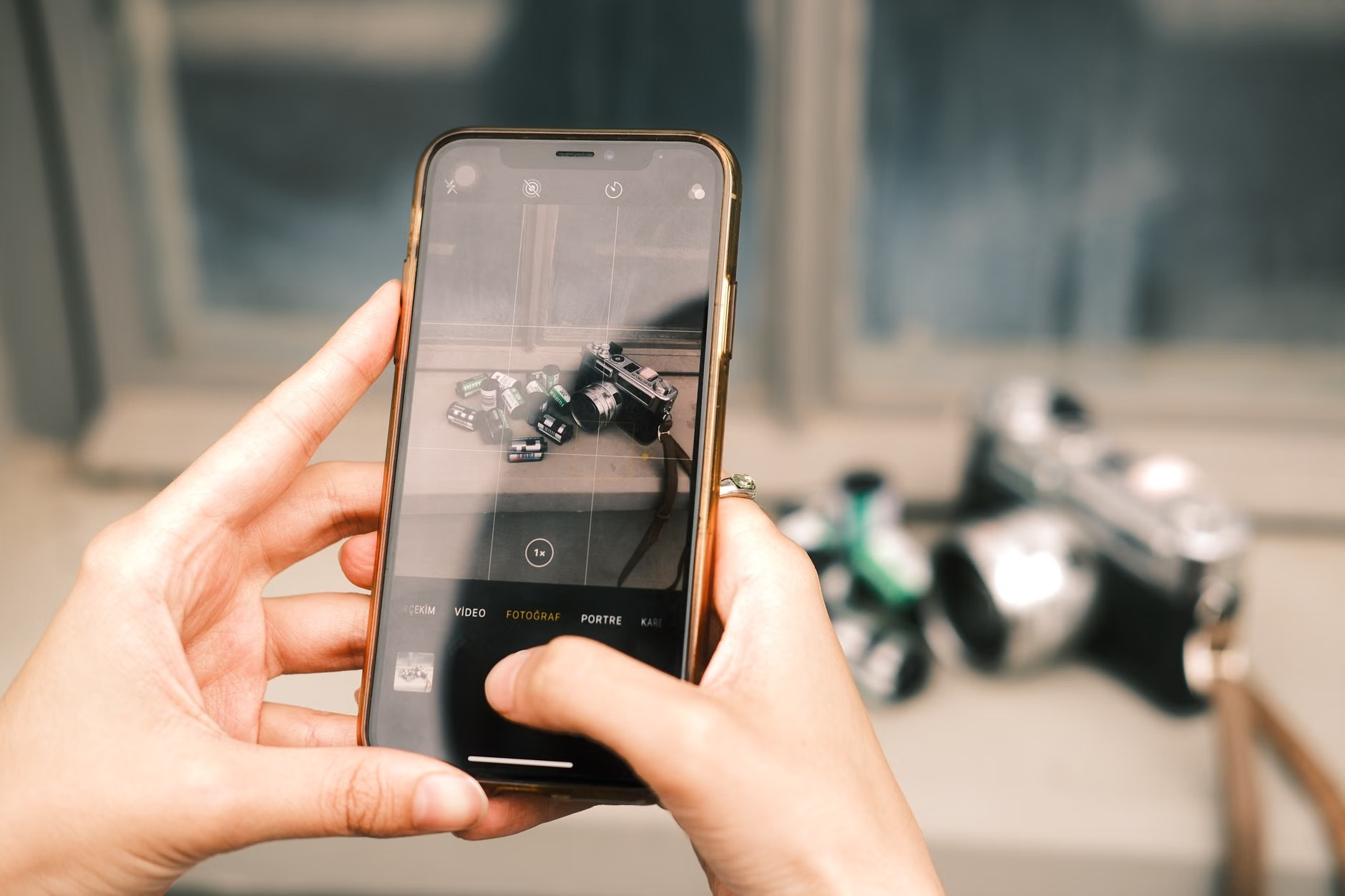
Many people make the mistake of buying expensive flatbed scanners only to realize they don’t have the space or the time to use them. For most modern households, a smartphone is sufficient. High-resolution cameras on current devices, combined with dedicated scanning apps (like Google PhotoScan or Adobe Scan), can produce results indistinguishable from professional equipment for the purpose of digital archiving.
Common Mistake: Relying on low-quality, blurry photos taken with a standard camera app. Use specialized scanning apps that automatically detect edges, correct perspective, and remove glare. This is the difference between a “snapshot of a photo” and a “digital archive file.”
Pillar 2: Organizing for Accessibility
Digital clutter is just as stressful as physical clutter. If you dump 5,000 photos into a single cloud folder, you will never look at them again. Use a standard naming convention that includes the year, location, and key participants. For example: 1985_London_Grandpa_Birthday.jpg. This makes searchability possible, which is the cornerstone of a usable digital legacy.
Furthermore, decide on your storage strategy. I recommend the 3-2-1 Rule: 3 copies of your data, on 2 different types of media (e.g., local hard drive and cloud storage), with 1 copy kept off-site (a secondary cloud service or a physical drive kept at a relative’s house). This ensures your project survives a house fire, a computer crash, or a cloud provider’s account lockout.
Pillar 3: Curating the Story
This is where the “gifting” happens. Raw data is boring. A story is engaging. Take your digitized collection and build a narrative. This could be a private family website, a shared photo book, or a series of annotated digital albums. The goal is to provide the “Who, What, Where, and Why” of every major collection.
How to Compare Digital Archiving Platforms
When choosing where to host your Ancestral-Roots project, you have several options ranging from free cloud storage to subscription-based heritage platforms. The right choice depends on your technical comfort level and your goal for the gift.
| Platform Type | Best For | Trade-off |
|---|---|---|
| Cloud Storage (Google Drive, iCloud) | Raw storage and simple file sharing. | Lacks storytelling features; requires manual organization. |
| Heritage Sites (Ancestry, MyHeritage) | Building family trees and DNA integration. | Subscription costs; privacy concerns regarding data. |
| Private Digital Scrapbooks (Canva, Shutterfly) | Visual storytelling and physical gift creation. | Harder to update once the final product is “printed” or shared. |
If you want a truly interactive gift, I recommend using a platform that allows for comments. When you upload a photo of your parents’ wedding, having the ability for your siblings to jump in and add, “Oh, I remember that cake, it was delicious!” transforms the digital file into a living, breathing family conversation.
Addressing Privacy and Security Concerns
In our 30s and 40s, we are hyper-aware of digital privacy. Uploading family photos to the cloud can feel risky. When you start your project, prioritize platforms that offer end-to-end encryption or, at the very least, robust two-factor authentication (2FA). Never, under any circumstances, upload sensitive documents like birth certificates or social security cards to public-facing genealogy sites without ensuring they are set to “private.”
A common misconception is that “private” on a social media site means “private from everyone.” It does not. If you want to keep your family legacy safe, use a dedicated family-only platform or a secure cloud drive where you control the access list. You are the curator; treat the security of your family’s history with the same seriousness you would apply to your banking information.
Practical Steps to Launch Your Project This Weekend
Do not wait for the “perfect” time to start. You can make significant progress in just a few hours. Here is your step-by-step action plan to get the momentum going:
- The Audit: Spend one hour gathering all physical photos into one room. Sort them into “Keep,” “Maybe,” and “Toss.” Be ruthless. You don’t need to save every blurry photo of a landscape from 1994.
- The Batch Scan: Set up a station with good lighting. Use a 30-minute timer. Scan as many photos as you can in that window. Do not worry about naming them yet; just get them into the digital format.
- The First Share: Choose one “Hero Image”—a photo that captures a beautiful moment—and send it to your family group chat with a short story attached. This tests the reaction of your family and helps you gauge their interest in participating.
The most important variable in this project is consistency. If you try to do too much at once, you will quit. If you do 30 minutes a week, you will have a comprehensive digital archive within a year.

Common Pitfalls and How to Avoid Them
A frequent error is focusing too much on the “tech” and not enough on the “roots.” You might spend hours researching the best scanner or the most expensive software, only to realize you haven’t actually written down the names of the people in the photos. Technology is the tool, but the memory is the asset.
Another pitfall is the “perfectionist trap.” You might feel that if you can’t identify every single person in every photo, it’s not worth doing. This is false. A photo of an unidentified relative is still a piece of history. Label it “Unknown Relative, circa 1960” and move on. You can always crowdsource the identification later.
Finally, consider the format longevity. While cloud storage is great, file formats change. JPEG is currently the standard, but keep an eye on new, more efficient formats like HEIC or WebP. Ensure that your archival files are stored in a format that will be readable 20 years from now. Storing them in a proprietary format that might disappear in a decade is a hidden risk that many people ignore.
Adding Depth: The Unexpected Benefits
Beyond the obvious goal of preserving memories, the Ancestral-Roots project often leads to surprising discoveries. As you dig through old letters or photos, you might find details about your family’s migration, their professional struggles, or their hobbies that you never knew. This creates a bridge to empathy. When you tell your child, “Grandpa struggled with this exact same thing when he was your age,” you aren’t just telling a story; you are teaching them that their current difficulties are part of a larger, manageable human experience.
There is also a surprising financial benefit. By digitizing documents, you create a central repository for important records. Finding a long-lost property deed, a birth certificate, or a record of a family asset in the middle of a digital archive is a common, high-value outcome for people who maintain these projects diligently.
Final Thoughts on Your Digital Legacy
The Ancestral-Roots project is a marathon, not a sprint. By the time you reach the holiday season, you may not have a perfect archive, but you will have a collection of stories that were previously gathering dust. This is the ultimate gift: the gift of time, context, and shared identity.
Don’t be afraid to involve your children in the process. Even young kids can help identify people in photos, and teenagers can help with the technical side of scanning and cloud organization. When they participate, they become stakeholders in their own history. Start small, stay consistent, and remember that the goal is to foster connection, not to create a museum-grade database.
Frequently Asked Questions
Q: What is the best way to handle photos that are already in digital format, like old Facebook posts or early digital camera files?
A: Collect these files and migrate them into your primary archive immediately. Digital files are susceptible to “link rot” and platform closures. Download them, rename them according to your convention, and back them up using the 3-2-1 rule mentioned earlier. Do not rely on social media platforms as your primary storage.
Q: My parents are hesitant to let me take their photos to scan. What should I do?
A: This is a common barrier. Respect their attachment to the physical items. Instead of taking them away, bring your scanning equipment to them. Spend an afternoon scanning with them. This turns the scanning process into a bonding experience where they can tell you the stories behind the photos as you digitize them.
Q: How do I handle photos where I don’t know the date or location?
A: Use context clues. Look at the fashion, the cars in the background, or even the type of film (if you can tell). If you still can’t determine the date, label it with an estimate like “Mid-1970s” or “Pre-1980.” The goal is to provide a reasonable anchor for the memory, not to be a professional archivist.
Useful Resources:
- National Archives: Preserving Family Archives – A guide on how to store and protect your physical and digital documents.
- FamilySearch: Tips for Digitizing Family Photos – Practical advice on equipment and techniques for high-quality results.