The most effective way to maintain evening focus without sacrificing your sleep quality is to shift your home office lighting to a “Low-Energy” profile: warm color temperatures (2200K–2700K) and low-intensity, indirect illumination.
- Color Temperature Matters: Switching from “daylight” (5000K+) to “warm white” (2700K) signals your brain to prepare for rest, even while you finish your tasks.
- Indirect is Better: Bouncing light off walls or using bias lighting behind your monitor prevents the harsh glare that causes eye strain and mental fatigue.
- The 20-Minute Rule: Dimming your lights 20 minutes before you intend to stop working helps bridge the gap between high-focus tasks and winding down for family time.
The Science of “Low-Energy” Lighting for the Night Owl
If you are in your 30s or 40s, you likely know the feeling: the kids are finally asleep, the house is quiet, and it is time to tackle the work you could not finish during the day. However, hitting the “on” switch for your main overhead light feels like a physical assault on your senses. This is not just a preference; it is a biological reaction to blue-spectrum light.
Blue light, which is prevalent in standard daylight-balanced LED bulbs (typically 5000K and above), suppresses the production of melatonin, the hormone that regulates your sleep-wake cycle. When you work under bright, cool-toned lights, your brain remains convinced it is high noon. This makes it difficult to fall asleep once you finally close your laptop, leading to a cycle of “revenge bedtime procrastination” and poor sleep quality.
The “Low-Energy” lighting approach is not about working in the dark. It is about creating a visual environment that supports cognitive focus while respecting your circadian rhythm. By lowering the color temperature and the overall lumen output, you reduce the strain on your eyes and minimize the suppression of melatonin, allowing you to transition into sleep naturally once the work is done.
Choosing the Right Color Temperature for Your Eyes
Most home offices are equipped with standard office-grade bulbs that are far too intense for evening work. To create a productive yet relaxing evening environment, you need to understand the Kelvin (K) scale. Think of it as a spectrum of “energy.”
| Color Temperature | Best Use Case | Impact on Focus |
|---|---|---|
| 5000K – 6500K | Daytime tasks, precision work | High alertness, but disrupts sleep at night. |
| 3000K – 4000K | General living areas | Neutral; okay for short bursts, but can be too bright. |
| 2200K – 2700K | Evening focus, relaxation | Reduces eye strain; supports melatonin production. |
If you find yourself struggling to stay focused, you might be tempted to turn the lights up. This is a common mistake. Increased brightness does not equal increased focus; it often just increases the contrast between your screen and your room, leading to digital eye strain. Instead, opt for a warmer, dimmer source that provides enough light to read documents, but not enough to trigger a “daytime” response in your brain.
Why “Indirect” is the Secret to Avoiding Eye Fatigue
One of the most overlooked variables in home office setups is the direction of the light. Most of us rely on a single, harsh overhead light or a direct-facing desk lamp. This creates “glare,” where the light reflects off your screen or your desk surface directly into your eyes. When you work at night, your pupils are naturally more dilated, making you even more sensitive to this glare.
The solution is to use indirect lighting. This means pointing your light source toward a wall, the ceiling, or using a lamp with a diffuser. By bouncing the light, you create a larger “area” of illumination, which is much softer and more even. This effectively eliminates the harsh shadows that cause your eyes to work harder to adjust as you scan your desk.
Step-by-step implementation:
- Turn off the overhead: If your overhead light is not dimmable, just stop using it. It is rarely the right light for a focused, evening session.
- Position your lamp: If you use a task lamp, turn it away from your screen. Point it at the wall behind your monitor or the surface of the desk to create a soft “wash” of light.
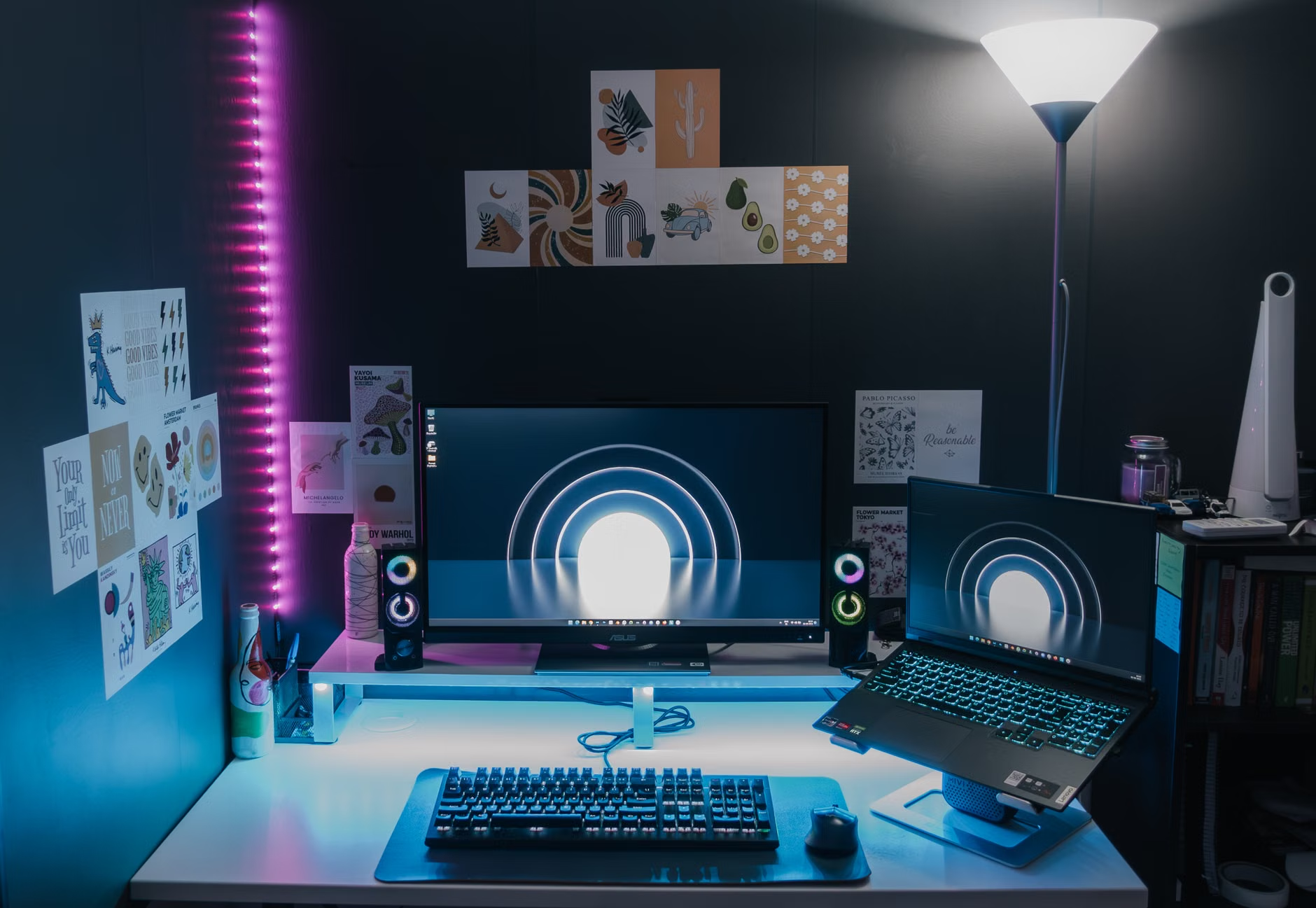
- Use Bias Lighting: Place an LED strip behind your monitor. This creates a halo of light against the wall, which reduces the contrast between the bright screen and the dark room. This is perhaps the single most effective way to reduce late-night eye strain.
Managing the “Transition” from Parent to Professional
For those of us balancing parenting, the transition into “work mode” at 9:00 PM is jarring. Your brain has likely spent the last few hours dealing with high-energy activities, emotional regulation, and household chaos. Jumping straight into a bright, sterile office environment creates a cognitive dissonance that makes it hard to get into a “flow state.”
Lighting can act as a psychological trigger. By automating your home office to slowly transition to a warmer, dimmer setting as the evening progresses, you are signaling to your nervous system that it is time to shift gears. This is where smart home technology becomes practical rather than just a luxury.
If you have smart bulbs (like those from Philips Hue, LIFX, or even budget-friendly options from IKEA or TP-Link), set an “Evening Focus” scene. At 8:30 PM, your office lights should automatically shift from 4000K to 2700K and drop to 50% brightness. This creates a “cocoon” effect that helps you mentally separate from the rest of the house. If you do not have smart lights, a simple manual dimmer switch or a lamp with a physical low-wattage bulb (e.g., a 40-watt equivalent) is a low-cost, high-impact alternative.
Common Misconceptions and Hidden Trade-offs
A common mistake is thinking that “low-energy” lighting means you should work in near-total darkness. While dark rooms can feel “cozy,” they are actually counter-productive for tasks that require reading or complex problem-solving. When the contrast between your screen (which is essentially a light box) and the surrounding room is too high, your eyes undergo constant micro-adjustments. This is what leads to the “sandpaper eyes” feeling at the end of the night.
Another misconception is that blue-light-blocking glasses are a replacement for proper lighting. While they can help, they are a secondary measure. Your skin and body also have photoreceptors that react to light, not just your eyes. Relying solely on glasses while sitting in a room flooded with cool-toned, high-intensity light ignores the broader biological impact of your environment.
The Hidden Cost: Be aware that cheaper smart bulbs often have a lower “Color Rendering Index” (CRI). A low CRI means that colors look washed out or “off.” If your work involves design, photography, or anything where color accuracy matters, stick to high-CRI bulbs (90+). You will pay a premium, but the difference in visual clarity—and the reduction in the “muddy” feeling of cheap light—is significant.
Putting It All Together: Your Evening Protocol
If you want to optimize your evening focus, do not try to overhaul your office in one day. Start by testing your current setup against these criteria:
- Can you read a paper document without squinting? If yes, your lighting is sufficient. If you are straining, you need more light, not just brighter light. Increase the spread, not the intensity.
- Is your screen the brightest thing in the room? If so, you are creating eye strain. Add bias lighting or a secondary lamp to balance the room’s brightness.
- Do you feel a “crash” in energy when you turn the lights on? If so, your color temperature is likely too cool. Switch to warmer bulbs.
For parents in their 30s and 40s, time is the scarcest resource. The goal of this protocol is to reclaim your evening hours by making them more productive and less physically taxing. By controlling your light, you are not just setting a mood; you are actively managing your cognitive energy and protecting your sleep, which is the foundation of your ability to handle the next day’s demands.
Remember that the best lighting setup is one that you don’t notice. It should feel like a natural extension of your focus—supportive, steady, and unobtrusive. If you find yourself constantly reaching for the switch or adjusting your monitor brightness, your lighting isn’t doing its job.
Frequently Asked Questions
Does using “warm” light actually help me sleep better after working?
Yes. By minimizing blue-spectrum light (the kind that mimics daylight), you allow your body to naturally produce melatonin. While working late is never ideal for sleep hygiene, keeping the light warm and dim reduces the “alertness” signal your brain receives, making the transition to sleep faster once you shut down.
Is bias lighting (LED strips behind the monitor) really worth the effort?
Absolutely. It is the most effective way to eliminate the extreme contrast between a bright screen and a dark wall. It reduces eye strain significantly, which is the primary cause of late-night headaches for office workers. It is an inexpensive, one-time setup that pays off every single evening.
What if I need to do high-precision work at night?
If you are working on design or detailed manual tasks, you need high-intensity light. The key is to keep that high intensity localized. Use a high-quality, dimmable desk lamp with a high CRI (Color Rendering Index) pointed directly at your work, while keeping the rest of the room in a warmer, lower-intensity “ambient” state. This gives you the precision you need without exposing your entire visual field to sleep-disrupting blue light.
For further reading on how light affects your circadian rhythm and health, you can visit the Sleep Foundation’s guide to light and sleep.