The most effective way to reconnect with your childhood gaming roots while balancing a busy adult schedule is to build a low-maintenance, dedicated “retro hub” that prioritizes accessibility over hardware complexity.
- Hardware Selection: You don’t need a high-end PC; modern single-board computers or dedicated emulation consoles offer plug-and-play simplicity.
- Curated Libraries: Focus on quality over quantity; a library of 20 games you actually enjoy is better than 5,000 you’ll never touch.
- Shared Joy: Retro gaming is a powerful bridge for generational bonding, offering simple mechanics that children can easily grasp.
Do you remember the specific, tactile click of a cartridge sliding into a console? Or the way you had to blow into the bottom of a game just to get it to load? For many of us in our 30s and 40s, these memories are etched into our formative years. But between the demands of the office, the school run, and the endless pile of laundry, finding the time—or the space—to revisit those digital worlds feels like a logistical nightmare.
The good news is that the “retro-gaming” scene has matured alongside us. It is no longer just about hoarding dusty hardware in a basement. It has evolved into a curated, social, and surprisingly manageable hobby that fits seamlessly into a modern, minimalist home. Let’s look at how you can reclaim that joy without turning your living room into a cluttered museum.
The Evolution of the Retro Experience
In the past, retro gaming was a chore. You dealt with aging capacitors, proprietary cables that didn’t fit modern HDMI ports, and the constant fear that your favorite console would finally give up the ghost. Today, the focus has shifted toward emulation-based hardware. These are devices specifically designed to run software that mimics older consoles, allowing you to play your childhood library on modern, high-definition displays.
Why does this matter for the busy parent? Because it removes the friction. You don’t want to spend forty minutes troubleshooting a loose AV cable when you only have twenty minutes of downtime after the kids are in bed. You want a system that boots up instantly, saves your progress, and lets you jump right back into the action.
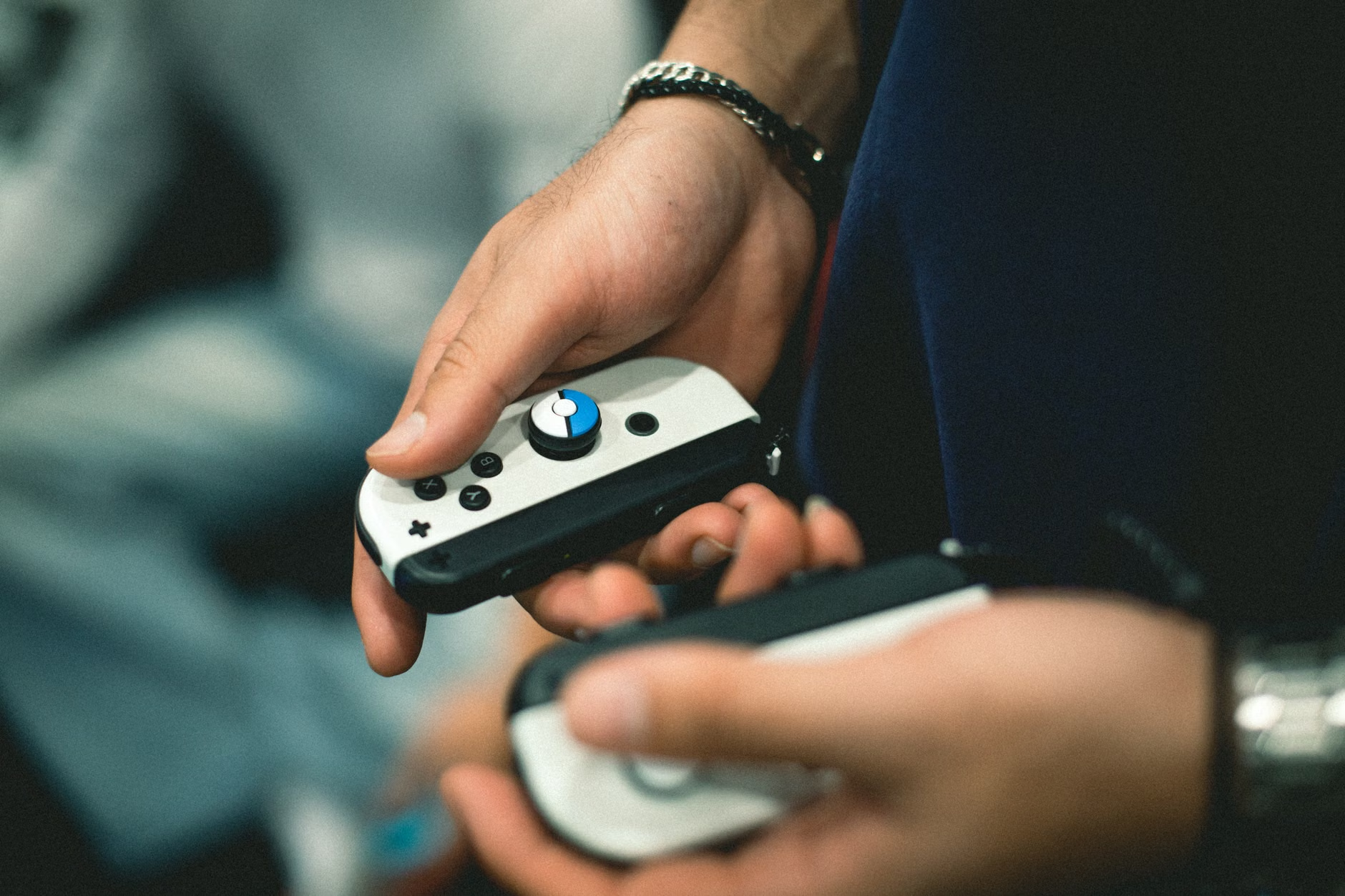
Understanding the “Plug-and-Play” Philosophy
The market is currently flooded with devices ranging from $50 handhelds to $500 custom-built arcade cabinets. For the average person, the “sweet spot” is usually a dedicated handheld emulator or a micro-console that connects to your TV. These devices act as a digital library, consolidating thousands of games onto a single memory card.
The key here is curation. When you have access to every game ever released, you often end up playing nothing at all—a phenomenon known as “analysis paralysis.” My advice? Spend your first weekend creating a “Favorites” folder. If you find yourself scrolling through lists for ten minutes, you aren’t gaming; you’re browsing. Treat your digital library like a bookshelf: keep the classics you love and prune the rest.
Hardware Options for Every Lifestyle
Choosing the right hardware depends entirely on where and when you plan to play. Are you looking for a quiet moment during your commute, or a Friday night activity with your partner or children?
| Device Category | Best For | Setup Complexity |
|---|---|---|
| Handheld Emulators | Commutes, lunch breaks, or hiding in a quiet corner of the house. | Low (Mostly ready out of the box) |
| Micro-Consoles | Living room social gaming with family or friends. | Medium (Needs TV connection) |
| Single-Board PCs (e.g., Raspberry Pi) | DIY enthusiasts who want a custom arcade aesthetic. | High (Requires software configuration) |
The Case for Handhelds
Handheld emulation has seen a massive surge in quality over the last three years. Devices like the Anbernic or Retroid series have brought the experience of playing classic 8-bit and 16-bit games to a form factor that fits in your pocket. They are perfect for the 30-something who has a “wait-and-see” lifestyle—waiting for soccer practice to end, waiting for a meeting to start, or waiting for the baby to fall asleep.
These devices often use Linux-based operating systems. While this sounds technical, most are essentially “copy and paste” systems. You load your game files (ROMs) onto an SD card, insert it into the device, and the menu interface builds itself. It’s a one-time setup that lasts for years.
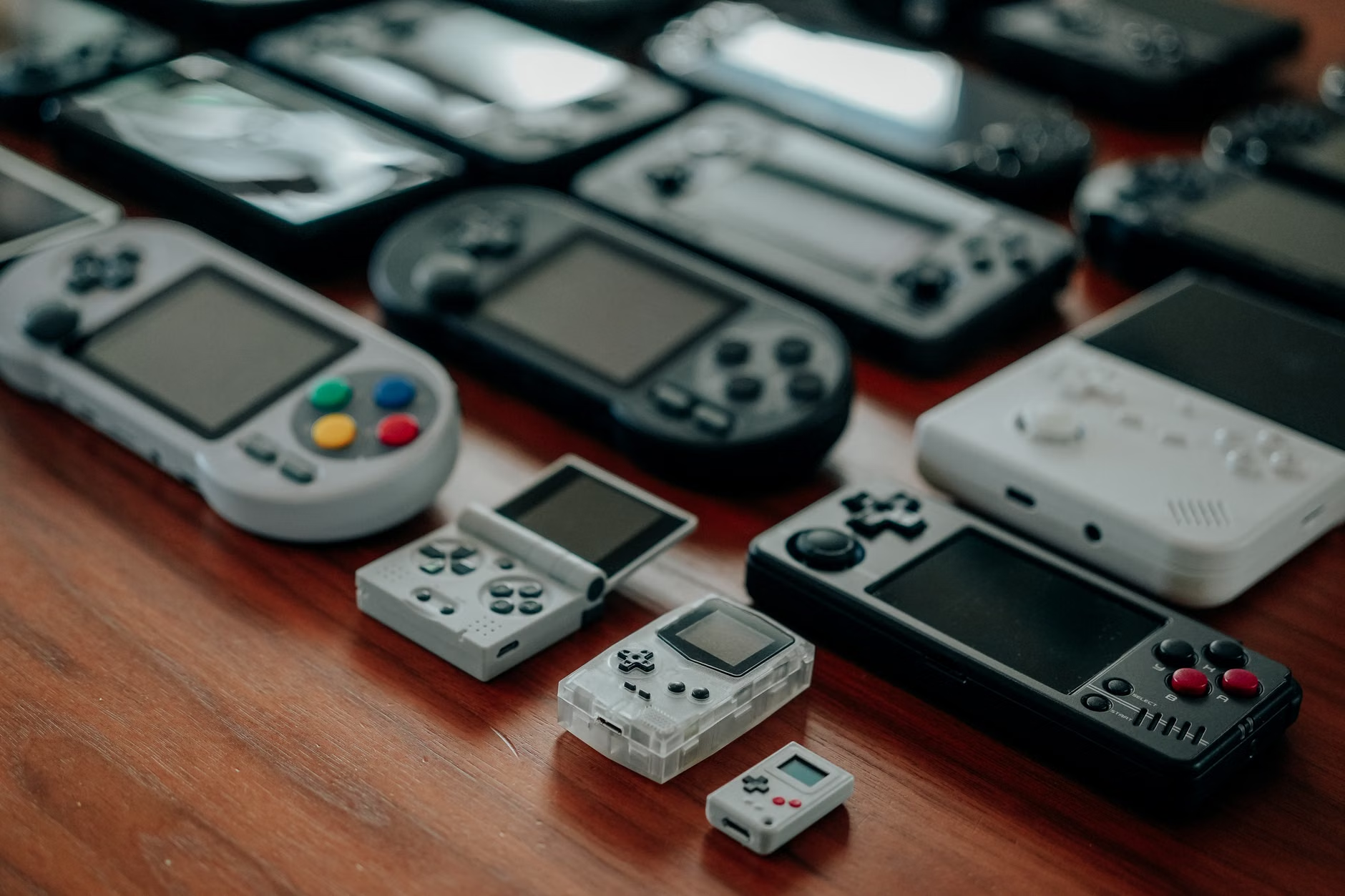
Transforming the Living Room
If your goal is to turn retro gaming into a shared family activity, the living room is the natural hub. However, avoid the “clutter trap.” You don’t need a massive, dedicated arcade cabinet to capture the vibe. A simple micro-console or a small PC tucked behind the television is often enough.
Invest in high-quality wireless controllers that mimic the feel of the classics but offer the reliability of modern Bluetooth technology. The tactile feedback of a well-made D-pad can make a world of difference. It turns a “cheap toy” experience into a “premium hobby” experience.
Building a Culture of Gaming at Home
Retro gaming isn’t just about the games; it’s about the context. For those of us in our 30s and 40s, gaming was a social event. We played on the couch with siblings, neighbors, or friends. Bringing that spirit into your current home life requires intentionality.
Establish “Gaming Night” rules. Perhaps it’s Friday night, once the chores are done and the house is quiet. Or maybe it’s a Sunday afternoon activity. The goal is to move gaming away from the “guilty pleasure” category and into the “shared family ritual” category. This is especially effective with children, as retro games often feature simpler, more forgiving mechanics than modern, complex AAA titles.
The Generational Bridge
One of the most rewarding aspects of retro gaming as a parent is watching your children discover the games you grew up with. You might find that the simple, high-contrast graphics and catchy, repetitive music of the 8-bit era hold a child’s attention just as well as modern, hyper-realistic games. It is a shared language. You can explain how you beat a level, share strategies, and experience the same sense of triumph you felt thirty years ago.

However, be mindful of the “difficulty gap.” Games from the 80s and 90s were often designed to be punishingly difficult to keep players in arcades longer. If your child gets frustrated, don’t force it. Use the “save state” feature—a modern emulation tool that allows you to save your progress at any exact second—to lower the barrier to entry. It makes the experience fun rather than a test of endurance.
Avoiding the Common Pitfalls
As you dive into this, you will inevitably encounter obstacles. Here is how to keep your sanity while building your hub.
- The “Feature Creep” Trap: You do not need to play every game ever made. Focus on the ones that actually hold sentimental value or are genuinely fun to play. If a game feels like a chore, delete it.
- The “Hardware Obsession” Trap: It is easy to spend more time tinkering with settings, themes, and firmware updates than actually playing. Set a “setup budget.” If you spend more than two hours configuring a device, stop and play something.
- The “Clutter” Trap: If your gaming gear starts taking over your living space, it will eventually become a source of stress rather than relaxation. Use dedicated storage, like a small decorative box or a specific shelf, to keep controllers and cables out of sight when not in use.
The Ethics and Legality of Emulation
It is important to address the elephant in the room: the legality of game files. Emulation itself is entirely legal, but downloading copyrighted game files (ROMs) from the internet exists in a grey area. Most enthusiasts operate under the philosophy that if you own a copy of the game, you are entitled to a digital backup.
For those who want to be strictly compliant, many classic games are now available for purchase on modern digital storefronts through “Retro Collections” or subscription services like Nintendo Switch Online. These provide a legal, high-quality, and often updated version of the classics without the need for complex setup. It is often the most sensible path for the busy parent who values peace of mind over the “hacker” aesthetic.
Integrating Retro Gaming into Your Schedule
The biggest challenge for anyone in their 30s and 40s is time. You are likely juggling professional responsibilities, household management, and perhaps parenting. Retro gaming should be a way to decompress, not another item on your to-do list. Here is a practical framework for integrating it into your life:
- The 15-Minute Rule: If you have 15 minutes of downtime, jump into a game. Retro games are designed for short bursts. You don’t need a three-hour block to feel like you’ve made progress.
- The “Transition” Ritual: Use gaming as a buffer between work and home life. If you work from home, a 10-minute session after closing your laptop can act as a mental “commute,” helping you switch from “employee mode” to “parent/partner mode.”
- Shared Access: Keep your controllers accessible but tidy. If a controller is buried in a box, you won’t use it. If it is sitting on the coffee table, it will naturally invite play.
The Long-Term Value of Nostalgia
Why do we keep coming back to these games? It isn’t just about the pixels. It is about the feeling of competence and control. In a world where our daily lives are often dominated by complex, long-term problems—mortgages, career growth, parenting challenges—there is something deeply satisfying about a game where the rules are clear, the objectives are defined, and success is achievable through practice.
Retro gaming provides a low-stakes environment to exercise your brain, improve your reflexes, and experience a sense of accomplishment that is entirely separate from your day job. It’s a healthy way to nourish the “inner child” while maintaining the responsibilities of the adult.
Final Thoughts and Cautions
As you build your retro-gaming hub, remember that the goal is enjoyment. If it starts to feel like work, or if it creates friction in your household, step back. Technology should serve your lifestyle, not dictate it. Ensure that your gaming time remains a balanced part of your week, not a replacement for physical activity or social interaction with family.
Start small. Don’t feel pressured to buy the most expensive gear or build the most elaborate setup. A simple, well-curated library on a reliable device is all you need to revisit the magic. Keep it simple, keep it organized, and most importantly, keep it fun. Your childhood self would be proud that you still found the time to play.
Frequently Asked Questions
Q: Do I need to be tech-savvy to set up a retro-gaming system?
A: Not at all. Many modern devices are “plug-and-play.” While some DIY solutions like Raspberry Pi require a bit of technical comfort, there are plenty of pre-configured handhelds and consoles available today that require nothing more than turning them on and choosing a game from a menu.
Q: Is retro-gaming actually safe for children?
A: Generally, yes. Many classic games were rated for all ages and feature simple, non-violent mechanics. However, as with any media, it is best to review the titles you add to your library. Because you are the one curating the list, you have complete control over what your children are exposed to.
Q: What is the most cost-effective way to get started?
A: Look into entry-level handheld emulators from reputable manufacturers. They often cost between $50 and $90 and come with everything you need. Alternatively, check if you already own hardware—like a modern console or a tablet—that can run retro-gaming apps, which might cost you nothing at all.
For further information on the legality of emulation and the history of video game preservation, you may find the following resources helpful:
- The Video Game History Foundation – Dedicated to preserving the history of video games.
- U.S. Copyright Office – Official resources regarding digital media and fair use.