The most important thing to know about smart meter billing is that it doesn’t just track how much power you use; it tracks when you use it, which is the key to unlocking lower monthly energy costs.
- Smart meters eliminate the need for estimated billing by providing real-time, granular data to your utility provider.
- Understanding “Time-of-Use” (TOU) pricing is the fastest way to reduce your bill without sacrificing comfort.
- Most utility apps offer historical data that allows you to identify “vampire loads”—devices that consume electricity even when turned off.
If you are in your 30s or 40s, you probably remember a time when someone had to physically walk to the side of your house to read a spinning dial. Today, that process is largely automated. Smart meters, also known as Advanced Metering Infrastructure (AMI), communicate directly with your utility company. While this sounds like a win for convenience, it has introduced a new level of complexity to our utility bills that many of us are still trying to navigate.
Have you ever looked at your electricity bill and felt like it was written in a foreign language? You aren’t alone. Between delivery charges, supply rates, and fluctuating demand-based pricing, the bill can feel like a riddle. Let’s break down how these devices actually work and how you can use the data they provide to stop overpaying.
What Exactly Is a Smart Meter and Why Does It Matter?
A smart meter is essentially a two-way communication device. Unlike the old-school mechanical meters that only recorded the total amount of electricity consumed over a month, a smart meter records data in short intervals—often every 15 to 60 minutes. This data is then sent wirelessly to your utility provider.
For the utility company, this is a massive operational gain. They don’t have to send a technician to your door, and they can respond to outages more quickly. For you, the resident, the “smart” part of the meter is the data. Because the meter records usage at specific times, your utility company can offer tiered pricing structures that reflect the actual cost of generating electricity at different times of the day.
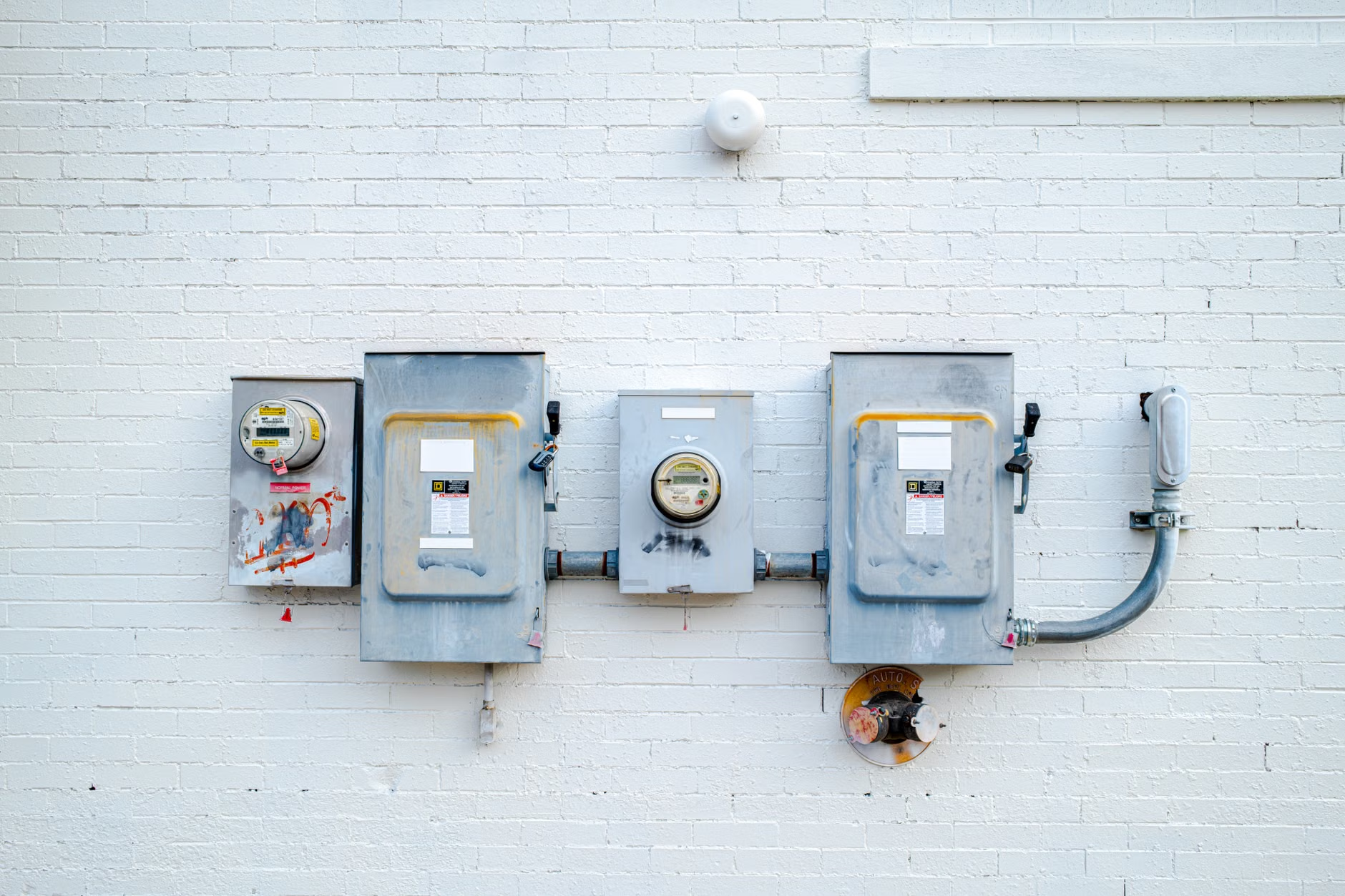
This is where things get interesting—and sometimes expensive. If your utility provider uses “Time-of-Use” (TOU) rates, the price per kilowatt-hour (kWh) changes based on demand. Electricity is generally more expensive during peak hours (usually late afternoon and early evening when everyone is home, cooking, and running AC units) and cheaper during off-peak hours (middle of the night or midday).
Decoding the Billing Statement: Why Estimates Are History
One of the biggest frustrations in the past was the “estimated bill.” If a meter reader couldn’t reach your property, the company would guess your usage based on your history. This often led to massive “catch-up” bills when a real reading was finally taken. Smart meters have largely killed this practice.
However, the new frustration is the breakdown of the bill. You might notice charges for “Distribution,” “Transmission,” and “Supply.” It’s helpful to think of these like a delivery service. The “Supply” is the actual electricity, while “Distribution” and “Transmission” are the costs of maintaining the power lines that bring that energy to your home. Even if you use zero electricity, you might still see a small charge—this is the “grid access fee,” the price of keeping the connection alive.
When reviewing your bill, look for the “Usage Profile” section. Most modern utility portals allow you to download your hourly usage data. If you are tech-inclined, you can drop this into a spreadsheet. If not, most providers now include a simple bar chart on your digital statement. If you see a consistent spike at 7:00 PM every night, you know exactly when your household is hitting its peak demand.
Practical Steps to Master Your Energy Consumption
If you want to move beyond just reading your bill and actually start lowering it, you need to treat your electricity consumption like a budget. Here is a step-by-step approach to taking control:
| Action | Why It Works |
|---|---|
| Check your rate plan | You might be on a TOU plan without realizing it; switching to a flat rate could save you money if you work from home. |
| Identify the “Baseline” | Look at your usage at 3:00 AM. This is your “always-on” load. If it’s high, you have devices drawing power unnecessarily. |
| Shift your heavy chores | Running the dishwasher or dryer at 10:00 PM instead of 6:00 PM can significantly reduce costs in TOU markets. |
| Monitor the “Peak” | Avoid running high-draw appliances simultaneously during the utility’s defined peak hours. |

The “Vampire Load” Hunt
Many of us have gadgets that suck power even when they look like they are off. Game consoles, old power adapters, and smart TVs in “standby” mode are common culprits. If your smart meter data shows a high baseline usage while you are at work or asleep, you have “vampire” devices. Use a smart power strip to cut power to these devices completely when they aren’t in use. It sounds like a small change, but over a year, this can save you a noticeable amount on your base load.
Managing the Parenting-Energy Balance
Let’s be real: when you’re managing a household, you cannot always time your laundry for the middle of the night. Parenting often means running the washing machine exactly when you have a spare moment, which might happen to be during peak hours. Don’t stress about the perfect efficiency score. The goal is to identify the “low-hanging fruit.” For example, if you can shift your EV charging to off-peak hours, you will see a much larger impact on your bill than by unplugging a toaster.
Common Misconceptions About Smart Meters
There is a lot of misinformation floating around about smart meters. Let’s clear up a few points so you can focus on what actually matters.
Myth 1: Smart meters make electricity more expensive.
The meter itself doesn’t change the price of electricity; the utility’s rate structure does. The meter simply provides the data to charge you accurately. If your bill went up, it is usually because you are being billed for what you actually used, rather than a low estimate.
Myth 2: You can’t control your usage.
While you can’t control the weather (which drives heating and cooling costs), you can control your “behavioral load.” By understanding when your usage peaks, you can make small, incremental changes to your routine that add up to big savings over a year.
Myth 3: Smart meters are invasive.
While they do track usage patterns, they do not track what you are doing inside your home. They don’t know if you’re using a blender or a vacuum; they only see the increase in electrical load. Privacy concerns are valid, but the data is generally used for grid management and billing, not surveillance.
Advanced Tips for the Data-Driven Homeowner
If you really want to dive deep, look for “Energy Disaggregation” tools. Some smart home platforms and utility apps are starting to offer features that break down your usage by appliance type. They use algorithms to recognize the specific “signature” of a refrigerator compressor versus a microwave. This is a game-changer because it tells you exactly which appliance is the biggest drain on your budget.
Another tip: Check if your utility offers a “Budget Billing” or “Levelized Billing” plan. This doesn’t necessarily save you money, but it smooths out the peaks and valleys of your billing. If you are on a tight monthly budget, this can be a lifesaver, as it prevents the shock of a massive heating bill in the dead of winter.
Lastly, keep an eye on your home’s insulation. Sometimes, what looks like an “energy usage” problem is actually a “thermal efficiency” problem. If your smart meter shows your AC running non-stop during the day, your issue might not be the meter or the rate plan—it might be a drafty window or poor attic insulation. The smart meter is effectively the “thermometer” that tells you something is wrong; it’s up to you to diagnose the source.
The Future of Home Energy Management
We are moving toward a future where our homes will manage this for us. Smart appliances (like washers and dishwashers with “delay start” features) will eventually communicate with your smart meter. They will automatically wait until the price of electricity drops to its lowest point before starting a cycle. Until that technology is standard in every home, you are the manual controller of this system.
Don’t feel pressured to turn your home into a laboratory. A few simple habits—like running the dishwasher after dinner instead of right before, or setting your thermostat back by two degrees—can often result in more savings than obsessively tracking every single watt. The key is consistency.
Remember that the goal of understanding your smart meter isn’t to reach “zero usage.” It is to ensure that you are paying for the energy you actually use, at the most efficient rate possible for your lifestyle. If you ever feel like your bill is completely out of alignment with your actual usage, don’t hesitate to call your provider. Ask them for a “meter health check.” While rare, smart meters can malfunction, and utilities are generally obligated to investigate if you have a legitimate, data-backed concern.
Frequently Asked Questions
Can I opt out of having a smart meter installed?
In many regions, you can request an analog meter, but be aware that some utility companies charge a monthly “manual reading fee” for this service. Before opting out, compare that fee against the potential savings you get from having access to your own usage data.
Why is my bill high even when I’m away on vacation?
This is the “always-on” load mentioned earlier. Your refrigerator, security system, Wi-Fi router, and standby appliances are all drawing power 24/7. Even when you are gone, your home has a “baseline” consumption. If it’s higher than you expect, check for hidden drains like a water heater that hasn’t been serviced or a pool pump running on a timer.
How accurate is the data provided by my utility app?
Most utility apps are highly accurate because they pull directly from the meter’s internal memory. However, there is often a 24-to-48-hour delay before the data is uploaded and processed. If you are looking for real-time, second-by-second data, you might need to look into third-party energy monitors that clamp onto your main electrical panel.
For more information on how to interpret your local energy market, you can check official resources like the U.S. Department of Energy or your regional utility regulator’s website. They provide excellent guides on energy efficiency and consumer rights regarding meter data.
Understanding your smart meter is a small investment of time that pays dividends in your monthly budget. Take a look at your app this weekend, check your peak hours, and see where you can make a simple shift. You might be surprised at how much control you actually have over those utility costs.