Buying “new” is often a tax on your impatience, especially when you can secure enterprise-grade hardware—the kind built to run for a decade—for the price of a mid-range consumer laptop that might struggle to survive a toddler’s juice spill. If you are balancing a career, a mortgage, and the chaos of family life, the smartest financial move you can make for your home office is moving away from the “shiny new box” obsession and embracing the refurbished-premium market.
- Enterprise vs. Consumer: Enterprise-grade machines (like ThinkPads, Latitudes, or EliteBooks) are engineered for durability, making them the best candidates for refurbishment.
- The “Three-Year Rule”: Most corporate hardware is retired after 36 months, meaning you get high-end specs that are still perfectly capable of handling modern multitasking.
- Verification is Key: Always prioritize “Manufacturer Refurbished” or “Certified Refurbished” labels with a minimum one-year warranty to avoid the pitfalls of “used” or “as-is” listings.
Why Your Next Office Upgrade Shouldn’t Come from a Big-Box Retailer
We have all been there. You walk into a large electronics retailer looking for a laptop to handle your spreadsheets, Zoom calls, and the occasional photo editing. You are faced with two choices: a $300 entry-level machine that feels like it’s made of plastic and will slow to a crawl in six months, or a $1,500 “flagship” model that costs more than your monthly utility bills. The middle ground is often a wasteland of compromises.
The “Refurbished-Premium” strategy bypasses this trap entirely. By targeting hardware that was originally designed for corporate environments, you tap into a supply chain that most consumers ignore. These machines—typically business-class laptops, workstations, and monitors—are designed for 24/7 reliability, easier serviceability, and long-term performance. When a corporation upgrades its fleet, these machines enter the secondary market. They aren’t “broken”; they are simply part of a lifecycle rotation.
For parents in their 30s and 40s, this is a game-changer. You need tools that work the moment you open the lid. You don’t have time to troubleshoot drivers or wait for a slow processor to catch up with your train of thought. Enterprise gear is built for that exact requirement: reliability. It is a subtle shift in perspective, but it is one that saves thousands of dollars over a five-year period.
The Anatomy of a Reliable Refurbished Purchase
Not all “refurbished” is created equal. There is a massive difference between a device that was wiped and cleaned by a certified technician and one that was simply sold by an individual on a classifieds site. Understanding the terminology is your first line of defense against wasting money.
Certified/Manufacturer Refurbished: This is the gold standard. The original manufacturer (or a highly vetted partner) has replaced any worn components, installed a fresh operating system, and provided a warranty that often mirrors a new product. This is your safest bet.
Seller Refurbished: This depends entirely on the seller’s reputation. A reputable company with a dedicated refurbishment facility can be just as good as manufacturer-refurbished, but you must check their return policy and warranty terms. If they don’t offer at least a 12-month warranty, keep looking.
“Used” or “As-Is”: Avoid these entirely for critical work equipment. This is essentially a gamble. You have no guarantee that the battery, the screen, or the motherboard won’t fail within a week. If you are building a home office, you are building a foundation for your productivity—don’t build it on shaky ground.
Defining the “Premium” in Refurbished-Premium
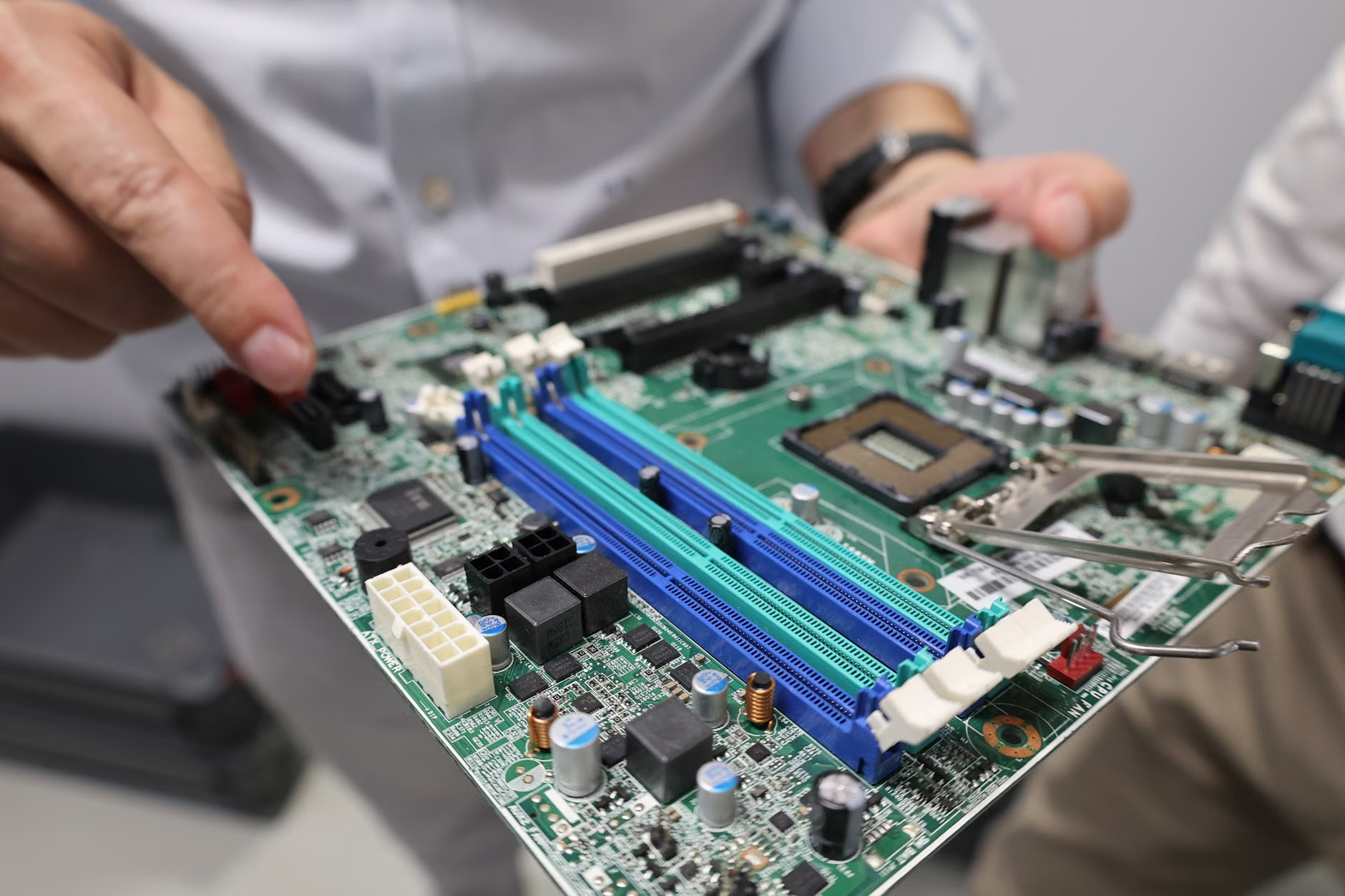
What makes a piece of hardware “premium”? It isn’t the gloss of the finish or the marketing buzzwords. In the world of refurbished gear, premium refers to build quality and component longevity. You want to look for specific product lines that are known for their longevity.
Laptops: The Business-Class Standard
Ignore the consumer lines. Instead, look for these specific families of hardware:
- Lenovo ThinkPad (T, X, and P series): These are legendary for their keyboards, durability, and ease of repair. A three-year-old ThinkPad T480 or T14 is often faster and more reliable than a brand-new “budget” consumer laptop.
- Dell Latitude (5000 and 7000 series): These are the workhorses of the corporate world. They are designed to be opened up, cleaned, and upgraded.
- HP EliteBook (800 series): These feature premium aluminum chassis and excellent thermal management, which is critical for preventing the “throttling” that slows down cheaper machines.
Monitors: The Productivity Multiplier
Monitors are arguably the best value in the refurbished market. Screens don’t have “moving parts” in the traditional sense, and high-end professional monitors (like Dell Ultrasharps or HP Z-Displays) are built to endure thousands of hours of use. You can often find a professional-grade 27-inch 4K monitor for the price of a basic, color-inaccurate consumer panel.
Establishing Your Workflow Criteria
Before you start browsing, you need to define what your daily work actually requires. Most people over-provision their hardware, spending money on features they will never use. If you are a writer, a project manager, or an accountant, you do not need a machine capable of rendering 3D graphics.
| Component | Minimum for 2024/2025 | Recommended for Longevity |
|---|---|---|
| Processor (CPU) | Intel Core i5 (8th Gen+) | Intel Core i7 or i9 (10th Gen+) |
| Memory (RAM) | 16GB | 32GB |
| Storage | 256GB SSD | 512GB+ NVMe SSD |
| Display | 1080p IPS | 1440p (QHD) IPS |
The “8th Gen” cutoff for Intel processors is important because it is the baseline requirement for Windows 11. Since many enterprise machines are retired after three years, you will find an abundance of 10th and 11th-generation machines hitting the market right now. These are the “sweet spot” for price-to-performance.

The Hidden Costs of “New” Tech
When you buy a “new” budget laptop, you are paying for marketing, packaging, and a massive markup. You are also often paying for a “disposable” design. Many modern consumer laptops have soldered RAM and glued-in batteries. If the battery dies in two years, the laptop is effectively dead. If you spill coffee on the keyboard, the entire device might be a total loss.
Enterprise machines are the opposite. They are designed for modularity. You can replace a keyboard in ten minutes with a single screwdriver. You can pop the back off to upgrade your RAM or replace your SSD. This modularity isn’t just about saving money; it’s about sustainability and control. When you own the hardware, you should be able to fix it. This philosophy is at the core of the refurbished-premium movement.
Furthermore, consider the software side. Enterprise machines usually come with “Pro” versions of Windows, which include features like BitLocker encryption and better remote management tools. These are features you would have to pay extra for if you bought a home-edition consumer machine.
Step-by-Step: How to Source Your Gear
Finding the right machine is a process of filtration. Do not rush into a purchase. Follow this workflow to ensure you get a machine that will last for years:
1. Identify Your Needs
Are you mobile or stationary? If you travel, look for the T-series ThinkPads or the Latitude 7000s—they are light and sturdy. If you are strictly at a desk, look at “Tiny” or “Micro” form-factor desktops. They take up almost no space and can be tucked behind your monitor.
2. Use Trusted Marketplaces
Stick to platforms that have robust buyer protection programs. eBay has a specific “Certified Refurbished” category that is excellent. Companies like Back Market or Amazon Renewed are also strong, provided you check the specific seller’s rating. Avoid Facebook Marketplace or Craigslist for professional-grade gear unless you are an expert at hardware testing.
3. The “Check-in” Protocol
Once your machine arrives, treat it like a new arrival.
- Inspect the chassis: Minor scuffs are normal for refurbished, but look for cracks or bent hinges.
- Run a battery health report: In Windows, you can open Command Prompt and type
powercfg /batteryreport. This will tell you the current capacity vs. the design capacity. If the battery is at less than 80%, contact the seller for a replacement. - Stress test the CPU/GPU: Run a free tool like HWMonitor to check temperatures. If the machine hits 90°C+ just by opening a browser, it may need a cleaning or a thermal paste application.
Managing Family Life and Tech Maintenance
In a house with children, your home office equipment is a target. A sleek, expensive-looking device is a magnet for sticky fingers or accidental drops. One of the quiet advantages of enterprise gear is that it is often “boring.” It looks like a tool, not a toy. It doesn’t have flashy lights or glass panels that shatter easily. It is a utilitarian piece of equipment that blends into the background of your life.
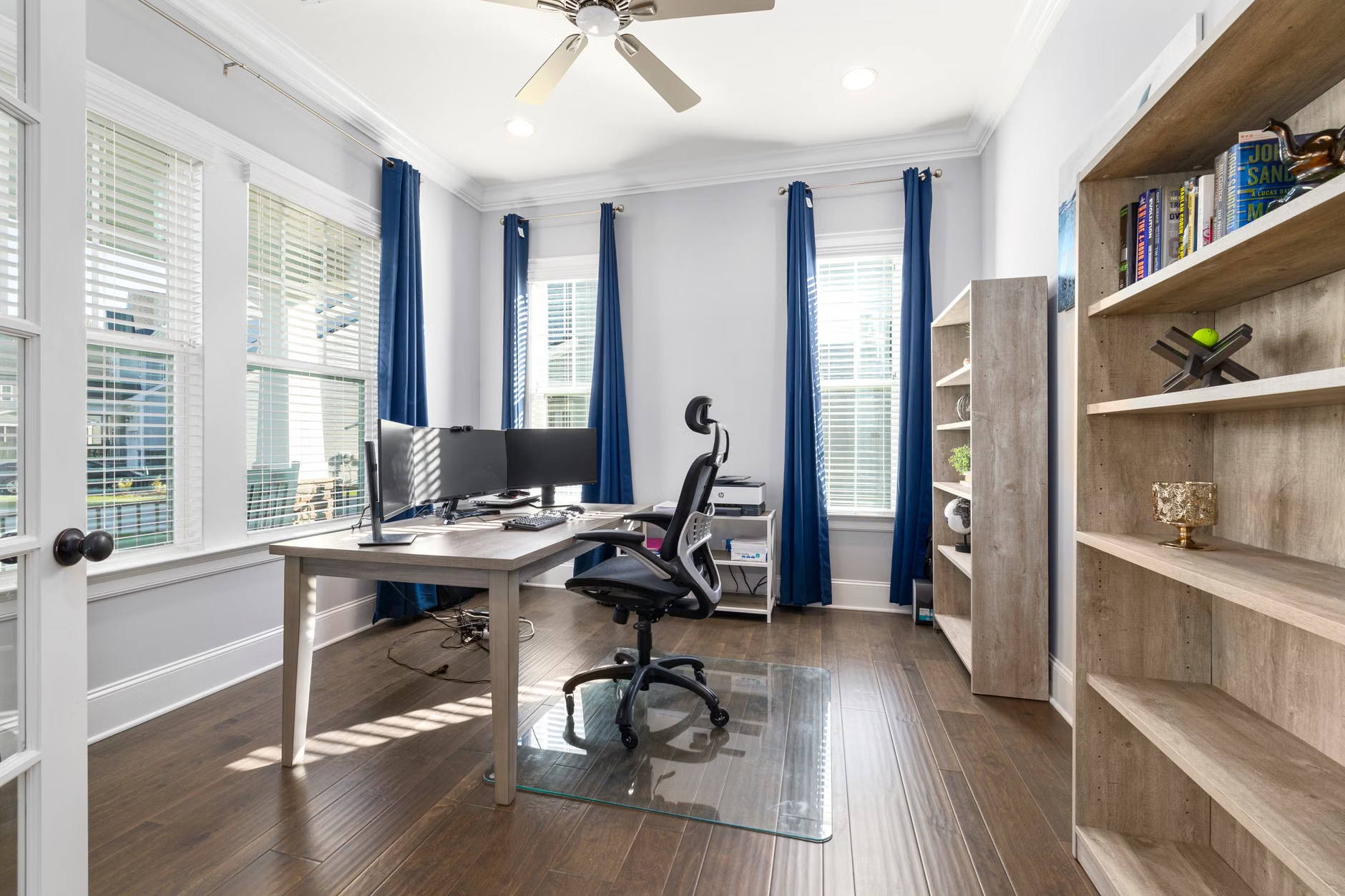
Additionally, because you have saved money by going the refurbished route, you have extra budget to invest in the things that actually matter for your long-term health: an ergonomic chair, a proper desk lamp, or a good set of noise-canceling headphones. These items improve your quality of life far more than the latest shiny processor ever will.
If you have an older child who needs a computer for school, don’t buy them a cheap tablet. Buy them a refurbished business-class laptop. It will teach them to respect a machine that is built to last, and it will be fast enough to handle whatever school projects they throw at it without the frustration of a lagging system.
Common Mistakes to Avoid
The most common mistake is failing to check the “BIOS lock.” Some corporate machines are sold by liquidators without the IT department removing the BIOS password or administrative locks. While rare on reputable sites, it happens. If you receive a machine that asks for a password before it even boots into Windows, return it immediately. Do not try to “hack” it; it is a sign that the machine was not properly decommissioned.
Another mistake is ignoring the power adapter. Always ensure the seller includes an original or high-quality OEM-compatible charger. Cheap, third-party “universal” chargers are a common cause of motherboard failure in laptops. They often provide unstable voltage that can fry the internal charging circuitry of sensitive business machines.
Finally, do not be afraid of a slightly older machine if it has the right specs. An 8th or 9th-generation Intel processor is still incredibly capable. The difference between a 10th-gen and a 12th-gen chip for standard office work is almost imperceptible. Don’t pay the “newness premium” for performance you won’t notice in your daily email and document workflows.
The Long-Term Perspective on Tech
We are currently living through an era of extreme technological consumption. We are encouraged to upgrade every two years, discarding perfectly functional hardware in the process. By choosing refurbished, you are opting out of that cycle. You are extending the life of a high-quality machine, keeping it out of a landfill, and maintaining a high level of performance for your business needs.
This is not just a financial decision; it is a practical one. It shifts your relationship with your tools from “consumer” to “user.” You understand how your computer works, you know how to maintain it, and you aren’t beholden to the marketing cycle of major brands. It is a more grounded, sustainable, and frankly, more intelligent way to manage your home office.
Start with one component. Perhaps your laptop is fine, but your monitor is small and straining your eyes. Look for a refurbished 27-inch 1440p display. Once you see the quality of enterprise-grade hardware, you will likely never want to go back to the standard retail aisles again.
Frequently Asked Questions
Is it safe to buy a refurbished computer from a security standpoint?
Yes, provided you do it right. As soon as you receive any refurbished computer, the first step should be to perform a “clean install” of the operating system. This wipes any potential remnants of previous data or software and gives you a factory-fresh environment. Always download your OS directly from the official Microsoft or Linux provider and install it from a USB drive.
How do I know if the battery in a refurbished laptop is still good?
Most reputable refurbished sellers will guarantee a minimum battery health (usually 70-80% of original capacity). However, always verify this yourself upon arrival. If the battery health is poor, don’t hesitate to reach out to the seller. Because batteries are considered “consumables,” many sellers are willing to send a replacement or offer a partial refund if the health is below their stated threshold.
What if the refurbished hardware breaks after the warranty expires?
One of the biggest advantages of business-class hardware is the availability of spare parts. Because these machines were produced in the millions for corporate fleets, you can find spare screens, keyboards, batteries, and motherboards on sites like eBay or dedicated parts retailers for years after the machine is discontinued. You are rarely left with a “bricked” device that cannot be repaired.
For further reading on the environmental impact of hardware lifecycles and standard industry practices for data sanitization, you can reference resources from the OECD’s work on the circular economy and NIST’s guidelines for media sanitization.