The most effective way to manage your household groceries is to stop manually writing them down and instead build a “push-pull” automation system that captures needs the moment they occur.
- Automation isn’t just for developers: You can use “low-code” platforms like IFTTT or Zapier to connect your smart home devices to your grocery list without writing a single line of code.
- The “Capture Point” Rule: Never rely on memory; your system must allow you to add items via voice, barcode scan, or a single button press within three seconds of realizing you’re out of stock.
- Centralization is non-negotiable: Use a single, cloud-synced database (like Notion or Todoist) as your “Single Source of Truth” so that whoever is at the store has the exact same list as the person at home.
If you are in your 30s or 40s, you likely spend a disproportionate amount of mental energy tracking household inventory. You notice the milk is low while pouring a bowl of cereal, but by the time you reach the grocery store, that thought has vanished, replaced by the stress of remembering which brand of detergent you actually like. This is the “mental load” trap.
Low-code automation is the bridge between your chaotic reality and an organized pantry. It uses simple logic—”If this happens, then do that”—to handle the boring parts of life. Let’s look at how to build a system that actually works for a busy household.
Understanding the Low-Code Logic for Households
Low-code automation platforms allow you to create “recipes” or “zaps” that connect different apps and devices. Think of it as creating a digital assistant that never sleeps. You don’t need to learn Python or Java; you just need to understand the relationship between a Trigger and an Action.
A trigger is the event that starts the process—perhaps you say “Hey Siri, add milk to the list,” or you tap a button on your phone. The action is the result—the item appears in your shared digital grocery list. The beauty of this approach is that it accommodates different family members’ habits. Some prefer talking to a smart speaker, while others prefer typing into an app. A good automation system doesn’t care how the data enters; it only cares that it reaches the destination.
The Architecture of Your Grocery Automation
To build a robust system, you need three components:
- The Input Layer: Where the request starts (Smart speakers, mobile widgets, or barcode scanners).
- The Processing Layer: The “Low-Code” engine (IFTTT, Zapier, or Make.com) that routes the information.
- The Storage Layer: Where the list lives (Notion, Todoist, Google Keep, or AnyList).
Why does this matter? Because without a central storage layer, your data becomes fragmented. If your spouse uses Apple Reminders and you use a paper notepad, you are destined for duplicate trips to the store. Low-code automation forces all inputs into one location.
Building Your First “Capture” Workflow
Let’s start with the most common scenario: adding items via voice. Most of us have smart speakers, but the built-in grocery lists are often restricted to the manufacturer’s own app. By using a platform like IFTTT (If This Then That), you can break those walled gardens.
Step-by-step setup:
- Select your trigger: Connect your Google Assistant or Alexa account to IFTTT.
- Create the applet: Set the trigger to “Say a specific phrase,” such as “Add {item} to my grocery list.”
- Define the action: Choose your preferred list app (e.g., Todoist or Notion) as the destination.
- Map the variable: Tell the system to take the “{item}” text and turn it into a task in your shared list.
This simple setup removes the friction of opening an app, navigating to the grocery section, and typing while you are busy cooking or cleaning. You simply speak, and the list is updated.
Handling the “Barcode” Edge Case
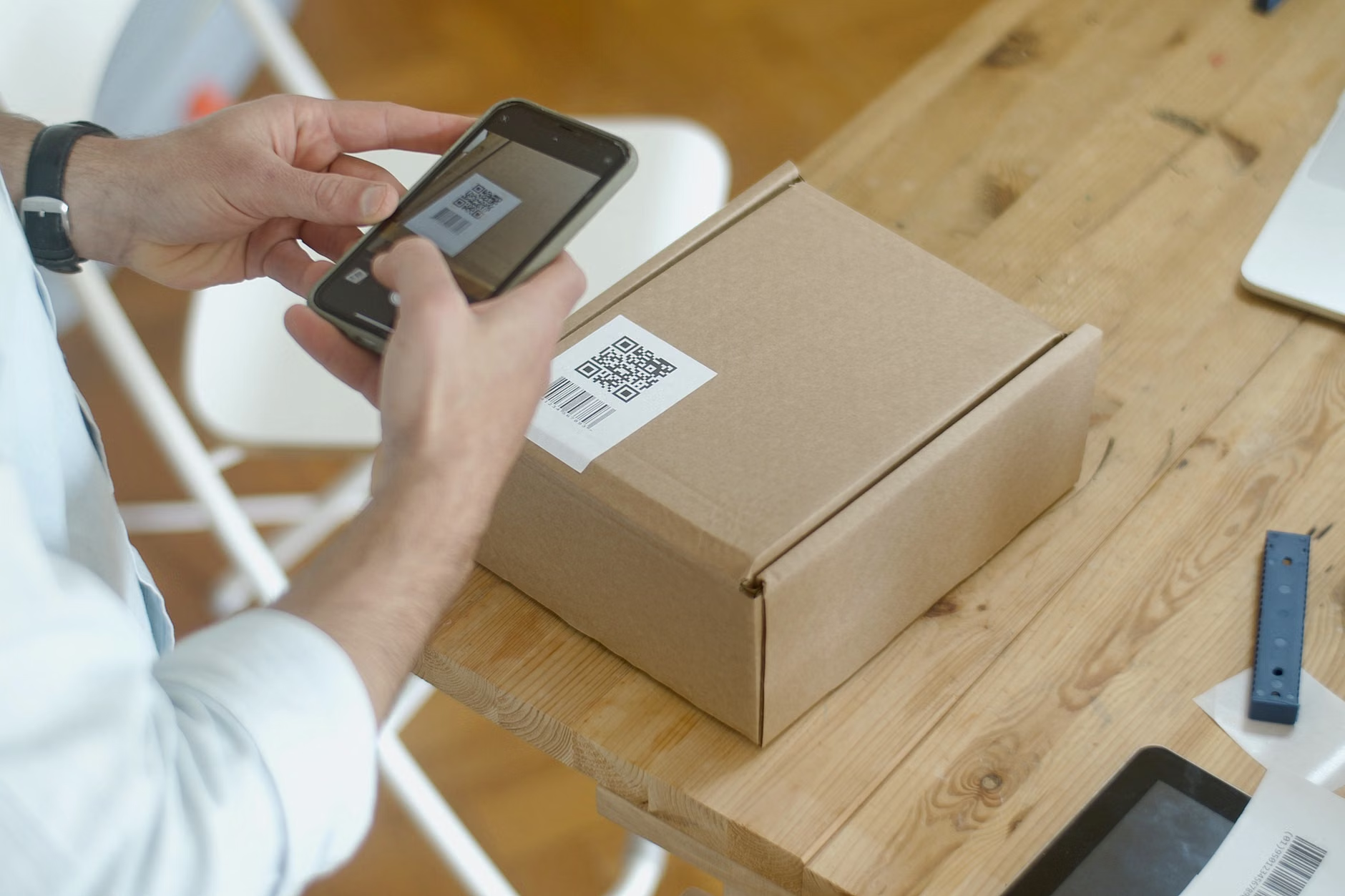
Sometimes voice recognition fails, especially with specific brands. Low-code tools allow you to integrate barcode scanners. While dedicated scanners like the “Amazon Dash Wand” (now discontinued) were popular, you can replicate this using your phone’s camera. Apps like “Sortly” or even simple integrations with Airtable allow you to scan a barcode, have the system look up the product name, and append it to your “Low Inventory” database.
This is particularly useful for household staples like cleaning supplies or shelf-stable goods. When you throw away the empty container, scan the barcode. The automation system adds it to the list instantly.
The Essential Tools for Your Household Tech Stack
Not all tools are created equal. When choosing your stack, consider the “Sync Speed.” If your partner is already at the store, an automation that takes 10 minutes to update the cloud is useless. Here is a breakdown of the current market leaders for household automation:
| Tool | Best For | Key Advantage |
|---|---|---|
| IFTTT | Beginners/Voice Control | Extensive library of pre-built “recipes” for smart homes. |
| Zapier | Complex Workflows | Integrates with almost every professional app (Notion, Slack, Trello). |
| Make.com | Advanced Logic | Visual interface for complex, multi-step automation chains. |
| AnyList | Dedicated Grocery | Optimized specifically for shopping with category sorting. |
If you are just starting, start with IFTTT. Its interface is designed for non-technical users, and it handles the most common household integrations (Alexa/Google Home to Todoist/Google Sheets) perfectly. Once you become comfortable with how data flows between apps, you can migrate to Zapier if you need more complex routing, such as automatically emailing a list to a family member who doesn’t use the app.
Common Mistakes to Avoid
The most common failure point in household automation is “Over-Engineering.” Many people try to build a system that tracks exact quantities, expiration dates, and price comparisons for every single item. Unless you are a professional inventory manager, this will eventually collapse under the weight of manual data entry.
Rule 1: Keep it binary. Don’t try to track “3 cans of beans” vs “2 cans of beans.” Simply track “Beans.” If you need them, they are on the list. If you don’t, they aren’t. The goal is to reduce the friction of the shopping trip, not to turn your kitchen into a warehouse.
Rule 2: Don’t ignore the “Human” variable. Automation is great, but it cannot account for sudden changes. If you are using an automated system, always have a “manual override” widget on your home screen. If the automation fails or you realize you need something that isn’t in your database, you must be able to add it in one tap.
Rule 3: Beware of “Sync Latency.” Always check your list app settings to ensure “Background App Refresh” is enabled. If your phone isn’t syncing with the cloud in real-time, you might be looking at a list that is two hours old, causing you to buy items you already have.
The “Single Source of Truth” Strategy
The biggest hurdle in managing a household is not technology; it is communication. Even if you have the most advanced automation in the world, it fails if your partner doesn’t know how to use it or refuses to look at it. The solution is to make the interface so simple that it feels like a native part of the phone.
Create a shared “Grocery” list in a platform like Apple Reminders or Google Keep, and then use your low-code tool to pipe everything into that specific list. This allows everyone to use the native apps they are already comfortable with, while the automation handles the backend synchronization.
Consider this real-life scenario: Your partner is at the grocery store. You are at home and notice you are out of eggs. You use a custom “NFC tag” stuck to the inside of your fridge door. You tap your phone against it, and it triggers a shortcut that adds “Eggs” to the shared list. Your partner’s phone pings immediately. No text message, no “Oh, I forgot to tell you,” just a seamless update.
Advanced Optimization: Beyond Just Groceries
Once you have mastered the grocery list, you can expand this logic to other areas of the household. The same “low-code” principles apply to chore tracking, meal planning, and even budget management.
For meal planning, you can set up a “Recipe Database” in Notion. When you select a meal for the week, a low-code automation (using Zapier) can parse the ingredients list and automatically add the missing items to your grocery list. This is the “Holy Grail” of household management: the transition from “what should we eat?” to “the ingredients are already on my list.”
However, be cautious with complexity. The more automated your life becomes, the harder it is to troubleshoot when things break. If your “Meal Plan to Grocery List” automation fails, you might find yourself at the store without the ingredients for dinner. Always keep a “Backup Manual List” or a printed copy of your weekly meal plan as a safety net.
Final Takeaways and Action Plan
The transition to a low-code automated household is not about removing human effort; it is about removing the mental tax of tracking mundane tasks. By centralizing your inputs and using automation to sync your data, you free up the mental bandwidth to focus on more important things, like actually enjoying your dinner instead of worrying about the ingredients.
Your immediate next steps:
- Choose your “Single Source of Truth”: Pick one app for your grocery list and stick to it for at least 30 days.
- Set up one “Capture Point”: Use IFTTT to connect your preferred voice assistant to that app.
- Socialize the system: Spend five minutes showing your family members how to add items to the list. If they don’t use it, the system dies.
Automation is a tool, not a lifestyle. Use it to support your family’s needs, and don’t get caught up in the pursuit of the “perfect” system. A functional, slightly messy system that actually gets used is infinitely better than a perfectly optimized system that no one touches.
Frequently Asked Questions
Q: Will these automation tools cost me money?
Most platforms like IFTTT, Zapier, and Notion have generous free tiers that are more than sufficient for household grocery management. You will only need to pay if you plan to create hundreds of complex automations per month, which is far beyond what a typical family requires.
Q: What happens if the internet goes down?
Most modern list apps (like Todoist or AnyList) cache data locally on your device. Even if your internet connection is spotty at the grocery store, the list will be available. The automation will simply “catch up” and sync the new items as soon as you regain a connection.
Q: Is there a privacy concern with connecting these apps?
When you connect apps through platforms like Zapier or IFTTT, you are granting them permission to read and write data between those specific services. Always review the permissions requested. For a grocery list, the risk is minimal, but avoid using these platforms to connect sensitive data like banking or medical records unless you have fully vetted the security settings.
For further reading on optimizing your home digital infrastructure, visit the official documentation for these platforms: