The most useful family digital plan is not a single daily screen-time number; it is a short set of repeatable rules for what children do online, when devices pause, how adults stay involved, and what everyone does when something goes wrong.
1. Start with purpose, content and context before counting minutes.
2. Build a few visible household routines that adults follow too.
3. Teach a calm response for misinformation, privacy mistakes, bullying and unwanted contact.
If your household has ever negotiated “five more minutes” with the seriousness of a trade summit, you already know why a perfect rulebook rarely survives contact with Tuesday evening. Homework moves online. Grandparents call by video. A child discovers a genuinely brilliant tutorial immediately after watching twenty minutes of nonsense. Meanwhile, a parent answers work messages beside the dinner table and quietly hopes nobody notices the contradiction.
The answer is not to give up. It is to replace vague anxiety with a practical family system. In June 2026, UNESCO launched Growing Up in a Connected World: A Family Guide for the Digital Age, developed with CLEMI, to help families guide children through digital life with media and information literacy. In July, the World Health Organization also stressed that children need age-appropriate design, stronger safeguards and healthier digital environments—not merely individual willpower. That wider context matters. Families have responsibilities, but platforms, schools, governments and designers have responsibilities too.
This guide turns those principles into a seven-part household plan for international families with school-age children or teenagers. Laws, platform age limits, school systems and available services differ by country, so treat the examples as a framework. Check the official rules where you live.
Why “how many hours?” is only the first question
Time matters because sleep, movement, schoolwork, face-to-face relationships and unstructured play need room. Yet two identical sixty-minute sessions can have very different effects. One child may spend an hour making music with a friend. Another may spend it following an endless recommendation feed that leaves them upset and unable to stop. A timer sees equality; a parent sees context.
A useful review looks at purpose, content, context and consequence. Purpose asks why the device is being used. Content asks what the child is seeing or creating. Context asks whether they are alone, with friends, with an adult, at school or in bed. Consequence asks what happens afterwards: calm curiosity, finished homework and normal sleep, or irritability, secrecy and a 1 a.m. notification habit.
| Question | Helpful sign | Sign to review |
|---|---|---|
| What is the purpose? | Learning, creating, connecting or planned entertainment | Opening an app automatically with no clear intention |
| What is the content? | Age-appropriate, varied and understandable | Disturbing, deceptive, highly commercial or compulsive |
| What is the context? | Shared space, agreed time, adult available | Secret use, late-night use or conflict with essential tasks |
| What is the consequence? | Child can stop and move on | Sleep loss, distress, repeated arguments or withdrawal |
This broader test also prevents a common mistake: treating every screen as equally bad while ignoring what displaced the activity. A video call with a cousin abroad is not the same as passive scrolling. Digital art is not identical to an autoplay feed. Nor is online homework automatically harmless if it keeps a child seated late into the night. The goal is not to label devices good or bad. It is to notice patterns.
Step 1: Map one ordinary week before changing it
For three to seven days, observe the household without announcing a dramatic “digital detox.” Write down the moments when screens enter the day: waking, travel, school, homework, meals, downtime, gaming, family calls and bedtime. Include adult use. Children are quick auditors of rules that mysteriously apply only to smaller people.
Do not record every second. Capture the recurring situations. Note which uses are required, which are chosen, which are social and which tend to overrun. Also note what the screen is solving. It may be boredom during a long commute, quiet while a parent cooks, connection with friends, a translation need, relief after school or simple fun. A plan that removes a tool without addressing its job will usually fail.
At the end of the week, circle two friction points rather than twenty. Perhaps mornings become rushed because everyone checks notifications. Perhaps gaming ends in arguments because there is no natural stopping point. Perhaps a teenager needs private contact with friends but keeps a phone in the bedroom all night. Specific problems produce workable rules.
Try a neutral opening question
Ask, “Which parts of our device routine work well, and which parts make the day harder?” This is better than beginning with an accusation. Children may identify problems adults missed: a class group chat that produces late alerts, an app that keeps recommending frightening clips, or a family member who interrupts every film to check messages.
The mapping stage is also where accessibility belongs. Some children use devices for communication, sensory regulation, reminders, translation or disability support. A blunt ban can remove an essential aid. Separate access needs from entertainment habits and involve the child and relevant professionals when accommodations are part of the plan.
Step 2: Write five household rules people can actually remember
A family media plan works best when it is short enough to recall without opening a twelve-page document. Aim for four to six rules. Make them behavioural and observable. “Use technology responsibly” is admirable but foggy. “Phones charge outside bedrooms on school nights” is clear.
Good rules usually cover place, time, permission, privacy and response. Your version might say: devices stay away during meals; entertainment starts after agreed responsibilities; new public accounts require a parent conversation; nobody shares another person’s photo without permission; and any upsetting contact can be reported without losing device access automatically.
That last rule deserves emphasis. If a child believes reporting a problem will lead to instant confiscation, silence can seem safer. Consequences may still be needed, but first preserve evidence, secure the account, listen and assess safety. “Tell us and we will help before we judge” is a powerful household policy.
| Vague rule | More usable version |
|---|---|
| Do not spend too long online | Entertainment pauses at 8:30 p.m. on school nights |
| Be safe | Ask before sharing location, school details or travel plans publicly |
| Do your homework first | Check the homework list together, then choose the entertainment window |
| No phones at dinner | Everyone places phones in the charging basket, including adults |
| Tell me if something happens | Show an adult unwanted contact; you will not be punished for reporting it |
Review exceptions in advance. A call from a travelling parent, an urgent school update or an accessibility tool should not trigger a courtroom debate. Write the exception beside the rule. Predictable exceptions make rules stronger because nobody has to invent policy under pressure.
Step 3: Create device-free anchors, not an impossible device-free life
Most connected families cannot and need not eliminate screens. It is more useful to protect several anchors in the day. Meals, the first few minutes after someone comes home, homework planning and the period before sleep are common choices. The exact anchors depend on work schedules, housing, culture and the child’s age.

A physical cue helps. A charging basket, shelf or hallway station removes the need for repeated verbal reminders. Keep it in a location where devices can charge safely, away from heat and water. If one adult must remain reachable for work or family care, name that exception openly and keep the phone face down rather than pretending the rule is universal.
For bedtime, work backwards from the child’s required wake time and sleep needs. Then choose a device stopping point that allows washing, preparing for the next day, talking or reading without rapid alerts. Some families use network controls or downtime settings, but technical controls should support the agreement rather than secretly replace it.
Transitions need design. Games, group chats and videos do not all have convenient endings. Give a warning before the stopping point. For a multiplayer game, agree whether the child may finish the current round, and define a maximum overrun. For creative work, save files and photograph progress if necessary. Ending well is a skill, not a switch.
Adults should protect at least one anchor too. A parent who scrolls through every conversation communicates more loudly than a poster about balance. Perfection is unnecessary. If work intrudes, say what is happening: “I need ten minutes to answer this, then the phone goes away.” That models deliberate use instead of magical adult exemption.
Step 4: Teach a three-check test for online claims
Media literacy is now ordinary household maintenance. Children encounter news, health claims, product reviews, edited images, AI-generated material, influencer advertising and jokes presented without context. Telling them “do not believe everything online” is true but not especially operational.
Use three checks: source, evidence and motive. Source means identifying who published the claim and whether the account or website is authentic. Evidence means looking for the original study, announcement, full video or official record rather than a screenshot of someone else’s summary. Motive means asking what the publisher gains: attention, sales, votes, status, humour or genuine public information.

Practise on low-stakes examples. A viral kitchen trick, a surprising animal video or an exaggerated product claim is less intimidating than a political argument. Open another tab. Search a distinctive phrase. Check the date. Look for coverage by independent sources. Use reverse image search when available. Find the organisation’s official site directly rather than trusting the first repost.
When an image or video looks convincing
Do not teach children that a strange finger or imperfect shadow will always expose synthetic media. Generation tools improve, compression creates odd artefacts and real photographs can look unusual. Visual clues can prompt caution, but provenance and corroboration are more reliable. Ask where the media first appeared, whether a trustworthy source confirms the event and whether the clip has been cut from a longer recording.
Adults should model uncertainty. “I do not know yet; let’s check” is stronger than instantly declaring content fake. It makes verification normal and shows that changing one’s mind after new evidence is competence, not embarrassment.
Step 5: Set privacy defaults before a problem arrives
Privacy conversations often become either too abstract or too frightening. Start with practical information categories: full name, birthday, school, home address, live location, routines, travel dates, passwords, identification documents, health details and photographs of other people. Explain that different information carries different risk and that several harmless details can be combined.
Review one account at a time. Check whether it is public, who can send messages, whether location is attached, who can add the child to groups, whether contacts sync automatically and whether old posts reveal more than intended. Platform menus change, so use the provider’s current help centre and your device’s official settings guide.
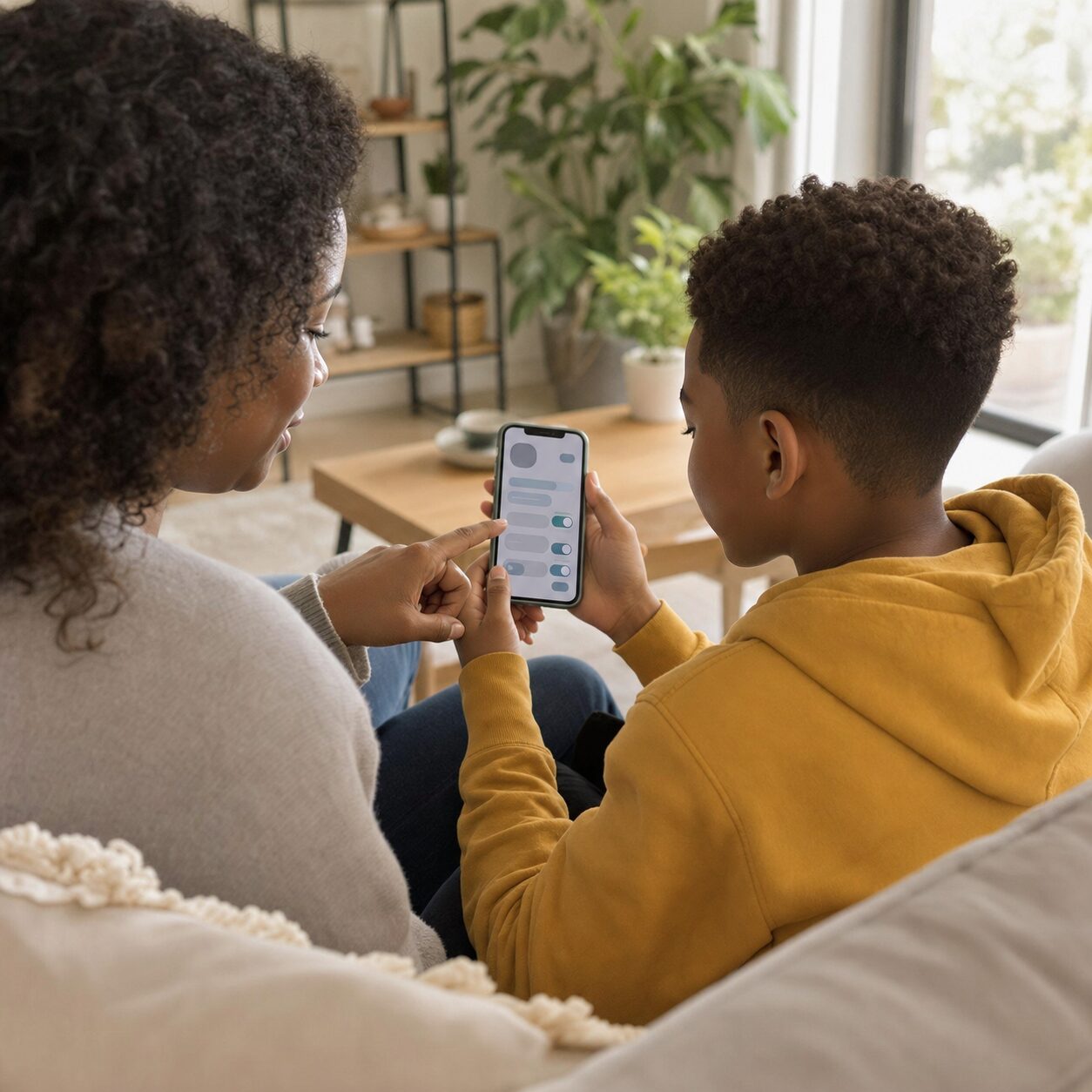
Use unique passwords and turn on multi-factor authentication where the service supports it. A password manager can reduce reuse, but choose one appropriate to your household and teach recovery procedures. Store backup codes securely. Make sure the recovery email or phone number belongs to someone who can still access it.
Notifications are a privacy and attention issue. Disable promotional alerts and unnecessary lock-screen previews. Keep essential calls, family messages and safety alerts. A quieter device makes it easier to notice when someone is choosing to use it rather than responding automatically.
Respect children’s privacy as well
Parents also publish. Before sharing a child’s image, school achievement, medical story or embarrassing moment, consider the audience, permanence and the child’s wishes. Ask permission when developmentally appropriate. Avoid public details that reveal location or routine. A family privacy rule should apply in both directions.
Step 6: Rehearse what to do when online life goes wrong
A calm response plan is more useful than a promise that nothing bad will happen. Rehearse four verbs: stop, save, block and tell. Stop the conversation or activity when it feels unsafe. Save relevant evidence without forwarding harmful material unnecessarily. Block or mute the account using the platform tools. Tell a trusted adult, school contact or appropriate authority.
The order may change. If there is an immediate threat, suspected exploitation, extortion, a missing child or risk of self-harm, contact local emergency or child-protection services promptly. Do not confront a suspected offender in a way that increases danger. Preserve usernames, dates, URLs and messages where safe, and follow local official guidance.
For ordinary peer conflict, distinguish disagreement from repeated harassment. Help the child avoid retaliatory posts made in anger. Take screenshots where permitted, use reporting tools, and involve the school when classmates or school channels are involved. Do not make the child repeatedly retell the story to every adult if information can be shared safely between responsible people.
Unwanted purchases need a separate routine. Enable purchase approval for younger children, protect payment methods and explain subscriptions, in-app currency and free trials. If a purchase occurs, check the platform’s official refund process quickly. Do not enter account credentials into a refund link sent by an unknown message.
For misinformation already shared, correction is possible. Delete or update the post, tell the original recipients briefly, and link to a reliable source. Avoid turning a mistake into a character trial. The objective is to make correction socially normal.
Step 7: Review monthly and adjust by age, not by panic
A plan should change as children mature, school demands shift and new apps appear. Schedule a twenty-minute monthly check rather than renegotiating everything during an argument. Ask what worked, where the plan was unrealistic, what new service entered the household and whether any child needs more independence or support.
For younger children, adults choose more of the environment, stay physically nearby and use simple repeated rules. Older children can take part in setting limits, reviewing privacy and managing notifications. Teenagers need growing privacy and autonomy, but also a clear route to help. Independence should expand alongside demonstrated skills, not arrive all at once on a birthday.
| Monthly check | Question to ask |
|---|---|
| Balance | Are sleep, movement, learning and relationships getting enough room? |
| Content | Has any new game, app, channel or group become important? |
| Safety | Have privacy, contact or purchase settings changed? |
| Skills | Can the child pause, verify, report and recover with less help? |
| Fairness | Are adult habits supporting or undermining the plan? |
Look for patterns that may justify professional support: persistent sleep disruption, serious anxiety, withdrawal from usual activities, escalating aggression, school refusal, repeated risky contact or inability to stop despite significant harm. These signs do not prove a particular diagnosis. Contact an appropriate healthcare professional, school service or local support organisation for individual guidance.
A one-evening setup you can finish without a family summit
If the full framework feels large, do this in forty-five minutes. First, choose one device-free anchor and one stopping time. Second, place chargers in a shared location. Third, review privacy and message permissions on the child’s most-used account. Fourth, agree on the phrase a child can use when they need help without explaining everything immediately. Fifth, set a date one month away to review.
Then write the rules where the household can find them. The document can be plain. It does not need a colour-coded design worthy of a corporate retreat. Include the reason for each rule because children are more likely to cooperate when the goal is visible: protecting sleep, preventing accidental sharing, making meals sociable or keeping purchases predictable.
Choose consequences that relate to the problem. If a child repeatedly takes a device to bed, the charger moves outside the room. If purchases occur without permission, approval settings tighten and the child helps review the cost. Avoid indefinite bans that remove school access, social support or the opportunity to practise better skills.
Notice successes. A child who reports an upsetting message, stops at the agreed time or corrects a false claim has demonstrated digital competence. Say so specifically. The aim is not lifelong obedience to today’s household settings. It is the ability to make sound decisions when no adult is looking over their shoulder.
What families should not be expected to solve alone
Family rules cannot redesign a manipulative feed, verify every advertiser, enforce age-appropriate defaults or provide equal access to support. WHO’s 2026 commentary places family choices within a wider need for regulation, transparency, independent research, age-appropriate design and corporate accountability. UNESCO’s guide similarly treats media and information literacy as a shared social task.
Schools can explain the digital services they require, minimise unnecessary notifications and teach verification across subjects. Platforms can make privacy protective by default, provide understandable reporting tools and avoid design that exploits children’s attention. Governments can enforce child protection and consumer law while providing accessible guidance. Healthcare and community services can support families without reducing every difficulty to parental failure.
Parents can still ask useful questions of institutions: What data does this school app collect? How long is it retained? Can a child complete the task without creating a public profile? Who receives a safety report? What happens after an account is flagged? Clear answers are part of digital safety.
The practical bottom line
A strong family digital plan is small enough to use and flexible enough to survive real life. Map the week. Write five concrete rules. Protect a few device-free anchors. Practise source checking. Set privacy defaults. Rehearse a response to trouble. Review the plan monthly.
Keep the tone curious rather than catastrophic. Children need protection, but they also need guided practice, trustworthy information, creative opportunities and growing independence. Adults will occasionally break their own rules. Acknowledge it, reset and continue. Consistency is built from repair, not from pretending the household has achieved technological enlightenment by Thursday.
This article offers general educational information. Platform features, age requirements, education rules and child-protection procedures vary by country and can change. Use current official guidance for your location and seek qualified help when a child may be at risk.
Frequently asked questions
Should every child in a family have the same screen rules?
No. Keep the household principles consistent, but adapt permissions, supervision and timing to age, maturity, school needs, disability, access needs and demonstrated skills. Explain differences so they do not feel arbitrary.
Are parental controls enough to keep a child safe online?
No. Controls can reduce exposure, purchases or late-night access, but settings change and no filter understands every context. Combine technical tools with conversation, shared use, media literacy, privacy habits and a trusted reporting route.
What should I do if my child hides an online mistake?
Start by assessing immediate safety and listening calmly. Preserve relevant evidence, secure accounts and use official reporting channels. Address the behaviour after the urgent problem is contained, and make the future reporting process safer and clearer.