Family location sharing works best as a limited safety tool with a clear purpose, not as a permanent scoreboard of where everyone goes. Before switching it on, agree who can see the location, when they may check it, what a missing signal means, and when sharing will stop.
- Share with the smallest trusted group for the shortest useful time.
- A phone dot can be delayed, wrong, offline, or attached to a bag rather than a person; use it as a clue, never proof.
- Pair technology with a human plan: check-in times, meeting places, emergency contacts, and a no-blame way to ask for help.
The feature looks simple: tap a name, share a location, feel calmer. Real family life is messier. A child’s phone may be in a school locker. A teenager may feel watched on an ordinary walk. A parent may read an old location as a current one and panic. Meanwhile, an old family-group member or forgotten app may still have access.
The useful question is not “Should families track each other?” It is “Which safety problem are we solving, and what is the least intrusive way to solve it?” A timed share during a solo journey is different from continuous monitoring at home. An arrival alert for a younger child is different from checking a teenager’s dot every ten minutes. The setting should match the situation, the child’s age and maturity, and local law.
Start with a purpose, because “just in case” has no finish line
Location sharing can help with practical moments: meeting in a crowded station, confirming that a child reached an agreed place, coordinating a family road trip, or finding a misplaced device. It can also help an adult decide where to begin looking when someone has missed a check-in. Those are specific jobs.
“We will keep it on forever because something might happen” is not a specific job. It invites constant checking, creates more sensitive data, and can quietly turn reassurance into conflict. The family may end up responding to every detour even though a detour is not danger.
| Situation | Proportionate setting | Human backup |
|---|---|---|
| Child walking home on a new route | Share during the journey or use one arrival alert | Expected arrival window and a call if late |
| Family separating at a theme park | Temporary sharing among the people attending | Named meeting point and staff-help plan |
| Teenager at a regular activity | Agree whether an arrival message is enough | Pickup time, trusted adult, and transport backup |
| International trip | Share only with chosen contacts for travel days | Itinerary, accommodation contact, insurance details |
| Lost phone | Use the device-finding function | Account recovery and carrier blocking steps |
This distinction matters because device finding, family supervision, and person-to-person live sharing are not always the same feature. Their controls, retention, accuracy, and who can switch them off may differ. Read the current help page for the exact operating system and account type instead of assuming every phone behaves alike.

A location dot is useful evidence, but it is not the person
Location services estimate where a device is by combining signals such as satellite positioning, Wi-Fi, mobile networks, and sensors. The result can be impressively precise outdoors and surprisingly vague inside a large building, underground, among tall structures, or where connectivity is weak.
Google’s current Family Link help notes that a child’s device may not appear when it is powered off, disconnected from the internet, or not recently used. It also says updates can take time and that, when a child is signed in on multiple devices, the most actively used device may be the one shown. These are not tiny technical footnotes. They change how a parent should interpret the screen.
Never treat “location unavailable” as proof that a child disabled sharing. Never treat a stationary dot as proof that a person is stationary. The phone may have a flat battery, the app may lack background permission, the network may be congested, or the device may be sitting in a backpack.
A sensible escalation ladder prevents both complacency and instant panic:
| What you see | First response | Next response |
|---|---|---|
| Dot has not refreshed | Check the timestamp and send the agreed message | Call, then contact the agreed nearby adult |
| Person is late but answering | Ask what changed and confirm a new time | Use the backup transport or meeting plan |
| Person is late and unreachable | Check known route and trusted contacts | Escalate according to the family emergency plan and local emergency guidance |
| Dot appears at an unexpected place | Ask neutrally; do not accuse from the map alone | Confirm using another channel |
If there is a credible and immediate danger, contact the relevant local emergency service. A consumer location-sharing app is not an emergency-response service, and this article cannot determine when a particular situation requires police, medical, or safeguarding action.
Consent is not a one-time tap on a parent’s phone
For younger children, parents normally make more safety decisions. Even then, explaining the setting in age-appropriate words builds digital literacy: “This lets us see where the phone is while you travel. We will check if you are late, not because we want to watch every stop.” That sentence teaches purpose, limits, and accountability.
Older children and teenagers should be involved more directly. UNICEF’s online privacy guidance recommends involving teens in privacy decisions, listening to their views, and giving them increasing age-appropriate responsibility. That does not mean abandoning boundaries. It means making the boundary understandable and reviewable.
A useful agreement answers seven questions:
- Purpose: What exact situation is sharing meant to help?
- Viewers: Which named people can see it?
- Timing: Is it always on, scheduled, or temporary?
- Checking rule: When may a parent look?
- Response: What happens if a check-in is missed?
- Privacy: What information will not be discussed or used as punishment?
- Review: When will the family reconsider or turn it off?
The checking rule may be the most important. “We will look after the agreed arrival window has passed” feels very different from silent, continuous observation. A teen can understand the trigger and can send an update when plans change. Parents also gain a guardrail against anxious refreshing.
Avoid making access a secret unless a qualified safeguarding professional has advised a different approach for a specific risk. Secret monitoring can damage trust and may create legal or safety problems. It can be especially dangerous in families affected by coercive control, stalking, or domestic abuse. In those circumstances, seek specialist help and use a safe device when researching options.
Choose the smallest audience, not the biggest family group
Convenience encourages families to add grandparents, former partners, adult siblings, babysitters, and travel companions to one long-lived group. The group can outlast the reason each person joined. A viewer may also have a compromised account or an unlocked device.
Use the principle of least access: only the people who need the location should receive it, and only for as long as they need it. A grandparent collecting a child on Tuesday does not automatically need access every day. A friend meeting the family at a festival does not need to remain a viewer next month.
Review both sides of the connection. Ask “Who can see this child?” and “Whose location can this child see?” Check family groups, map contacts, messaging apps, wearable accounts, shared tablets, vehicle apps, photo metadata, and third-party safety apps. Location can leak through more than the obvious map.
Google’s current guidance explains that location sharing must be turned on for Family Link to show a child’s compatible device and that parent-managed behavior varies with age and account setup. Its Maps guidance also distinguishes children below the applicable age of consent from older supervised users. The exact age and available controls depend on country and account history, so verify the current local help page rather than copying a rule from a forum.
For mixed-device families, test the actual setup. A parent using one platform and a child using another may see fewer controls, delayed alerts, or different permission prompts. Do not discover those differences during the first late pickup.
Build a safety plan that still works when the battery dies
The best location-sharing plan has a graceful failure mode. If the feature stops working, the family should still know what to do. This is where old-fashioned preparation earns its place beside the shiny map.
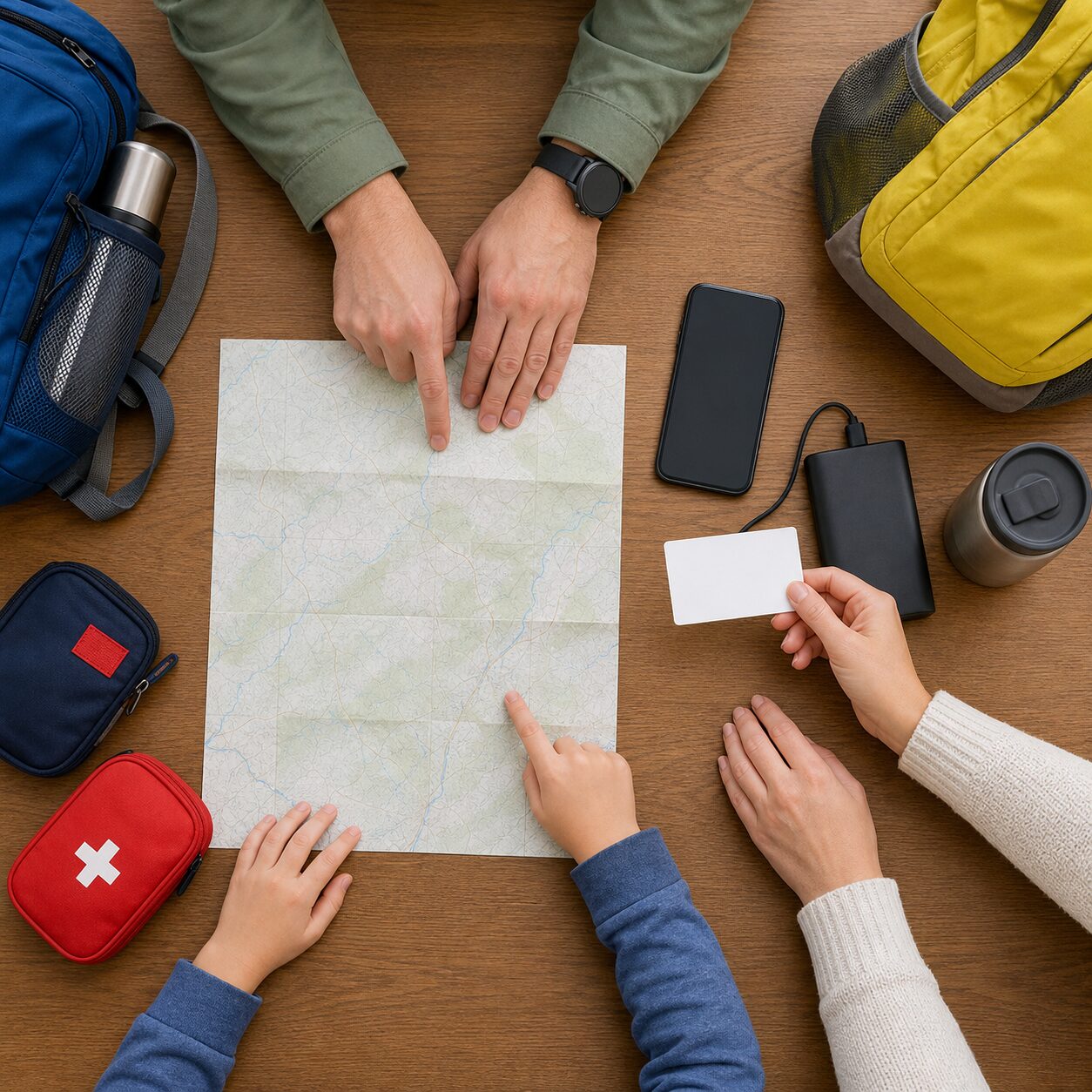
Agree on an arrival window, not a single magic minute
Transport runs late. Children stop to tie a shoe. Parents underestimate traffic. Set a realistic window and decide what message is expected when plans change. A five-minute delay should not trigger the same response as a missed check-in far beyond the agreed window.
Name two meeting places
Choose a primary meeting point and a backup in case the first is inaccessible. At a station, make it a staffed information point rather than “near the entrance,” which may describe four places. On a hike or day trip, identify the last safe point to return to rather than encouraging someone to wander while searching for signal.
Write down essential contacts
A locked or lost phone should not erase every option. Keep an emergency contact card in a bag or wallet, using only the information needed. Younger children should know how to identify appropriate staff or another safe adult according to family guidance. On international trips, include the accommodation contact, travel insurer, and relevant consular details.
Plan power and connectivity
Charge devices before leaving, carry a compatible cable, and consider a properly packed power bank where appropriate. Download necessary maps for offline use. Remember that roaming, data limits, tunnels, rural areas, and overloaded event networks can interrupt live updates even when the phone is working.
Use a code phrase for help
A simple family phrase can signal “call me with an excuse” or “I need help now” without requiring a long explanation. Keep it memorable and review what action it triggers. The phrase should supplement, not replace, contacting emergency services when immediate danger exists.
Audit the settings as if you were checking smoke alarms
UNICEF advises parents to review device and app privacy settings, minimize collection and sharing such as location, examine permissions, keep software current, and revisit settings every few months because features evolve. That is a practical routine, not a one-night cybersecurity project.
| Check | What to look for | Sensible action |
|---|---|---|
| Viewer list | People who no longer need access | Remove them and confirm the change |
| Sharing duration | Indefinite shares created for one event | End them or replace with timed sharing |
| App permissions | Apps with “always” location access | Use while-in-use or disable when the function does not require it |
| Account security | Weak password, old devices, unfamiliar sessions | Use unique credentials, multifactor authentication, and sign out old devices |
| Device lock | Easy PIN or notifications revealing sensitive details | Strengthen the lock and reduce lock-screen exposure |
| Software | Pending operating-system or app updates | Install supported security updates |
| Photo sharing | Images revealing home, school, routine, or live location | Limit audience and avoid real-time posting |
Be cautious with “always allow” location permission. Some safety features genuinely need background access for alerts, but many apps do not. Check what stops working when permission is reduced. Prefer the minimum that supports the chosen purpose.
Account security matters because the map is only as private as the account showing it. Use a unique password or passkey where supported, turn on multifactor authentication, remove old devices, and keep recovery details current. Do not share one adult account across the household merely to make setup faster.
Also consider what appears on the lock screen. A message announcing a child’s arrival location may reveal private information to anyone holding the parent’s phone. Notification previews can often be hidden until the device is unlocked.
Avoid the three traps that make a safety feature less safe
Trap 1: using the dot to settle an argument
A map cannot explain context. If a child appears somewhere unexpected, ask what happened before forming a conclusion. A GPS estimate, wrong address boundary, borrowed device, bus diversion, or changed plan may explain it. Turning every anomaly into an interrogation teaches children to fear the tool or find ways around it.
Trap 2: posting live family locations publicly
Private family sharing and public social posting are different risks. UNICEF’s guidance on “sharenting” recommends considering the audience, the amount revealed, locations, and identifiers such as school logos. Delay holiday posts until after leaving, crop school names and house numbers, and ask a child before sharing their image when age-appropriate.
Private groups are not automatically private forever. Members can screenshot, forward, lose devices, or change relationships. Share the minimum and avoid combining a child’s full name, routine, school, birthday, and live whereabouts.
Trap 3: confusing control with safety
Safety grows from communication, skills, reliable adults, and proportionate boundaries. More data does not automatically create more safety. Excessive monitoring may discourage a child from reporting a mistake, asking for help, or practicing independence. It can also make parents focus on the map instead of the agreed check-in.
Use the feature to support a skill the child is learning: navigating a route, updating plans, managing a charged device, identifying staff, or making a safe call. As competence grows, reduce the monitoring or narrow the situations where it is used. The goal is not a perfectly watched child. It is a young person who knows what to do when technology is unavailable.
What a balanced family agreement can sound like
Families do not need a legal document. They need plain language that everyone can remember. Here is a model to adapt:
We use location sharing for agreed journeys and crowded places. The viewers are Mum, Dad, and the adult collecting you today. We check after the arrival window or if you ask for help. We do not comment on ordinary stops or use the map to embarrass you. If the location is missing, we message, call, and follow our contact plan. We review this agreement in three months, and temporary viewers are removed after the event.
For a younger child, shorten it to three rules: who can see, when parents check, and what the child should do if plans change. For an older teen, discuss exceptions such as a private health appointment, independent travel, or a situation involving another person’s confidentiality. Local laws and custody arrangements may affect what is permitted.
Schedule the review. Birthdays, new schools, new phones, family separation, travel, and account changes are natural triggers. A recurring three-month privacy check is also reasonable. During the review, remove old access before adding anything new.
Run one calm practice before relying on the arrangement. Let the child travel a familiar short route with the agreed adult nearby, then compare what actually happened with what the app displayed. Note how long the update took, whether an arrival notification fired, what the timestamp looked like, and which phone received it. Put the device briefly into a normal low-connectivity situation, such as inside a bag, and make sure everyone recognizes an old update. The aim is not to manufacture a crisis. It is to remove surprise.
Afterward, ask each person one question. The child can answer, “What would you do if the phone died?” The parent can answer, “What would make me check the map, and what would I do first?” Another caregiver can explain how access will be removed after a pickup or trip. If those answers do not match, adjust the agreement before the higher-stakes journey.
Families should also plan for handovers. When a babysitter, relative, coach, or separated parent temporarily needs information, decide whether a simple arrival message would be sufficient. If live access is genuinely useful, set an end time and remove it afterward. Do not pass account passwords between adults. Shared credentials make it harder to know who viewed or changed information and can leave access behind on old devices.
Finally, keep discipline separate from safety whenever possible. If a child breaks an ordinary household rule, discuss that behavior directly rather than mining location history for extra evidence. Reserve the safety plan for safety. That separation makes it more likely that a child will send an honest update, admit a mistake, or ask for help when it matters.
Current official sources worth bookmarking
- Google for Families: Find and manage your child’s location — current setup, accuracy, notification, and troubleshooting information.
- Google for Families: Google Maps and a child’s Google Account — age- and supervision-related location-sharing behavior.
- UNICEF Parenting: Online privacy checklist for parents — device, permission, account, and age-appropriate conversation guidance.
- UNICEF Parenting: What parents should know about sharenting — audience, consent, identifiers, and location exposure.
Product controls change. Check the official support page for the exact device, operating-system version, account age, and country before relying on a feature. If a family member may be using location technology for stalking or coercive control, do not change settings impulsively on a monitored device; contact a trusted local specialist using a safer channel.
Three questions families often ask
Should family location sharing stay on all the time?
Usually, the better default is the shortest duration that solves the stated problem. Continuous sharing may be reasonable for some younger children or specific accessibility and safety needs, but it still needs a named purpose, restricted viewers, a checking rule, and regular review. Temporary sharing is often enough for journeys, events, and pickups.
What should I do when my child’s location stops updating?
Check the displayed timestamp first. Send the agreed message, call, and use the family’s backup contacts and meeting plan. Phones can be off, offline, idle, out of battery, or showing another active device. Do not assume deliberate disabling from one missing update. Escalate promptly if the wider circumstances indicate credible danger.
How can parents use location sharing without damaging trust?
Explain the purpose, involve the child at an age-appropriate level, name every viewer, agree when checking is allowed, avoid confronting them based only on a dot, and reduce access as skills grow. Keep the promise you make about how the information will be used. Trust comes less from the switch itself than from predictable behavior around it.
The practical bottom line
Location sharing is most helpful when it answers a limited question: Has the device reached the agreed place? Where should we meet? Where might a lost phone be? It becomes less helpful when it silently expands into continuous judgment.
Set the purpose, shrink the audience, agree on the checking trigger, and prepare for the feature to fail. Then review the arrangement as the child, device, journey, and family change. That small amount of friction is healthy. It turns a tempting surveillance shortcut into a transparent family safety tool—and leaves room for the independence children eventually need.