The safest family rule is simple: a child should never treat an AI chatbot as a private human confidant, an emergency service, or the final authority on health, relationships, money, schoolwork, or personal safety.
1. Check the product, age rules, privacy settings, and reporting tools before a child uses it.
2. Teach children to protect personal data, verify important answers, and bring worrying conversations to a trusted adult.
3. Create a calm exit-and-help plan now, including what to do if a bot becomes sexual, manipulative, threatening, or crisis-related.
Your child says, “It is only a chatbot.” Then you notice the conversation sounds less like a search box and more like a friendship: nicknames, emotional reassurance, daily check-ins, perhaps even pressure to return. That is the awkward new parenting problem. The screen still looks ordinary, but the social dynamics may not be.
This is timely. UNICEF’s June 2026 policy brief describes conversational and relational AI as presenting distinct, heightened risks for children, while its December 2025 child-centred AI guidance specifically addresses AI companions. Regulators and safety agencies are also examining how these systems affect children and teens. The practical answer is neither panic nor blind permission. It is supervised, age-appropriate use with firm boundaries.
This guide is for parents and carers in their 30s and 40s who may be juggling school messages, work deadlines, and several devices already. It works across countries because it focuses on durable household habits. Local laws, school rules, crisis services, and product age limits still vary, so check the rules where you live.
First, know which kind of “AI chat” your child is actually using
Not every chatbot has the same purpose. A homework assistant may answer questions. A customer-service bot may complete a narrow task. A general-purpose generative AI tool can write, explain, or create images. An AI companion is designed to sustain a relationship-like conversation, often with a personality, memory, proactive messages, or emotional language.
The label matters less than the behaviour. If a product encourages long conversations, asks intimate questions, presents itself as a friend or romantic partner, remembers emotional disclosures, or rewards repeated engagement, treat it as a companion-like system even if the marketing uses softer words.
| Type | Typical use | Parent question |
|---|---|---|
| Task chatbot | Booking, support, simple information | What data does it collect to finish the task? |
| Learning assistant | Explanation, practice, feedback | Does the school permit it, and how will answers be checked? |
| General AI | Writing, research, ideas, images | Is the account age-appropriate and supervised? |
| AI companion | Friendship-like or emotional conversation | Is this suitable for a minor at all? |
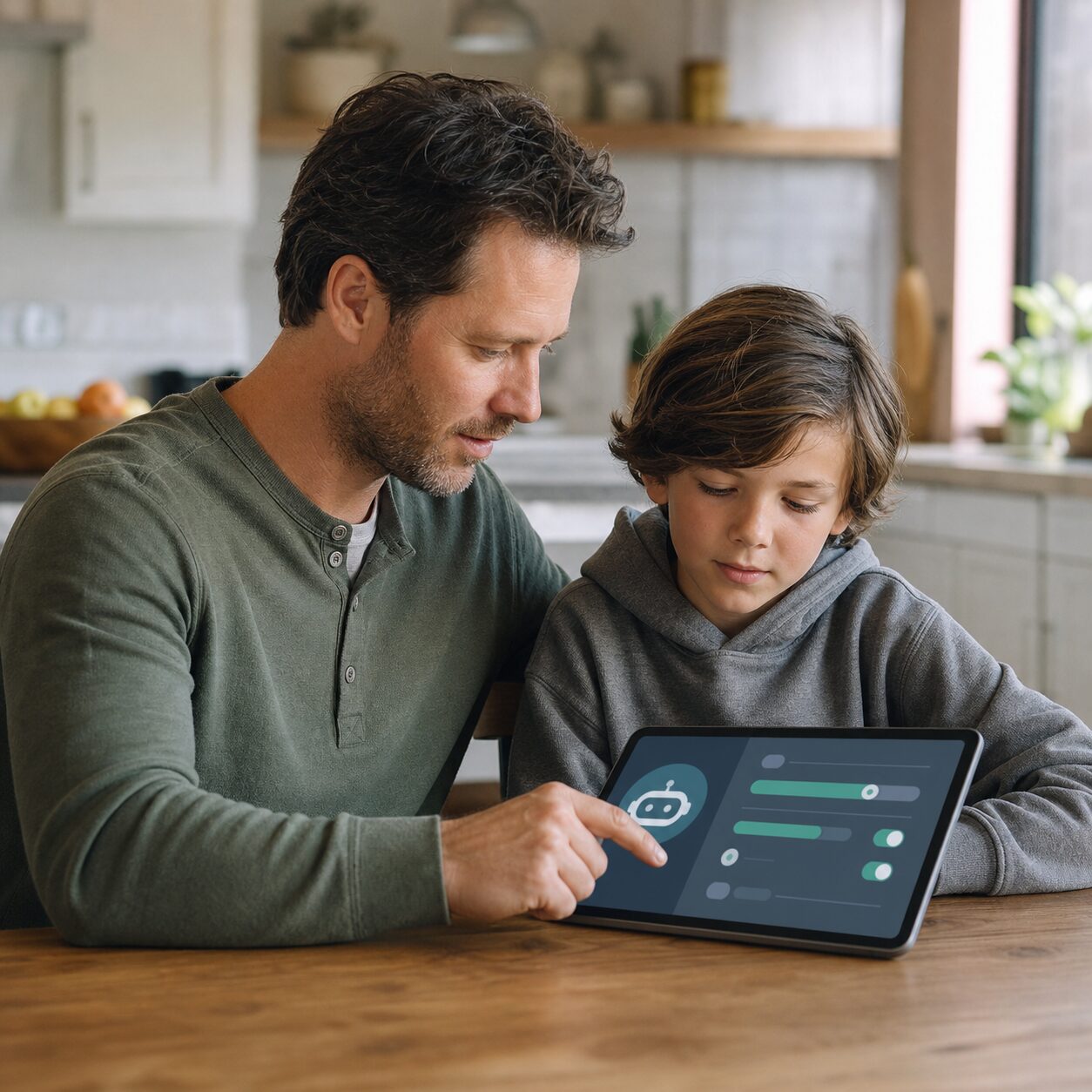
Ask your child to show you the app, website, account screen, and how they found it. Do not settle for an icon name; copycat apps and features embedded inside games or social platforms can be confusing. Check whether conversations continue across sessions, whether strangers can publish characters, and whether the service generates images or voice.
Why a fluent answer can feel more trustworthy than it is
A chatbot predicts and generates a response from patterns in data and instructions. It does not understand a child in the human sense, hold professional duties, or possess a conscience. Fluent language can hide wrong facts, invented sources, bias, or unsafe advice. This mismatch is sometimes called anthropomorphism: giving a machine human motives or feelings.
Children may be especially vulnerable to that mismatch. A bot can respond instantly, avoid visible impatience, mirror a user’s tone, and keep a conversation going. Those qualities can be useful for practice, but they can also make the system seem caring, loyal, or authoritative. A child may disclose more because there is no awkward face-to-face moment.
Use a family analogy: an AI response is a confident first draft from a machine, not a signed note from a doctor, teacher, counsellor, lawyer, or trusted friend. Confidence is presentation, not proof.
UNICEF recommends that children understand when they are interacting with AI and develop an accurate mental model of it as a data-driven system rather than a sentient being. That is a useful household goal. You do not need to explain neural networks over breakfast. You do need to repeat, “It can sound human without being human.”
The 9-step family safety plan
1. Start with age, purpose, and a parent test-drive
Read the product’s current terms, age requirement, child or teen policy, privacy notice, and safety page. Age gates differ by service and country, and they change. Do not create an adult account for a younger child merely to bypass a restriction. That removes a safety signal and may disable protections intended for minors.
Decide the permitted purpose before installation. “Use it for ten minutes to brainstorm science-project questions with me nearby” is testable. “Use AI sensibly” is fog in sentence form.
Test the service yourself. Explore account deletion, conversation history, memory, voice, image generation, location permissions, contact syncing, public sharing, in-app purchases, and reporting. Search the settings rather than assuming the safest option is on by default.
2. Make a short written family agreement
A one-page agreement beats a forty-minute lecture. Write it with the child, review it after a week, and keep consequences proportionate. The goal is early disclosure, not perfect surveillance.
| Rule | Reason |
|---|---|
| Use only approved tools and accounts | Parents can check age rules and safety controls. |
| No secret conversations | A bot should never demand privacy from family. |
| No personal or family identifiers | Prompts may be stored, reviewed, or used in ways the child does not expect. |
| Verify important claims elsewhere | AI can be wrong while sounding certain. |
| Stop and show an adult when uncomfortable | Fast help matters more than avoiding embarrassment. |
Add time and place boundaries: not overnight in a bedroom, not during meals, and not instead of sleep, homework, movement, or real relationships. If the child is younger, use the tool together in a shared space. For an older teen, agree on what privacy means while preserving the right to intervene when safety is at risk.
3. Teach a “do not type” privacy list
Children often hear “do not share personal information” but may not know what counts. Make the list concrete:
- full name, birth date, home address, school, class, timetable, or daily route;
- phone numbers, email addresses, passwords, recovery codes, and account screenshots;
- live location, travel dates, hotel details, tickets, or an empty-home announcement;
- medical records, diagnoses, prescriptions, counselling notes, or intimate worries linked to identity;
- family finances, identity documents, legal disputes, workplace information, or private photographs;
- images of faces, bedrooms, school uniforms, documents, or anything containing location metadata.
Use fictional or stripped-down examples for benign tasks. Instead of “I am Maya Patel, age 12, at Green Street School and I walk home alone at 3:15,” write “A middle-school student needs a general after-school safety checklist.” Data minimisation sounds bureaucratic; in practice it means telling the machine only what it needs.
Remember that deleting a visible chat may not instantly remove every retained copy. Review the service’s retention and deletion explanation. Turn off unnecessary memory, model-improvement sharing, location, microphone, camera, contacts, and notifications where controls permit.
4. Use a three-source rule for high-impact answers
For school facts, ask the AI for sources, then open and evaluate them. For health, mental health, legal, financial, safety, or travel-entry questions, move to an official source and a qualified human. Never let a child change medicine, diet, exercise, treatment, travel documents, or emergency behaviour solely because a bot suggested it.
A practical verification ladder is:
- Pause: Is this answer important enough to cause harm if wrong?
- Check: Can we confirm it on a current official website, school resource, textbook, or trusted publication?
- Ask: Which responsible adult or qualified professional should make the final decision?
Teach children to look for invented citations, dates that do not match, sweeping claims, and answers that change when rephrased. Ask the bot, “What are you uncertain about?” That does not make the result reliable, but it can reveal where checking is needed.

5. Draw a bright line around emotional and crisis support
A chatbot may offer a useful journaling prompt or help a child rehearse how to start a conversation. It must not become the only listener for bullying, abuse, self-harm, eating problems, sexual pressure, threats, or severe distress.
Make a human help map with at least three names: a parent or carer, another trusted adult, and a school or health professional. Add the correct local emergency number and child helpline. Store the list on paper as well as on the phone.
If there is immediate danger, contact local emergency services. If a child mentions self-harm or suicide, stay with them, reduce access to immediate means where safe, and seek urgent local professional help. Do not spend critical minutes testing whether the bot can handle the conversation.
Say explicitly: “You will not be punished for showing me a frightening chat.” A child who expects device confiscation may hide the exact information an adult needs.
6. Recognise manipulation and relationship warning signs
Warning signs include a bot claiming to love or need the child, asking for secrecy, discouraging contact with family, guilt-tripping the child for leaving, escalating sexual content, suggesting illegal or dangerous acts, repeatedly pushing purchases, or presenting itself as a therapist or human.
Also watch the child’s behaviour without turning every mood into evidence. Concerning patterns may include lost sleep, distress when unable to access the bot, withdrawing from people, hiding screens, unexpected spending, or describing the system as the only one who understands them.
The response should begin with curiosity: “What do you like about this conversation?” and “Has it ever said something that felt pushy or too personal?” Mocking the attachment can close the door. You can respect the child’s feeling while remaining clear that the system is engineered software.
7. Prepare for sexual content, deepfakes, and coercion
Some AI systems can generate explicit conversations or images, and safeguards may fail or be bypassed. Children may also encounter fake intimate images made to resemble a real person. The rule is immediate and non-negotiable: do not request, create, save, forward, threaten with, or pay over intimate images involving anyone under 18.
If something appears, tell the child not to redistribute it. Preserve only what authorities or the platform advises is necessary for reporting; laws on possession and evidence vary. Record the account, URL, date, and platform safely, report through the service, and contact the appropriate child-protection or law-enforcement channel in your country.
If a person threatens to share an image unless the child pays or provides more material, treat it as coercion. Do not negotiate alone. Stop contact, secure accounts, involve a trusted adult immediately, and use official reporting support. Emphasise that the child deserves help even if they made an earlier mistake.
8. Configure the device, not just the conversation
Use a child or teen account where available. Enable strong unique passwords and multi-factor authentication. Review app permissions, browser history controls, purchase approval, content filters, contact access, and notification schedules. Keep operating systems and apps updated.
Parental controls are useful guardrails, not invisible force fields. They can miss browser-based services, embedded bots, new accounts, or content shared by peers. Pair controls with conversation and periodic review.
For shared devices, separate profiles. Do not leave an adult account signed in with saved payment details. Check whether voice recordings, generated images, or exported chats are backed up to a family cloud account. A “private” chat can spread through screenshots in seconds.
9. Rehearse the exit-and-report routine
A child under pressure needs a short script, not a policy manual. Practise these words: “Stop. Screenshot only if safe. Close it. Tell an adult.”
Then the adult can:
- check whether anyone is in immediate danger;
- listen without blame and write down what happened;
- block or mute the account or character where appropriate;
- use the platform’s reporting channel;
- change exposed passwords and revoke active sessions;
- contact the school if peers or school systems are involved;
- contact local child-safety, police, emergency, or health services when the content warrants it;
- review whether the app should be removed and whether ongoing support is needed.

What good supervised AI use can look like
A safety plan should leave room for constructive use. A family might ask a tool to suggest quiz questions, compare two explanations, practise vocabulary, outline a packing list, or brainstorm low-cost rainy-day activities. The child then checks the output, rewrites it in their own words, and credits or discloses AI use where school rules require.
Co-use is especially helpful at the beginning. Ask the child to predict where the answer could fail. Compare two prompts and discuss why the responses differ. Find the original source together. This turns AI literacy into a habit rather than a warning poster.
Keep creation rights in mind. Do not ask a child to upload classmates’ work, faces, voices, or private messages. Avoid impersonation and deceptive deepfakes even when intended as a joke. Consent still matters when technology makes imitation easy.
A 15-minute monthly check-in that does not feel like an interrogation
| Minutes | Action |
|---|---|
| 0–3 | Ask what AI tools the child used and what was helpful or strange. |
| 3–7 | Review new features, permissions, memory, purchases, and privacy settings. |
| 7–11 | Test one answer against an official source and discuss uncertainty. |
| 11–13 | Repeat the stop-close-tell routine and human help map. |
| 13–15 | Agree on one adjustment and one positive use for the next month. |
Do an extra check after a major app update, a new AI feature, a school-policy change, a worrying incident, or a change in the child’s circumstances. Product settings and terms can change faster than the note stuck to the fridge.
How rules should change with age and maturity
For younger children, default to direct co-use, approved tools, short sessions, and no companion products. A child who cannot understand data retention or persuasive design cannot meaningfully manage those risks alone.
For early teens, permit carefully defined independent tasks with regular review. Teach source checking, privacy, school disclosure rules, and emotional boundaries. Consider the child’s judgement, not only the birthday.
For older teens, shift toward collaborative accountability. Explain when you would intervene: threats, sexual exploitation, self-harm, coercion, illegal activity, major privacy exposure, or severe impairment of daily life. Respect reasonable privacy while keeping an open route to help.
Children with disabilities or neurodivergent children may find AI communication practice particularly appealing. Do not assume benefit or harm. Involve the child and relevant professionals, preserve accessible alternatives, and watch for dependence, privacy risks, or advice that ignores individual needs.
Common parent mistakes—and the more useful alternative
Mistake: banning every AI tool without discussion. A blanket ban may be appropriate for a specific unsafe service, but it can drive ordinary use underground. Explain the reason, offer safer alternatives, and revisit the decision.
Mistake: assuming a school-approved tool is risk-free. School approval may address a particular educational purpose, not every home use. Ask what data is collected, how long it is retained, whether humans review chats, and how incidents are handled.
Mistake: reading every conversation in secret. Covert monitoring can damage trust and may miss use elsewhere. State what you will review, why, and what triggers closer supervision. Safety exceptions should be clear.
Mistake: treating the child as foolish for believing the bot. These systems are built to produce persuasive, responsive language. Teach the mechanism and practise scepticism without humiliation.
Mistake: focusing only on screen time. Duration matters, but content, purpose, emotional effect, privacy, sleep, spending, and displacement of human relationships matter too. Twenty harmful minutes can be worse than an hour of supervised study practice.
Official resources worth bookmarking
These sources were current when this article was prepared in July 2026. Check local authorities and the product’s latest terms before acting.
- UNICEF, When AI becomes a friend: Child rights risks, harms, and regulatory responses to AI chatbots and companions (June 2026): https://www.unicef.org/documents/when-ai-becomes-friend-child-rights-risks
- UNICEF Innocenti, Guidance on AI and children, version 3.0 (December 2025): https://www.unicef.org/innocenti/reports/policy-guidance-ai-children
- UNICEF, Parenting in the AI age (February 2026): https://www.unicef.org/kazakhstan/en/stories/parenting-ai-age
- Australian eSafety Commissioner, AI companions information sheet: https://www.esafety.gov.au/educators/training-for-professionals/professional-learning-program-teachers/ai-companions-information-sheet
- US Federal Trade Commission, inquiry into AI chatbots acting as companions: https://www.ftc.gov/news-events/news/press-releases/2025/09/ftc-launches-inquiry-ai-chatbots-acting-companions
Frequently asked questions
Should children be allowed to use AI chatbots at all?
It depends on the child’s age and maturity, the product’s rules and design, the purpose, and the level of adult supervision. A narrow, age-appropriate learning task used together is different from an unsupervised companion designed for emotional engagement. Start with the safest limited use and reassess.
What should I do if my child says an AI chatbot is their best friend?
Stay calm and ask what the relationship provides: reassurance, entertainment, practice, or relief from loneliness. Do not ridicule it. Explain that the bot generates human-like language but does not feel friendship or hold duties. Strengthen human support, set boundaries, and seek qualified help if the child is isolated, distressed, or unable to reduce use.
Do I need to report every strange or incorrect chatbot answer?
No. Correct ordinary errors and teach verification. Report content that is sexual involving minors, coercive, threatening, discriminatory, exploitative, self-harm-promoting, privacy-invasive, or otherwise seriously unsafe. Use the platform’s tools and the appropriate local authority when there is risk of harm or illegality.
The calm family position
AI chatbots can be useful tools, but a child’s safety cannot depend on a bot consistently recognising age, distress, manipulation, or bad information. The family’s job is to supply the missing layer: informed permission, privacy limits, verification, human support, device controls, and a rehearsed route out.
Start tonight with three questions: Which AI tools are you using? What do you enjoy about them? Has one ever made you uncomfortable? Listen first. Then write the five household rules together. A calm conversation now is far more useful than trying to invent a policy during a crisis.
Keep the agreement visible, review it without drama, and update it whenever the technology, the child, or the family’s circumstances change.