The most effective way to protect your household budget this winter isn’t just turning down the thermostat; it is gaining real-time, transparent control over exactly how your home consumes electricity through open-hardware monitoring. By bypassing restrictive, subscription-based “smart” ecosystems, you gain permanent access to your own data, allowing you to identify “vampire” appliances and heating inefficiencies before they bloat your monthly statement.
- Data Sovereignty: Open-hardware monitors store data locally, ensuring your consumption habits remain private and accessible without recurring monthly cloud fees.
- Precision Detection: Unlike estimated smart-meter readings, real-time current clamps identify high-draw appliances like space heaters or water pumps the moment they switch on.
- ROI Timeline: Most open-hardware setups pay for themselves within 3 to 6 months by identifying energy waste that typically goes unnoticed during high-demand winter months.
Winter is the season of “bill shock.” We turn on the heat, plug in the space heaters, and keep the lights on longer, only to be met with a utility bill that feels like an arbitrary penalty for surviving the cold. Most of us are flying blind, waiting 30 days for a summary that tells us we spent too much, without providing a clue as to why. If you are in your 30s or 40s, balancing the rising cost of living with the demands of a growing family, this lack of visibility is a major financial vulnerability.
What Exactly is ‘Open-Hardware’ Energy Monitoring?
When we talk about “open-hardware” in the context of energy monitoring, we aren’t just talking about a gadget you buy off a shelf at a big-box store. We are referring to devices designed with transparent schematics, non-proprietary communication protocols (like MQTT or local API access), and a philosophy that the data belongs to the user, not the manufacturer.
Most commercial smart home energy monitors function as “walled gardens.” They force you to use their cloud app, sell your data to third parties, and—most importantly—often hide the raw data behind a paywall. If the company goes bust or decides to pivot their business model, your device becomes an expensive paperweight. Open-hardware solutions, such as those compatible with platforms like Home Assistant or OpenEnergyMonitor, allow you to keep your data on your own home server or local network. You aren’t “renting” your energy insights; you own the monitoring infrastructure.
Why Proprietary Systems Often Fail Your Budget
Proprietary systems often rely on “energy disaggregation” algorithms—software that guesses which appliance is running based on the shape of the electrical current. While impressive, these systems are often inaccurate, frequently misidentifying a high-efficiency refrigerator as a space heater. Furthermore, they lock you into their ecosystem. If you want to integrate that data with your smart thermostat to automatically adjust temperatures based on real-time electricity pricing, you are often blocked by the manufacturer’s limited API.
The Mechanics of Winter Energy Inefficiency
To understand why you need granular data, you have to look at the “hidden” loads in your home. In the winter, the primary culprit is usually heating, but it is rarely just the furnace. It is the aging water heater struggling to keep up with ambient temperature drops, the uninsulated attic vent, or the space heater in the nursery that runs longer than necessary because of a drafty window.
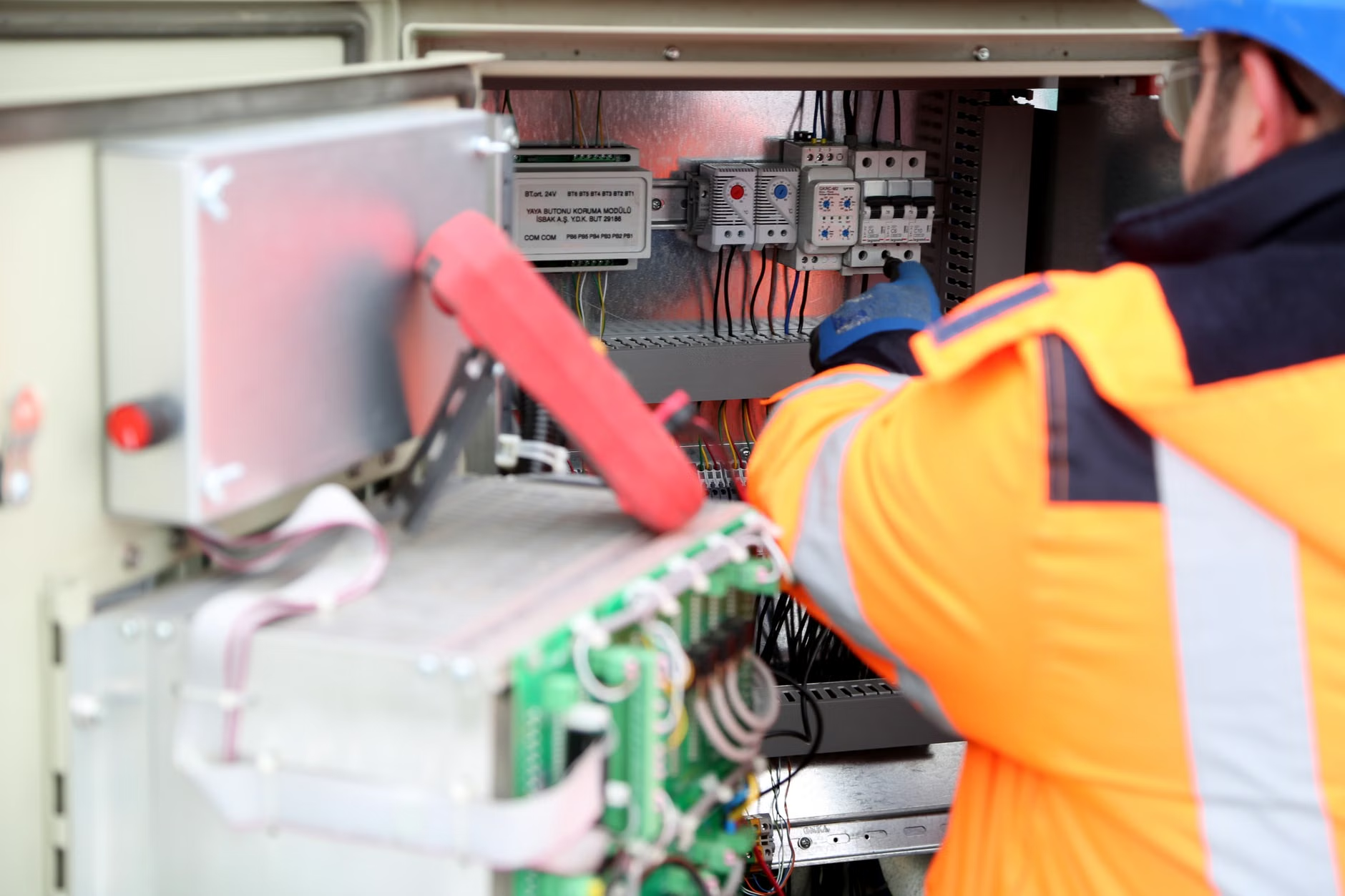
When you use an open-hardware monitor, you are installing CT (Current Transformer) clamps around your main electrical lines or individual circuit breakers. These sensors measure the magnetic field produced by the flow of electricity. Because they sample data at high frequencies (often every few seconds), they provide a “live” view of your home’s heartbeat. You can literally watch your consumption spike when the furnace kicks on and see exactly how many kilowatt-hours it consumes over a 24-hour period.
Comparison: Proprietary vs. Open-Hardware Monitoring
| Feature | Proprietary Smart Monitor | Open-Hardware Monitor |
|---|---|---|
| Data Access | Cloud-only, often with paywalls | Local storage, full ownership |
| Integration | Limited (only compatible partners) | Universal (via MQTT/API) |
| Privacy | Data shared with third parties | Private, stays inside your network |
| Setup Difficulty | Low (Plug-and-play) | Medium (Requires basic wiring) |
As the table above suggests, the trade-off is almost entirely in the setup process. If you are comfortable using a screwdriver and working safely inside your electrical panel (or are willing to hire a professional for the initial installation), the long-term benefits of an open-hardware system far outweigh the convenience of proprietary apps.

Step-by-Step: Taking Control of Your Winter Spending
Implementing an open-hardware energy strategy isn’t just about buying a sensor; it’s about changing your relationship with your home’s infrastructure. Here is the logical progression for the average homeowner.
1. Audit Your Electrical Panel
Before buying hardware, open your breaker box and look at the layout. Do you have space for CT clamps? Are your main lines accessible? If you are not confident working near high-voltage lines, this is the one stage where you should hire an electrician. The cost of a one-hour service call is a small price to pay for safety. Ensure you have a stable Wi-Fi signal or an Ethernet connection near your breaker panel, as most open-hardware devices require a network connection to report data.
2. Select Your Hardware
Look for devices that support open protocols like MQTT. Projects like OpenEnergyMonitor or hardware that can be flashed with custom firmware like ESPHome are the gold standard. Avoid devices that force you to create a cloud account before you can even see a graph. The best hardware allows you to pull data directly via a local IP address.
3. Correlate Data with Daily Habits
Once the system is live, don’t just watch the numbers. Start a “log” for one week. Note when you feel cold, when you turn on extra heaters, and when the laundry is running. Compare these manual logs against the digital data. You will likely find “energy ghosts”—like a pool pump running during off-peak hours or a dehumidifier that is cycling far more frequently than necessary.
Common Misconceptions About Energy Monitoring
A common mistake many people make is assuming that “smart” appliances will solve the problem for them. While a smart thermostat is helpful, it only controls one aspect of your home. It cannot tell you if your refrigerator seal is leaking, causing the compressor to run 20% more than it should. Energy monitoring gives you the “ground truth” of your entire home, not just the appliances that happen to have an app.
Another misconception is that you need to be a software engineer to use open-hardware. While the initial setup of a server (like Home Assistant) might seem daunting, the community support is vast. There are countless forums, YouTube tutorials, and step-by-step guides for people in their 30s and 40s who are tech-savvy but busy. You aren’t building a computer; you are configuring a dashboard that makes your life easier.

The Hidden Financial Impact: Why This Matters Now
With global energy prices fluctuating, the ability to shift your consumption to “off-peak” hours can lead to significant savings. Many utility providers offer time-of-use (TOU) pricing. Without an energy monitor, you are guessing when to run your dishwasher or dryer. With an open-hardware monitor, you can set up automations that alert you—or even trigger smart plugs—to run high-load appliances only when electricity rates are at their lowest.
Consider the “vampire load.” In a typical household, phantom power consumption—devices that draw electricity even when turned “off”—can account for up to 10% of your bill. By identifying these devices, you can group them on smart power strips that cut power entirely when not in use. Over a winter season, this simple change can equate to the cost of a full week of groceries.
Implementation Challenges and How to Overcome Them
The biggest hurdle is the “data fatigue” stage. It is easy to get excited about the data in the first week and then ignore it. To avoid this, set up simple “alerts.” For example, configure your system to send a push notification to your phone if the total home consumption exceeds a certain threshold for more than two hours. This acts as a circuit breaker for your budget, prompting you to check if a heater was left on in an empty room.
Ensure your system is redundant. If your internet goes down, your monitoring should still function locally. This is the primary advantage of the open-hardware approach; it doesn’t rely on a server in another country to tell you what your own home is doing.
Final Recommendations for the Winter Season
If you are looking to get a handle on your winter budget, start by prioritizing the largest loads. Do not spend time worrying about the standby power of a TV when your furnace and water heater account for 70% of your bill. Focus on the big-ticket items first. Use the open-hardware data to justify the cost of upgrades—if your monitor shows your old freezer is drawing double the energy of a new model, you have a clear, data-backed ROI for your next purchase.
Don’t fall into the trap of thinking that more hardware equals more efficiency. The goal is data-driven behavior change. If you can see the cost of your comfort in real-time, you will naturally make better decisions. Start small, verify your data, and turn that “bill shock” into a predictable, manageable expense.
Frequently Asked Questions
- Is it legal for me to install these clamps in my own breaker panel?
- In most jurisdictions, installing non-invasive CT clamps on the main service lines is considered a low-risk, consumer-level task. However, if you are uncomfortable or if your local regulations require a licensed professional for any panel work, please hire an electrician. Always turn off the main breaker if the installation requires touching anything other than the insulated cables.
- Do I need a dedicated server to run an open-hardware monitor?
- Not necessarily. While many users run platforms like Home Assistant on a Raspberry Pi or a small home server, some open-hardware monitors have their own web interfaces. You can access these simply by typing the device’s IP address into a browser on your phone or computer, meaning no extra hardware is required beyond the sensor itself.
- How do I know if my utility meter is compatible?
- Most open-hardware energy monitors use “clamp-on” sensors, which are universal and do not interact with the utility company’s physical meter at all. This means they are compatible with virtually any home electrical system, regardless of whether you have an old-fashioned spinning-disk meter or a new smart meter.
For more information on setting up your own energy monitoring system, explore the resources at Home Assistant or the OpenEnergyMonitor project page. These communities provide the most reliable, up-to-date documentation for hardware installation and data visualization.