A family emergency communication plan should still work when mobile data, home internet, cloud contacts, and ordinary calls do not. The practical version is not a complicated disaster binder. It is one shared contact, two meeting places, a short message format, paper copies, charged devices, and a ten-minute practice that shows everyone what to do.
- Choose one out-of-area contact and two reunion points before anyone needs them.
- Use short texts first when networks are congested, but keep paper information and an offline plan.
- Practice the plan with phones in airplane mode; a plan that only works online is merely a nice document.
Picture a fairly ordinary disruption. A storm knocks out power. The router goes dark. One parent is commuting, another is at home, and the children are at school or an activity. Everyone has a phone, yet nobody knows whether messages are delayed, whether the school app is loading, or whether the family group chat is reaching all four people.
That is the awkward truth of modern preparedness: we carry more communication technology than any previous generation, but much of it depends on the same electricity, networks, passwords, and cloud services. The answer is not to reject technology. It is to give technology a simple offline skeleton.
This guide builds that skeleton for international families. Emergency numbers, alert systems, school procedures, and carrier features differ by country, so verify local arrangements. The planning principles travel well: fewer decisions, shorter messages, multiple routes, privacy-aware paper backups, and regular practice.
Why can several communication services fail at once?
Home Wi-Fi and mobile service feel separate, but both sit on layers of shared infrastructure. Your router needs household electricity. Fixed broadband equipment may need power elsewhere in the neighborhood. Mobile towers and network facilities have backup systems, but prolonged outages, damage, congestion, or fuel and transport problems can still reduce service. CISA describes communications infrastructure as dependent on physical and cyber components and on energy for cellular towers and other facilities.
A service can also be technically available but practically unusable. Thousands of people may call at once. An app may require a login code delivered to a phone that has no signal. A child may know a parent’s name but not the number. A tired adult may type a long explanation while the battery falls from 8% to 7%.
Plan for degraded service, not a movie-style total blackout. Text may work while calls struggle. A local call may fail while a message to someone outside the affected area succeeds. A public Wi-Fi connection may appear later, but it should not be treated as private. The useful question is not “Will the internet disappear?” It is “What is our next route if the first route does not work?”
| Failure | What the family notices | Useful fallback |
|---|---|---|
| Home power or router outage | Wi-Fi disappears; charged phones may still have mobile service | Mobile text, radio, paper contacts, battery power |
| Mobile congestion | Calls fail or take a long time | Short text, wait before retrying, out-of-area contact |
| Cloud or app problem | Family chat, school app, or saved account is unavailable | Native SMS, official alert channel, written school number |
| Battery depletion | A working network becomes irrelevant | Power bank, car charger used safely, written meeting plan |
| Family separation | Everyone has different information | Predetermined contacts, meeting places, message format |
Who should be the out-of-area contact?
Choose one reliable adult who lives outside your immediate area and agrees to act as an information relay. Ready.gov recommends an out-of-town contact as part of a family communication plan. The person is not a rescue coordinator and should not improvise instructions. Their job is modest: receive brief status updates, record who is safe and where, and repeat the agreed information to other household members.
A good contact answers messages reasonably promptly, keeps their phone number stable, and understands the plan. They should know the names of all household members, the two meeting places, and any communication or accessibility needs. A relative can work, but a trusted family friend may be better if relatives tend to create a ten-person rumor relay before breakfast.
Ask permission. Then give the contact a one-page copy and run a practice message. If the person travels frequently, has health limitations, or lives in an area exposed to the same regional hazards, choose an alternate. Do not place sensitive medical histories, identification numbers, or account passwords on the plan. Record only what is needed for communication and safe reunion.
A household with separated parents or multiple caregivers may need a slightly different design. Include the child’s approved caregivers and follow custody arrangements. Do not make a child decide which adult’s instructions outrank another’s during a disruption. The plan should specify who can collect the child and what the school or care provider already has on file.
Which two meeting places reduce the most confusion?
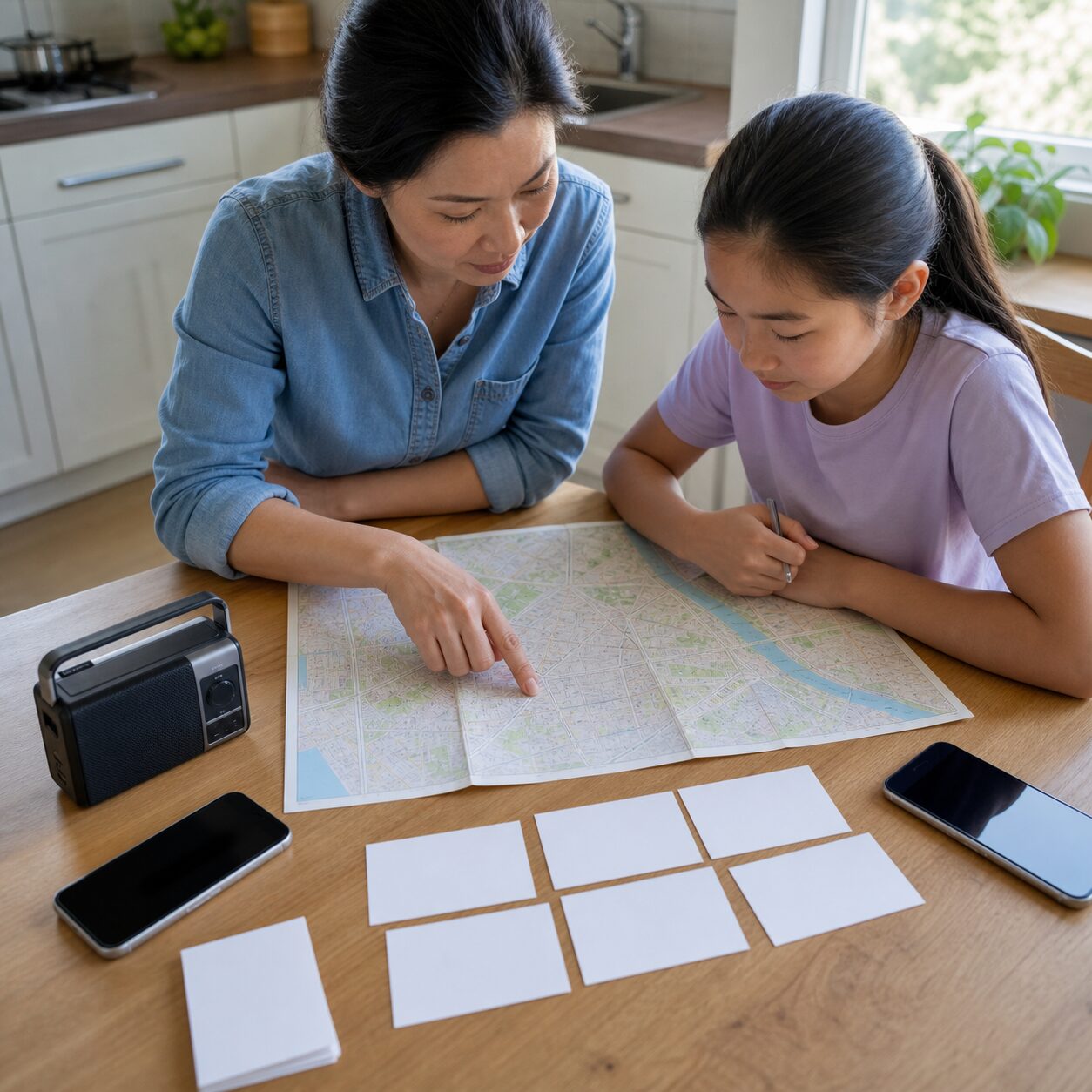
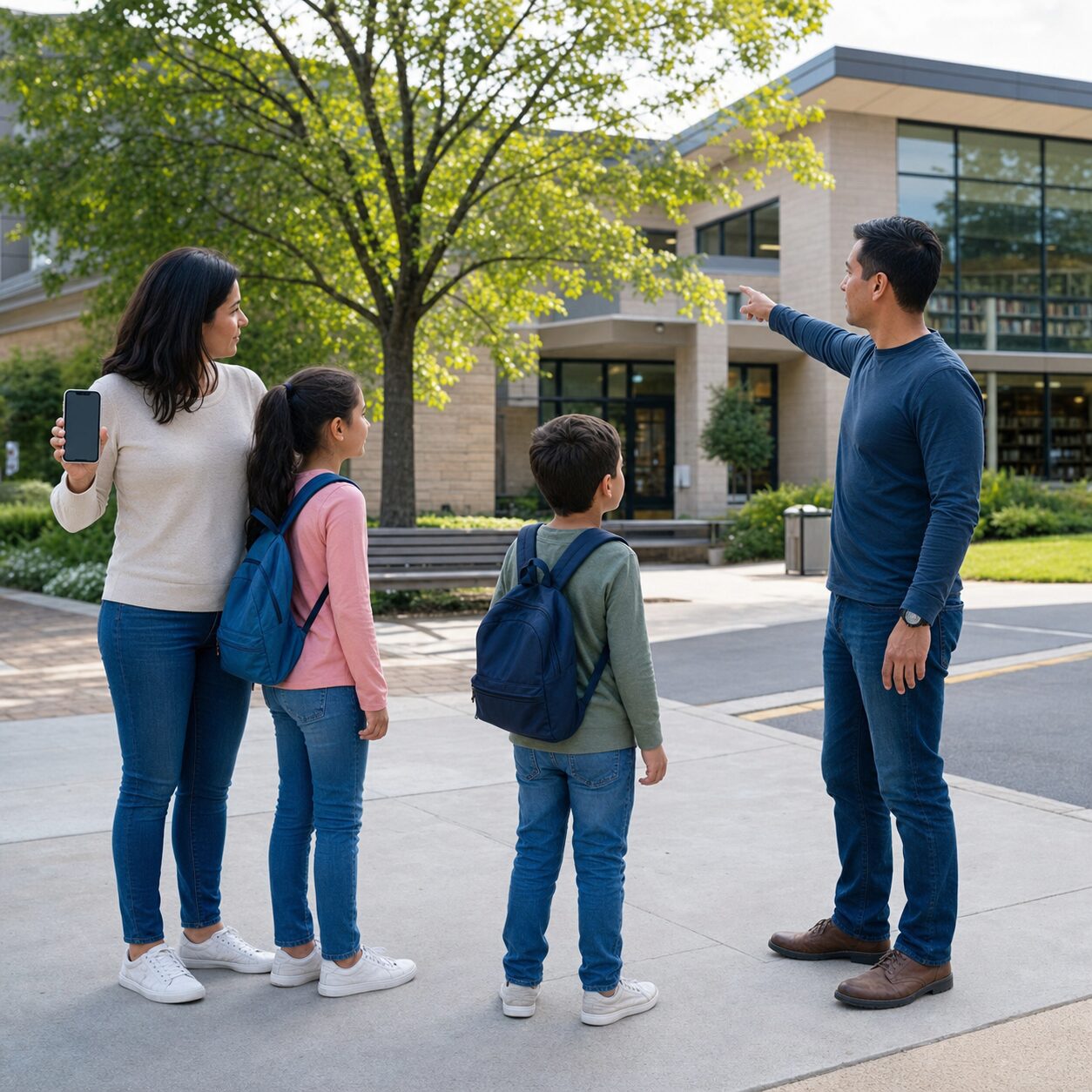
Choose one place very close to home and one place outside the immediate neighborhood. The near-home point is for a building evacuation: a particular lamp post, neighbor’s gate, or open corner that is safely away from the property. “Outside” is too vague. Two people can stand on opposite sides of a large building and each believe the other is missing.
The neighborhood point is for a situation in which home cannot be reached. A community center, library grounds, familiar shop, or trusted person’s home may work if it is accessible and likely to remain identifiable. Consider opening hours, weather exposure, road crossings, disability access, pets, and whether children can reach it safely. Never direct children to travel alone when local safety rules or their age make that unsuitable.
Some hazards make the normal point unsafe. Floods, wildfire, severe weather, civil emergencies, and hazardous-material incidents can change routes. The family rule should therefore be: follow official evacuation or shelter instructions first; use the meeting point only when it is safe and allowed. A predetermined location reduces improvisation, but it does not overrule authorities or visible danger.
Walk the routes in daylight. Then discuss what changes after dark, during heavy rain, or when public transport stops. Families with younger children can use simple visual landmarks. Teenagers should know that going to search for someone can create a second missing person. The plan is to report location and wait safely, not to conduct a heroic neighborhood expedition.
What should an emergency message actually say?
Short messages conserve attention and may be easier to send through a strained network. Ready.gov’s family planning material recommends practicing text messages and gives the basic idea of stating that you are safe and where you are. A useful family format contains four items:
STATUS — LOCATION — NEXT ACTION — TIME.
For example: “SAFE. At community library entrance. Staying here. 18:20.” If help is needed, say what kind: “SAFE but need pickup. At school office. With staff. 18:20.” Do not bury the location in a paragraph about why the bus was late. Do not send unverified claims about damage or danger.
Agree on a few plain terms. “SAFE” means no immediate help is needed. “HELP” means assistance is required but the person can communicate. For immediate danger, use the local emergency number when service is available and follow dispatcher instructions. Families who speak more than one language should choose words everyone, including caregivers, understands.
Send one message to the household group and the out-of-area contact if possible. Avoid repeatedly redialing or sending dozens of duplicate messages. A delayed message can arrive after circumstances change, so include the time. If you move, send a new concise update. Screenshots of a message are not proof that every recipient received it.
How do children use the plan without carrying too much private data?
Children need enough information to reconnect, not a miniature identity file. A card can include the child’s first name, two caregiver phone numbers, the out-of-area contact, and the agreed meeting location in age-appropriate form. Avoid national identification numbers, passport details, full medical records, financial information, passwords, and alarm codes.
Decide whether a full home address is appropriate based on the child’s age and local context. Younger children can carry the card inside a backpack rather than display it on a lanyard. Teach them to show it to an identified teacher, police officer, emergency worker, or another trusted adult defined by your family—not to hand it to anyone who asks.
Practice saying caregiver names and one phone number. A memorized number remains useful when the card and phone are elsewhere. For children with communication, sensory, cognitive, or mobility needs, coordinate with school and caregivers. Add only essential instructions, such as the best way to communicate, while protecting dignity and privacy.
Review collection permissions with schools, camps, and childcare providers. A parent’s personal plan does not replace the institution’s emergency procedure. Confirm how the organization sends alerts, where children remain during a lockdown or evacuation, what identification collectors need, and how contact changes are updated.
Which phone settings help, and which create false confidence?
Save key numbers in every device, but also write them down. Create a household group in the native messaging app because it may work even when a social platform does not. Add an emergency contact using the device’s supported emergency-information feature, while understanding what may be visible from the lock screen.
Enable official emergency alerts available in your country and region. Check notification permissions and language settings. Do not rely on social media accounts that merely look official. Bookmark the local emergency-management, weather, transport, school, and utility pages, and verify their addresses before a crisis.
Offline maps can help with orientation, but downloads age. Save the local area and review it periodically. A paper map remains valuable because it does not require a charged battery, an unlocked phone, or fine motor control on a wet screen. Mark reunion points without adding sensitive notes that would create a risk if lost.
Satellite emergency features are becoming more common, but availability depends on device, country, carrier, subscription, clear sky, and supported emergency services. Treat them as an additional route, not the whole plan. Read the manufacturer’s current instructions and practice only through an official demo mode; never place a test emergency call.
Biometric unlock can fail when a person is injured, wearing equipment, or in difficult conditions. Every responsible adult should know their own passcode. Nobody needs to share banking passwords in the family plan. Password managers and cloud backups are useful in normal recovery, but the immediate communication plan should not require logging into a complex account.
How much backup power is realistic?
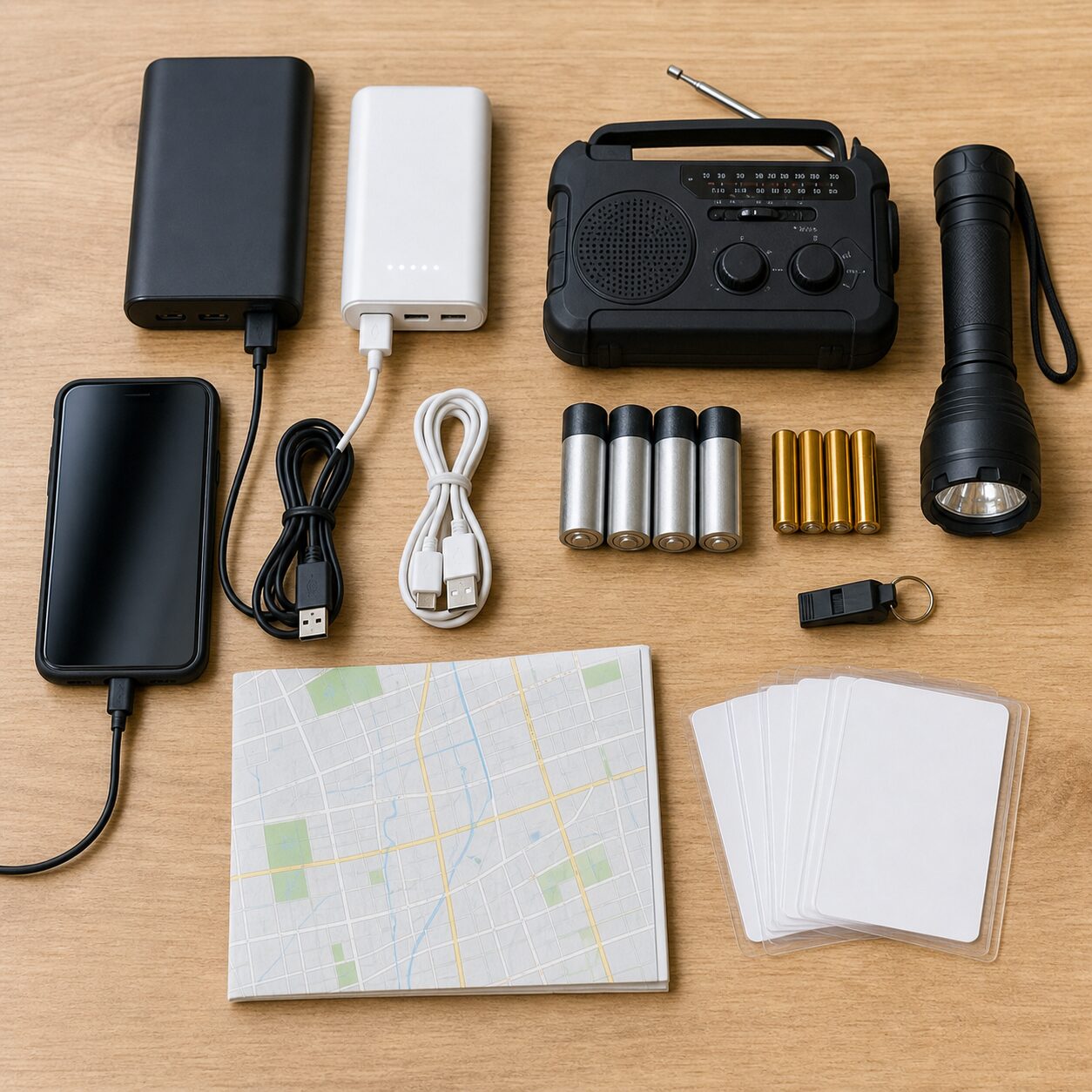
Start with boring habits: charge phones before severe weather, keep power banks charged, store the right cables together, and replace damaged or swollen batteries. A large battery pack at 0% is an elegant paperweight. Label ownership with a simple color mark rather than personal details.
Reduce consumption early. Lower screen brightness, use battery-saver mode, close unnecessary apps, and stop streaming. Turn off radios you do not need, but remember that airplane mode also disables mobile communication unless individual connections are re-enabled. Check briefly at agreed intervals rather than keeping screens active continuously.
Vehicle charging may help, but never run a vehicle in a garage or enclosed space because carbon monoxide can kill. Follow manufacturer instructions for power stations and generators, and operate fuel-burning equipment only in safe outdoor locations as directed. Keep lithium-ion equipment away from water, extreme heat, puncture damage, and improvised wiring.
A battery or hand-crank radio can receive public information when internet services are unavailable, depending on local broadcasting. Learn the relevant station and frequency beforehand. Radios do not replace targeted evacuation alerts, but they add a one-way information route that does not compete with family phone use.
What belongs on the one-page family plan?
| Section | Include | Leave out |
|---|---|---|
| People | Household names, essential phone numbers, approved caregivers | Passwords, identity numbers, unnecessary personal history |
| Relay | Primary and alternate out-of-area contacts | People who have not agreed to the role |
| Places | Near-home and neighborhood meeting points | Unsafe routes or vague descriptions |
| Institutions | School, childcare, workplace, medical and utility numbers as needed | Outdated app-only instructions |
| Communication | Message format, check-in intervals, fallback order | Long scripts nobody will remember |
| Needs | Essential accessibility, language, medication or pet arrangements | Complete medical records |
Keep the master copy in a known household location and give appropriate copies to members. Store cards in wallets, bags, or mobility-device pouches. A sealed copy in the emergency kit can help, but it should not be the only copy if the kit is inaccessible.
Date every version. When a number, school, workplace, caregiver, medication need, or address changes, replace the old copies. Shred or securely dispose of obsolete cards rather than letting personal details accumulate in drawers and old bags.
For international travel, make a temporary version with destination emergency numbers, accommodation details, insurer assistance, embassy or consular information, and a meeting point. Keep it separate from passport copies. Local emergency numbers vary, and roaming or eSIM arrangements can affect how calls and texts work.
Can Wi-Fi calling and public networks be part of the fallback?
Wi-Fi calling may help when mobile coverage is weak and broadband still works, but it cannot help when the router, local power, or broadband connection is down. Set it up in advance if supported, confirm the emergency-address requirements in your country, and understand how your carrier handles emergency calls.
Public Wi-Fi may return before home service, but treat it as untrusted. Use it for low-risk communication and official information. Avoid banking, sending identity documents, or disabling device security. Confirm the network name with the venue; a familiar-looking name can be a malicious hotspot.
Messaging apps can provide encryption and useful group features, but they depend on data and account access. Native SMS may be more broadly available, while its privacy protections differ. The plan does not need a theological debate about the perfect app. It needs a documented order: try the household’s usual message route, then native text, then the relay contact, then the safe meeting plan.
Do not connect automatically to every open network. Keep operating systems updated before emergencies, use device locks, and avoid sharing real-time family locations publicly. If posting a safety update to a wider circle, reveal no more than necessary and do not announce that a home is empty.
How should a ten-minute family drill work?
Tell everyone this is practice. Pick a calm time; surprise drills can frighten children and do not necessarily teach better decisions. Put phones in airplane mode to simulate lost connectivity without contacting emergency services. Hand each person their card and give a simple scenario: “Home internet is off, calls are not connecting, and we are in our usual weekday locations.”
Ask each person three questions. Who is the relay contact? Where is the meeting place? What short message would you send? Then walk to the near-home point. Older children can explain what they would do if a route were unsafe or if a stranger offered transport.
Restore connectivity and send a clearly labeled practice text to the out-of-area contact. Confirm that the contact recognizes the message format. Check whether every phone has the group, numbers, alerts, and useful battery settings. Test cables against actual devices; connector collections have a mysterious habit of preserving everything except the cable currently required.
End by fixing one or two problems, not by delivering a lecture. If the child could not find the card, move it. If the meeting point was ambiguous, choose a precise landmark. If the power bank was empty, add a monthly charging reminder. Repeat after major changes and at least several times a year.
What changes for apartments, rural homes, and frequent travelers?
Apartment residents should know stair routes, building assembly areas, management contacts, and rules for residents who need assistance. Elevators may stop during power failures or be unsafe during fire. A meeting point must not block responders or place the family beneath glass, façades, or other hazards.
Rural households may face longer restoration times, weak coverage, and greater travel distances. Add neighbors, local radio, fuel planning, wells or medical equipment that depend on electricity, and weather-safe routes. Two-way radios may be useful at short range where legal and appropriate, but learn their limits and local frequency rules.
Families who commute across borders or travel frequently should not assume the home plan works unchanged. Verify roaming, emergency-call behavior, local alerts, plug and charging needs, and language barriers. Children should know the hotel or accommodation meeting point and what to do if separated in a station or airport.
Remote workers may have several internet routes yet still depend on one local power source. Separate the work continuity plan from family safety. A work hotspot should not consume the last phone battery needed for household communication. Employers and schools may also have official channels that deserve a place on the plan.
Which mistakes make a good-looking plan fail?
The first is storing everything in one phone. The second is assuming every family member understands phrases such as “usual place.” The third is choosing a meeting point nobody has walked to. The fourth is adding so much information that the useful instructions disappear.
Another mistake is treating tracking as communication. A location dot can be stale, inaccurate, unavailable, or attached to a device that is no longer with the person. Use location sharing as a clue, not proof of safety, and do not encourage anyone to enter danger to reach a pin.
Do not call emergency services merely to test whether the phone works. Do not spread rumors from neighborhood chats. Do not ignore official shelter or evacuation instructions because the family planned a different destination. And do not send children away from supervised school or care settings unless the responsible institution directs release through its procedure.
Finally, avoid equipment shopping as a substitute for decisions. A drawer full of radios, adapters, and batteries cannot choose the relay contact or teach a child where to wait. Build the human plan first; buy only the tools that support it.
A practical 30-minute setup for tonight
- Choose and ask one out-of-area contact, plus an alternate.
- Select a precise near-home point and a neighborhood reunion point.
- Write the four-part message format: status, location, next action, time.
- Record essential numbers on one dated page and small cards.
- Save the contacts in every phone and create a native message group.
- Check official local alerts, school procedures, and emergency numbers.
- Gather charged power banks, correct cables, a flashlight, radio if useful, and paper map.
- Walk the meeting route and run the airplane-mode drill.
- Fix the first failure you discover.
- Set a review date after the next seasonal clock change, school term, or household change.
The finished plan should feel almost disappointingly simple. That is a feature. Under stress, a family needs recognizable actions, not a policy manual. One relay person, two places, four message fields, paper copies, power, and practice cover a surprising amount of real-world confusion.
Official resources worth saving
These sources provide reliable starting points. Adapt them to your country and local authority:
- Ready.gov preparedness and family planning: https://www.ready.gov/plan
- Ready.gov main preparedness portal and communication-plan tools: https://www.ready.gov/
- CISA communications infrastructure overview: https://www.cisa.gov/topics/critical-infrastructure-security-and-resilience/resilience-services/infrastructure-dependency-primer/learn/communications
- FCC public-safety and emergency communications information: https://www.fcc.gov/public-safety-and-homeland-security
The final caution is simple: communication plans support emergency decisions; they do not replace official warnings, local emergency numbers, school release rules, medical advice, or evacuation orders. Review the plan whenever the household changes, and keep sensitive information to the minimum necessary.
Ten calm minutes of practice now can remove dozens of uncertain decisions later. That is not dramatic preparedness. It is just good family logistics wearing sensible shoes.
Frequently asked questions
Should we call or text first during a network disruption?
If nobody is in immediate danger, a short text is often a sensible first attempt because it uses little attention and may succeed when calls are congested. Include status, location, next action, and time. For immediate danger, use the local emergency number when available and follow official instructions.
Is a screenshot of our contact list enough as a backup?
No. A screenshot still depends on the phone being present, charged, unlocked, and undamaged. Keep a privacy-conscious paper card with essential numbers and meeting points. Date it and replace outdated copies.
How often should a family practice the plan?
Practice after major changes such as a move, new school, new caregiver, new phone number, or changed accessibility need, and repeat several times a year. A ten-minute airplane-mode drill is usually enough to reveal missing cards, empty batteries, ambiguous meeting points, and forgotten numbers.