The most effective way to protect your digital life is to treat your home network like a front door: if you leave it unlocked, you are inviting trouble, regardless of how “smart” your devices are.
Key Takeaways for Your Home Audit
- Segment your network: Keep your IoT devices on a separate “Guest” network to isolate them from your primary computers and phones.
- Update and harden: Treat firmware updates like home maintenance; if a device no longer receives updates, it is a liability.
- Default settings are dangerous: Change every default password immediately, as these are the first targets for automated botnets.
You probably don’t think twice about the smart lightbulb in your hallway or the video doorbell that greets your packages. We live in an era of hyper-convenience where everything from our coffee makers to our baby monitors is connected to the internet. But there is a hidden cost to this connectivity: the “Internet of Things” (IoT) is notoriously insecure. Most of these devices are built for speed to market, not for robust security. If one device in your house is compromised, it can potentially serve as a gateway for hackers to access your personal data, bank accounts, or even your private home network traffic.
Why Your “Smart” Home is a Potential Security Weak Link
The term “Internet of Things” refers to any physical object that has an internet connection and the ability to communicate with other devices. While your laptop and smartphone have complex operating systems that receive regular security patches, many IoT devices run on stripped-down, lightweight software. These devices often lack the processing power to run advanced encryption or security software. This makes them the “low-hanging fruit” for cybercriminals.
Think of it this way: your home network is a gated community. Your laptop and phone are well-guarded villas, but that smart thermostat? It’s a garden shed with a flimsy lock. If a malicious actor gains entry to the shed, they might find a map to the rest of the neighborhood. In technical terms, this is called “lateral movement.” Once a hacker is inside your network via an insecure device, they can scan for other, more sensitive devices, intercept your traffic, or use your internet connection to participate in massive distributed denial-of-service (DDoS) attacks against other websites.
The Anatomy of an IoT Vulnerability
Most IoT vulnerabilities stem from three main issues: hardcoded credentials, lack of encryption, and abandoned firmware. Hardcoded credentials are passwords embedded in the device’s software that cannot be easily changed by the user. If a manufacturer uses the same password for every unit of a specific model, a hacker can simply look up the password online and gain access to millions of devices simultaneously. This is exactly how the infamous Mirai botnet wreaked havoc on the internet several years ago.
Furthermore, many IoT devices do not encrypt their communication. When your smart camera sends a video feed to your phone, that data might be traveling across your network in “plaintext.” If someone is on your Wi-Fi—or if they manage to breach your router—they can watch that stream as easily as if they were standing in your living room.

Step 1: The Inventory – Know What’s on Your Network
Before you can secure your home, you need to know exactly what is connected. Most of us have devices we’ve forgotten about—a smart plug from three years ago, a gaming console that hasn’t been updated in months, or a fitness tracker syncing in the background. Start by logging into your router’s administrative interface. Most modern routers provide a “Device List” or “Client List.”
Go through this list and identify every single entry. If you see a device you don’t recognize, or one you no longer use, disconnect it immediately. If you have a device that *needs* to be smart but you rarely use it, consider putting it on a smart plug that you can physically turn off when you aren’t using the feature. This “physical air-gap” is the ultimate security measure.
Categorizing Your Devices
Not all devices are created equal. You should categorize your hardware based on the level of risk they pose to your privacy:
| Category | Examples | Security Priority |
|---|---|---|
| High Risk | Webcams, Baby Monitors, Smart Locks | Critical (Needs encryption/updates) |
| Medium Risk | Smart Speakers, TVs, Thermostats | Moderate (Requires network isolation) |
| Low Risk | Smart Bulbs, Connected Appliances | Low (Requires basic password changes) |
Step 2: Network Segmentation – The “Guest” Strategy
If you take only one piece of advice from this audit, make it this: Set up a Guest Network on your router. Most modern routers allow you to create a secondary Wi-Fi network specifically for guests. This network is isolated from your primary home network, meaning devices on the guest network cannot “see” the devices on your main network.
Move all of your IoT devices—your smart fridge, your Wi-Fi lightbulbs, and your smart speakers—to this guest network. If one of these devices is compromised, the hacker will be trapped in the guest network, unable to reach your main computer where you do your banking, store your tax documents, or save your family photos. It’s like putting a deadbolt on the door between your garage and your living room.
Step 3: Hardening Your Router
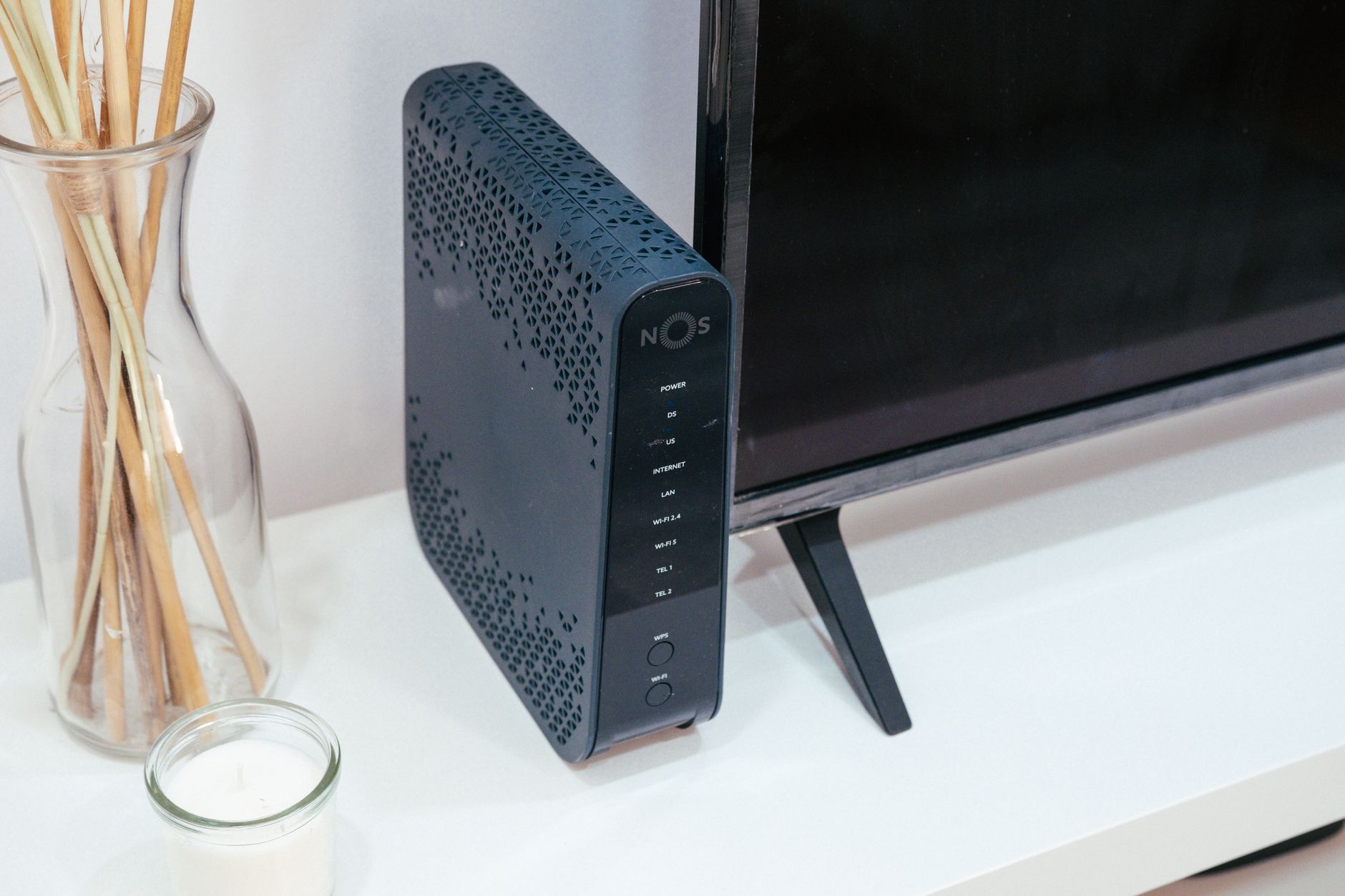
Your router is the gatekeeper of your digital home. If your router is compromised, your entire defense strategy collapses. Many of us use the router provided by our Internet Service Provider (ISP), which is often left with default settings. That is a mistake.
First, change the administrative password for your router. This is different from your Wi-Fi password; it is the password you use to log into the router’s settings page. Use a long, complex passphrase that you have never used anywhere else. Next, disable “UPnP” (Universal Plug and Play) if you don’t strictly need it. UPnP allows devices to automatically open ports on your router, which is incredibly convenient but also creates a massive security hole that malware can exploit.
Finally, ensure your router’s firmware is up to date. Check the manufacturer’s website periodically, or better yet, enable “Auto-Update” in the settings. If your router is more than five years old, it might be time to replace it. Older hardware often stops receiving security patches, leaving you vulnerable to known exploits that hackers have long since mastered.
Step 4: The “Update or Discard” Policy
Software updates are not just about new features; they are almost always about security patches. When a manufacturer releases an update, they are often closing a hole that hackers have discovered. If you skip an update, you are leaving that hole wide open.
Establish a “Tech Audit Day” once every quarter. During this time, open the apps for your various smart devices and check for firmware updates. If a device has not received an update from the manufacturer in over a year, it is likely “abandonware.” In the world of cybersecurity, abandoned devices are ticking time bombs. If a device isn’t being supported, you should strongly consider replacing it or removing it from your network entirely.
Common Misconceptions About Smart Home Security
Many users believe that because they don’t have “anything to hide,” they don’t need to worry about security. This is a dangerous mindset. Your devices aren’t just about your data; they are about your resources. A hacker doesn’t necessarily want to see your family photos; they want to use your internet bandwidth to hide their own illegal activities or to use your processing power for crypto-mining. By securing your home, you are not just protecting yourself; you are contributing to a safer internet for everyone.
Another common mistake is thinking that “hidden” Wi-Fi networks (SSIDs) provide security. They do not. A hidden network is still broadcasting its presence to anyone with the right software. Similarly, do not rely on MAC address filtering. It is trivial for a skilled attacker to spoof a MAC address. Focus on the fundamentals: strong passwords, network segmentation, and consistent updates.

Practical Implementation: A Family Audit Checklist
To make this manageable, break the audit down into bite-sized tasks. You don’t have to do it all in one afternoon.
- Week 1: The Password Reset. Change the passwords on your router and your most sensitive smart devices (cameras, locks). Use a password manager to keep track of these.
- Week 2: The Network Split. Enable your guest network and move your IoT devices over one by one.
- Week 3: The Update Sweep. Check the firmware status of every device on your network.
- Week 4: The Disposal. Identify any legacy devices that haven’t been updated in years and disconnect or replace them.
When you involve your family in this process, it becomes an opportunity to teach children about digital hygiene. Explain to your kids that just as we lock the doors when we leave the house, we need to “lock” our digital devices to keep our personal information safe. It’s a life skill that will serve them well as they grow up in an increasingly connected world.
Final Thoughts and Cautions
Technology should serve our lives, not complicate them with anxiety. However, ignoring the reality of IoT vulnerabilities is not “ignoring technology”—it is ignoring a basic safety requirement of modern living. By taking these proactive steps, you aren’t becoming a paranoid tech expert; you are simply being a responsible custodian of your family’s digital environment.
Remember that security is a process, not a destination. New vulnerabilities will be discovered, and new devices will be added to your home. Keep your eyes open, stay curious about your settings, and don’t be afraid to pull the plug on a device that doesn’t respect your privacy. Your home is your sanctuary—both physical and digital. Keep it that way.
For further reading and official guidance, you can refer to the CISA IoT Security Resources or the FTC’s guide on securing your home network.
Frequently Asked Questions
Q: Does using a guest network really make a difference?
A: Yes, absolutely. It creates a logical barrier between your high-security devices (like your laptop) and your low-security devices (like smart bulbs). Even if a smart bulb is hacked, the attacker cannot easily jump from the guest network to your private network.
Q: How do I know if my device is “abandoned” by the manufacturer?
A: Check the support section of the manufacturer’s website for your specific model. If the latest firmware version is more than 12–18 months old, or if the support page has been taken down, it is safe to assume the device is no longer being secured.
Q: Should I use a VPN for my whole house?
A: While a VPN on your router can add a layer of privacy by hiding your traffic from your ISP, it does not solve the underlying issue of insecure IoT devices. A VPN protects your traffic as it travels *out* of your house, but it does not prevent a hacker from attacking your devices *inside* your house. Always prioritize network segmentation first.
Stay safe, stay curious, and keep your home network as cool and secure as your lifestyle.