If you are tired of the “subscription creep” eating into your monthly budget, switching to a personal cloud storage solution—often called a Network Attached Storage (NAS)—could save you hundreds of dollars over the next five years while giving you total control over your family’s digital footprint.
- Long-term Savings: While the initial hardware cost of a personal cloud is higher, it eliminates monthly fees that compound over time.
- Data Sovereignty: You own the physical drive, meaning your family photos and documents are not subject to corporate terms-of-service changes or data mining.
- The Learning Curve: Personal clouds require a bit more setup and occasional maintenance compared to the “plug-and-play” nature of services like Google One or iCloud.
We’ve all been there: you get that dreaded notification on your phone—”Storage Full.” You click the link, and suddenly you’re paying $2.99, $9.99, or even $19.99 a month just to keep your photos and documents accessible. For a family in their 30s or 40s, these costs add up. You’re paying for your phone, your tablet, your laptop, and then individual subscriptions for each family member. It’s a quiet, recurring tax on your digital existence.
But is the convenience of a subscription service worth the price of admission? And what exactly are you giving up when you hand your data over to a tech giant? Let’s look at the actual breakdown of the “Personal Cloud” versus the “Subscription Model” to see which one fits your life.

The Economics of Digital Storage: Why Subscriptions Feel Cheap but Are Expensive
Subscription services are designed to be invisible. When you pay $1.99 a month, your brain categorizes it as “negligible.” It’s less than the price of a fancy coffee. However, subscription fatigue is real. If you calculate the cost of a 2TB storage plan over five years, you’re looking at an expenditure of over $600. That’s a significant amount of money that disappears into a service you don’t actually own.
When you subscribe to a major cloud provider, you are essentially renting space in someone else’s house. You don’t have the keys. If the company changes its pricing structure, deletes your account due to a misunderstanding of their policy, or if you simply stop paying, your access to your “digital life”—those thousands of childhood photos of your kids—becomes restricted or vanishes entirely.
On the flip side, a personal cloud (a NAS device) involves an upfront cost for the hardware and the hard drives. A decent two-bay NAS with a 4TB drive setup might cost you $400 to $500 upfront. After that, your monthly cost is essentially the price of the electricity it takes to run the device, which is usually pennies. The math is simple: subscriptions are a high-interest loan on storage, while a NAS is a capital investment.
The Privacy and Control Factor: Who Really Owns Your Memories?
Beyond the money, there is the question of privacy. When you upload photos to a massive cloud provider, you are trusting that company’s security protocols. While these companies have world-class encryption, they also have terms of service that allow them to scan your data for various purposes, including training AI models or flagging content they deem “inappropriate.”
With a personal cloud, the data stays in your home. It exists on a physical drive that you can touch. If the internet goes down, you still have access to your files locally. If you want to share a folder with a family member, you control exactly how long that access lasts and who gets it. You aren’t playing by someone else’s rules. For parents concerned about the long-term digital privacy of their children, this level of control is often the deciding factor.
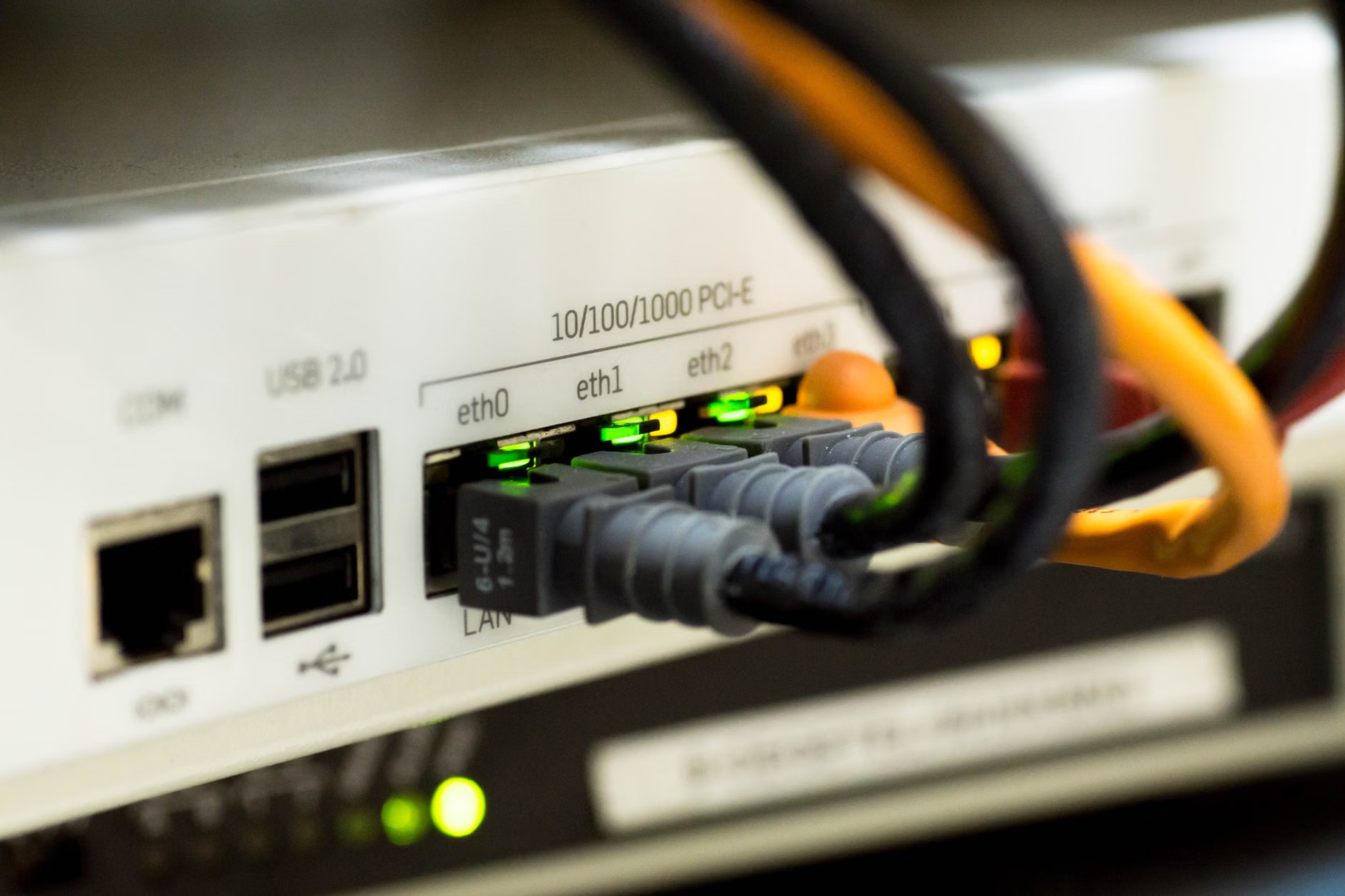
Understanding the Personal Cloud: What Is a NAS and Is It Too Technical?
If the term “NAS” sounds like something for IT professionals, let me demystify it for you. A NAS is essentially a small, dedicated computer that focuses on one thing: storing files. You plug it into your internet router, and it becomes a “drive” that every device in your house can see. You can set it up to automatically back up your phone’s camera roll every time you walk through your front door.
Is it as easy as iCloud? Not quite. iCloud is integrated into your phone’s operating system. It “just works.” A NAS requires a bit of configuration. You might spend an afternoon setting up user accounts for your spouse or kids, choosing how often to back up data, and perhaps setting up a remote access feature so you can see your photos while on vacation. But once it’s set up, it’s remarkably stable.
Most modern NAS manufacturers (like Synology or QNAP) have developed apps that mimic the experience of Dropbox or Google Photos. You get the same “browse by date” or “search for faces” features, but the processing happens on your device, not in a server farm in another state. If you can set up a home Wi-Fi router, you have the technical capacity to set up a basic personal cloud.
The Trade-offs: Where Subscriptions Still Win
I wouldn’t be a good researcher if I didn’t point out where the personal cloud falls short. The biggest advantage of a subscription service is redundancy and ease of recovery. If your house burns down or is robbed, and your NAS is inside, your data is gone unless you have an “off-site” backup strategy.
Cloud providers replicate your data across multiple physical locations around the world. It is virtually impossible for your data to be lost due to hardware failure. To achieve that level of safety with a NAS, you have to be more diligent. You need to keep at least one copy of your data on an external hard drive stored somewhere else—like a relative’s house or a fireproof safe—or pay for a low-cost “cold storage” service to back up your NAS automatically.
Another point: speed. When you are on the go, accessing a file from a massive, multi-billion dollar server network is often faster than accessing it from your home internet connection, which is limited by your upload speed. If you frequently need to pull massive 4K video files while sitting in a coffee shop, a professional cloud service might still be more convenient.

Decision Matrix: Is It Time for You to Switch?
To help you decide, consider the following checklist. If you answer “yes” to most of these, a personal cloud might be a great move for your household.
| Scenario | Recommendation |
|---|---|
| You have more than 3 family members paying for individual cloud tiers. | NAS (Significant savings) |
| You are a professional photographer or videographer with terabytes of data. | NAS (Cost-effective storage) |
| You value “set it and forget it” above all else and don’t want any maintenance. | Subscription (Convenience) |
| You have a strong desire for local, private control over family media. | NAS (Data Sovereignty) |
| You travel frequently and need high-speed remote access to massive files. | Subscription (Performance) |
Practical Steps to Transitioning Your Data
If you decide to take the plunge, don’t try to do it all in one day. Start by keeping your current cloud subscription active for one month while you migrate your data to your new NAS. This acts as a safety buffer.
1. Purchase the hardware: Look for a 2-bay NAS. Two bays allow you to use a technology called RAID 1, which automatically copies every file onto both drives. If one drive dies, you don’t lose your data.
2. Set up the “Mirror”: Install the manufacturer’s software. Most have a “Sync” tool that can pull your photos from your phone app automatically.
3. Organize your folders: Take this time to clean up your digital clutter. Delete those 50 identical photos of your child’s lunch. A clean start makes the transition worth it.
4. The 3-2-1 Backup Rule: This is the golden rule of data. Keep 3 copies of your data (the original, the NAS, and one external drive), on 2 different types of media, with 1 copy stored off-site. If you follow this, you are safer than 99% of the population.
Common Pitfalls to Avoid
One of the biggest mistakes people make is underestimating the power usage or noise of a NAS. While they are generally quiet, placing one in a bedroom might keep you up at night with the sound of whirring fans. Put it in a home office or near your internet modem where it can be tucked away.
Another pitfall is “forgetting” the device. A NAS is a computer. It needs updates. Once a month, log in to the dashboard to check if there are security patches or system updates. Most systems can be set to update automatically, but it’s good to check in occasionally to ensure everything is running smoothly.
Finally, don’t ignore the security of your home network. Since your NAS is accessible via the internet, ensure you have a strong, unique password and enable “Two-Factor Authentication” (2FA) for your NAS account. This is non-negotiable in the modern era.
Final Thoughts: Finding the Right Balance
There is no “perfect” solution that works for everyone. For some, the $10 a month for a cloud service is a fair price to pay for the absolute peace of mind that comes with a massive, managed infrastructure. For others, the ability to store, own, and manage their data locally provides a sense of autonomy that is increasingly rare in the digital age.
If you choose to stick with subscriptions, that is perfectly fine—just be mindful of what you are paying for and what you are giving up. If you choose to build a personal cloud, you are entering a world of greater control and long-term savings. Either way, the most important step is simply being intentional about where your digital memories live.
Start small, research the specific hardware that fits your budget, and remember: your digital life is an asset. Treat it with the same care you would any other valuable possession in your home.
Frequently Asked Questions
- Is a NAS really safer than Google or Apple’s cloud?
It depends on your definition of safe. It is “safer” against corporate data mining and privacy intrusion because the data stays in your home. However, it is only as “safe” from hardware failure as your maintenance habits. If you don’t back up your NAS, a single drive failure could mean total data loss. - How much does a decent starter NAS setup cost?
You can get a reliable 2-bay NAS enclosure for around $200–$300, and two 4TB NAS-rated hard drives will cost roughly $100–$150 each. Expect an initial investment of about $400–$600 to have a robust, redundant storage system. - Can I access my files on a NAS while I am away from home?
Yes. Most modern NAS devices offer secure, encrypted remote access features. You can use their official mobile apps or a secure web portal to view, download, or upload files from anywhere in the world, just like you would with Dropbox or iCloud.
For further reading on data storage best practices and hardware comparisons, you can visit the Backblaze Hard Drive Stats page for reliable data on hardware longevity, or consult Synology’s official resource center for guides on setting up home storage solutions.