Key Takeaways
- Privacy First: Local control ensures your data stays within your four walls, preventing manufacturers from harvesting your daily habits.
- Reliability: Your smart home will continue to function seamlessly even if your internet connection goes down or a company shuts down its servers.
- Interoperability: Open-source platforms act as a universal translator, allowing devices from different brands to finally work together.
The most reliable smart home is one that doesn’t need the internet to turn on your lights. If you have ever experienced the frustration of coming home with a crying toddler in your arms, only to find that your “smart” front door lock or hallway light won’t respond because the manufacturer’s cloud server is down, you already understand the fundamental flaw in modern home automation. For those of us in our 30s and 40s balancing career, childcare, and household management, technology should be an invisible assistant, not a source of recurring technical support calls.
Most commercial smart home systems operate on a “cloud-dependent” model. You buy a device, it connects to the manufacturer’s server, and your commands travel from your phone, across the internet, to a server halfway around the world, and back to your house. This introduces latency, security risks, and a single point of failure: the internet connection itself. The alternative is the “local-control” or “open-source” smart home, where your home’s “brain” lives on a small computer inside your house. It is faster, more secure, and infinitely more stable.
The Hidden Costs of the “Cloud” Convenience
When you buy a smart bulb or a connected camera from a big-box store, you aren’t just buying hardware; you are entering a subscription-like relationship where the manufacturer holds the master key. This model has several hidden downsides that rarely make it onto the glossy marketing packaging.
First, there is the issue of data privacy. Every time you turn on a light, adjust the thermostat, or check a security camera, that data is logged on a corporate server. In an era where data is the new currency, this information is often used to build a profile of your household—when you wake up, when you leave for work, and when you are home. For parents, this is a significant concern. Do you really want your child’s nursery camera feed metadata being processed by a third party?
Second, we have the “Sunset” problem. We have all seen it happen: a company is bought by a larger conglomerate, or it simply goes out of business, and they decide to “sunshine” their older products. Suddenly, the app stops working, the servers are turned off, and your expensive smart devices become glorified paperweights. With a local-control system, the hardware remains functional as long as it is physically intact, regardless of the manufacturer’s corporate health.
What Exactly is an Open-Source Smart Home?
Think of an open-source smart home system as the difference between buying a pre-packaged meal versus cooking from scratch. A pre-packaged meal is easy, but you have no control over the ingredients or the quality. Cooking from scratch takes a bit more effort, but you know exactly what is in your food, and you can tweak it to your exact taste.
The most popular “chef” in the open-source world is Home Assistant. It is a piece of software that you install on a dedicated, low-power computer—usually a Raspberry Pi or a small “Mini PC.” Once installed, this software acts as a central hub. Instead of your devices talking to a dozen different apps on your phone, they all talk to your Home Assistant hub.
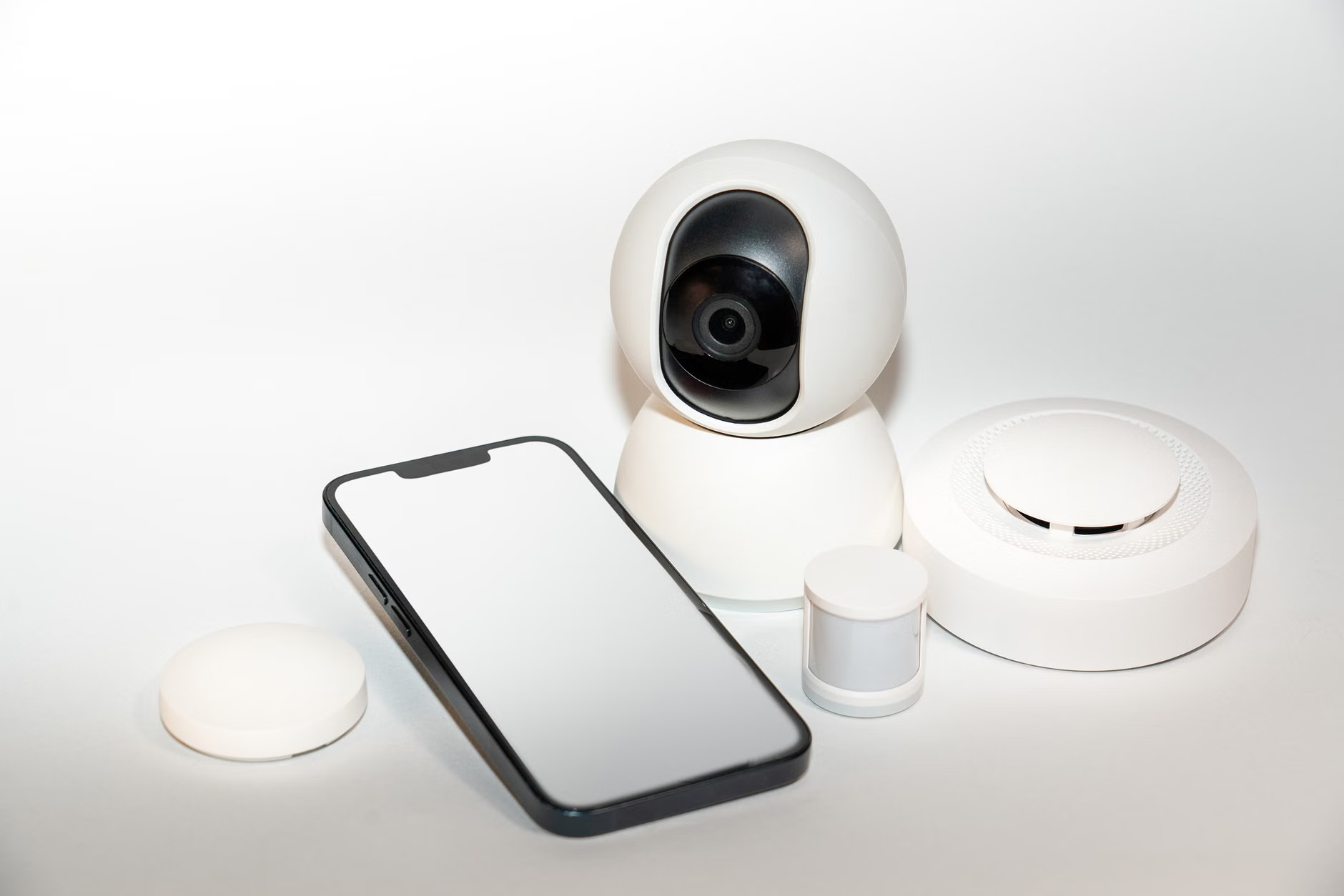
Because this hub lives in your home, it talks to your devices over your local Wi-Fi or through specialized protocols like Zigbee or Z-Wave. It doesn’t need to ask permission from a server in another country to trigger a scene. When you press a button, the response is near-instantaneous. It is the kind of reliability that makes a smart home feel like a natural extension of the house, rather than a temperamental gadget.
Why Parents and Busy Professionals Benefit Most
If you are juggling a busy life, you might be thinking, “I don’t have time to be a hobbyist programmer.” That is a fair concern, but the landscape of local-control systems has changed drastically in the last three years. It is no longer just for software engineers; it is for anyone who wants a “set it and forget it” system that actually works.
Consider the “Baby Sleep” scenario. You have a smart speaker playing white noise. If your internet fluctuates, the cloud-based speaker might stutter or stop, potentially waking the baby. With a local-control setup, the automation logic is held in your home. Even if the ISP (Internet Service Provider) has an outage, your white noise continues, your motion sensors still trigger the hallway nightlight, and your security system remains armed.
Another major advantage is the ability to mix and match brands. In the cloud world, you are often forced to stay within one ecosystem—all Apple, all Google, or all Amazon—to get them to play nicely together. With local control, you can have a Philips Hue lightbulb, a generic Zigbee motion sensor, and a smart lock from a completely different company all working together in a single, unified dashboard. You are no longer locked into the “walled garden” of one corporation.
Step-by-Step: How to Transition to Local Control
Moving to a local-control smart home doesn’t mean you have to throw away everything you currently own. In fact, most people transition gradually. Here is how to approach it without losing your mind.
| Step | Action | Why It Matters |
|---|---|---|
| 1 | Identify Cloud-Dependent Devices | Audit your current devices to see which ones require an internet connection to function. |
| 2 | Choose Your Hub | Invest in a dedicated, low-power computer (like a Raspberry Pi 4 or an Intel NUC). |
| 3 | Install Home Assistant | Use the official installation guides to set up your local “brain.” |
| 4 | Integrate Local Devices | Start adding devices that communicate via local protocols like Zigbee or Matter. |
| 5 | Isolate the Cloud | Slowly remove the “cloud” dependencies for your most critical automations. |
The first step is simply getting the hub running. You don’t need to be a network engineer. Today’s software interfaces are graphical and intuitive. You drag and drop, you click checkboxes, and you follow prompts. It is surprisingly similar to setting up a new smartphone.

Understanding the Protocols: Zigbee and Z-Wave
To truly break free from the cloud, you need to understand how your devices talk to each other. Wi-Fi is great for phones and laptops, but it is often inefficient for smart bulbs and sensors. This is where Zigbee and Z-Wave come in.
These are “mesh” networks. Every device you add to the network acts as a repeater, extending the signal to the next device. Because they are low-energy, they don’t clog up your home Wi-Fi. Most importantly, they do not require an external internet connection to communicate with your local hub. When you buy new sensors, look for the “Zigbee” or “Matter” label. These are your best friends in building a future-proof, local-only system.
Common Misconceptions About Local Control
There is a lingering myth that local-control smart homes are “too technical” or “unstable.” Let’s clear that up. A decade ago, this was true. You had to write lines of code just to turn on a lamp. Today, the community-driven development has created thousands of “integrations.” If you buy a popular brand of smart plug, there is almost certainly a pre-built integration that allows your hub to talk to it instantly.
Another misconception is that you lose all “remote access.” People worry that if their home is local, they won’t be able to turn off the iron from their office. This is false. You can still access your home securely from anywhere in the world using encrypted, private tunnels (like VPNs or secure proxies). The difference is that you are the one holding the keys to the tunnel, not a tech giant.
The Maintenance Reality
While local control is more reliable, it is not “zero maintenance.” You are now the IT department for your home. This means you should perform occasional backups of your hub’s configuration. If your hub’s SD card or hard drive fails, you want to be able to restore your settings in minutes rather than starting from scratch.
Most hubs make this easy. You can set up an automated backup to a cloud storage service (like Google Drive or Dropbox). It is a “set it and forget it” task that provides massive peace of mind. Think of it like backing up your family photos—you only have to do it once, and you will be grateful for it if something goes wrong.
Evaluating Your Needs: Is This Right for You?
Before you dive into the world of open-source automation, consider your personal “tech-comfort” level. If you enjoy having a home that works exactly the way you want it to, and you value privacy and reliability over “plug-and-play” simplicity, then local control is a perfect fit. If you prefer to never think about your tech and don’t mind the occasional cloud outage, a standard commercial system might be fine.
However, for families, the argument for local control is stronger than ever. We rely on smart tech for safety, energy savings, and convenience. When that system is tied to a company that might change its terms of service or go bankrupt, we are putting our household stability at risk. Moving to a local-control setup is, in a way, an act of reclaiming your home.
Practical Tips for a Smooth Transition
- Start Small: Don’t try to migrate your entire house in a weekend. Start with one room—perhaps your home office or the living room.
- Document Your Setup: Keep a simple notebook or a digital file of which devices are connected to which hub. It sounds basic, but you will thank yourself in a year.
- Join the Community: The beauty of open-source is the community. Forums like the Home Assistant Community are packed with people who have already solved the exact problem you are facing.
- Don’t Panic at Errors: You will see an error message eventually. It’s part of the process. Usually, a quick search on the community forums will show that someone else has already found the fix.
Addressing Security and Privacy Concerns
Security is often cited as a reason to use big-name brands, but this is a double-edged sword. While big companies have security teams, they also have big targets on their backs. When a major cloud service gets hacked, millions of users are affected. With a local-control system, your attack surface is significantly smaller. Because your hub is not “exposed” to the entire internet by default, it is much harder for a malicious actor to find your house, let alone break into your digital ecosystem.
By keeping your traffic local, you are effectively putting a digital fence around your home. You control who comes in and who goes out. For a parent, this is the ultimate peace of mind. You know exactly what is happening with your data because you are the one managing the infrastructure.
Summary and Looking Ahead
The “smart home” has long been promised as a seamless, magical experience. Often, it feels more like a collection of apps that refuse to speak to one another. By moving toward local control, you stop being a consumer of a service and start being the architect of your own environment. It is more reliable, significantly more private, and surprisingly empowering.
As you embark on this, remember that your home is meant to serve you, not the other way around. If a piece of technology is causing more stress than it is solving, it is okay to disconnect it. The goal is to build a home that is responsive to your family’s needs—quietly, efficiently, and without needing a connection to a server in a distant data center. Take it one step at a time, and you will find that a truly smart home is one that just works, every single time.
Frequently Asked Questions
1. Will I lose my remote access if I move to a local-only system?
Not at all. You can still access your smart home from anywhere in the world. The difference is that you use secure, private methods like a VPN (Virtual Private Network) or a secure proxy, rather than relying on the manufacturer’s cloud servers.
2. Is it hard to learn how to manage a local-control smart home?
While it was difficult in the past, modern platforms like Home Assistant have become very user-friendly. Most tasks are now handled through a graphical interface, and you can find step-by-step guides for almost any device you want to connect.
3. What happens if I make a mistake and break my setup?
Because you have full control, you can always revert to a previous backup. It is strongly recommended to set up automated backups from day one. If something goes wrong, you can restore your entire system to a working state in just a few clicks.
For further reading and official documentation on setting up your own local hub, visit the Home Assistant official documentation. For information on local-friendly hardware, check the Zigbee Device Compatibility Repository.