Modular laptops are currently the only realistic way to stop the cycle of replacing an entire machine just because one port failed or the battery died, saving you significant money and stress in the long run.
Key Takeaways
- Financial Longevity: Modular laptops allow you to replace individual components—like a keyboard or a single USB-C port—rather than discarding the entire laptop, often extending the device’s lifespan by 3 to 5 years.
- Skill Requirements: You do not need an engineering degree; most modular repairs involve simple screws and plug-and-play connectors that are accessible to anyone who can assemble flat-pack furniture.
- The Trade-off: While repairable, these machines often come at a higher initial price point and may lack the ultra-thin, lightweight aesthetics of premium non-modular consumer ultrabooks.
We have all been there: you are in the middle of a work project or helping a child with their online homework when suddenly, the laptop’s charging port stops working. In the traditional tech world, this is a “death sentence” for the device. The local repair shop quotes you a price that’s nearly the cost of a new laptop, or worse, they tell you the part is soldered to the motherboard and cannot be replaced. You end up buying a new computer, transferring files for hours, and tossing a perfectly functional screen and processor into the growing pile of electronic waste.
But what if you could just pop out the broken port and slide in a new one? This is the core promise of modular computing. It is not just for tech enthusiasts or hobbyists; it is a practical shift for busy parents and professionals who need their tools to work consistently without constant, expensive upgrades.
Why Modular Hardware Actually Matters for Your Household Budget
The primary driver for the modular hardware movement is the concept of “Right to Repair.” For years, manufacturers have trended toward making devices thinner and lighter by gluing and soldering components together. This design philosophy creates a “disposable” culture. For a family managing multiple devices, this is a hidden tax on your household income.
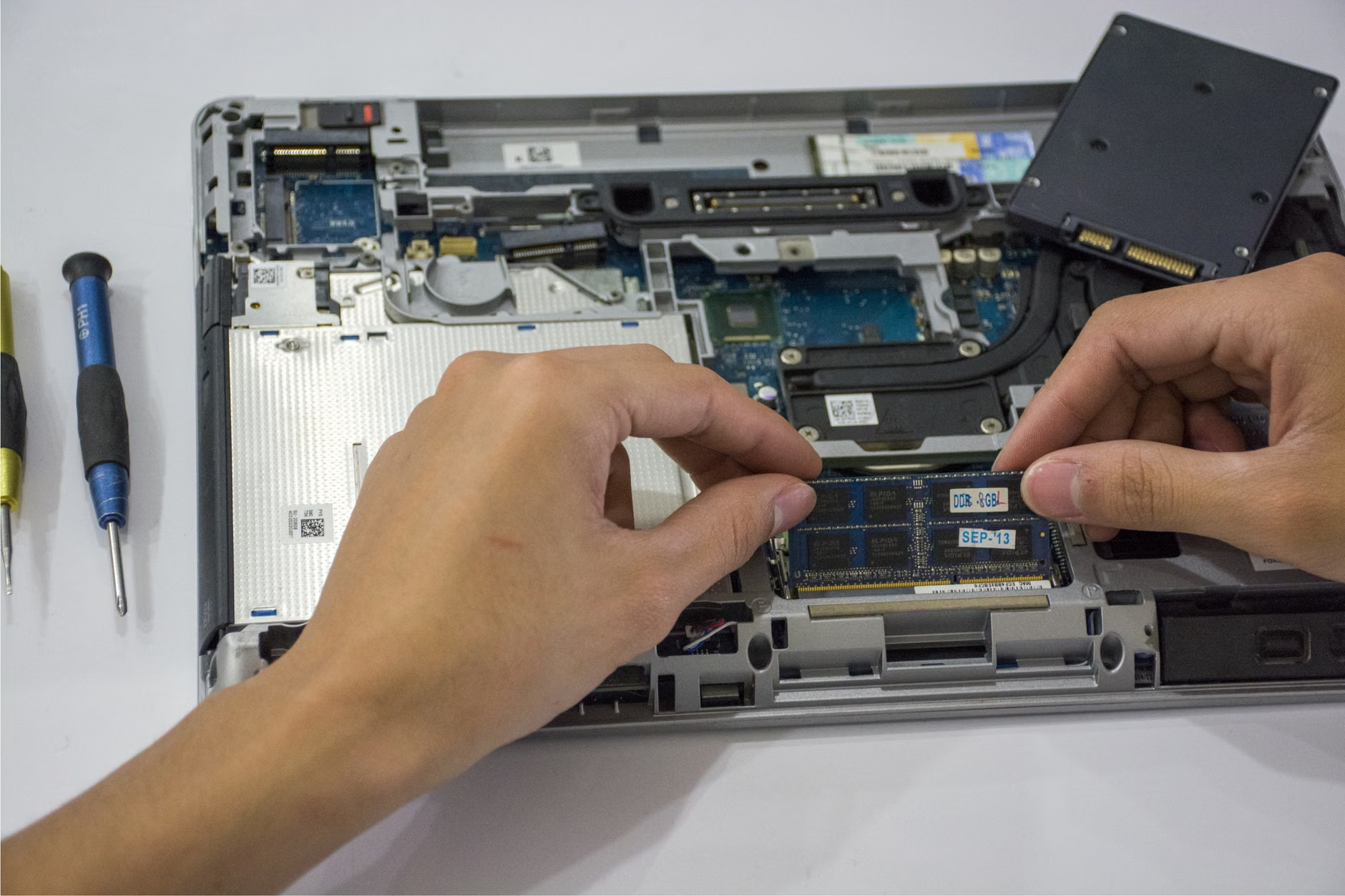
When you purchase a modular laptop, you are essentially buying a chassis that you own, rather than a black-box appliance. If your toddler spills a drink on the keyboard, you do not need to replace the entire laptop. You replace the modular keyboard tray. If your storage needs grow, you do not need a new laptop; you upgrade the SSD. If your battery degrades after three years, you order a new one and snap it in yourself.
The financial math is straightforward. A high-end traditional laptop might cost $1,200 and last three years before it starts slowing down or developing hardware issues. A modular laptop might cost $1,400 upfront, but because you can replace the battery, keyboard, screen, and storage modules for $50–$150 each over five years, your “total cost of ownership” drops significantly. You are essentially paying for the ability to keep your machine relevant for longer.
The Reality of Modular Repairs: Is It Really That Easy?
There is a common misconception that “modular” means you need to be a computer engineer. In reality, most modular systems are designed for the average consumer. They typically use a single type of screwdriver—often a standard Torx or Phillips head—and the internal components are color-coded or clearly marked.
Think of it like building a LEGO set. The components are designed to be snapped into place, and the internal connectors are robust, meant to be unplugged and replugged without delicate soldering skills. Most companies that champion this design provide extensive video tutorials and PDF guides. If you can change a lightbulb or replace a battery in a remote control, you have the mechanical aptitude to perform a standard modular laptop repair.
However, there are nuances to consider. While replacing a memory stick (RAM) is trivial, replacing a screen assembly involves more steps and more delicate cables. Before you dive into a repair, you must check the “Repairability Score” or the manufacturer’s documentation for the specific module. Not all modules are created equal; some are “hot-swappable” (you can change them while the computer is on), while others require a full shutdown and battery disconnection.
Comparing Modular vs. Traditional Laptops: A Decision Matrix
To help you decide if this path is right for your specific needs, we have broken down the comparison between a typical high-end ultrabook and a modular equivalent.
| Feature | Traditional Ultrabook | Modular Laptop |
|---|---|---|
| Battery Replacement | Professional service required | User-replaceable in seconds |
| RAM/Storage Upgrades | Usually soldered (impossible) | User-swappable |
| Port Failure | Motherboard replacement needed | Swap the module |
| Initial Cost | Varies widely | Generally higher entry point |
If you are a professional who travels constantly and needs the absolute thinnest, lightest device possible to fit into a crowded carry-on, a traditional ultrabook might still be your preference. However, if you are a parent who needs a reliable machine for the next five years, the modular laptop is the superior investment. You are paying for the freedom to ignore planned obsolescence.
Common Mistakes When Starting Your Modular Journey
The most common mistake new users make is assuming that “modular” means “universal.” Just because a laptop is modular does not mean it can use parts from any other computer. You must buy parts specifically designed for your model’s ecosystem. Always check the manufacturer’s official marketplace before purchasing a laptop to see what modules are currently in stock and what the roadmap looks like for future upgrades.
Another pitfall is the “over-optimization” trap. You might be tempted to buy every available module—extra ports, different keyboards, specialized storage—just because you can. This adds up quickly. Start with the base model and only buy the upgrades you actually need when you need them. The beauty of modularity is that you don’t have to future-proof your purchase on day one; you can upgrade as your life changes.
One overlooked variable is software compatibility. While the hardware might be modular, the software (Windows, Linux, or macOS) still needs drivers. Most modular manufacturers are excellent about providing these, but ensure that your preferred operating system is fully supported before making the jump. For most users, the standard supported OS is perfectly fine and requires no extra technical knowledge.

Practical Steps to Maintain Your Modular Device
Once you have your modular laptop, maintenance becomes a proactive habit rather than a reactive crisis. Follow these steps to ensure your device lasts:
- Keep the Tool Handy: Most modular laptops come with the necessary screwdriver. Keep it in a dedicated spot—perhaps in the same drawer where you keep your household batteries. You will rarely need it, but having it ready when you do is vital.
- Perform Bi-Annual Checks: Every six months, take ten minutes to open the chassis and clear out any dust with compressed air. This is also a perfect time to ensure all your modules are firmly seated.
- Update Firmware Regularly: Modular hardware relies on a “BIOS” (the basic software that controls the hardware). Check the manufacturer’s website quarterly to ensure your firmware is up to date, as this often unlocks support for new, faster modules that may be released in the future.
- Don’t Force It: If a module feels stuck, stop. Consult the official documentation. Modular parts are designed to slide in with a satisfying click; if you are forcing it, you are likely misaligned.
By treating your laptop as a piece of equipment you maintain rather than a disposable gadget, you change your relationship with technology. You are no longer at the mercy of a manufacturer’s decision to stop supporting a specific model. You are in the driver’s seat.
The Hidden Costs and Trade-offs
It is important to be realistic about the trade-offs. The modular market is still maturing. While you gain repairability, you might occasionally lose out on the latest experimental features found in “concept” laptops from major traditional brands. For example, some modular laptops may have slightly larger bezels or a slightly different keyboard feel than what you are used to on a flagship device.
Furthermore, because the ecosystem is smaller, you may not find the same range of accessories—like third-party cases or specialized skins—that you would for a mass-market device. You are choosing a philosophy over a fashion statement. If your priority is a device that will be functional, repairable, and reliable for the next half-decade of your life, these trade-offs are minor compared to the frustration of a dead laptop that cannot be opened.
Sustainable Tech as a Family Value
There is also an educational component to modular hardware. For families with children, showing them how a computer is assembled—how the CPU connects to the RAM, how the screen is powered—is a powerful lesson. It demystifies the “magic” of technology. When a child learns that a broken computer is not necessarily trash, but a puzzle to be solved, it fosters a mindset of sustainability and critical thinking. It turns a frustrating moment of breakage into a learning opportunity.
In a world where we are increasingly aware of our environmental impact, reducing electronic waste is a tangible way to live more sustainably. By keeping one machine for five years instead of replacing it every two, you are preventing the manufacturing and shipping of multiple devices. It is a small contribution, but when multiplied across thousands of households, it makes a genuine difference.
Final Thoughts
The transition to modular hardware is not just about the technical specs; it is about reclaiming control over the devices that run our lives. Whether you are a parent juggling school projects or a professional managing a busy workload, the peace of mind that comes from knowing you can fix your own tools is invaluable. It is a shift from being a passive consumer to an active owner.
If you are ready to make the switch, start by researching the current generation of modular laptops. Look for companies that have a proven track record of supporting their older models with new parts. Read the community forums to see how users are handling repairs. You will find a community of people just like you—people who value reliability, sustainability, and the common sense of fixing what you own.
Take the step that fits your needs: If you are currently in the market for a laptop and expect to use it for more than three years, a modular device is almost certainly the more economical and practical choice. Don’t let the fear of “technical work” stop you; the reality is far simpler than the marketing makes it seem.
Frequently Asked Questions
- Will repairing my modular laptop myself void the warranty?
Most modular laptop manufacturers explicitly encourage user repair and provide documentation that supports it without voiding your warranty. Always check the specific manufacturer’s policy, but generally, replacing a modular component is considered a standard maintenance task. - Are modular laptops significantly heavier or bulkier?
While they are often slightly thicker than “ultra-thin” premium laptops due to the internal connectors and modular chassis design, modern modular laptops have become remarkably slim. For most users, the difference in weight is negligible compared to the benefit of repairability. - Where do I buy the replacement parts?
Modular manufacturers typically host their own official online marketplaces where you can purchase specific modules. Some also partner with third-party marketplaces, but it is always safest to purchase directly from the manufacturer to ensure compatibility and quality.
For more information on the Right to Repair movement and how to support sustainable technology, you can visit the official Repair Association website, which provides comprehensive resources on legislative efforts and consumer rights regarding hardware ownership.