The most effective way to secure your smart home is to move away from cloud-dependent devices and transition toward a local-first “Privacy-Mode” hub configuration that keeps your data within your four walls.
- Local Control is Paramount: A hub that processes data locally ensures your device commands don’t travel to the cloud, significantly reducing your digital footprint.
- Isolate Your IoT Network: Use a guest network or a dedicated VLAN for your smart devices to prevent them from accessing your main computer or personal data storage.
- Audit Your Permissions: Regularly revoke cloud-based access for devices that don’t strictly require it to function, effectively creating a “Privacy-Mode” state for your home.
If you are a parent in your 30s or 40s, your home is likely filled with smart speakers, connected cameras, and automated light switches. While the convenience of saying “turn off the lights” while holding a sleeping toddler is undeniable, the trade-off is often your family’s data privacy. Many of us operate on the assumption that our data stays in our home, but most commercial hubs send telemetry, voice snippets, and usage patterns to massive cloud servers. The reality is that “smart” often means “connected to someone else’s computer.”
Why Your Current Smart Home Hub Might Be a Privacy Leak
Most mainstream smart home ecosystems rely on a “Cloud-First” architecture. When you trigger a command, your request travels from your device to the manufacturer’s server, gets processed, and then sends a signal back to your device. This creates a permanent data pipeline between your home and a corporate server. For a family, this means your daily routines—when you wake up, when you leave the house, and even how often you use certain appliances—are being logged, aggregated, and stored.
The privacy concern isn’t just about hackers; it’s about the erosion of domestic privacy through data profiling. Companies use this metadata to build a picture of your household’s behavior. Furthermore, if the cloud service goes down, your home goes “dumb.” This is why transitioning to a local-processing hub is the gold standard for anyone serious about reclaiming their data privacy.
The “Local-First” Advantage
A local-first hub, such as Home Assistant running on a dedicated micro-server, processes all your automation logic inside your own walls. If your internet goes out, your lights still turn on, and your automations continue to run. More importantly, your data never leaves your local network. This is the foundation of a true “Privacy-Mode” configuration.
Step-by-Step: Configuring Your “Privacy-Mode” Hub
Building a private smart home doesn’t require a degree in computer science, but it does require a shift in how you select and configure your hardware. Here is how to architect your home for privacy.
1. Selecting the Right Hardware
Start by identifying hubs that support local integration. Avoid devices that force cloud connectivity. Hardware like the Home Assistant Yellow, a Raspberry Pi 4 or 5, or even a mini-PC running a dedicated operating system provides the best balance of power and privacy. These devices act as the “brain” of your home, allowing you to bridge different brands (like Zigbee, Z-Wave, and Wi-Fi) without relying on their specific cloud apps.
2. Network Segmentation: The “IoT Island”
One of the most common mistakes is putting your smart bulbs on the same network as your banking laptop. If a cheap Wi-Fi lightbulb has a security vulnerability, it could potentially act as a gateway for an attacker to probe your other devices. Most modern routers allow you to create a “Guest Network” or a dedicated VLAN (Virtual Local Area Network). Move all your IoT devices to this isolated network. This way, even if a device is compromised, it cannot “see” your primary household computers.
3. Implementing “Privacy-Mode” Automations
Once you have a local hub, you can create a literal “Privacy-Mode” switch. This is a toggle in your dashboard that, when activated, performs the following actions:
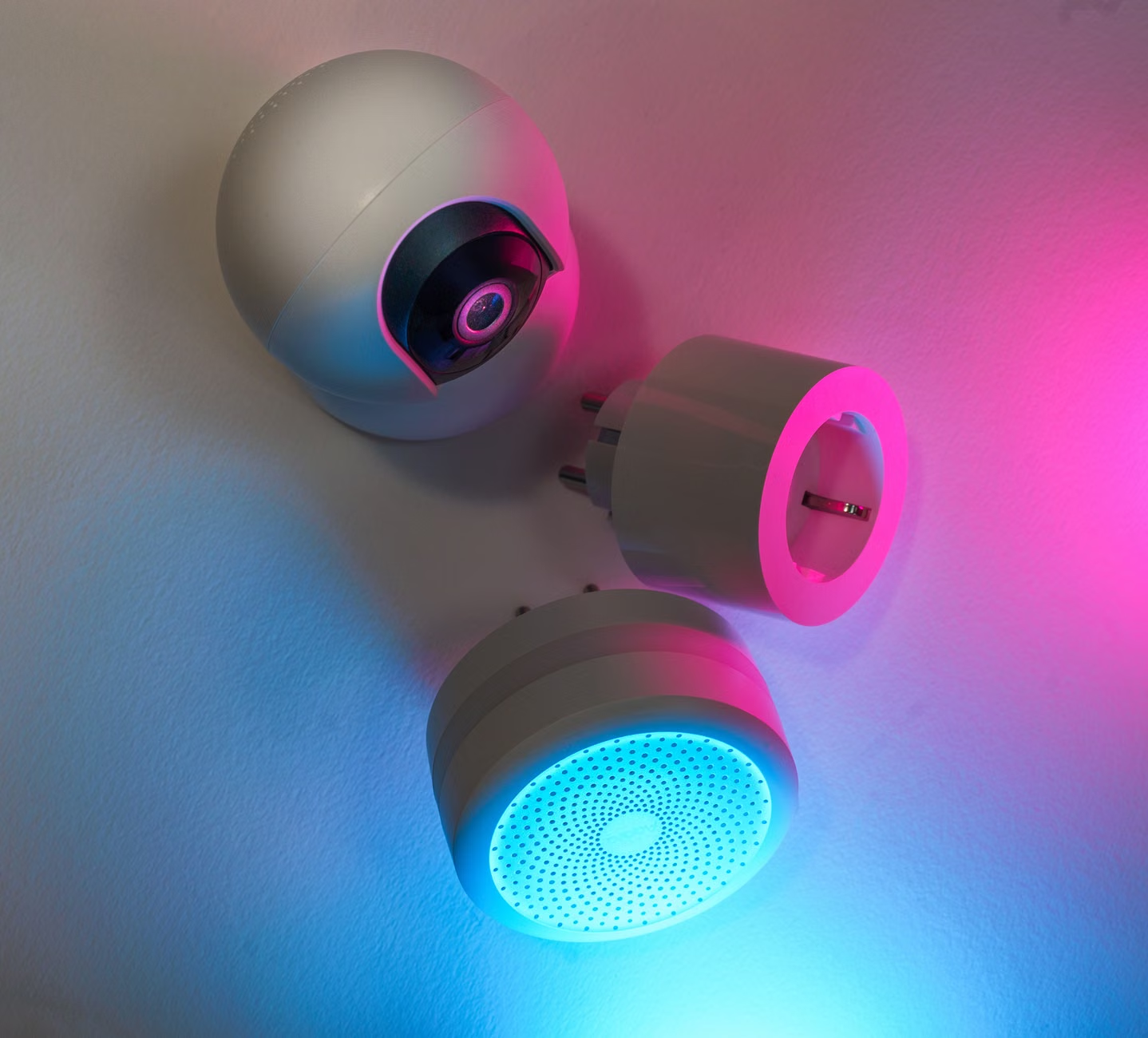
- Disables Cameras: Physically cuts power to indoor cameras using a smart plug or puts them into a “Privacy” state where the lens is shuttered.
- Mutes Voice Assistants: Turns off the microphones on your smart speakers.
- Restricts Outbound Traffic: Using firewall rules, you can block all internet access for specific devices, forcing them to function only within your local network.
The Trade-Offs: Convenience vs. Security
It is important to be realistic. A high-privacy setup requires more maintenance than a “plug-and-play” ecosystem. You are trading the convenience of automatic updates and vendor-provided apps for the security of owning your own data. This means you will need to manually update your hub’s firmware and manage your own backups. For busy parents, this might seem daunting, but once configured, the system is remarkably stable.
Comparison of Smart Home Approaches
| Feature | Cloud-Based Hub | Local-First Hub (Privacy-Mode) |
|---|---|---|
| Data Storage | Manufacturer Servers | Local Drive/SSD |
| Internet Reliance | High (system fails if offline) | Low (functions offline) |
| Privacy Level | Low (Profiled) | High (Data owned by user) |
| Maintenance | Minimal | Moderate (Updates/Backups) |
As shown in the table, the local-first approach requires a bit more effort in terms of maintenance. However, for a family, the benefit of having a home that is truly “closed off” from external data harvesting is worth the initial setup time. You are essentially shifting from being a “user” of a service to being the “administrator” of your home’s digital infrastructure.
Common Pitfalls to Avoid
Many people try to achieve privacy by simply “not using smart devices.” While effective, it’s not always practical for modern families. Instead, follow these guidelines to avoid common pitfalls:
- Avoid “Bridge-less” Wi-Fi Devices: Devices that connect directly to the cloud via your Wi-Fi are the hardest to secure. Opt for Zigbee or Z-Wave devices; they require a hub, which makes them easier to isolate and manage locally.
- Don’t Skip Backups: If you are running your own local hub, you are responsible for your data. If your server fails, you lose your automations. Set up an automated backup to a local NAS (Network Attached Storage) or an encrypted cloud bucket.
- Be Wary of “Smart” Features You Don’t Need: If a smart fridge has a camera you never use, disable the Wi-Fi on the fridge entirely. If a feature adds no value to your family’s life, it’s just an unnecessary security risk.
Integrating Privacy into Your Daily Routine
Privacy isn’t a one-time configuration; it’s a habit. For parents, this is a great opportunity to teach children about digital boundaries. When you set up a “Privacy-Mode” button, involve your children. Show them that when the button is on, the “ears” of the house are turned off. This makes the concept of digital privacy tangible rather than abstract.
Consider the timing of your automations. Use your local hub to ensure that your smart devices are completely inactive during family time or overnight. By automating the “Privacy-Mode” to trigger at 9:00 PM every night, you ensure that your home is essentially “off the grid” while you sleep, without having to remember to manually toggle settings.
Hidden Costs and Unexpected Hurdles
One overlooked variable is the power consumption of a local server. While a Raspberry Pi uses very little electricity, a high-end mini-PC will add a small amount to your monthly utility bill. Additionally, you may need to invest in a decent Uninterruptible Power Supply (UPS). A power surge or a sudden outage can corrupt your local database. A $50–$100 UPS is an essential “hidden” cost that will save you hours of troubleshooting in the long run.
Furthermore, avoid the temptation to “expose” your local hub to the internet so you can control it while traveling. While it is tempting to use remote access, opening a port on your router is a security risk. Instead, use a secure VPN (Virtual Private Network) like WireGuard or Tailscale to access your home hub when you are away. This provides the convenience of remote control without the risk of exposing your hub to the open web.
Taking the Next Step: Your Action Plan
To begin your transition, start small. Purchase a dedicated, low-power server and install a local-first platform. Begin by migrating your lights or climate control—the devices that offer the most immediate benefit from automation. Once those are stable, move your more sensitive devices, like cameras or sensors, onto the system.
Remember, the goal is not to be a security expert, but to ensure that your home remains a private sanctuary for your family. You don’t need to do everything at once. Start by segmenting your network, then migrate your hub, and finally, implement your “Privacy-Mode” routine. Take your time, test your automations, and enjoy the peace of mind that comes with knowing you are back in control of your home.
Frequently Asked Questions
1. Can I use my existing smart devices with a local-first hub?
Most Zigbee and Z-Wave devices are compatible with local-first hubs like Home Assistant. However, many Wi-Fi-based devices are proprietary and may not work without their cloud. Check the integration list for your chosen platform before purchasing new hardware.
2. Is it really safer to run my own hub than to use a big-brand system?
Yes, provided you keep your software updated. When you use a big-brand system, your data is a commodity for them. When you run a local hub, you control the data, meaning there is no third-party server to leak your information or be subpoenaed.
3. How much technical knowledge do I need to maintain a privacy-focused hub?
If you can follow step-by-step guides and are comfortable with basic troubleshooting, you can manage a local hub. The community support for platforms like Home Assistant is vast, and there are many “plug-and-play” options available that require very little coding knowledge.
For more information on securing your home network, you can refer to the CISA guidelines on securing IoT devices, which provide excellent foundational advice for all homeowners.