Buying refurbished hardware is the smartest way to stretch your household budget, but only if you know how to distinguish between a “factory-renewed” bargain and a “hidden-defect” headache. The golden rule is simple: never prioritize price over the specific source of the refurbishment.
Key Takeaways:
- Manufacturer-certified is the gold standard: Devices refurbished by the original brand (Apple, Dell, Samsung) offer nearly identical reliability to new units.
- Warranty is your only true safety net: If a seller doesn’t offer a minimum 90-day warranty, walk away; it’s not worth the potential cost of a repair.
- Battery health is the #1 failure point: Always check the cycle count or health percentage, as these components degrade physically and are rarely “as new” unless specifically replaced.
We’ve all been there—scrolling through marketplace listings or discount sites, eyeing that high-end laptop or tablet that’s priced 40% lower than the retail version. In your 30s and 40s, when you’re balancing the cost of kids’ activities, home repairs, and saving for the future, those savings look incredibly tempting. But the “refurbished” label is a broad umbrella. It covers everything from a brand-new unit returned to a store because the box was dented, to a device that has been pieced together from three different broken machines.
1. Decoding the “Refurbished” Label: Why the Source Matters
Not all refurbished items are created equal. The term is essentially a marketing catch-all, but the internal standards vary wildly depending on who did the work. Understanding these tiers is the first step in your verification process.
Manufacturer-Certified Refurbished: This is the safest bet. These items go back to the original factory. They are tested, faulty parts are replaced with genuine components, the outer shell and battery are often replaced, and they are repackaged with a full warranty. Think of this as “new-lite.”
Retailer-Refurbished: Large retailers like Amazon or Best Buy have their own programs. These are generally reliable because these companies have strict vetting processes to avoid high return rates. They usually provide their own warranty, which is a good sign of their confidence in the hardware.
Third-Party/Seller Refurbished: This is the “Wild West” of the hardware market. An individual seller or a small shop may have “fixed” the device. There is no standard for quality here. You might get a perfectly working device, or you might get one that has been “repaired” with low-quality, non-OEM (Original Equipment Manufacturer) parts that will fail in three months.

2. The Visual and Physical Inspection Protocol
Once your device arrives, you are in a 14-day window where you can return it. Do not just turn it on and hope for the best. Use this checklist to inspect the unit immediately.
- The Chassis Check: Look for hairline cracks, especially near the hinges of laptops or the charging port of phones. These indicate the device may have been dropped, which can cause internal damage that isn’t immediately obvious.
- Screen Integrity: Turn the screen to full brightness and display a solid white, then a solid black image. This will highlight “dead pixels” or “backlight bleeding.” If you see permanent dark spots or weird glowing patches at the edges, the display panel is degrading.
- Port Testing: Plug in a charger, a USB drive, and headphones. If the port feels loose or the connection is intermittent, the internal soldering or the port housing is likely worn out.
Common Mistake: Many people fail to check the screws. If the screws on the bottom of a laptop look stripped or mismatched, it means the device has been opened by someone who didn’t have the proper tools. This is a red flag that it hasn’t been handled with professional care.
3. Software and Hardware Diagnostics: Don’t Just Take Their Word For It
Hardware can look clean while harboring a dying heart. You need to run diagnostic tests to verify the actual state of the components.
Battery Health
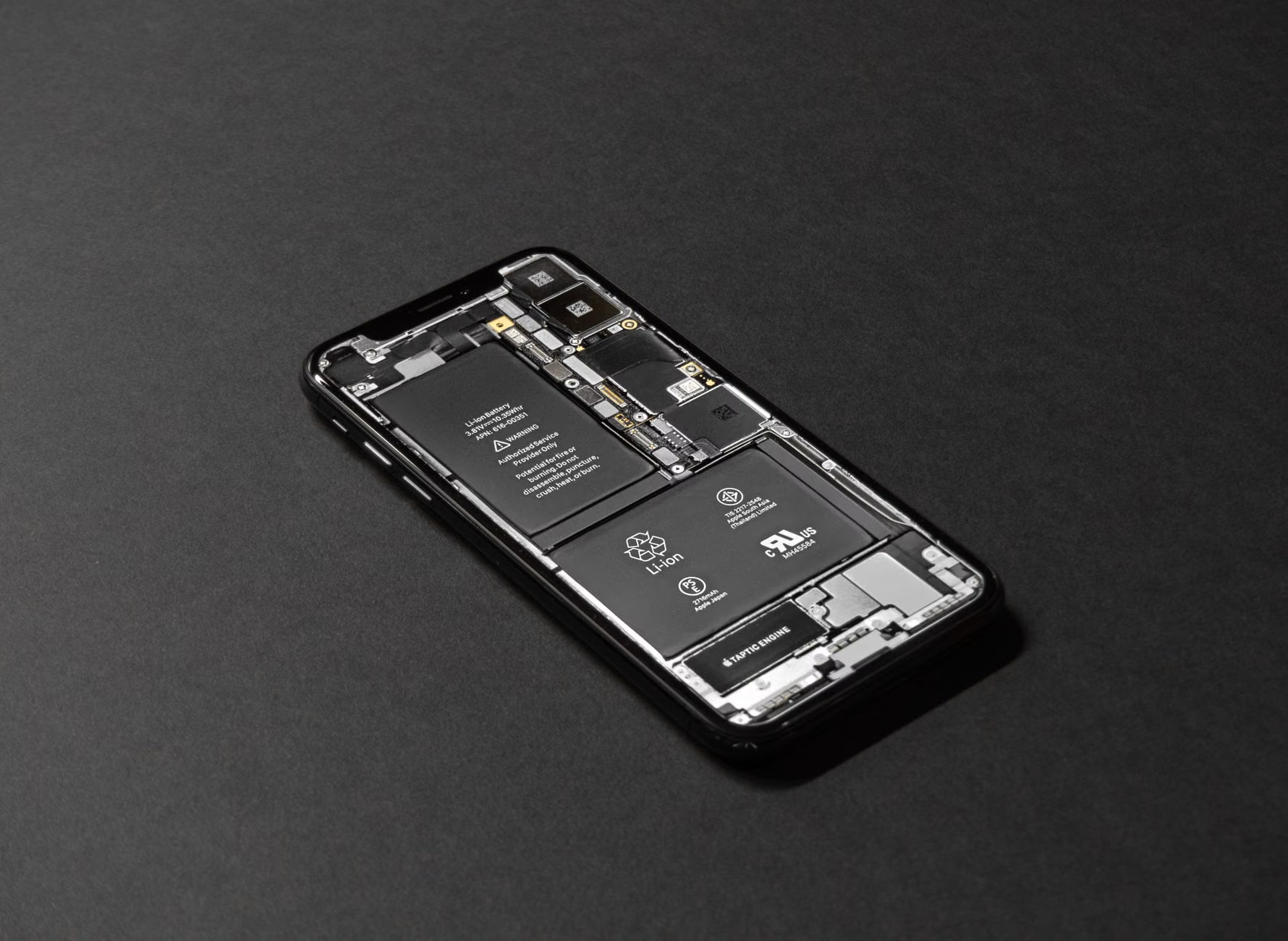
Batteries are chemical components that expire. A refurbished device might look brand new, but if the battery has a cycle count of 800, it will need a replacement within months. On a MacBook, you can check this in System Report; on Windows, use a command-line tool like powercfg /batteryreport. On smartphones, check the “Battery Health” settings menu.
Storage and RAM
Run a stress test. For Windows, tools like MemTest86 can check for faulty RAM. For SSDs, use CrystalDiskInfo to check the “Health Status” of the drive. If the drive shows “Caution,” it means it has a high number of reallocated sectors—essentially, the drive is failing and is trying to hide it.
4. The Warranty and Return Policy: Your Financial Safety Net
If a seller refuses to offer at least a 90-day return policy, do not buy the device, regardless of the price. A 30-day window is the bare minimum, but 90 days allows you to actually use the device through a full cycle of daily tasks.
The “Warranty vs. Guarantee” distinction: A warranty covers hardware failure (e.g., the motherboard dies). A guarantee is often just the seller saying “it works when you get it.” Always look for a written warranty document. If you are buying from a platform like Amazon Renewed or eBay Refurbished, verify that the platform’s own protection policies apply to your specific purchase.
Hidden Cost Consideration: Factor in the cost of an extended warranty or accidental damage protection. If the refurbished price plus the cost of an extended warranty exceeds 80% of the price of a new unit, you are almost always better off buying new. The peace of mind and the full manufacturer warranty are worth the extra 20%.
5. Managing Expectations: What “Refurbished” Actually Means for Your Daily Life
It is important to be realistic. A refurbished device is likely a previous-generation model. If you are buying a laptop from 2021, don’t expect it to handle modern AI-heavy software or the newest high-end games with the same efficiency as a 2024 model.
Example Scenario: Let’s say you are buying a refurbished iPad for your child to use for school. A three-year-old model is perfect. It will run educational apps, handle video calls, and browse the web without issue. However, if you buy a six-year-old model, you might run into “OS incompatibility,” where the newest version of the operating system no longer supports that hardware. This is a common trap—the device works perfectly, but it becomes obsolete because it can’t run the latest software updates.
Decision Rule: Always check the “End of Life” (EOL) date for the operating system of the device you are buying. If a laptop will stop receiving security updates in 12 months, it is not a good deal, no matter how cheap it is.
6. The Social and Environmental Impact
Beyond the personal financial savings, choosing refurbished hardware is a significant contribution to the circular economy. The electronics industry is a massive contributor to e-waste. By extending the life of a single laptop by just two years, you are preventing roughly 300kg of CO2 emissions associated with the manufacturing of a new machine.
For parents in their 30s and 40s, this is often a teaching moment. Explaining to children why we choose a “pre-loved” device—that it works just as well, saves money for family experiences, and helps the planet—is a practical lesson in sustainability that resonates more than abstract environmental theories.

Not all marketplaces are created equal. Here is how to rank your options based on risk and support:
| Source | Reliability | Best For |
|---|---|---|
| Manufacturer Direct | Highest | High-end laptops, flagship phones |
| Major Retailers (Amazon/Best Buy) | High | Mid-range electronics, tablets |
| Specialized Refurb Sites | Medium-High | Specific legacy hardware |
| Peer-to-Peer Marketplaces | Low | Budget-conscious buyers with technical skills |
If you are buying from a Peer-to-Peer marketplace, your risk profile is much higher. You are essentially relying on the seller’s honesty. In these cases, only use payment methods that offer buyer protection, such as PayPal Goods and Services or the platform’s internal payment system. Never use wire transfers, crypto, or direct bank deposits to strangers.
Deep Dive: Common Misconceptions About Refurbished Tech
There is a lingering stigma that refurbished electronics are “broken goods.” This is a relic of the early 2000s. Today, the supply chain for refurbished goods is highly professionalized. Companies like Apple and Dell have entire divisions dedicated to refurbishment, using the same quality-control standards as their assembly lines. The main difference is the cosmetic condition or the fact that the unit was opened once.
Another misconception is that the software will be “slower.” Unless the device has been infected with malware (which is why you should always perform a factory reset/clean OS install immediately upon arrival), hardware doesn’t “slow down” with age. It is the software that gets more demanding. If you buy a refurbished device, treat it as a fresh start. Wipe the drive, install a fresh operating system, and you will have a machine that performs exactly as it did the day it was manufactured.
The Maintenance Phase: Keeping Your Refurbished Device Alive
Once you’ve successfully purchased and verified your device, your goal is longevity. Refurbished devices are often slightly more sensitive because they have already lived a “first life.”
- Thermal Management: Dust is the enemy. Every six months, use compressed air to clean out the vents of your laptop or desktop. Overheating is the leading cause of component failure in older hardware.
- Battery Discipline: Try to avoid keeping your battery at 100% or 0% for extended periods. If you use your laptop plugged in at a desk, use software tools that limit the charge to 80%. This significantly extends the chemical life of the lithium-ion cells.
- Software Hygiene: Don’t install unnecessary bloatware. Keep your OS updated to ensure you have the latest security patches, but be wary of “system optimizer” tools that often do more harm than good.
Frequently Asked Questions
Is it safe to buy a refurbished phone from a random seller on a marketplace?
It is high-risk. If you choose this path, insist on a meet-up in a safe, public place where you can test the device. Verify that the device is not “Activation Locked” (e.g., iCloud locked). If you can’t log in with your own account or reset the device in front of the seller, do not hand over your money. If you can’t verify these things, stick to professional refurbished platforms that offer a guarantee.
What if my refurbished device develops a fault after the warranty expires?
This is the trade-off. You saved 30-40% upfront, which is essentially your “self-insurance” fund. If the device breaks after the warranty, you have already “saved” enough money compared to buying new to cover a professional repair or even a replacement. Treat the initial savings as a hedge against future failure.
Does “refurbished” mean the parts are fake?
In manufacturer-certified programs, no. They use genuine parts. In third-party refurbishment, there is a risk of “aftermarket” parts being used. This is why you should prioritize sellers who explicitly state that they use “Genuine OEM parts.” If a seller uses cheap, knock-off screens or batteries, the device will feel different (e.g., the screen colors will be off, or the battery will drain rapidly). Trust your gut—if the experience feels “off,” return it immediately.
Final Thoughts: The Smart Strategy
Refurbished hardware is not just a way to save money; it is a way to consume technology more responsibly. By following this checklist—verifying the source, inspecting the physical condition, running diagnostic tests, and confirming the warranty—you eliminate the “gamble” that scares most people away from the refurbished market.
Start with manufacturer-certified options if you are nervous, and move toward third-party sellers only when you feel confident in your ability to vet the hardware. Most importantly, remember that you are buying a tool, not a trophy. As long as it serves your needs, performs reliably, and respects your budget, it is the best purchase you can make. Take your time, do your research, and enjoy the extra cash in your bank account.
For more details on consumer rights regarding refurbished electronics, you can check your local government’s consumer protection resources, such as the US Federal Trade Commission’s guide on selling refurbished products or your relevant local regulatory body.