- Open-API systems allow you to bypass restrictive “walled garden” smart home ecosystems, giving you full ownership over your household data.
- Health and Safety: Real-time monitoring of CO2, VOCs (Volatile Organic Compounds), and humidity is no longer a luxury; it is a critical tool for managing asthma, allergies, and sleep quality for children.
- Actionable Integration: By using platforms like Home Assistant or open-source APIs, you can automate your air purifier or humidifier to react to sensor data, rather than relying on manual settings.
The most effective way to ensure your home environment is truly healthy isn’t by buying the most expensive air purifier on the market; it’s by knowing exactly what is in your air and automating your home to respond to it. If you’ve spent any time researching smart home tech, you’ve likely run into the “walled garden” problem: you buy a sensor from Brand A, but it refuses to talk to the air purifier from Brand B. You end up with five different apps on your phone and zero actual automation.
This is where “Open-API” (Application Programming Interface) systems change the game. By choosing hardware that allows for open integration, you stop being a passive consumer of proprietary software and start being the architect of your own living space. For those of us juggling careers, school drop-offs, and household management, this isn’t just about “cool tech”—it’s about creating a set-it-and-forget-it environment that protects your family’s health without requiring your constant attention.

Why Proprietary Apps Are Holding You Back
Most smart home devices are designed to keep you inside their specific ecosystem. Think of it like a smartphone with an app store that only lets you download one type of browser. When you buy a standard smart thermostat or a basic air quality monitor, you are usually restricted to the manufacturer’s app. If that company decides to change their subscription model, discontinue support for your device, or—worse—suffer a cloud outage, your “smart” home suddenly becomes very dumb.
For a parent in their 30s or 40s, this is a major friction point. You don’t have time to troubleshoot why your bedroom humidifier isn’t syncing with your weather station. Open-API systems solve this by allowing different devices to communicate through a central, local hub. Instead of relying on a manufacturer’s cloud server, your data stays in your house, and your devices work together regardless of who manufactured them.
Consider the “VOC” (Volatile Organic Compound) scenario. VOCs are invisible gases emitted by paints, cleaning supplies, and even some furniture. If your sensors detect a spike in VOCs while you’re cooking dinner, an Open-API setup can automatically trigger your kitchen exhaust fan or tell your smart air purifier to boost its speed to the maximum setting. In a proprietary setup, you’d have to notice the app notification, open the app, and manually change the settings—assuming the two devices even talk to each other at all.
The Core Components of an Open-API Monitoring Setup
To move toward an open ecosystem, you need three things: data providers (sensors), a central brain (hub), and the ability to interpret that data. You don’t need to be a software engineer, but you do need to understand the hierarchy of your smart home.
1. The Sensors (Data Providers)
Look for devices that explicitly mention “local API” or “Home Assistant integration” on the box. Common options include sensors that track particulate matter (PM2.5), CO2, humidity, and temperature. Avoid devices that force you to create a cloud account just to see the current temperature in your living room.
2. The Hub (The Brain)
This is where the magic happens. Platforms like Home Assistant or Hubitat are the most popular choices for people who want to break free from proprietary constraints. These platforms act as a translator, taking data from your various devices and letting you write simple “If This, Then That” (IFTTT) rules.
3. The Dashboard (The Interface)
Once your devices are connected to your hub, you can create a single dashboard on your tablet or phone. You no longer care about the brand of the sensor; you only care about the data it provides.
| Feature | Proprietary Ecosystem | Open-API Ecosystem |
|---|---|---|
| Data Ownership | Stored in vendor’s cloud | Stored locally in your home |
| Interoperability | Limited to same-brand devices | Universal (connects almost anything) |
| Reliability | Depends on internet connection | Works offline |
| Learning Curve | Very Low | Moderate (requires initial setup) |
As shown in the table above, the trade-off is almost exclusively in the initial setup time. While proprietary systems are “plug and play,” they eventually become a bottleneck. Open-API systems require a bit of weekend tinkering, but they offer significantly higher reliability and long-term value.

Real-Life Application: Managing Indoor Air Quality for Kids
Let’s look at a concrete example of how this helps a busy family. Suppose your child has seasonal allergies. During high-pollen days, you want to keep the windows closed and the air purifiers running on a specific schedule. With a standard system, you might have a timer set on your purifier. But what if the air quality index (AQI) outside is low one day, and you could actually open the windows to let in fresh air?
In an Open-API setup, you can set a rule: “If outside air quality is better than inside air quality AND the window sensor is closed, turn off the air purifier to save filter life.” This level of automation is impossible in basic, siloed apps. You aren’t just saving energy; you are actively managing your home’s micro-climate to prioritize your children’s health.
Another common mistake is placing sensors in the wrong locations. Many people put their primary air quality monitor right next to a window or in a corner where air doesn’t circulate. For an accurate reading, place your sensors at the “breathing zone” height—about 3 to 5 feet off the ground—and away from direct heat sources like radiators or sunlight, which will skew temperature and humidity readings.
Common Misconceptions About ‘Open’ Tech
There is a persistent myth that “Open-API” or “Smart Home Automation” is only for tech enthusiasts who spend their nights coding. This is simply not true anymore. The community surrounding platforms like Home Assistant has created thousands of “Blueprints”—pre-made automation templates that you can import with a single click. You don’t need to write code; you just need to select which devices you want to control.
Another concern is security. Many people believe that because their devices are “open,” they are less secure. In reality, moving your devices to a local, Open-API hub often increases your security. When your devices don’t rely on a constant connection to a manufacturer’s cloud server, there are fewer entry points for hackers to exploit. Your data stays within your four walls, not on a server in another country.
What You Should Do Next: A Step-by-Step Approach
Don’t try to overhaul your entire home in one weekend. Start small to avoid frustration.
- Audit your current devices: Check which of your smart devices (lights, plugs, sensors) have local API support. Look for brands like Shelly, Aqara, or Philips Hue, which are known for being friendly to open integration.
- Choose your hub: If you are comfortable with a little setup, Home Assistant is the gold standard. It can be installed on a simple device like a Raspberry Pi or an old laptop you have lying around.
- Set one goal: Don’t try to automate everything. Start with one environmental goal—for example, “Turn on the humidifier when indoor humidity drops below 40%.”
- Monitor for a week: Once the automation is running, watch how it behaves. Do you need to adjust the thresholds? Is the sensor placement correct?
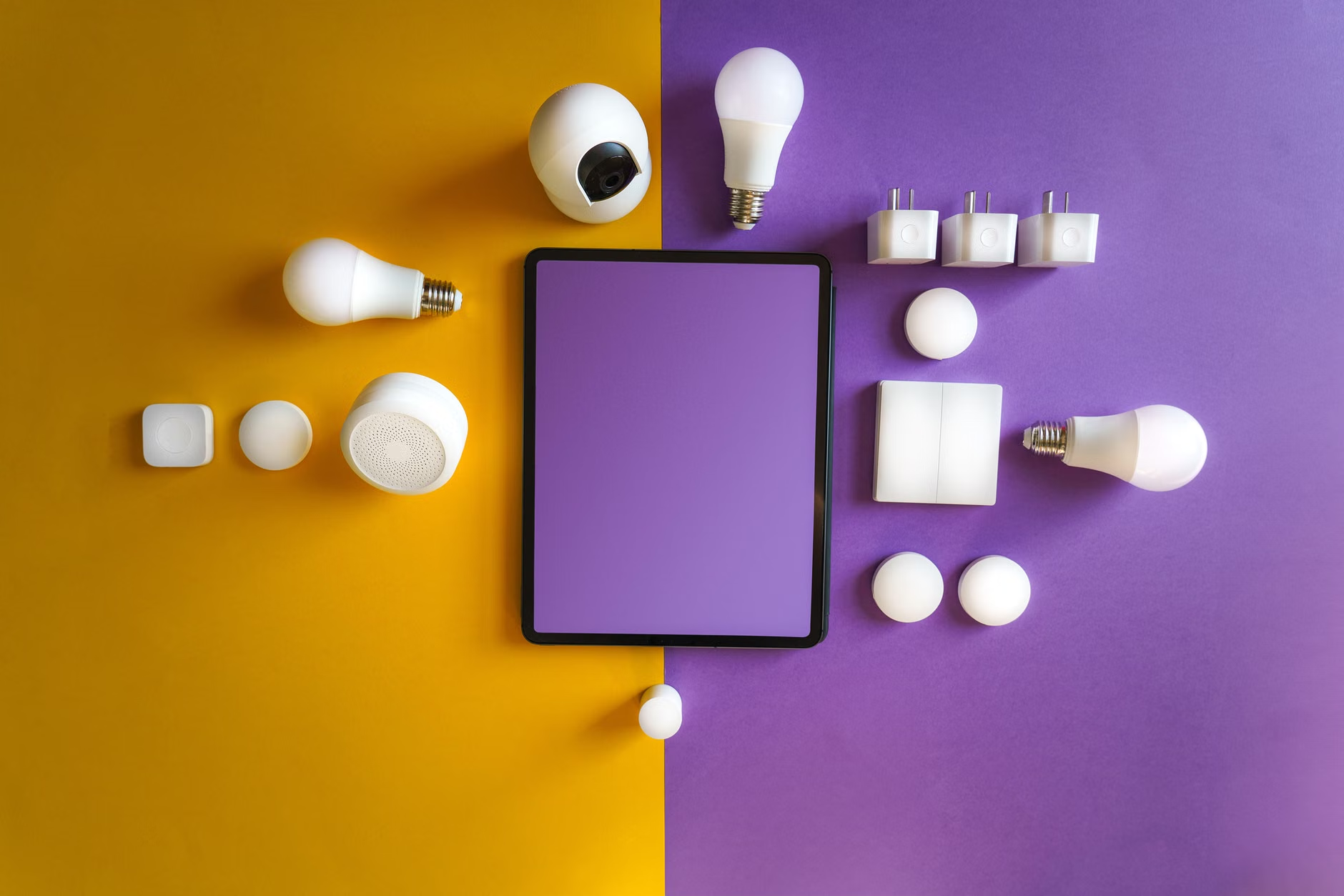
The beauty of this approach is that it scales. Once you have the foundation, adding a new sensor or a new automated task takes minutes. You are building a system that grows with your family’s needs rather than one that forces you to adapt to the limitations of a tech company’s quarterly product update.
Why Energy Efficiency Matters for Your Wallet
Beyond health, there is the practical matter of energy costs. By using an Open-API system, you can integrate your environmental monitors with your smart thermostat. You can stop heating or cooling rooms that aren’t occupied or that have reached the perfect humidity level. Over the course of a year, these small, automated adjustments—which you would never have the time to make manually—can shave a noticeable percentage off your utility bills.
It is important to remember that the “best” choice for your home depends on your specific layout. If you live in a high-rise apartment, your environmental concerns (like city noise and high-altitude air quality) will differ from someone living in a rural house with high humidity. Using Open-API allows you to customize your alerts and automations to your specific regional challenges, rather than using a “one-size-fits-all” app setting.
Final Thoughts on Building Your Smart Home
Taking control of your home’s environment through Open-API monitoring is an investment in your family’s long-term well-being. It removes the guesswork from air quality and humidity management, ensuring that your home is always working to keep you comfortable and safe. Start with one room, pick one sensor, and see how much easier life becomes when your home starts making the right decisions for you.
It’s easy to feel overwhelmed by the sheer volume of “smart” tech available today, but remember that the goal isn’t to have the most devices; the goal is to have the most useful home. Focus on quality data, local control, and simple, high-impact automations. Your future self—and your family—will thank you for the extra peace of mind.
Further Reading & Resources:
- Home Assistant Official Documentation – The best starting point for building your local smart home hub.
- EPA Indoor Air Quality Guide – Understanding the health impacts of VOCs and particulate matter.
- Global Air Quality Data – A useful resource for comparing your local outdoor air quality with your indoor sensors.
Frequently Asked Questions
1. Do I need to be a programmer to use Open-API systems?
Not at all. While the initial setup of a hub like Home Assistant requires following some instructions, the daily use and creation of automations are handled through intuitive visual interfaces. Most users never need to write a single line of code.
2. What if my internet goes down? Will my smart home stop working?
That is the primary benefit of an Open-API system. Because the “brain” (the hub) is located physically inside your house, your automations will continue to run even if your internet connection is cut. Proprietary cloud-based systems, by contrast, almost always stop working when the internet is down.
3. Is it expensive to get started?
It can be quite affordable. You can start with a hub (which can be an old computer you already own or a cheap single-board computer) and one or two sensors. You don’t need to buy a whole new suite of devices; you can simply integrate the “open-friendly” devices you already own or buy them one by one as your budget allows.
Note: This article is for informational purposes and does not constitute technical or health advice. Always consult with professionals when modifying home electrical or HVAC systems.