Key Takeaways
- Data Ownership: Open-API sensors allow you to store your home health data locally or on your own server, preventing companies from monetizing your daily routines.
- Interoperability: Unlike closed ecosystems, open-API devices integrate seamlessly with diverse platforms like Home Assistant, allowing you to create custom automation triggers.
- Actionable Insight: You don’t need a PhD in data science; open-API allows you to set specific alerts for your family’s unique needs, like triggering a purifier only when PM2.5 levels spike in the nursery.
The most effective way to monitor your home’s health isn’t by buying the most expensive sensor on the market—it’s by choosing one that actually lets you own your data. If you’ve ever felt frustrated that your “smart” air quality monitor won’t talk to your smart thermostat, or that you have to pay a monthly subscription just to see a graph of your home’s humidity levels, you are running into the wall of closed-ecosystem hardware.
For parents and busy professionals in their 30s and 40s, home monitoring is often about peace of mind. We want to know the air is clean for the kids or that the humidity in the basement isn’t inviting mold. When you choose an “Open-API” (Application Programming Interface) device, you aren’t just buying a sensor; you are buying a piece of infrastructure that remains useful even if the original manufacturer goes bankrupt or decides to lock their features behind a paywall.

Why “Open” Matters More Than “Smart”
In the tech world, “smart” is often just a marketing term for “we control your user experience.” A closed-ecosystem device is like a walled garden. You enter through their app, you view the data on their terms, and if they decide to change their privacy policy or discontinue support for your model, your device becomes a glorified paperweight.
An Open-API device, by contrast, provides a digital “door” that allows other software to talk to it. Think of it like the difference between a proprietary charging cable that only works with one specific phone and a standard USB-C port. Because the API is open, you can pull the raw data from your sensor into a central dashboard, a spreadsheet, or an automation script.
Why this matters for your family: Imagine it’s 2:00 AM. Your child has a cough. You want to see if the humidity in the room dropped below 40%—a common trigger for dry-air coughing—without opening a third-party app that requires a login, a loading screen, and a dozen ads. With an open-API setup, that data can be displayed on a simple, local dashboard or sent to your phone as a plain-text notification the second it happens.
The Hidden Costs of Closed Ecosystems
When you buy a “closed” environmental monitor, the purchase price on the box is rarely the final cost. These companies often rely on “Software as a Service” (SaaS) models. They give you basic readings for free, but if you want historical data, advanced analytics, or integration with other smart home hubs, they start charging a monthly subscription.
Beyond the financial cost, there is a privacy cost. Every time your sensor reports data to the cloud, that company is building a profile of your life. They know when you leave the house (CO2 levels drop), when you cook (particulate matter spikes), and when you are sleeping. While they claim this data is “anonymized,” it is still a massive amount of personal information being stored on third-party servers.
By opting for open-API hardware, you can keep your data local. You can use platforms like Home Assistant or OpenHAB to process the data within your own four walls. If the internet goes down, your smart home automation doesn’t stop, and your data stays exactly where it belongs: with you.
Real-World Scenarios: Making Data Work for You
Let’s look at how this changes your daily life. Suppose you have a smart air purifier. In a closed system, you are limited to the rules the manufacturer provides. If their app doesn’t have an “if-this-then-that” setting that fits your schedule, you’re out of luck.
With an open-API sensor, you can create custom logic. For example: “If the PM2.5 level in the living room exceeds 15 micrograms per cubic meter and it is between 4:00 PM and 7:00 PM (when the kids are playing), set the air purifier to ‘Turbo’ mode.”
Comparing Sensor Ecosystems
| Feature | Closed Ecosystem | Open-API Ecosystem |
|---|---|---|
| Data Ownership | Stored on manufacturer cloud | Stored locally or user-controlled |
| Integration | Limited to partner brands | Universal (via MQTT/REST API) |
| Subscription | Often required for features | Typically free |
| Privacy | Data shared with third parties | Private and localized |
The table above highlights why the decision isn’t just about technical capability—it’s about long-term sustainability. If you buy a closed-system device today, you are betting on that company’s longevity. If you buy an open-API device, you are betting on your own ability to use an open standard that will likely exist for decades.
Getting Started: A Step-by-Step Approach
You don’t need to be a software engineer to use open-API devices. Many modern sensors are designed to be “plug and play” while still offering an open API for those who want to dig deeper.
- Identify Your Needs: Are you tracking humidity for mold prevention? VOCs for paint or furniture off-gassing? CO2 for sleep quality? List your priorities first.
- Check for Local API Support: Before purchasing, search the product page or forums (like Reddit’s r/homeautomation) for terms like “Local API,” “MQTT support,” or “Home Assistant integration.” If a product mentions these, it is likely open-friendly.
- Start Small: Don’t try to automate your whole house at once. Buy one sensor, connect it to your local network, and spend a week observing the data.
- Choose Your Dashboard: Use a simple, free tool like Grafana or the built-in dashboard in Home Assistant to visualize your data. This is where you’ll see the patterns—like how the humidity spikes every time you run the dishwasher.
A Common Mistake: Many people assume that “Wi-Fi enabled” means “Open API.” This is incorrect. Most Wi-Fi sensors simply send their data to a proprietary cloud. Always look for the specific “local API” or “integration” keywords.
The Overlooked Variable: Data Longevity
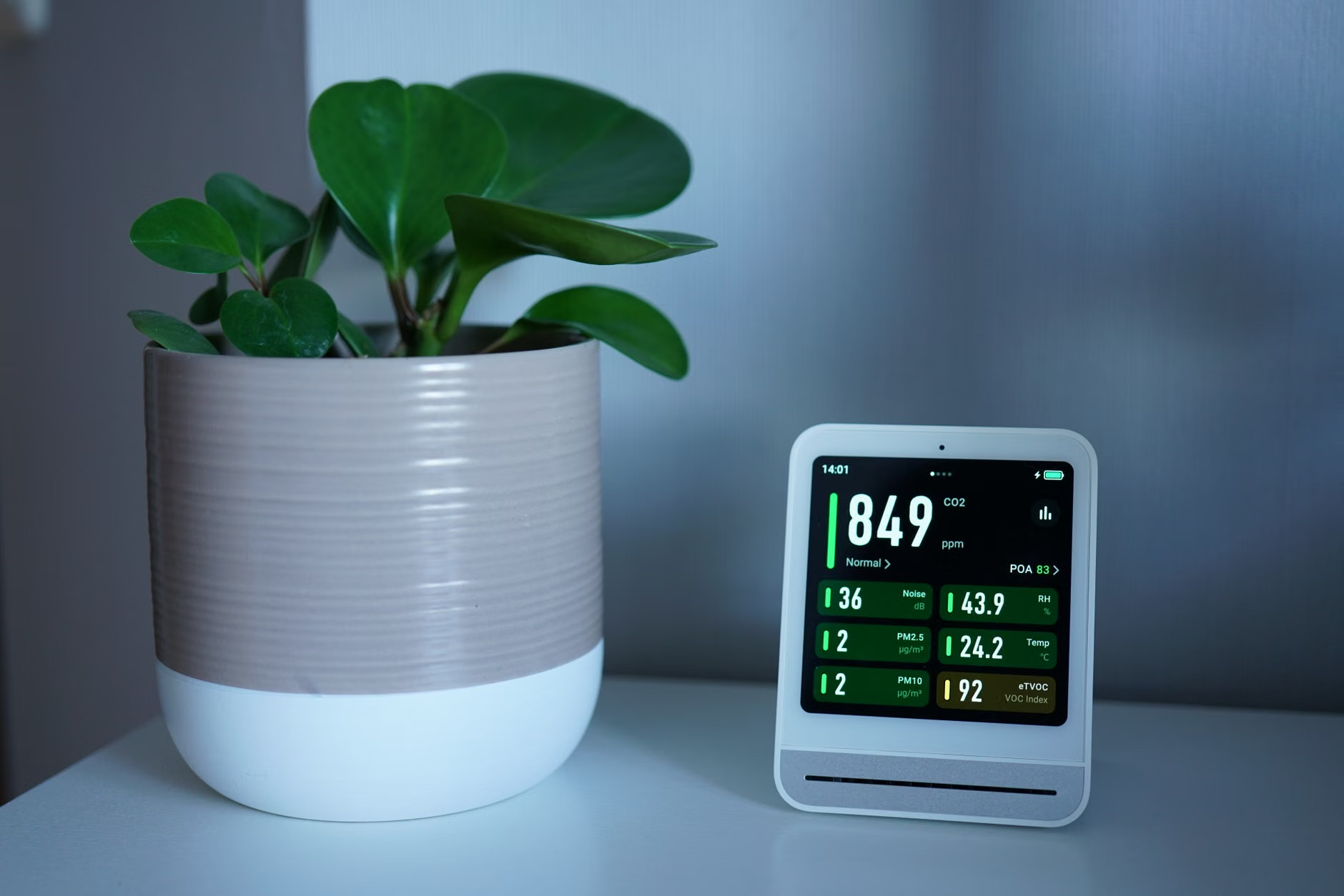
One of the biggest benefits of open-API monitoring that people rarely talk about is long-term trend analysis. When you rely on a manufacturer’s cloud, they often delete your data after 30 or 90 days to save on storage costs. If you want to compare your home’s air quality this winter against last winter to see if your window sealing project worked, you’re out of luck.
With an open-API setup, you can store your data in a simple database (like InfluxDB). Because the data is yours, you can keep it for years. You can look back at three years of data and see exactly how your home’s environment has changed. This is invaluable information for homeowners looking to make energy-efficiency improvements or health-related adjustments.
Addressing Potential Hurdles
Is there a trade-off? Yes. Open-API devices often require a bit more “tinkering.” You might need to spend an hour setting up a hub or configuring a dashboard. Unlike a consumer-grade app that holds your hand, these systems assume you want control—and control comes with a learning curve.
However, once it is set up, it is remarkably stable. You aren’t subject to “firmware updates” that break your app, or server outages in another country that prevent you from checking if your air purifier is running. You are the administrator of your own home’s data.
Final Thoughts: Take Control of Your Environment
Your home should be a sanctuary, not a data-collection point for a corporation. By shifting to open-API environmental monitoring, you are taking a stand for your privacy, your data sovereignty, and your family’s health.
Start by auditing the sensors you already have. Can you pull the data out? If not, consider making your next purchase one that respects your right to own the information your home generates. It’s a small change in how you shop for tech, but it’s a massive upgrade in how you manage your living space. Don’t settle for “smart” when you can have “open.”
Frequently Asked Questions
Q: Do I need to be a programmer to use open-API sensors?
A: Absolutely not. While some advanced users write their own code, most people use existing, user-friendly software like Home Assistant, which has a massive library of “integrations.” These act like plug-ins—you just enter your device’s IP address, and the software handles the rest.
Q: What happens if I don’t have a smart home hub?
A: You can still use open-API sensors! Many of them have a web interface you can access directly from your browser by typing the device’s local IP address into the search bar. This allows you to view data without needing any extra hardware.
Q: Is open-API hardware more expensive?
A: Not necessarily. In fact, many professional-grade sensors that offer open APIs are competitively priced because they don’t have to build the overhead of massive cloud servers and subscription management teams into their price. You are paying for the hardware, not the corporate ecosystem.
For more information on setting up local environmental monitoring, you can explore resources like the Home Assistant official documentation or the MQTT community forums, which are the gold standard for open-source IoT communication.