If you are currently paying to heat or cool bedrooms that sit empty for 12 hours a day while your family huddles in the living room, you are effectively throwing money out of the window. The most effective way to optimize a multi-zone home is not by upgrading your HVAC unit, but by installing a smart thermostat system that treats your home as a collection of independent climate zones rather than one single, stubborn block.
- Zone-based scheduling: You can reduce energy consumption by 15-25% by only conditioning occupied zones, rather than maintaining a uniform temperature throughout the entire house.
- Sensor placement matters: Smart sensors should be placed at “breathing height” (about 5 feet), away from direct sunlight, drafts, or kitchen heat sources to prevent false temperature readings.
- The “Learning” trap: Avoid relying solely on “learning” algorithms in multi-zone homes; manual overrides or geo-fencing provide more predictable results for families with erratic schedules.
Understanding the “Zone” Reality in Modern Homes
For those of us in our 30s and 40s, our homes are often multi-functional hubs: part office, part daycare, part sanctuary. The traditional “one-thermostat-to-rule-them-all” setup is a relic of an era when homes were smaller and usage patterns were uniform. Today, that central thermostat is likely located in a hallway, measuring the temperature of a space nobody uses, while the kids’ playroom is freezing and the home office is sweltering.
In technical terms, a “zone” is simply a portion of your home controlled by a specific thermostat or damper system. If you have a single central unit, you have one zone. If you have a multi-story home with a separate HVAC unit for each floor, you have two or more physical zones. If you have one unit but multiple sensors, you have a “virtual” zone system. Understanding this distinction is the first step in stopping the climate wars in your hallway.
The Physics of Uneven Heating
Heat rises. This is a basic rule of physics that is likely causing your upstairs to be 5 degrees warmer in the summer and 5 degrees colder in the winter than your downstairs. If your thermostat is on the main floor, it has no idea that the upstairs bedrooms are uncomfortable. By adding remote sensors to these zones, you turn a reactive system into a proactive one.
The Practical Setup: How to Build Your Zones
You do not need a professional HVAC technician to rewire your house to achieve better control. For most modern households, the path forward involves a combination of smart thermostats and wireless remote sensors. This is a DIY-friendly project that can be completed in an afternoon, provided you have a C-wire (common wire) in your current thermostat setup.
| Component | Function | Best Practice |
|---|---|---|
| Main Thermostat | The “Brain” | Keep this in the most frequently used room, like the living room. |
| Remote Sensor | The “Eye” | Place in rooms where you spend significant time (bedrooms, office). |
| Smart Damper | The “Gatekeeper” | Optional; physically restricts airflow to unused vents. |
When setting this up, focus on “Occupancy Sensing.” Most high-end smart thermostats (like those from Ecobee or Nest) come with sensors that detect motion. By setting your thermostat to prioritize the “Active” zone, the system will ignore the temperature in empty rooms and focus on keeping the room where your family is currently gathered at the target temperature.
Common Mistakes That Waste Your Money
Even with the best hardware, it is easy to undo your savings with poor settings. The most common error is the “Over-Compensation Loop.” This happens when you set your thermostat to 72°F (22°C) in the winter, but the sensors detect a draft near a window and tell the system the room is 68°F (20°C). The heater kicks in, but because the sensor is poorly placed, it ends up overheating the rest of the house.
The “Ghost” Temperature Problem
Never place a sensor near a heat-producing appliance (like a computer tower or a TV) or in direct sunlight. If your sensor thinks it is 80°F because of a sunbeam, it will shut off the AC, leaving the rest of the house sweating. Always calibrate your sensors during the first week of use by comparing their readings against a standard analog thermometer placed in the same room.
Structuring Your Schedule for Family Life
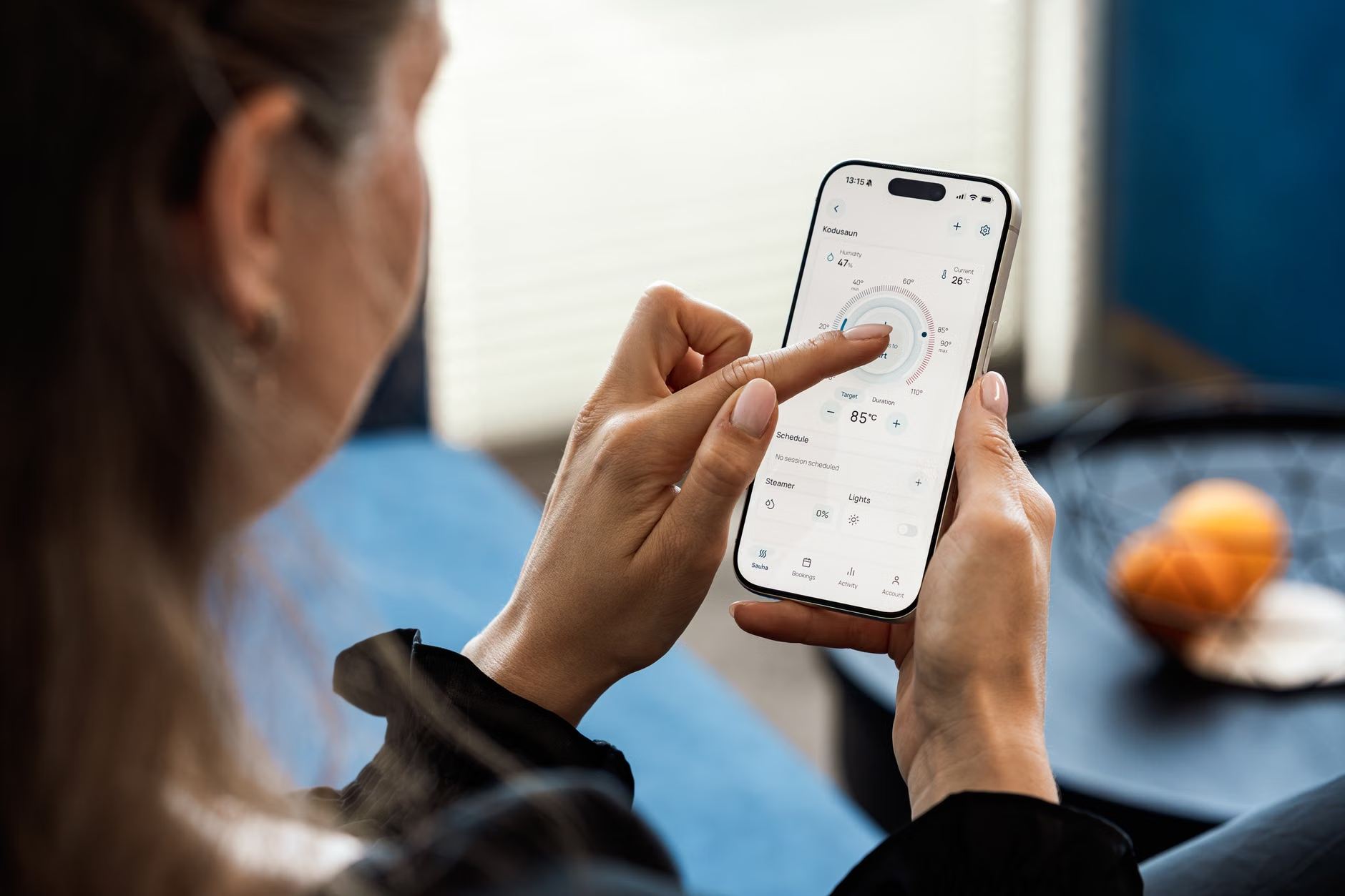
For parents, schedules are rarely static. A “learning” thermostat that tracks your habits might seem convenient, but it often fails when school holidays, sick days, or sudden work-from-home changes occur. Instead of relying on automation, use “Scene-based” programming.
Create three distinct profiles in your app:
- The Workday: Prioritize the home office and living room; let the bedrooms drift.
- The Evening: Shift priority to the living room and kitchen; let the office drift.
- The Night: Shift priority entirely to the bedrooms; allow the common areas to drift.
This level of manual control—switched via a single tap on your phone—is far more energy-efficient than letting an algorithm guess your needs. It also prevents the system from “learning” that you are home on a Tuesday when you are actually at a sports practice, saving you from heating an empty house.
The Hidden Costs and Technical Requirements
Before you rush to buy the latest hardware, check your compatibility. Most smart thermostats require a “C-wire” to provide constant power to the Wi-Fi radio. If you open your current thermostat and see only two wires (R and W), you have an older system. You will either need to install a “C-wire adapter” (often included in the box) or hire a professional to pull a new wire.
Additionally, consider the “Smart Home Ecosystem” lock-in. If you use Apple HomeKit, ensure your thermostat is compatible. If you are a Google Home or Amazon Alexa family, check for native integration. Buying a thermostat that doesn’t talk to your existing ecosystem is a recipe for frustration, as you will end up using three different apps just to manage your home’s temperature.

Advanced Optimization: Beyond the Thermostat
If you have mastered your thermostat, the next frontier is physical airflow management. Smart vents are a newer technology that can replace your existing floor or ceiling registers. These vents have motorized louvers that open and close based on the same sensor data as your thermostat.
Warning: Be careful with smart vents if you have an older HVAC system. If you close too many vents, you increase the static pressure in your ductwork, which can lead to your furnace heat exchanger overheating or your AC coils freezing. Always ensure at least 30-40% of your vents remain open at all times to allow for proper airflow.
Why Energy Efficiency Is Only Half the Story
While saving money on utility bills is the primary driver for many of us, the real benefit of a multi-zone system is comfort. In a family home, the “temperature war”—where one person is freezing and another is sweating—is a constant source of friction. By allowing different zones to exist, you remove this point of contention. It’s not just about the planet or your bank account; it’s about reducing the low-level stress that comes from an uncomfortable home environment.
Take the time to audit your home’s thermal profile. Spend a weekend noting which rooms stay cold and which stay hot. Use this data to place your sensors strategically. A well-optimized home is one where you don’t have to think about the temperature at all; it just works.
Recommended Resources for Further Research
- U.S. Department of Energy: Smart Thermostat Efficiency Guidelines
- Energy Star: Criteria for Connected Thermostats
Frequently Asked Questions
Q: Can I really save money if I have an older home with poor insulation?
A: Yes, but the savings will be different. In an older home, the system will run more often to maintain temperature. By using zones, you stop the system from trying to condition the entire house, which prevents the HVAC unit from working overtime to compensate for drafts in unused rooms.
Q: Is it better to leave the heat on low or turn it off entirely when I am out?
A: Contrary to popular belief, it is almost always more efficient to let the temperature drift significantly (a 5-10 degree difference) rather than trying to maintain a “steady” temperature. Your HVAC system is most efficient when it runs for a longer duration to reach a target temperature rather than cycling on and off rapidly.
Q: What if my family members keep changing the settings manually?
A: Most smart thermostats have a “Lock” feature that can be managed via the app. You can set a PIN or restrict physical changes at the wall unit. This is particularly useful if you have children who enjoy playing with the “glowing screen” on the wall.
Final thought: Don’t let the technology overwhelm you. Start with one sensor in your most problematic room. Observe how it changes your comfort levels for a week, then expand. The goal is a house that breathes with your family, not one that forces you to live by its rigid, outdated rules.