- The “Arbitrage” Reality: Solar-plus-battery systems are most financially viable in regions with high peak-time electricity rates and time-of-use (TOU) billing, rather than just high total energy consumption.
- Reliability vs. Capacity: A standard home battery will keep your Wi-Fi and laptop running during an outage, but it will not power your entire HVAC system or electric dryer for long; prioritize essential “work-critical” loads.
- The Hidden Maintenance Factor: Unlike a passive roof solar array, battery systems require software updates, health monitoring, and eventual cell degradation management—treat it like a high-end appliance, not a set-and-forget installation.
If you are a parent juggling Zoom calls while the kids are home, you know that a power flicker isn’t just an inconvenience—it’s a career-threatening event. When the Wi-Fi drops because the grid tripped during a summer storm, your productivity evaporates instantly. This is why many parents in their 30s and 40s are increasingly looking at “solar-plus-storage” systems. It promises the holy grail: independence from the grid and the ability to keep your home office running no matter what happens outside.
But before you drop a significant chunk of your savings on lithium-ion batteries and inverter upgrades, it is vital to cut through the marketing fluff. Is this actually going to save you money, or is it just another complex tech system that requires constant babysitting? The answer depends heavily on your local utility structure and your specific “critical load” requirements.

Understanding the Financial “Break-Even” Point
The biggest misconception about residential solar-plus-storage is that it is a universal way to “stop paying the electric company.” In reality, the economics are dictated by your local utility’s rate structure. If you are on a flat-rate plan where electricity costs the same at 3:00 AM as it does at 3:00 PM, the ROI (Return on Investment) for a battery system is often quite poor. The battery sits there, waiting for an outage that might happen once a year, while your capital is tied up in hardware.
However, if your utility uses Time-of-Use (TOU) billing, the game changes. In these regions, electricity is significantly more expensive during the late afternoon and early evening—the exact time when you might be finishing up your workday and starting the “second shift” of parenting. A battery allows you to “time-shift” your energy: you charge the battery from your solar panels during the day (or from the grid when rates are low at night) and discharge it during those expensive peak hours. This is called “arbitrage,” and it is the primary way these systems pay for themselves.
The “Arbitrage” Calculation Table
| Scenario | Benefit | Financial Viability |
|---|---|---|
| Flat-rate electricity | Backup power only | Low (High insurance cost) |
| High TOU peak rates | Arbitrage + Backup | High (Faster payback) |
| Net-metering capped | Self-consumption | Moderate (Avoids export loss) |
If you live in a region where the utility pays you very little for the solar power you send back to the grid (low “export rates”), the battery becomes a necessity for self-consumption. Instead of giving your power away for pennies, you store it to use when the sun goes down. This is the most common reason homeowners in states like California or countries with similar grid policies are currently adopting storage.
Defining Your “Work-Critical” Load
One of the most common mistakes parents make is overestimating what a battery can actually power. A standard residential battery (like a Tesla Powerwall or similar) usually holds around 13.5 kWh of energy. While that sounds like a lot, it disappears quickly if you try to run an electric stove, a clothes dryer, or central air conditioning. If you want to keep the house running like normal, you would need a massive, expensive bank of batteries that most residential systems simply don’t provide.
For a WFH parent, the strategy should be “load shedding” or “critical load backing.” This means your electrician wires only your essential circuits—your home office outlets, your router/modem, your refrigerator, and perhaps a few lights—to the battery backup. When the grid goes down, the rest of the house loses power, but your office stays live. This is the most cost-effective way to ensure you never miss a client call or a deadline.
Common Mistake: Do not assume your existing solar panels will keep the battery charged during a multi-day winter storm. If you live in a region with short, cloudy winter days, your solar array might produce 10-20% of its normal output. You need to calculate your battery capacity based on the assumption that you will have little to no solar recharge for a 24-48 hour window.
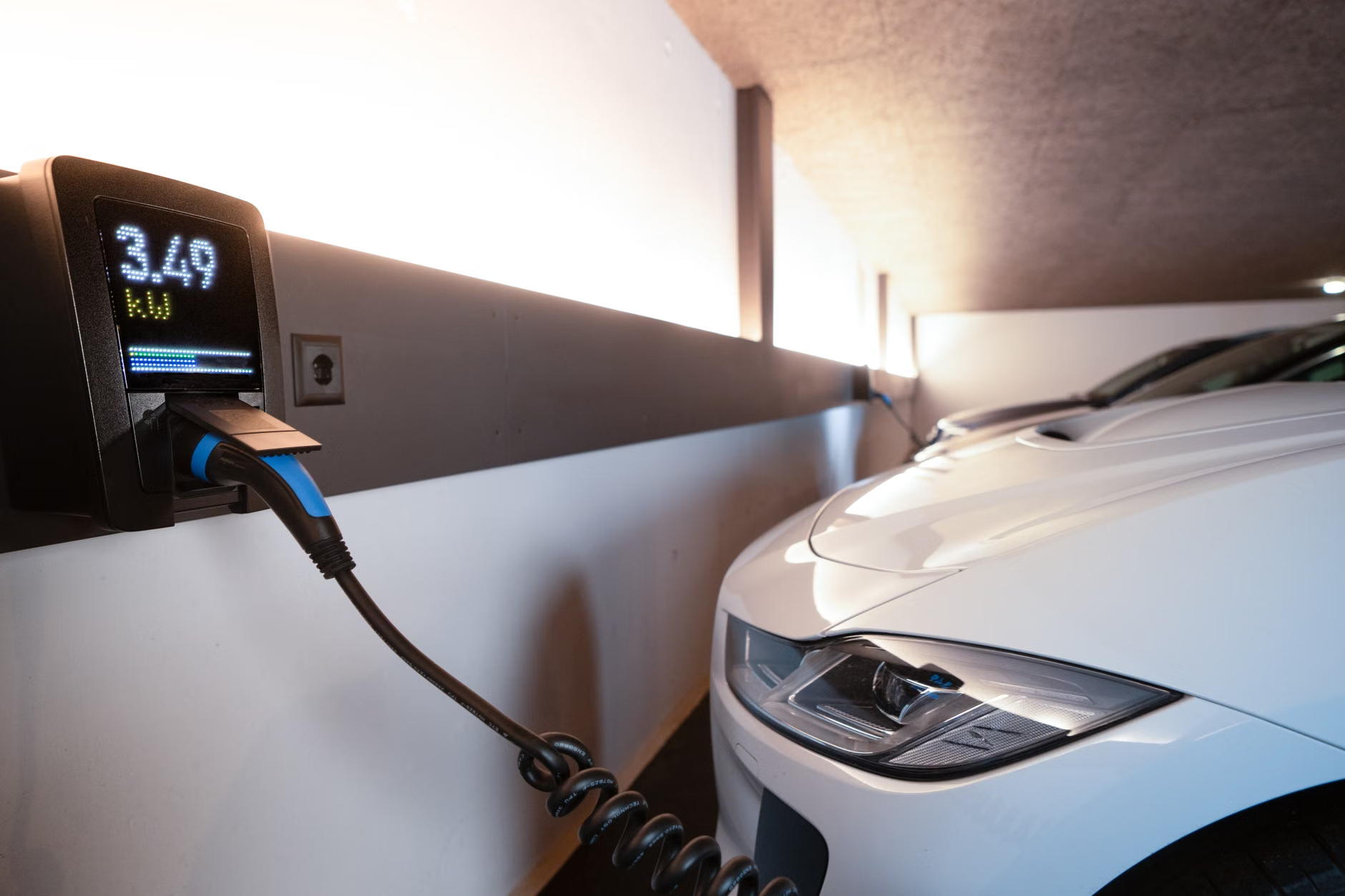
The “Tech Headache” Factor: Maintenance and Monitoring
If you are the type of person who finds it stressful when a smart device loses its Wi-Fi connection, be warned: a solar-plus-storage system is a sophisticated piece of digital infrastructure. It requires firmware updates, occasional inverter reboots, and monitoring of battery “State of Health” (SoH). Most modern systems are connected to the cloud, allowing the manufacturer to push updates. This is great for efficiency, but it also means you are dependent on the manufacturer’s server uptime and software stability.
Beyond the software, there is the physical reality of the battery. Lithium-ion chemistry degrades over time, especially if it is kept at 100% charge or 0% charge for long periods. Most high-quality systems have built-in Battery Management Systems (BMS) that handle this for you, but you should still perform a “capacity test” once a year to ensure the system is still holding the energy it claims to. If you are not comfortable reading a technical dashboard or troubleshooting a communication error between your inverter and your battery, you should factor in the cost of a service contract with your installer.
Checklist for Maintenance-Minded Parents:
- Firmware Check: Does your system update automatically? If not, set a quarterly reminder to check for updates.
- Environmental Control: Batteries hate extreme heat and extreme cold. If your battery is installed in a garage, ensure it is insulated or climate-controlled, as temperature swings can significantly shorten the lifespan of the cells.
- Emergency Manual: Do you know how to manually switch your home to “island mode” if the automatic transfer switch fails? Keep a physical copy of the manual in your utility closet.
The Hidden Costs and Trade-offs
The upfront cost of a battery is just the beginning. You have to consider the “opportunity cost” of the money you are investing. If you spent that $10,000–$15,000 on a market index fund instead of a battery system, what would that look like in 10 years? The battery will likely need to be replaced or have its capacity significantly reduced in 10-15 years. You aren’t just buying energy; you are buying an insurance policy against grid instability.
Another overlooked variable is the Inverter Compatibility. If you already have solar panels, you might need to install a “hybrid inverter” or an “AC-coupled battery.” This can add significant labor costs, as your electrician may need to rewire parts of your main electrical panel. Always get at least three quotes, and ensure the quotes include the cost of the “Transfer Switch” or “Gateway,” which is the hardware that physically disconnects your home from the grid during an outage. Without this, your solar system will shut down even if the sun is shining, because it’s legally required to do so to prevent back-feeding the grid and electrocuting utility workers.
How to Make the Final Decision
To decide if this is right for your family, perform a “Grid Reliability Audit.” Look back at your utility bills for the last two years. Count the number of hours you lost power. If it was less than 10 hours a year, the “insurance” value of a battery is low. If you live in an area with frequent, long-duration outages—especially if you work in a field where downtime is costly—the battery becomes a business expense rather than a home improvement luxury.
Furthermore, consider your local government incentives. Many countries and states offer tax credits or rebates that can cover 30% or more of the total system cost. Search for terms like “[Your Region] solar storage tax credit” or “government energy resilience grant.” These incentives can turn a 15-year payback period into a 7-year payback period, which changes the math entirely.

Ultimately, the “Solar-Battery” solution is a lifestyle choice for the modern, tech-forward family. It provides peace of mind, a smaller carbon footprint, and a hedge against rising utility costs. But it is not a magic bullet. If you decide to move forward, prioritize a reputable installer with a track record of servicing the specific brand of battery you choose. You don’t want to be the person calling a support line in the middle of a blackout only to find out your installer has gone out of business.
Start small, focus on your critical office loads, and view the battery as a sophisticated appliance that requires a bit of attention. For the WFH parent who needs reliable uptime, it’s one of the best investments you can make—provided you go in with your eyes open to the technical and financial realities.
Frequently Asked Questions
1. Will a home battery system power my entire house during a blackout?
Most residential battery systems are designed to power “critical loads” only. While you can technically wire a whole house to a battery, you would likely deplete the battery within a few hours if you used high-draw appliances like the oven, AC, or dryer. It is far more practical to wire only your essential circuits, such as your home office, kitchen fridge, and essential lighting.
2. Does a solar-plus-battery system work if the internet goes down?
Yes. The battery and inverter system operate independently of your home Wi-Fi. While you need the internet to see your stats on an app, the hardware itself is programmed to manage the energy flow automatically. It does not need a connection to the web to keep your lights on.
3. How long do these batteries actually last before they need replacement?
Most modern lithium-iron-phosphate (LFP) batteries are rated for 10 to 15 years, usually guaranteeing about 70-80% of their original capacity at the end of that period. Factors like ambient temperature, depth of discharge, and the number of cycles per year will determine exactly how long yours lasts. Treat them like a laptop battery—don’t let them sit in extreme heat if you can avoid it.
Official Resources for Further Research: