- EU digital sovereignty laws aim to keep your data within European borders to prevent foreign surveillance and ensure compliance with strict privacy standards like GDPR.
- If you use major US-based cloud services, your data may still be subject to the US CLOUD Act, creating a legal conflict that the EU is actively trying to mitigate through new frameworks.
- For maximum peace of mind, adopt a “3-2-1” backup strategy that keeps at least one copy of your sensitive family data on a local, offline device under your direct control.
If you are like most of us in our 30s and 40s, your entire life is likely stored in the cloud. We are talking about thousands of photos of your kids’ first steps, scanned tax documents, mortgage papers, and that digital scrapbook you keep meaning to finish. We trust these services—Google Photos, iCloud, Dropbox—to keep our memories safe and accessible. But have you ever stopped to think about where that data actually lives?
In the European Union, the concept of “Digital Sovereignty” is moving from a niche policy debate to a reality that affects how your data is handled. It is not just about where the server is physically located; it is about who has the legal right to access your information. For the average person, this sounds like bureaucratic noise, but it actually has profound implications for how you should manage your digital backups.

What Digital Sovereignty Actually Means for Your Privacy
Digital sovereignty is the ability of an individual or a state to control their own digital destiny. In the context of the EU, it means preventing the reliance on non-EU technology providers who may be subject to laws that conflict with European privacy values. The primary friction point here is the conflict between the EU’s General Data Protection Regulation (GDPR) and the United States’ CLOUD Act.
The GDPR is essentially the gold standard for privacy. It gives you the “right to be forgotten” and requires companies to handle your data with extreme care. However, the US CLOUD Act allows US law enforcement to compel US-based tech companies to provide data stored on their servers, even if those servers are located in Europe. You can see the problem: the EU wants your data to stay under European legal protection, while the US wants access to that same data if it belongs to a US company. For you, this means your “private” family photos might be caught in a tug-of-war between international legal jurisdictions.
Why does this matter to you? Because it creates a level of uncertainty regarding who can legally peek into your digital life. While it is unlikely that the FBI is interested in your vacation photos, the principle of sovereignty is about systemic control. If you value your privacy, relying solely on a single, foreign-owned cloud provider is no longer a “set it and forget it” strategy.
The Evolution of Data Residency and EU Regulations
The European Commission has been pushing hard for “sovereign clouds.” This means they want companies to offer storage solutions where the data is not only stored in Europe but is also managed by European entities. This is designed to shield European citizens from the long-arm jurisdiction of non-EU governments.
However, the transition is slow. Most of the massive, user-friendly services we use daily are still US-based. Even if a company like Microsoft or Google builds a data center in Frankfurt or Dublin, the parent company is still subject to US law. This is the “hidden cost” of convenience. We trade our data sovereignty for the ability to easily sync our phones and share albums with grandparents.
If you are someone who keeps highly sensitive documents—like medical records or legal contracts—in the cloud, you are participating in this global data ecosystem whether you like it or not. The shift towards sovereignty means that, in the future, we might see more “EU-only” tiers for cloud services, or a rise in European-based encrypted storage providers that promise to be immune to foreign data requests.
Evaluating Your Backup Strategy: The 3-2-1 Rule Revisited
Given these legal complexities, how should you adjust your digital habits? The answer is not to abandon the cloud, as that would be impractical for most families. Instead, it is time to revisit the classic “3-2-1” backup rule, but with a focus on sovereignty and control.
| Strategy | Description | Sovereignty Level |
|---|---|---|
| 3 Copies | Keep three total copies of your data. | High |
| 2 Media Types | Store these on at least two different types of media (e.g., cloud and local drive). | Medium |
| 1 Offsite | Keep one copy in a different physical location. | High (if encrypted) |
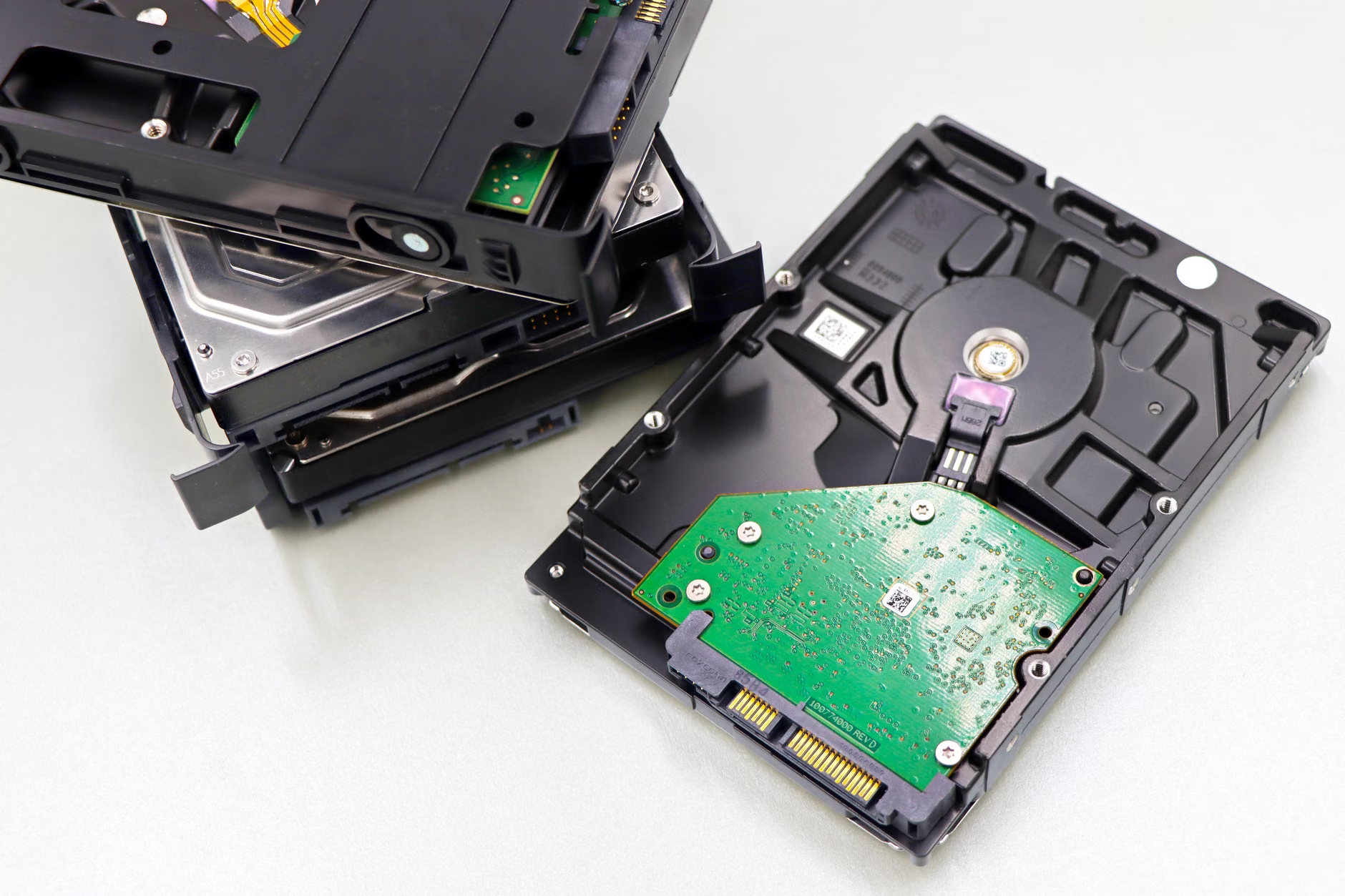
The 3-2-1 rule is your best defense against both technical failure and legal overreach. By keeping a local copy of your most sensitive files on a physical hard drive in your home, you are exercising your own digital sovereignty. If a cloud provider changes their terms of service or if a legal dispute makes your data temporarily inaccessible, you still have the “master copy” in your own hands.
Practical Steps to Reclaim Control Over Your Data
Reclaiming your data sovereignty does not require a degree in computer science. It requires a shift in mindset. Here are the practical steps you can take today to ensure your family’s data remains under your control, regardless of international legal shifts.
1. Audit Your Cloud Storage
List every service where you store family data. Note whether the service is based in the US, the EU, or elsewhere. If you have highly sensitive files in a US-based service, consider moving them to a service that offers “Zero-Knowledge Encryption.” In this model, the provider cannot read your files because they do not have the keys—only you do.
2. Invest in Local Storage
A simple Network Attached Storage (NAS) device for your home can act as a private cloud. Companies like Synology or Western Digital offer consumer-friendly NAS systems that allow you to back up your phones automatically, just like iCloud or Google Photos, but the data stays on a drive sitting in your living room or closet. This is the ultimate form of digital sovereignty.
3. Use Encryption Before Uploading
If you must use a public cloud for convenience, encrypt your files before you upload them. Tools like Cryptomator allow you to create an encrypted folder on your computer that syncs to your cloud provider. Even if the cloud provider is compelled to hand over your data, they will only receive a jumble of unreadable, encrypted bits.
Common mistake: Many people think that “password protecting” a Word document or a folder is enough. It usually isn’t. You need true, end-to-end encryption that happens before the file leaves your device. If you don’t use a dedicated tool, you are leaving your data vulnerable to anyone who gains access to the server, whether that’s a hacker or a government agency.
The Trade-off Between Convenience and Privacy
Let’s be honest: setting up a local NAS or using encryption tools is a hassle. It takes time to set up, it requires maintenance, and it lacks the seamless “it just works” feeling of big-tech solutions. This is the trade-off. In our 30s and 40s, we are often time-poor. Parenting and career demands mean we naturally gravitate toward the easiest option.
However, the rise of digital sovereignty laws is a signal that the “easy” era is maturing. We are moving toward a time where data privacy will be a tiered service. Those who prioritize privacy will have to invest a bit more effort. If you choose the path of least resistance, you are implicitly consenting to the terms of service of whichever massive corporation is holding your data. That is a choice, and it is a valid one, provided you make it with your eyes open.
Why Local Backups Are More Important Than Ever
Beyond the legal arguments, there is a very practical reason to keep local backups: account lockouts. We have all heard stories of people being locked out of their Google or Apple accounts for months due to an automated security flag. When that happens, your digital life effectively disappears. If your photos are only in the cloud, you are at the mercy of the company’s customer support, which—as we know—is often non-existent for everyday users.
By keeping a local copy on a hard drive, you ensure that even if the worst happens and you are locked out of your cloud account, your family memories remain intact. You don’t need to be a tech genius to do this. A simple external hard drive, plugged into your computer once a month to sync your files, is enough to satisfy the “1” in the 3-2-1 rule.
As the EU continues to refine its digital sovereignty laws, we will likely see more options for European-based hosting. Keep an eye on services that specifically market themselves as “GDPR-compliant and EU-hosted.” These companies are betting their business model on the fact that privacy-conscious users are becoming the majority.
Don’t wait for the laws to change your life. Start by taking control of your most precious data today. The goal isn’t to be paranoid; the goal is to be prepared. When you own your data, you don’t have to worry about who is making decisions in a boardroom or a courtroom halfway across the world. You have the keys, and you have the backup.
If you are looking for more information on how the GDPR protects your data, you can visit the official European Commission website at https://commission.europa.eu/law/law-topic/data-protection/reform/rights-citizens_en. It is a dense read, but it clarifies exactly what your rights are when it comes to your digital information.
Frequently Asked Questions
1. If I move my data to a European server, is it automatically safe from US laws?
Not necessarily. If the company providing that server is a US-based entity, they may still be compelled to comply with the US CLOUD Act. To truly minimize risk, look for companies that are both EU-based and have no significant US presence, or use end-to-end encryption so the provider cannot access your data even if they are legally forced to hand it over.
2. Does “digital sovereignty” mean I should stop using free cloud services?
Not necessarily. These services are incredibly convenient for sharing photos with family or collaborating on documents. Instead of stopping, practice “data hygiene.” Keep non-sensitive, low-risk data in the cloud, but keep your high-risk, sensitive, or sentimental data on a local device or an encrypted, private storage solution.
3. What is the easiest way to start encrypting my data?
For most people, the easiest method is to use a tool like Cryptomator. It creates an “encrypted vault” on your computer that looks like a normal folder to you, but everything inside it is automatically encrypted before it syncs to your cloud provider (like Dropbox or Google Drive). It is free, open-source, and highly effective for protecting your privacy.
Ultimately, the best strategy is the one you will actually maintain. Don’t overcomplicate it. Start by backing up your most important files to an external drive today, and then look into encrypting your cloud storage as your next step. You’ve got this.