Key Takeaways
- Data Sovereignty: Unlike commercial smart devices that route your data to cloud servers, open-hardware monitors keep your air quality logs entirely local to your network.
- Component Transparency: Open-hardware allows you to know exactly which sensors are being used, ensuring higher accuracy and easier calibration compared to “black box” consumer gadgets.
- Long-term Value: Because they are repairable and modular, these devices prevent e-waste and allow you to replace a single failing sensor rather than discarding the entire unit.
If you have spent any time recently researching how to create a healthier environment for your baby, you have likely encountered the overwhelming world of “smart” air quality monitors. They promise peace of mind by tracking PM2.5, CO2, and volatile organic compounds (VOCs). However, most of these devices come with a significant catch: you are not really the owner of your data. They often require mandatory cloud subscriptions, use proprietary sensors that cannot be calibrated, and become expensive paperweights the moment the manufacturer decides to stop supporting the app.
For parents in their 30s and 40s who are increasingly tech-savvy yet wary of the “surveillance nursery,” open-hardware monitors offer a compelling alternative. These are devices built on open-source principles, meaning the schematics, the software code, and the hardware design are publicly available. You are not just buying a product; you are gaining control over a vital piece of your home infrastructure.

The Hidden Costs of Closed-Source Nursery Tech
When we talk about “closed-source” or proprietary air monitors, we are talking about devices that function as a locked ecosystem. You buy the device, you install the app, and you create an account on a server managed by a company you might know very little about. The primary issue here isn’t just about privacy—though that is a major concern—it is about the “planned obsolescence” and lack of transparency.
Consider the typical lifespan of a commercial sensor. When a company decides to pivot its business model or shut down its cloud services, your device often loses its primary functionality. You are left with a piece of hardware that can no longer display data on your phone because the server it talks to is gone. Furthermore, commercial devices rarely tell you the specific model of the sensor they use. This is a problem because if you don’t know the sensor’s specs, you don’t know its accuracy, its lifespan, or how it interprets “good” versus “bad” air.
In contrast, an open-hardware device—like those based on the ESP32 platform or the AirGradient project—tells you exactly what is under the hood. You know the sensor is a Sensirion or a Plantower model. You can look up the data sheets for these specific components. This level of transparency is empowering. It means that when you see a spike in CO2 levels in the nursery, you aren’t just trusting an algorithm; you understand the physical sensor that is detecting the gas.
The Privacy Trade-off in Modern Parenting
We often talk about baby monitors and security, but we rarely discuss the data footprint of environmental sensors. Every time an air monitor sends data to a cloud server, it is creating a behavioral profile of your home. Are you home? When do you sleep? How many people are in the room? With open-hardware, you can set up your monitor to communicate strictly over your local Wi-Fi, sending data to a private server (like Home Assistant or a simple influxDB) that never leaves your house.
Why Calibration Matters for Your Baby’s Health
A common misconception among new parents is that an air monitor is a “set it and forget it” appliance. The reality is that sensors, especially those measuring particulates (PM2.5) and VOCs, drift over time. They accumulate dust, and their electrochemical components degrade. In a closed-source device, you have no way to perform a “zero-point calibration” or adjust the baseline.
Open-hardware changes the game because it gives you access to the software settings. If you notice your sensor is reading unusually high levels of particulates compared to a calibrated reference device, you can adjust the offset in the firmware. This is not just for tech enthusiasts; it is for anyone who values the accuracy of the data they are using to make decisions about their child’s health.
Let’s compare the two approaches in a real-world scenario:
| Feature | Commercial Smart Monitor | Open-Hardware Monitor |
|---|---|---|
| Data Storage | Cloud-based (Third-party) | Local (Your own server/device) |
| Sensor Transparency | Hidden/Proprietary | Known/Industry Standard |
| Calibration | Not possible | User-defined/Manual |
| Lifespan | Depends on company support | Repairable/Modular |
As the table suggests, if you prioritize longevity and data integrity, the open-hardware route is objectively superior. However, it does require a slightly higher initial effort to set up—usually involving flashing firmware or configuring a local dashboard.
Implementation: How to Start Without Being a Computer Engineer
I know what you are thinking: “I barely have time to fold the laundry, let alone solder circuit boards.” The beauty of the current open-hardware movement is that it has moved past the “hobbyist-only” phase. You don’t need to be an electrical engineer. Many projects now offer “pre-soldered” kits where you simply snap the components together and plug them into a USB port.
The process generally looks like this:
- Select a Kit: Look for platforms like AirGradient or ESPHome-compatible devices. These are well-documented and designed for non-experts.
- Assembly: Most modern kits require no soldering. You connect the sensors to the main board using standard connectors.
- Flashing: You connect the device to your computer via USB and use a web-based “flasher” to install the firmware. This is often just a one-click process in your web browser.
- Integration: Once connected to your Wi-Fi, the device will provide a local IP address. You can view your air quality data through any web browser on your phone or computer.
If you feel overwhelmed, start with a “Home Assistant” dashboard. It is an open-source home automation platform that acts as a central hub. Once your open-hardware sensor is on the network, it will automatically show up as a device in Home Assistant, giving you beautiful, real-time graphs without you having to write a single line of code.
The Unexpected Variable: Why Sensors Fail
One of the most overlooked aspects of nursery air monitoring is the environment itself. Nurseries are often humid, and they are prone to high amounts of lint (from clothes and bedding). Commercial sensors are often sealed units, which means when they get clogged with dust, you cannot clean them. You simply have to replace the device.
With an open-hardware monitor, you have access to the sensor housing. If you notice the PM2.5 readings are stuck at an odd number or don’t change when you open a window, you can open the casing, use a can of compressed air to clean the laser scattering chamber, and get it working again. This simple maintenance step can extend the life of your sensor by years. It is a small detail, but in the context of a busy household, it saves both money and the frustration of dealing with customer service for a “defective” product that just needed a bit of dusting.

Managing Your Expectations and Data Interpretation
Having the data is one thing; understanding it is another. It is easy to get “data anxiety” when you see a spike in VOCs or CO2. Before you panic, remember that air quality is dynamic. A spike in VOCs might just be from a new piece of nursery furniture off-gassing, or even the cleaning products you use. A spike in CO2 is almost always correlated with how many people are in the room and how well the room is ventilated.
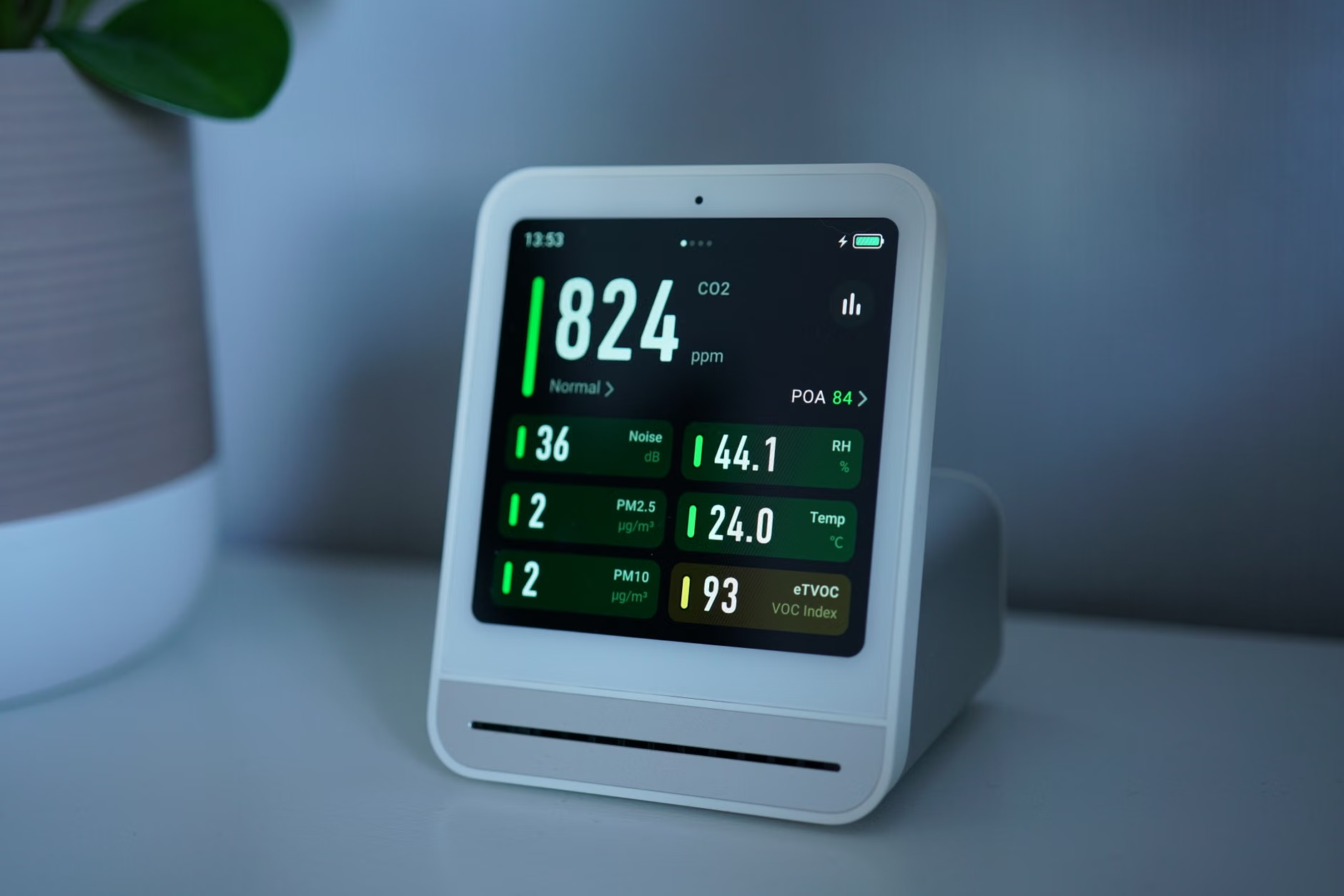
Instead of obsessing over every fluctuation, use the data to establish a baseline. If your nursery typically has a CO2 level of 600 ppm, and suddenly it is hitting 1200 ppm, you know that the room needs better airflow. You don’t need to be a scientist to know that opening a window or running an air purifier with a HEPA filter will bring those numbers down. The goal of the monitor is to provide the context for your actions, not to create a new source of stress.
Beyond the Nursery: The Long-Term Value of Open Tech
The skills you learn while setting up an open-hardware air monitor are transferable. Once you have a handle on how to integrate one sensor into your home network, you can easily add others—temperature sensors for the fridge, moisture sensors for your plants, or even energy monitors for your appliances. You are building a home ecosystem that belongs to you, not to a subscription service.
Furthermore, by supporting open-hardware projects, you are voting with your wallet for a future where technology is repairable and transparent. It is a small but meaningful stand against the culture of disposable electronics that defines much of the modern smart home market. When your child grows out of the nursery, your monitor can move to the living room or your home office, continuing to serve its purpose for years to come.
Practical Next Steps for Parents
If you are ready to make the switch, start by browsing the documentation for projects like AirGradient or looking into ESPHome. These communities are incredibly welcoming to beginners. They have forums where you can ask questions like, “Which sensor is best for detecting wildfire smoke?” or “How do I set up alerts for high CO2?”
Remember that you don’t have to do everything at once. Start with one room—the nursery—and see how you feel about the data. If you find it useful, you can expand. If you find it adds too much noise to your life, you can repurpose the hardware. That is the beauty of owning your tech: you are the one who decides how it fits into your life.
Frequently Asked Questions
1. Do I need to be a programmer to set up an open-hardware monitor?
Absolutely not. While these devices are “open,” most modern kits are designed for plug-and-play assembly. If you can follow a basic instruction manual and use a web browser, you have all the skills necessary to get one running in about an hour.
2. Is open-hardware significantly more expensive than commercial options?
Actually, it is often cheaper in the long run. While the initial kit price might be comparable to a mid-range commercial monitor, you never have to pay for a subscription service, and you don’t have to replace the entire unit when a sensor fails. You only replace the specific component that needs it.
3. Can these devices work if I don’t have a smart home hub?
Yes. Most open-hardware monitors have a built-in web server. Once you connect them to your Wi-Fi, you can simply type the device’s IP address into your phone’s web browser to see a live dashboard of your air quality. You don’t need any complex home automation software to get started.
At the end of the day, your goal is a safe and healthy environment for your family. By choosing open-hardware, you are ensuring that the tools you use to achieve that goal are as reliable and transparent as your commitment to your child’s well-being. Take the time to research, choose a kit that fits your comfort level, and enjoy the peace of mind that comes with knowing exactly what is in your air.