- Digital Boundaries are Intentional: The “Right-to-Disconnect” at home isn’t about avoiding technology; it’s about creating scheduled “blackout zones” where work-related notifications are physically and mentally barred.
- The “Device Parking” Strategy: Establishing a central, non-bedroom charging station is the most effective way to prevent late-night work-email checking and improve sleep quality for both adults and children.
- Policy Beats Willpower: Treat your household rules like an office policy—document them, discuss them during a weekly family meeting, and apply them consistently to remove the friction of constant decision-making.
The most common friction point in households today isn’t the mess in the kitchen or the laundry pile; it’s the invisible, persistent hum of the work-email notification vibrating on the dining table. We have brought the office into our living rooms, and in doing so, we’ve inadvertently taught our children that they are competing with our screens for our attention. A “Right-to-Disconnect” policy for your home is the necessary framework to reclaim that space.
If you are in your 30s or 40s, you are likely part of the “sandwich” generation of digital workers—managing a career that demands 24/7 availability while trying to be present for partners, children, or aging parents. The boundary between “office” and “home” has eroded to the point of extinction. Implementing a structured policy isn’t about being Luddites or rejecting the tools of your trade; it’s about setting the terms of engagement so that your technology serves your family, rather than the other way around.

Defining the “Digital Boundary” in Your Household
A “Right-to-Disconnect” policy at home is essentially a set of shared agreements regarding when, where, and how technology is used. It works because it removes the “should I check this?” internal debate. When the rule is established, you don’t have to decide if a notification is urgent; the policy handles it for you.
In many corporate environments, “Right-to-Disconnect” laws—like those in France, Portugal, or various Canadian provinces—protect employees from being penalized for ignoring work communications outside of hours. We need to import this logic into our homes. Why? Because the psychological cost of “continuous partial attention” is high. When you are physically present with your children but mentally drafting a follow-up email, you are effectively absent. This creates a subtle but profound sense of neglect that children perceive, often manifesting as increased attention-seeking behavior.
To implement this, you must first distinguish between “productive connectivity” (using your phone to look up a recipe or manage the family budget) and “reactive connectivity” (the reflexive urge to check Slack, email, or news feeds). The former is a tool; the latter is a thief.
The Physics of “Device Parking”
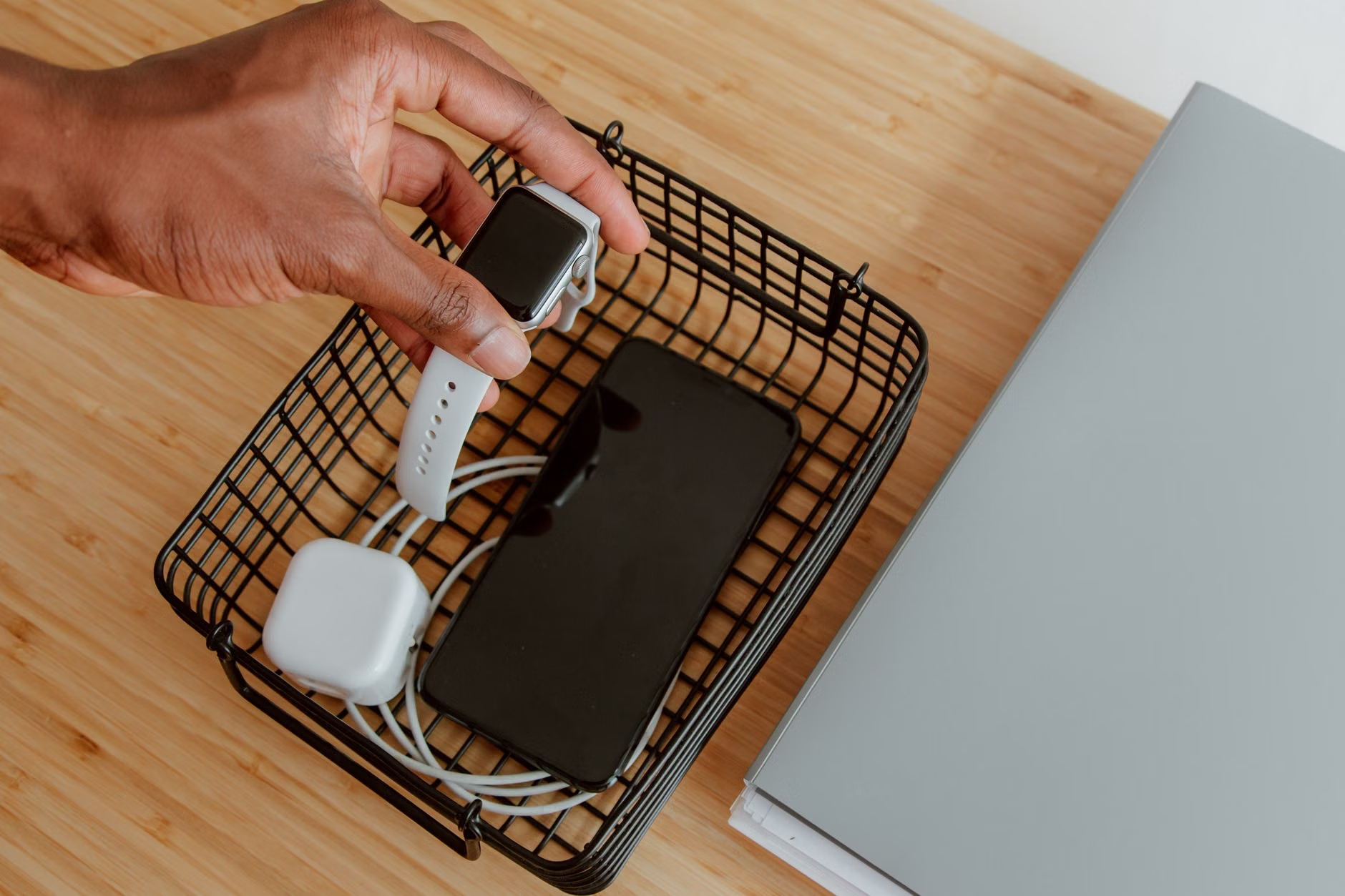
The most effective way to enforce a policy is to make the prohibited behavior physically difficult. If your phone is in your pocket, you will check it. If it is in another room, you will not. This is the core of the “Device Parking” strategy.
Designate a “Charging Station” in your home—ideally in a hallway or a kitchen drawer, but never in the bedroom. This serves as the “office” for your devices. Once the clock hits your designated “disconnect time,” all professional devices are placed in this station. This serves two purposes: it signals to your brain that the workday is over, and it prevents the “one last check” that often leads to an hour of doom-scrolling or stress-inducing work updates before sleep.
For parents, this is a powerful modeling tool. If your children see you “parking” your phone as a matter of routine, they learn that technology has a time and a place. It becomes a norm rather than a punishment. If you are struggling with the transition, start by removing just one device—your primary work laptop—and leave it in the “dock” after 7:00 PM. The immediate gain in evening calm will act as the reinforcement you need to expand the policy to phones.
Creating Your Household “Communication Charter”
A policy is only as good as the consensus behind it. If you are living with a partner, you cannot impose this unilaterally. You need a “Communication Charter”—a simple, written document (or a note on the fridge) that outlines the rules. Here is a template you can adapt.
| Category | The Rule | Why It Matters |
|---|---|---|
| Dinner Hour | No phones at the table. Period. | Improves digestion and connection. |
| Post-8 PM Work | Devices in the docking station. | Protects sleep and mental reset. |
| Weekend Mornings | No work emails until after breakfast. | Sets a calm tone for the weekend. |
When drafting this, be specific. “No phones during family time” is too vague. “No phones between 6:00 PM and 8:00 PM” is a measurable, enforceable rule. If you have an emergency contact system—perhaps a specific ringtone for a babysitter or an aging parent—define that as the only exception to the rule. This prevents the “but what if there’s an emergency?” anxiety from derailing your boundaries.
Managing the “Work-Creep” Reality
Many readers will argue that their jobs require them to be “always on.” This is often a misconception built on the fear of being seen as unresponsive. In reality, most urgent work matters are not actually urgent. They are just high-priority to the person sending them. The “Right-to-Disconnect” at home is partially about training your colleagues to respect your boundaries.
If you are in a role that genuinely requires after-hours availability, consider the “Shift System.” If you are on call, make it explicit to your family: “I am on call this Tuesday, so I will be checking my phone, but I will be off-duty on Wednesday.” This prevents the constant, low-level anxiety of your family wondering if you are “available” or “working.”
Furthermore, utilize technology to enforce your policy. Most modern smartphones have “Focus Modes” (iOS) or “Digital Wellbeing” (Android) features that can be scheduled to automatically silence work notifications during your “disconnect” hours. This is the digital equivalent of a “Do Not Disturb” sign on your door. Using these settings means you don’t have to rely on willpower; the phone literally won’t alert you.
The Unexpected Trade-offs and How to Handle Them
Implementing a strict policy comes with immediate trade-offs. You will feel a “phantom vibration” syndrome for the first few days. You might feel a spike in anxiety when you realize you haven’t checked your inbox for two hours. This is the physiological withdrawal from the dopamine loop that constant notification checking creates. Acknowledge it, name it, and move on.
Another common mistake is “policy rigidity.” If a major work crisis happens that requires your attention, your family will understand—provided it is the exception, not the rule. If you break your own policy every other night, it ceases to be a policy and becomes a suggestion. If you must work, leave the common area and go to a dedicated workspace. Do not do it while sitting on the couch next to your partner.
The most significant, often overlooked variable is the “partner sync.” If one person is trying to disconnect and the other is scrolling on their phone, the policy will fail. You must have a “buy-in” conversation. If your partner is a heavy phone user, don’t frame it as “you need to stop doing that.” Frame it as “I feel like I’m missing out on our time together, and I want to try a new routine to help us both be more present.” Focus on the shared benefit of connection, not the individual failure of screen time.

Practical Steps to Start Today
Don’t try to change your entire life in one weekend. Start small. Here is your action plan:
- Audit your evening: For three days, track when you check your work email. Identify the “trigger” moments (e.g., waiting for the kettle to boil, sitting on the couch after dinner).
- Select one “Blackout Zone”: Start with the dinner table. No matter what, no phones on the table. Make this a non-negotiable rule for one week.
- Establish the Docking Station: Buy a simple multi-device charging hub and place it in a location that is not your bedroom.
- Schedule the “Digital Sunset”: Set your phone’s “Do Not Disturb” to turn on automatically at a set time every evening.
- Review and Refine: At the end of the week, hold a quick 5-minute family meeting. Ask: “Did this make our evenings feel calmer?” Adjust the times or rules based on the feedback.
This is not about being perfect. It’s about being intentional. In a world that is constantly vying for your attention, the most radical act you can perform is to decide where your attention goes—and just as importantly, where it does not.
Frequently Asked Questions
1. How do I handle work emergencies if I have a strict “no-phone” policy?
The best approach is to configure your phone’s “Focus” or “Do Not Disturb” settings to allow notifications from specific contacts only—your boss or a designated emergency contact. This way, you stay reachable for true crises while filtering out the noise of non-urgent emails and Slack pings.
2. What if my partner doesn’t want to follow the “Right-to-Disconnect” policy?
You cannot force a policy on others, but you can set personal boundaries. Start by consistently following your own rules. Once your partner sees the positive change in your mood and the quality of your shared time, they are more likely to join in. Focus on the benefits of being “present” rather than the negative of “screen time.”
3. Is it realistic to stop checking work emails at 8 PM when my team is in a different time zone?
This depends on your role, but it is often more a matter of culture than necessity. Communicate your “on-duty” hours to your team. If you are unavailable, set an automated “Out of Office” or status update that clarifies when you will respond. Most clients and colleagues respect boundaries that are communicated clearly and consistently.
For further reading on digital wellness and workplace boundaries, you may find the following resources helpful:
- Eurofound: Right to Disconnect – Exploring Company Practices
- American Psychological Association: Managing Stress and Improving Well-being
Setting these boundaries is a muscle-building exercise. It will feel uncomfortable at first, like any significant change in habit. But the payoff—a home life that feels like a sanctuary rather than an extension of your office—is worth every moment of initial friction. Start tonight. Put the phone in the dock, and see who you are when you aren’t waiting for a ping.