If your smart home stops working every time your ISP has a hiccup, you aren’t living in a “smart” home—you are living in a house that is tethered to a server halfway across the world. The key to a reliable, frustration-free smart home for busy parents is shifting to an “offline-first” architecture, where your devices communicate locally rather than bouncing signals off the cloud.
- Local Control is King: Devices that process commands within your own four walls remain functional even if your internet service provider (ISP) goes offline.
- Latency Matters: Local-first hubs reduce the “command-to-action” delay, meaning your motion-activated hall lights turn on instantly, not three seconds after you’ve walked past.
- Privacy by Design: By keeping your data traffic local, you significantly reduce the amount of personal usage data being sent to third-party cloud servers.
The Hidden Cost of Cloud-Dependent Smart Homes
We have all been there. You are carrying a laundry basket, your toddler is crying in the next room, and you reach the doorway, expecting the smart sensor to trigger the lights. Instead, you are standing in the dark. You check your phone, and the app tells you “Device Offline.” It turns out your internet connection is down, and because your hub requires a handshake with a remote cloud server to confirm your identity, your light switch has effectively become a decorative plastic square.
In our 30s and 40s, we rely on home automation to streamline the chaos of parenting. When these systems fail due to a simple internet outage, they don’t just become “dumb”; they become an obstacle. Most mass-market smart home products are designed to be “cloud-first.” This means every time you toggle a light, the command travels from your switch to your hub, out to the internet, into the manufacturer’s cloud, back down to your hub, and finally to the lightbulb.
The “offline-first” approach flips this model. By using hubs like Home Assistant, Hubitat, or specialized local-only systems, the command travels from the switch to the hub and directly to the device—all within your home’s local area network (LAN). It stays inside your router’s perimeter. This isn’t just about avoiding outages; it is about building a system that respects your time and your family’s privacy.
Why Latency and Reliability Should Be Your Top Priorities
When you are managing a household, speed matters. If you have a smart lock that takes five seconds to register a “door unlock” command because it’s waiting for a cloud server in another continent to authenticate the request, that is a failure of design. Offline-first systems generally operate with sub-100 millisecond latency. The action is instantaneous.
Furthermore, consider the “maintenance window” problem. Manufacturers occasionally push firmware updates or perform server maintenance that renders your entire ecosystem unresponsive. If your smart home is built on a local-first foundation, you are immune to these forced downtimes. You control when updates happen, and you control the ecosystem’s availability. This is the difference between a house that works for you and a house that works for its manufacturer.
The Trade-off: Convenience vs. Sovereignty
It is important to be realistic: going offline-first requires more initial effort. You cannot simply buy a cheap Wi-Fi bulb from an unknown brand on a marketplace app and expect it to “just work” locally. You have to be intentional about your hardware choices. You need devices that support local communication protocols like Zigbee, Z-Wave, or Thread (via Matter).
Think of it like cooking. A cloud-first system is like ordering takeout—it’s fast to set up, but you don’t control the ingredients, the cost, or the delivery time. An offline-first system is like cooking a meal from scratch. It takes more time to learn the techniques and assemble the tools, but you know exactly what is in the dish, and it is ready whenever you are, regardless of whether the local restaurants are closed.
Choosing the Right Hardware for Local Control
The foundation of your offline-first home is the hub. This is the brain that coordinates your devices. When shopping for a hub, look for one that explicitly states “local processing” or “local control.”
| Hub Type | Control Level | Best For |
|---|---|---|
| Home Assistant (Green/Yellow) | Full Local | Tech-savvy parents who want total customization. |
| Hubitat Elevation | Full Local | Users who want a set-it-and-forget-it local hub. |
| Apple HomePod/Apple TV | Mostly Local | Families already deep in the Apple ecosystem. |
The table above highlights the spectrum of local control. While Apple’s HomeKit is excellent at keeping most traffic local, it can still be restrictive in terms of hardware compatibility. Home Assistant is the gold standard for those who want to ensure that even the most obscure smart device can be brought into a local-only workflow.
Protocol Matters: Why Zigbee and Z-Wave Are Your Friends
Wi-Fi is great for streaming Netflix, but it is often a poor choice for a smart home mesh network. Every Wi-Fi device you add puts more load on your router. If you have 40 smart bulbs, a smart lock, and five sensors all trying to maintain a Wi-Fi connection, your router might start dropping devices. This is a common, overlooked cause of “smart home flakiness.”
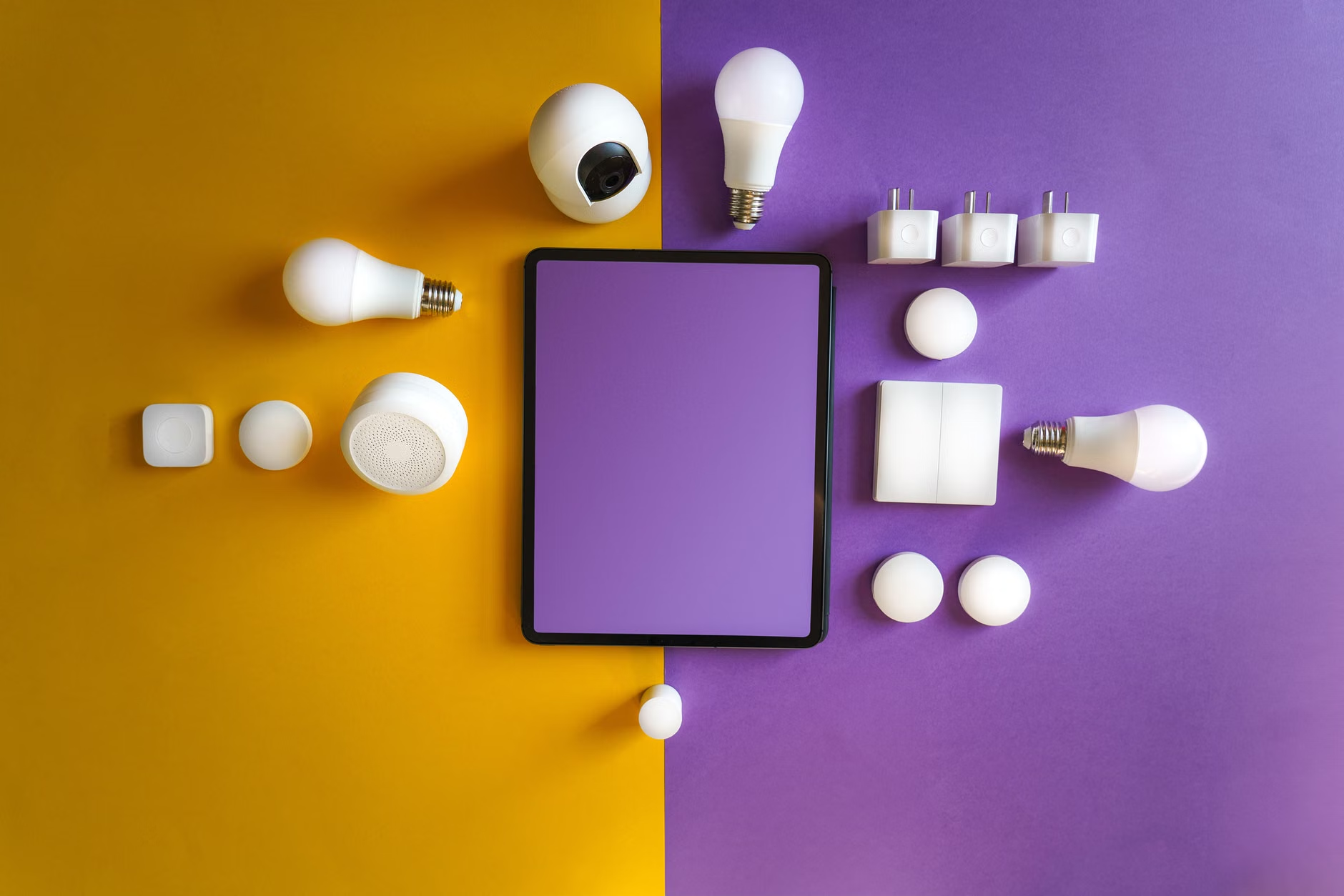
Instead, look for devices that use Zigbee or Z-Wave. These protocols operate on different frequencies than your Wi-Fi, meaning they won’t interfere with your kids’ tablets or your work laptop. Better yet, they form a “mesh.” Every mains-powered device (like a smart plug or a light switch) acts as a repeater, strengthening the signal throughout your house. This is how you get a robust, reliable system that covers every corner of a large home.
Step-by-Step: Transitioning to an Offline-First Mindset
You don’t need to rip out your existing setup overnight. The transition is best handled in phases to avoid overwhelming your household. Start by auditing your current devices. Are they Wi-Fi based? Do they require an external cloud account to function? If the answer is yes, those are your primary candidates for replacement.
Phase 1: The Critical Infrastructure
Focus on the devices that are essential for daily life. Smart locks, primary light switches, and climate control (thermostats). These should be the first to move to a local-only protocol. If the internet goes down, you must still be able to enter your house and keep it warm or cool.
Phase 2: The Hub Implementation
Purchase a dedicated hub. If you are comfortable with a bit of tinkering, a Raspberry Pi running Home Assistant is the most powerful option. If you prefer something more “appliance-like,” the Hubitat Elevation hub is a fantastic choice that is designed from the ground up to keep all data and processing inside your home.
Phase 3: The Integration Phase
Once the hub is online, start migrating your devices one by one. Use the “Zigbee/Z-Wave first” rule. If you must use a Wi-Fi device, check if it supports local integration (e.g., Shelly devices or Tasmota-flashed hardware). Avoid devices that force you to use a specific manufacturer’s cloud app.
Common Mistakes to Avoid
The most common mistake parents make is trying to automate everything at once. Don’t try to automate your toaster on day one. Start with the “pain points.” Is there a light that is always left on in the basement? Automate that first. Is the front door constantly being left unlocked? That’s your second priority. By solving actual problems, you gain “buy-in” from other family members who might be skeptical of your new “gadgets.”
Another mistake is failing to have a manual override. Never make a device so “smart” that it cannot be operated manually. If your smart switch doesn’t have a physical paddle to turn the light on, you have failed. If your smart lock doesn’t have a physical key backup, you are asking for trouble. Always ensure that the “dumb” way of doing things remains an option.
Addressing the Privacy Elephant in the Room
When you use a cloud-first system, the manufacturer has a window into your habits. They know when you wake up, when you leave the house, and when you are home. While companies claim this data is anonymized, the reality is that metadata is incredibly valuable—and potentially vulnerable. By moving to an offline-first system, you are essentially “closing the blinds” on your home data.
This is particularly relevant for families with children. The modern smart home generates a digital footprint of your family’s daily routine. Keeping this data local means you are the only one who sees it. You are not just building a more responsive home; you are building a more secure one. This is an investment in your family’s long-term digital privacy that pays dividends every single day.

The Hidden Trade-offs: What You Need to Know
Is offline-first perfect? No. There are trade-offs. The biggest one is remote access. If you want to check if you left the oven on while you are at the grocery store, you have to configure a secure way to reach back into your home network, such as a VPN or a service like Tailscale. This requires a small amount of technical setup.
Additionally, some advanced AI-based features—like high-end voice recognition or advanced facial recognition—often require cloud processing. If you rely heavily on “Hey [Assistant Name]” for complex tasks, you might find that a strictly local setup is less “smart” in its ability to answer trivia questions or play music from specific streaming services. You have to decide what matters more: the ability to ask your home about the weather in Tokyo, or the ability to turn on the lights when the internet is down.
For most parents, the trade-off is clear: reliability and privacy win every time. You can always use a simple, non-smart speaker for music and keep your home automation system strictly for, well, home automation.
Practical Next Steps for Your Home
If you are ready to start, don’t overcomplicate it. Your first step should be to choose your hub. If you are a beginner, look at the Hubitat Elevation C-8. It’s a box you plug into your router, and it comes with a web interface that is easy to navigate. It doesn’t require coding, and it is built specifically for local control.
Once your hub is set up, buy one or two Zigbee sensors—a motion sensor for a hallway and a door contact sensor for the garage door. Set up a simple automation: when motion is detected, turn the hall light on. When the door is closed, turn it off. Once you see how fast and reliable this is, you will never want to go back to a cloud-dependent system.
Finally, remember that the goal is to make your home work for you, not the other way around. If a piece of technology is making your life more complicated rather than less, remove it. A smart home should be like a good assistant: it does its job quietly, efficiently, and stays out of your way until you need it.
Frequently Asked Questions
1. Does an offline-first hub mean I lose features like voice control?
Not necessarily. While you lose some “cloud-native” features, you can still integrate local-first hubs with voice assistants like Amazon Alexa or Google Home. The difference is that your core automations (lights, locks, heating) run locally on your hub, so they continue to function even if the voice assistant service goes down or your internet is disconnected.
2. Is this too complicated for someone who isn’t a tech expert?
It used to be, but that has changed. Modern local-first hubs like Hubitat or the pre-configured Home Assistant Yellow are designed for regular users. If you can set up a home Wi-Fi router, you have the skills necessary to set up a local smart home hub. The community forums for these systems are also incredibly helpful for beginners.
3. What happens if my hub breaks?
This is a valid concern. Just like any other piece of technology, hardware can fail. The best practice is to keep a backup of your hub’s configuration. Most local hubs allow you to download a backup file to your computer. If the hub dies, you buy a new one, restore the backup, and you are back up and running in minutes. It is much easier than re-pairing 50 individual devices.
For more information on the protocols mentioned, you can check the official documentation for Matter and the Connectivity Standards Alliance, which are driving the shift toward local, interoperable smart home standards.
In the end, building an offline-first smart home isn’t about being a “techie.” It is about being a parent who values consistency. When the internet goes out—and it will—you will be the one person in your neighborhood whose front door lock still works and whose kitchen lights still turn on when you walk in. That’s not just tech; that’s peace of mind.