- Data Privacy Matters: Unlike commercial “smart” monitors that often store your nursery data on proprietary clouds, open-hardware solutions allow you to keep your air quality data local and private.
- Long-term Value: Open-hardware devices are repairable and upgradeable, saving you from the “planned obsolescence” cycle of consumer electronics that often become e-waste after three years.
- Verified Accuracy: Open-source projects provide full transparency into sensor calibration and data processing, meaning you aren’t relying on a “black box” algorithm to tell you if the air is safe for your baby.
If you are like most parents in their 30s or 40s, you have likely spent an unreasonable amount of time researching the “perfect” nursery environment. You have scrutinized paint VOC levels, checked mattress breathability, and maybe even obsessed over the exact humidity level for your baby’s comfort. But when it comes to the air they breathe, most of us fall into a trap: buying a sleek, white-plastic “smart” monitor from a big-box store, plugging it in, and trusting the proprietary app to tell us everything is fine.
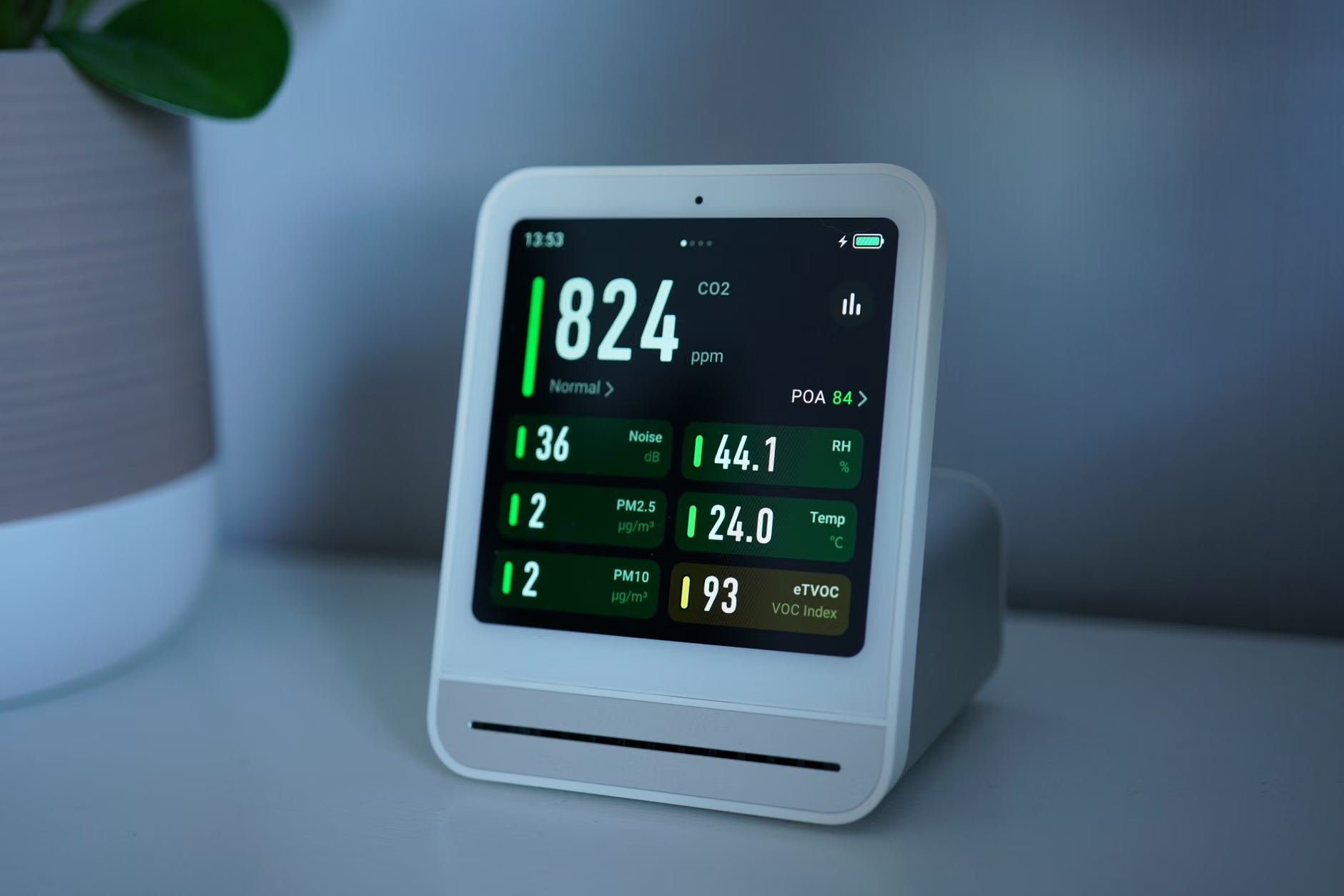
The problem is that these closed-system devices are often black boxes. You do not know how they process data, where that data is being sent, or how the sensor calibration is maintained over time. This is where the world of “Open-Hardware” comes in. It is not just for tech hobbyists or engineers; it is a practical, ethical, and often more cost-effective way to ensure your nursery is truly healthy.
What Does “Open-Hardware” Actually Mean for Your Nursery?
In the tech world, “open-hardware” refers to devices whose design, schematics, and component lists are publicly available. Anyone can inspect, modify, and distribute the design. This stands in stark contrast to the closed-source, proprietary devices we usually buy. Think of it like the difference between a pre-packaged meal where the ingredients are hidden behind “natural flavors” and a recipe you cook at home where you know exactly what goes into the pot.
For a parent, this matters for three primary reasons: transparency, longevity, and control. When you buy a standard commercial air monitor, you are essentially renting the service. If the manufacturer decides to shut down their servers or stop supporting the app, your device becomes a paperweight. With open-hardware, the device belongs to you. You can host your own data, connect it to your own home automation systems, and even replace individual sensors (like a PM2.5 or CO2 sensor) if they wear out, rather than throwing the whole unit away.
Consider the typical life cycle of a consumer-grade smart monitor. You pay $150. After two years, the firmware updates stop, or the company moves to a subscription model. You are forced to upgrade or lose access to your historical data. With an open-hardware alternative, such as those based on the ESP32 platform, you are building a tool that can last for a decade. You are not just buying a product; you are investing in a system that respects your ownership.
Evaluating the Trade-offs: Why You Should Consider the Shift
It is important to acknowledge that open-hardware is not for everyone. If you want a device that works the moment you take it out of the box with zero configuration, a mainstream commercial device is the path of least resistance. However, the trade-offs of the “easy” route are significant. Let’s look at how they compare in a real-world nursery scenario.
| Feature | Commercial “Smart” Monitor | Open-Hardware Monitor |
|---|---|---|
| Data Storage | Cloud (Vendor-controlled) | Local (Your control) |
| Privacy | Variable (Often shared with 3rd parties) | High (Data stays in your home) |
| Repairability | Low (Disposable) | High (Component-based) |
| Setup Effort | Low (Plug and play) | Moderate (Requires basic setup) |
The “Moderate” setup effort for open-hardware is the main hurdle. This does not mean you need to be a software developer. Many open-hardware kits today come with pre-flashed firmware. You might need to spend an hour connecting it to your home Wi-Fi and setting up a dashboard, but once it is done, it is remarkably stable. The benefit is that you gain granular control over what “safe air” means for your family.
For instance, you can set custom alerts that trigger your smart fan or air purifier exactly when CO2 levels hit 800 ppm—a threshold linked to better sleep quality. In a closed system, you are often limited to the manufacturer’s pre-set alerts, which may not be optimized for your specific nursery needs.

Common Pitfalls and How to Avoid Them
The most common mistake parents make when diving into air quality monitoring is focusing solely on the “PM2.5” reading (fine particulate matter). While PM2.5 is crucial—especially if you live in an urban area or near wildfire-prone regions—it is not the only metric that matters for a nursery. A truly comprehensive monitor should track CO2, humidity, temperature, and VOCs (Volatile Organic Compounds).
VOCs are the silent culprit in many nurseries. New furniture, paint, and cleaning supplies off-gas chemicals that a standard PM2.5 sensor will completely ignore. When you choose an open-hardware path, you can select sensors that specifically target the gases you are worried about. You aren’t stuck with the “all-in-one” sensor that might be decent at detecting smoke but useless at detecting chemical off-gassing from a new crib.
Another pitfall is “data fatigue.” You do not need to look at a graph every hour. The beauty of an open system is that you can automate the response. Instead of checking an app, you can configure your system to notify your phone only when air quality drops below a specific threshold. This keeps you informed without adding to your daily “parenting mental load.”
The Hidden Costs of “Free” Cloud Services
We need to talk about the “hidden cost” of those $50–$100 smart monitors. When a company sells a device at a low price point, they often make their money back through data harvesting. Your nursery’s air quality data, when aggregated with thousands of other homes, is a valuable commodity for insurance companies, real estate developers, and health tech firms. By using a closed-source device, you are often unknowingly consenting to have your domestic habits analyzed and sold.
With an open-hardware setup, your data stays on your local network. You can use platforms like Home Assistant, which is a popular, open-source home automation hub, to aggregate your data. This ensures that your baby’s environment remains private. In an era where our digital footprints are tracked everywhere, the nursery is one place where you should have the right to keep things offline and private.
How to Get Started Without Feeling Overwhelmed
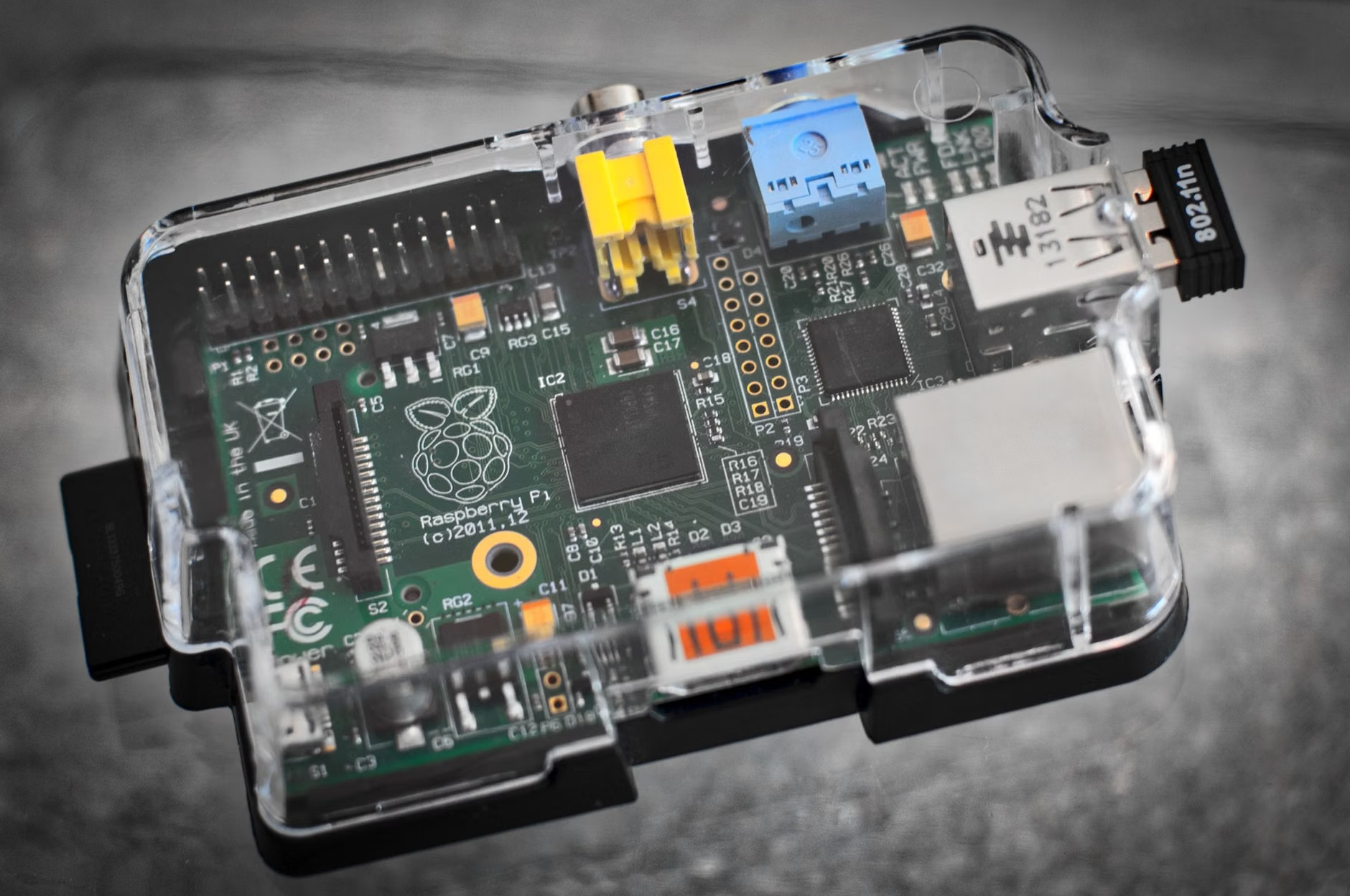
If you are ready to explore this, you don’t need to start by soldering circuit boards. There are several “semi-open” projects that provide the hardware in a kit form, requiring only a screwdriver and a bit of patience. Look for projects compatible with ESPHome or Tasmota. These are industry-standard open-source firmwares that allow you to manage your sensors without needing a proprietary cloud account.
Step-by-step approach for the busy parent:
- Define your scope: Do you just want to track humidity and temp, or do you need to monitor for VOCs and CO2?
- Select the platform: Research devices that support Home Assistant integration. This ensures that even if you change your mind later, you can still use the hardware.
- Buy the kit: Look for vendors that sell “pre-flashed” kits. This removes the need to write code.
- Configure: Connect the device to your Wi-Fi and set your specific thresholds for alerts.
- Maintain: Every 6–12 months, check if the sensor needs recalibration (most modern digital sensors are self-calibrating, but it is good to verify).
Do not be intimidated by the terminology. The community around open-source hardware is incredibly helpful. Forums like the Home Assistant community or specific Reddit threads on air quality are filled with parents who have already done the heavy lifting. If you get stuck, there is almost certainly a guide or a fellow parent who has solved the exact same problem.
Why This Matters for Your Long-Term Peace of Mind
Parenting is full of things we cannot control, but the air quality in our home shouldn’t be one of them. We spend so much time worrying about external factors—traffic, pollution, school environments—that we sometimes overlook the domestic environment we have the power to curate. By choosing an open-hardware solution, you are making a conscious decision to prioritize your family’s health and privacy over the convenience of a mass-market, cloud-dependent gadget.
It is a shift in mindset: from being a “consumer” of a product to being an “owner” of a system. It is a small step, but it is one that aligns with the values of transparency and sustainability that many of us want to model for our children. You are not just building a sensor; you are building a habit of questioning the tech that surrounds your family and ensuring it serves you, rather than the other way around.
Start small. You don’t need to overhaul your entire home tonight. Maybe start with one sensor in the nursery. Monitor it for a month. See how the data changes when you open a window or run an air purifier. You will quickly find that the “black box” approach of commercial devices feels much less satisfying once you have seen the clarity that comes from owning your own data.
Frequently Asked Questions
1. Is open-hardware really safer than buying a big-brand monitor?
In terms of data privacy, yes. Because you control the data, you aren’t exposing your family’s habits to third-party servers. In terms of hardware quality, “open” doesn’t mean “cheap.” You can choose high-quality, lab-grade sensors for your open-hardware build that often outperform the mass-produced sensors in consumer devices, which are often chosen for low cost rather than high precision.
2. What if I am not tech-savvy? Will I break it?
You are unlikely to “break” the hardware in a way that makes it dangerous. Most modern open-hardware kits use plug-and-play connectors. If you can assemble a piece of IKEA furniture, you can assemble a basic sensor kit. The software side is largely automated; you will mostly be using a web interface to set your preferences.
3. Where can I find reliable parts for these monitors?
Avoid generic marketplaces where quality control is low. Stick to reputable electronics suppliers that cater to the maker community, such as Adafruit, SparkFun, or Mouser. These companies provide detailed datasheets for every component they sell, allowing you to verify the accuracy and safety of the sensors you are putting in your nursery.
Helpful Resources:
- Home Assistant (Open Source Home Automation)
- ESPHome (Documentation for sensor integration)
- U.S. EPA Indoor Air Quality Guidance
Final note: Take your time with the research. There is no rush to buy the first thing you see. Building a healthy nursery environment is a marathon, not a sprint, and your thoughtful approach will pay dividends in your child’s well-being for years to come.