- Edge computing moves data processing from the cloud to your device, meaning your sensitive video footage doesn’t need to leave your home to be analyzed.
- Privacy is a trade-off between convenience and control; while cloud cameras are easier to set up, edge-processing cameras provide superior protection against data breaches.
- Look for “local storage” or “on-device AI” when shopping; these are the two strongest indicators that your camera uses edge computing to keep your private moments private.
If you have ever felt a slight hesitation before installing a smart camera in your nursery or living room, you aren’t alone. We all want the peace of mind that comes with checking in on the kids or the pets while we’re at work, but the idea of our private family moments being uploaded to a server—where they could potentially be accessed by strangers or compromised in a hack—is a massive deterrent. For those of us in our 30s and 40s, juggling careers and parenting, the “smart” in smart home often feels like it comes with a “privacy tax.”
The solution to this anxiety isn’t necessarily unplugging everything. It is shifting our focus to a technology called edge computing. By processing video data locally on the camera itself rather than sending it to a remote cloud server, edge computing changes the fundamental architecture of home security. It turns your camera from a “broadcast station” into a “private vault.”

What is Edge Computing and Why Should Parents Care?
In the traditional “cloud” model, your camera captures a video feed, compresses it, and sends it over your Wi-Fi to the manufacturer’s servers. There, their software analyzes the video to determine if there is a person, a dog, or a package at your door. This is why you get those “Person Detected” notifications. The problem? That video has now left your home. It exists on a server that you don’t control.
Edge computing flips this script. Instead of sending the video to the cloud for analysis, the camera itself contains a small, powerful computer chip that does the “thinking.” The camera recognizes your child or your pet on the device. It only alerts you when it needs to. The raw, sensitive footage stays on a local memory card or a local hard drive in your home. For a parent, this means you get the notification that the baby is awake without having to worry about who else might have “seen” that video feed on a server halfway across the world.
This is not just about paranoia; it is about data minimization. The less sensitive data you have floating around in the cloud, the smaller your attack surface. If a company suffers a data breach, your personal home videos aren’t part of the leak because they were never there to begin with. This is the gold standard for modern, privacy-conscious households.
Evaluating the Practical Trade-offs: Cloud vs. Edge
Before you run out and replace every camera in your house, it is important to understand that edge computing comes with its own set of realities. It is not a “set it and forget it” magic button. You are trading a bit of administrative convenience for a significant boost in privacy.
| Feature | Cloud-Based Camera | Edge-Computing Camera |
|---|---|---|
| Data Storage | Remote servers | Local SD card / NAS |
| Processing | Cloud AI | On-device AI chip |
| Setup Difficulty | Very Easy | Moderate (requires storage management) |
| Privacy Level | Low to Medium | High |
As the table shows, the main “cost” of edge computing is the need to manage your own storage. If you use a cloud camera, the company handles the storage limit and the history. With an edge camera, you need to buy a high-quality microSD card and ensure it is formatted correctly. You also need to realize that if your camera is stolen, the footage on the local card is stolen with it. This is why many privacy-focused users opt for a “hybrid” approach, where the camera processes locally but backs up encrypted clips to a private home server (a NAS) rather than a public cloud.
Identifying Real-Life “Edge” Capabilities
When you are shopping—whether on Amazon, at Best Buy, or through a specialized home security site—marketing language can be confusing. Every camera claims to be “secure.” You need to look for specific, verifiable indicators of edge computing.
First, look for the term “Local AI” or “On-Device Processing.” If the box says “Cloud AI Detection,” the camera is likely sending the video to the cloud to perform the analysis. If it says “On-Device Detection,” that is your green light.
Second, check the storage options. Does the camera support a microSD card? Does it support RTSP (Real-Time Streaming Protocol) or ONVIF (Open Network Video Interface Forum)? These are protocols that allow you to connect the camera to your own private recording software, bypassing the manufacturer’s cloud app entirely. If a camera requires a monthly subscription to view your own footage, it is almost certainly a cloud-first device, not an edge-computing device.

Step-by-Step: Moving to a Private-First Setup
If you are ready to transition your home security to a more private, edge-centric model, follow this roadmap. It is not as difficult as it sounds, but it does require a bit of technical housekeeping.
- Audit Your Existing Cameras: Check the settings for every camera you own. Look for an option that says “Disable Cloud Upload” or “Local Storage Only.” If the device doesn’t offer this, it is likely a cloud-dependent device.
- Select an Edge-Friendly Camera: Choose a camera that explicitly states it supports local recording and has on-device AI. Brands like Eufy (specifically their local-storage models) or Reolink are popular choices because they prioritize local storage, though you should always verify the specific model’s privacy policy.
- Invest in Quality Storage: Do not use cheap, generic microSD cards. Security cameras write data 24/7, which destroys cheap cards quickly. Look for “High Endurance” or “Surveillance Grade” cards. They are designed for this specific, heavy-duty task.
- Implement Network Segmentation (Optional but Recommended): This is an advanced tip, but it is highly effective. If your router allows it, put your smart home devices on a “Guest Network” or a separate VLAN. This prevents a compromised camera from being able to “see” your main computer or phone on your private home network.
Remember that even with the best hardware, your security is only as strong as your weakest password. Use a unique, strong password for your camera’s account and always enable Two-Factor Authentication (2FA). Even if the video is processed locally, the app you use to view it is an entry point. 2FA is the single most effective way to stop unauthorized access to your camera feeds.
Common Pitfalls and How to Avoid Them
One of the most common mistakes I see friends make is buying a “privacy-focused” camera but then leaving the default settings untouched. Many cameras come with “Cloud Backup” enabled by default. You must manually go into the settings and disable any feature that mentions “Cloud,” “Remote Backup,” or “Send analytics to manufacturer.”
Another pitfall is the “Firmware Update” trap. Occasionally, a manufacturer might push a firmware update that changes how your camera handles data. It is a good practice to check the privacy settings of your devices every six months. It takes five minutes, and it ensures that your camera hasn’t “opted you back in” to some data-sharing program without your explicit knowledge.
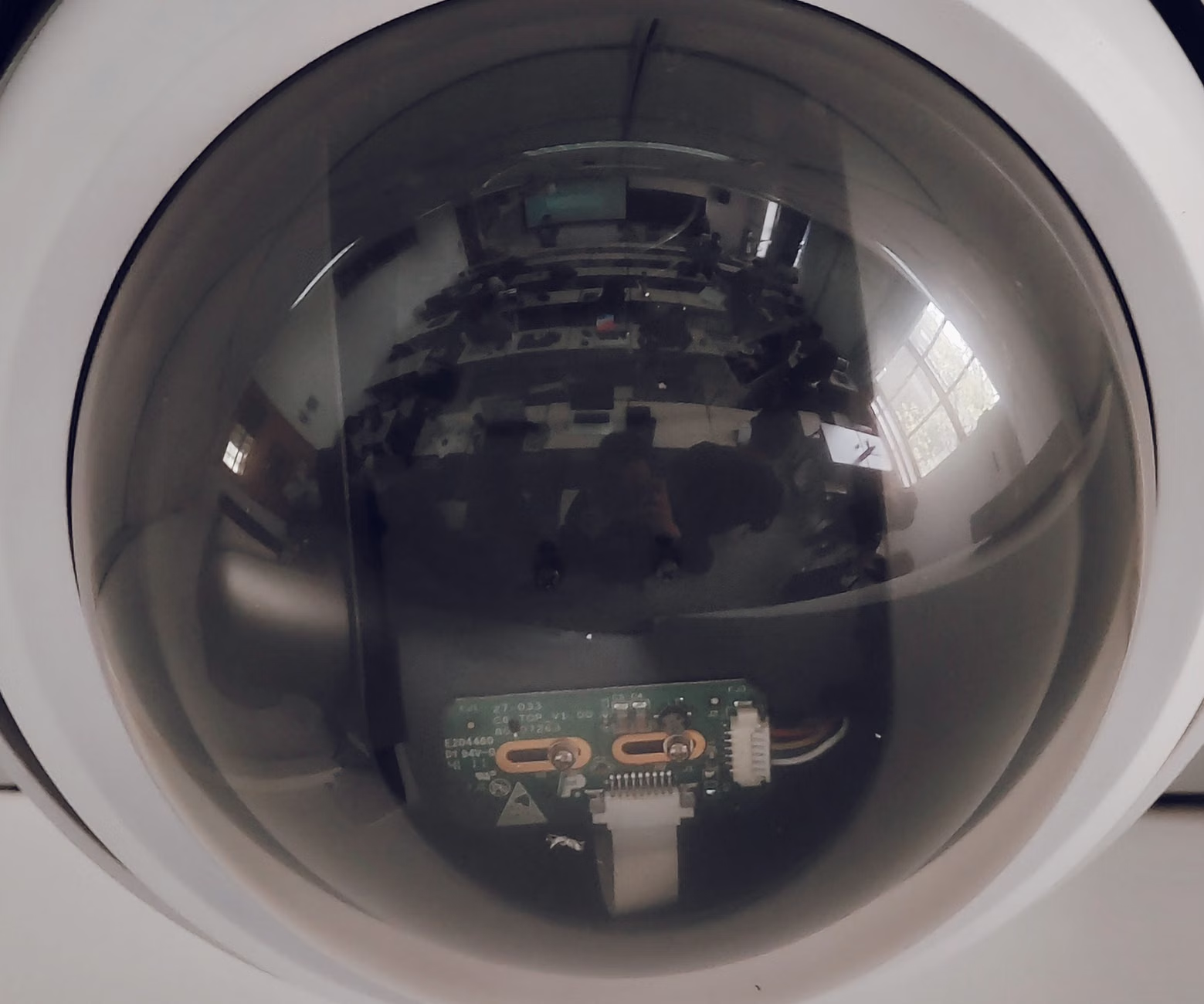
Also, consider the physical aspect of privacy. Many edge-computing cameras now come with a physical privacy shutter. When you are home, you can physically slide a piece of plastic over the lens. This is the ultimate privacy filter—it is impossible to hack a lens that is physically covered. If you have cameras in bedrooms or private areas, a physical shutter is a non-negotiable feature.
The Reality of “Smart” Features
It is important to be realistic about what you lose when you move to an edge-only setup. Some cloud cameras offer “smart” features that require massive computing power, such as facial recognition that tracks people across multiple cameras or complex, long-term behavior analytics. These features are generally not available on standard edge cameras because your home Wi-Fi and a small camera chip simply don’t have the processing power of a massive cloud server farm.
For most of us, this is a fair trade. Do I really need my camera to recognize my mail carrier by name? Probably not. I just need to know that there is a person at the door. By choosing to prioritize privacy over these “super-intelligent” cloud features, you are making a conscious decision to value your family’s data sovereignty above all else.
Technical Deep Dive: How Local AI Works
To understand why edge computing is so effective, you have to look at how modern AI works. AI models are essentially giant mathematical functions. In the cloud, these functions are massive and complex. In an edge-computing camera, the manufacturer uses a “lightweight” version of these models. They have been optimized to run on low-power hardware like an ARM processor.
When the camera “sees” an image, it converts the pixels into numerical data. The on-device chip compares these numbers against a pre-trained “template” of what a person looks like. If the numbers match within a certain probability threshold, the camera triggers the notification. This entire process takes milliseconds. Because the raw video doesn’t need to be sent to a server to be analyzed, the potential for interception is reduced to almost zero.
The security of this system lies in the fact that the “template” is static. It doesn’t need to learn from your specific video data to work. This means your camera doesn’t need to “upload” your personal life to learn how to be a better camera. It comes pre-trained from the factory, keeping your data entirely within your four walls.
Addressing Potential Edge Cases and Concerns
What happens if your local storage fills up? This is a common concern. Most edge cameras use a “circular” recording method. This means that once the SD card is full, the camera automatically deletes the oldest footage to make room for the new. You don’t have to worry about the camera stopping because the storage is full. However, this also means that if something happened three weeks ago that you didn’t save, it is gone forever. If you need long-term storage, you should look into a NVR (Network Video Recorder) system, which can hold months of footage on a dedicated hard drive.
Another concern is the reliability of local storage. microSD cards can fail. They have a limited number of “write cycles.” This is why I stress buying “High Endurance” cards. Even with a good card, it is a smart habit to check your camera app once a week to ensure it is still recording. A simple “is it working?” check takes seconds and prevents the tragedy of having a security system that isn’t actually recording when you need it most.
Why This Matters for Your Long-Term Digital Footprint
We often think about privacy in terms of immediate threats—a hacker looking at our camera. But there is a secondary, perhaps more important, dimension: the data you generate about your home life. Companies that process your video in the cloud often claim the right to use that data to “improve their services.” This often implies that your video feeds are being used to train their AI models. Do you want your family’s daily routines, your children’s play, and your private conversations to be part of an AI training set for a multi-billion dollar tech company?
By opting for edge computing, you are opting out of this cycle. You are ensuring that your home remains a private space. You are choosing to keep your digital footprint small and contained. In an era where data is the most valuable commodity on Earth, protecting the data generated inside your own home is one of the most powerful privacy actions you can take.
Final Thoughts on Your Home Security Journey
Transitioning to edge-computing privacy filters is not about becoming a computer engineer. It is about making informed choices that reflect your family’s values. By prioritizing local storage and on-device processing, you are reclaiming control over your home’s most private data. You are choosing a path that values security over convenience, and in the long run, that is a decision you will not regret.
Start by auditing what you have, choosing your next hardware with privacy in mind, and tightening up your digital security practices. It is a manageable process, and the peace of mind that comes with knowing your family’s moments are truly yours is well worth the effort. Stay mindful of your settings, keep your devices updated, and don’t be afraid to ask questions about how your data is handled before you buy. Your home is your sanctuary—keep it that way.
Frequently Asked Questions
- Does edge computing mean I can’t view my camera when I’m away from home?
Not at all. You can still view your camera remotely through the manufacturer’s app. The difference is that the processing of the video (the AI detection) happens on the device. When you view the feed remotely, the camera transmits the encrypted video stream directly to your phone, rather than uploading it to a cloud server to be analyzed and stored. - If I use a local SD card, what happens if the camera is stolen?
That is the main drawback of local-only storage. If the camera is stolen, the footage is stolen with it. To mitigate this, many people use a “hybrid” setup where the camera records to an SD card for immediate use and simultaneously saves encrypted clips to a private home server (NAS) or a highly secure, privacy-focused cloud backup service that uses end-to-end encryption. - How often do I need to replace the microSD card in my camera?
If you use a “High Endurance” microSD card, it should last for several years, even with 24/7 recording. However, it is a good practice to check the “Storage Status” in your camera’s app every few months. If the app reports any errors, replace the card immediately. Never rely on a card that has shown signs of failure.
For more information on securing your smart home devices, you can refer to the Federal Trade Commission’s guide on securing smart devices, which provides a great overview of the broader privacy landscape for IoT products.