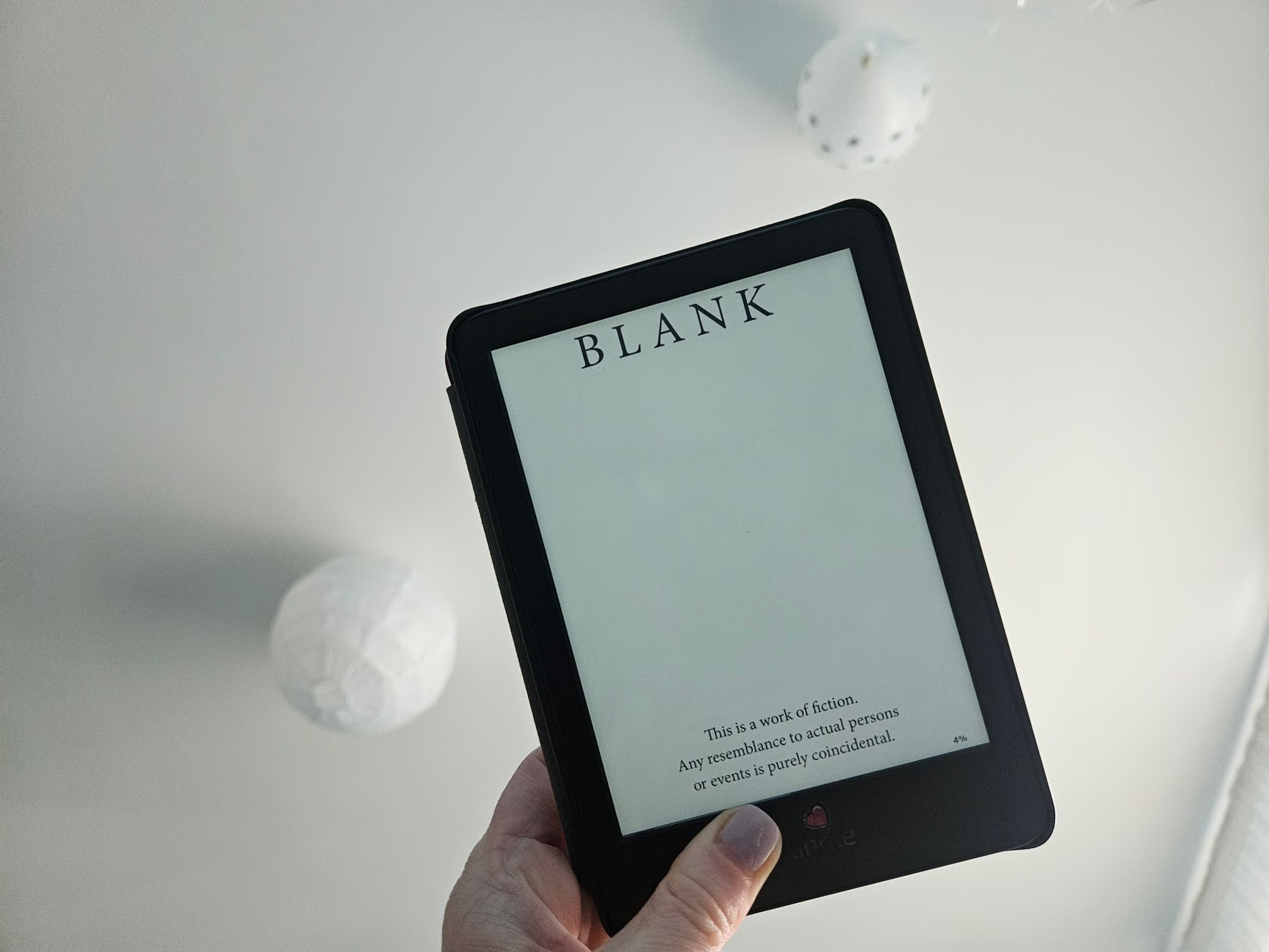
If you are looking for a way to reclaim your focus without completely unplugging from the digital world, the E-Ink tablet is your most effective, low-friction tool. Unlike the addictive, high-stimulation environment of a standard smartphone or laptop, E-Ink technology mimics the physical properties of paper, providing a calm, distraction-free space for reading, note-taking, and planning that doesn’t trigger the “always-on” anxiety of modern devices.
- Zero Blue Light Emission: E-Ink displays do not emit light toward your eyes, significantly reducing digital eye strain and preventing the sleep-disrupting effects of blue light exposure before bed.
- Intentional Friction: Because E-Ink tablets lack high-speed processors for video streaming and social media, they force you to engage in “slow-tech” activities, making them ideal for deep work and focused parenting time.
- Long-term Value: These devices prioritize hardware longevity and singular utility; by choosing an E-Ink tablet over a multi-purpose tablet, you avoid the “app-switching” trap that fragments your attention span.
The Anatomy of Digital Overload: Why Your Brain Craves Paper
We live in an era where our devices are designed to keep us scrolling. Every notification, every bright animation, and every “recommended for you” prompt is a calculated effort to extract your attention. For parents in their 30s and 40s, this isn’t just a productivity issue—it’s a quality-of-life issue. When you are constantly toggling between your work Slack, your child’s school calendar, and the infinite scroll of social media, your brain never enters a state of true rest.
This is where the E-Ink (Electronic Ink) display changes the game. Unlike an LCD or OLED screen that uses a backlight to shine light directly into your pupils, E-Ink uses millions of microscopic microcapsules filled with black and white pigment. When you change the page, the screen physically rearranges these particles to form text or images. Once the image is set, the screen requires zero power to maintain it. It is, for all intents and purposes, digital paper.
Why does this matter for your home life? Because your brain processes information differently on paper than it does on a screen. Studies have consistently shown that reading on paper leads to better comprehension and retention compared to reading on a backlit device. By introducing an E-Ink tablet, you aren’t just buying a gadget; you are creating a “low-stimulation zone” in your home. You can keep your grocery lists, family itineraries, or current reading material on a device that doesn’t ping, buzz, or demand your immediate reaction.

Comparing the “High-Stimulation” vs. “Low-Stimulation” Environments
To understand why E-Ink is a necessary shift, it helps to look at the trade-offs between standard tablet technology and E-Ink technology. Many parents mistakenly believe that buying a “tablet” is a one-size-fits-all decision, but the psychological impact of the screen type is profound.
| Feature | LCD/OLED (Standard Tablet) | E-Ink Tablet |
|---|---|---|
| Light Source | Backlit (direct to eyes) | Reflective (ambient light) |
| Battery Life | 10–12 hours | 2–4 weeks |
| Primary Use Case | Media consumption & multitasking | Focus, reading, & writing |
| Distraction Potential | High (apps, notifications) | Negligible |
When you use a standard tablet, the refresh rate (usually 60Hz or higher) and the blue light output keep your brain in a state of high alertness. This is fine for gaming or watching a movie, but it is disastrous for winding down after a long day of work or trying to focus on a complex family plan. An E-Ink device, by contrast, feels static. It doesn’t urge you to check your email or “see what’s new” because it simply isn’t capable of doing so efficiently. It forces you to be intentional.
Implementing E-Ink into Your Family Workflow
The biggest mistake people make when buying an E-Ink tablet is treating it like a replacement for their iPad. It isn’t. If you try to force an E-Ink device to do everything your phone does, you will be disappointed. Instead, frame the device as a “specialist tool.”
1. The “Family Dashboard” Method
Keep a large-format E-Ink tablet in the kitchen or the living room. Use it exclusively for the family calendar, shared grocery lists, or important notes that everyone needs to see. Because it is always on, you don’t need to unlock it or load an app. It is a persistent, non-distracting visual anchor for the household.
2. The “Deep Work” Ritual
For those in their 30s and 40s, the “second shift”—the time after the kids are in bed—is often when we try to catch up on work or personal projects. If you find yourself doom-scrolling, move your task list or draft document to an E-Ink tablet. The lack of browser tabs and notification banners creates a “digital sanctuary” that helps you enter a flow state much faster.
3. Digital Literacy for Children
E-Ink is a fantastic way to introduce technology to children without the “black hole” effect of iPads. Because these devices are slower and monochromatic, they are less addictive. They are perfect for reading e-books or practicing handwriting (with a stylus) without the temptation of YouTube or games.
Addressing Common Misconceptions and Hidden Trade-offs
It is important to be realistic about what these devices are not. They are not fast. If you are used to the instantaneous response of a flagship smartphone, the “ghosting” or slight delay in an E-Ink refresh will feel sluggish. This is a deliberate design feature, not a bug. That delay is the physical movement of ink particles; it is the price you pay for eye comfort and battery longevity.
Another overlooked variable is the ecosystem. Some E-Ink tablets are “walled gardens”—they only work with specific bookstore or note-taking platforms. Before you purchase, check if the device supports open formats like PDF or EPUB. If you rely heavily on cloud syncing, ensure the device plays nice with your preferred storage (Google Drive, Dropbox, etc.).
Furthermore, don’t expect these devices to be cheap. Because the technology is niche and the displays are expensive to manufacture, they often cost as much as, or more than, standard tablets. You are paying for the specialized hardware and the software optimization that makes them distraction-free. View this as an investment in your mental bandwidth rather than just another gadget to clutter your desk.

How to Select the Right Device for Your Needs
When you start shopping, you will notice two main categories: E-Readers and E-Ink Tablets. An E-Reader is designed primarily for consuming content. If your goal is to read more books and stop checking your phone while in bed, a dedicated E-Reader is sufficient. However, if you want to annotate documents, keep a digital journal, or organize family schedules, you need an E-Ink tablet with a stylus and a more robust operating system.
Decision Rule: If you spend more than 2 hours a day reading or writing and find that you are constantly interrupted by notifications, prioritize a tablet with “Focus Mode” or “Zen Mode.” These software features block background processes even further, ensuring that nothing can break your concentration.
Common mistakes to avoid:
- Buying too small: If you are editing PDFs or looking at family plans, an 8-inch screen is often too cramped. Look for 10-inch models or larger.
- Ignoring the stylus feel: If you plan to write, look for a screen with a “paper-like” texture. Some tablets feel like glass, which is slippery and frustrating for long-form writing.
- Overestimating your need for color: While color E-Ink exists, it is significantly more expensive and less crisp than black-and-white displays. For most productivity tasks, grayscale is superior.
The Role of “Intentional Friction” in Modern Parenting
In the digital age, we have optimized everything for speed. We want our pages to load instantly, our emails to be sent in a millisecond, and our information to be delivered in bite-sized chunks. But this optimization is the enemy of deep thinking and meaningful connection. By choosing an E-Ink tablet, you are choosing to re-introduce “friction” into your life.
This friction is healthy. It takes a second to turn the page. It takes a moment to boot up the device. It takes effort to write on the screen. This friction forces you to slow down and consider what you are doing. For a parent, this is a powerful example to set. When your child sees you using a device for a specific, focused purpose—reading a book, writing a thoughtful note, or planning the weekend—rather than aimlessly scrolling, you are modeling digital health.
There is also the matter of sleep hygiene. The blue light from your phone suppresses melatonin, the hormone that regulates your sleep cycle. By switching your nightly reading to an E-Ink tablet, you can maintain your habit of reading before bed without sabotaging your ability to fall asleep. It is a small change in hardware that leads to a significant change in physiological rest.
Practical Steps to Transition Your Digital Life
If you are ready to make the switch, don’t try to change everything overnight. Start by designating your E-Ink tablet as the “No-Phone Zone” device.
- Step 1: Audit your screen time. Identify the apps that you open habitually without thinking—usually social media or news aggregators. These are the apps you must never install on your E-Ink tablet.
- Step 2: Consolidate your “Paper” life. Move all your PDF manuals, family recipes, and long-form articles to the device.
- Step 3: Create a ritual. Use the E-Ink tablet in a specific location, like a dedicated reading chair or the kitchen table. Keep it there. When you are in that spot, you are there to do one thing: focus.
- Step 4: Disable all notifications. If the device has a notification system, turn it off immediately. The goal is silence.
By following these steps, you are not just adding a new device to your collection; you are building a boundary. You are telling your brain that there is a time and a place for high-speed, high-distraction tech, and there is a time and place for deep, slow, and intentional engagement.
Long-term Sustainability and Maintenance
E-Ink devices are surprisingly durable, but they do require a different kind of care than standard tablets. Because the screen is often made of a delicate layer of electronic film, you should always use a protective cover. Avoid exposing the device to extreme temperatures, as this can affect the movement of the ink particles within the microcapsules.
From a software perspective, don’t worry about “keeping up to date” with every single firmware release. Unless a release fixes a critical security vulnerability, you can often skip the updates. Unlike your phone, which requires constant patches to stay secure and functional, your E-Ink tablet is a tool that remains useful for years. Many users find that their device performs just as well five years later as it did on day one, which is a rare feat in today’s tech landscape.
If you find that the device is starting to feel cluttered, treat it like a physical bookshelf. Once a month, “prune” the documents you no longer need. This digital decluttering is a meditative process that reinforces the value of the device as a space for clarity rather than a storage bin for digital junk.
Final Reflections on Digital Minimalism
The goal of digital minimalism isn’t to reject technology; it’s to use it in a way that supports your values. For parents, those values usually include presence, patience, and focus. An E-Ink tablet is a tool that helps you live by those values. It acknowledges that we need to be connected to information, but it insists that we don’t need to be consumed by it.
When you look back on your day, you likely won’t remember the posts you scrolled through or the notifications you cleared. You will remember the book you finished, the plan you made for your family, or the quiet moment of reflection you had while writing in your journal. The E-Ink tablet provides the space for those moments to happen. It is a quiet, reliable partner in a loud, chaotic world. Take the step, embrace the slow, and watch how your focus—and your peace of mind—begins to return.
Frequently Asked Questions
1. Can I use an E-Ink tablet for my child’s schoolwork?
Yes, provided the schoolwork is in a standard format like PDF or EPUB. It is excellent for reading assignments and practicing handwriting. However, if the school uses web-based platforms that require video interaction or complex animations, a standard tablet will be necessary. Use the E-Ink tablet as a companion tool for reading and writing, not as a replacement for a computer.
2. Does the lack of color affect productivity?
For most tasks, no. In fact, for many people, the lack of color is an advantage because it removes the visual clutter that often leads to distraction. If your work involves graphic design or color-coded data analysis, you will still need a color screen. For reading, writing, and organizing, grayscale is generally superior for maintaining focus.
3. How often do I need to charge an E-Ink tablet?
Unlike standard tablets that require daily charging, most E-Ink tablets last anywhere from two to four weeks on a single charge with moderate use. This is because the screen only consumes power when the image on the page changes. It is a “set it and forget it” device, which makes it much more reliable for travel or long periods away from a power outlet.
For further reading on the impact of screen technology on cognitive function, you can consult the official research provided by the American Psychological Association regarding digital media and child development. Additionally, for insights into the ergonomics of reading, the American Academy of Ophthalmology offers comprehensive guidelines on managing digital eye strain.