The most critical factor in a successful co-living vacation is not the aesthetic appeal of the interior, but the consistency of the infrastructure—specifically the reliability of your internet connection and the acoustic privacy of the space—which can make or break your ability to balance professional demands with family relaxation.
- Infrastructure is non-negotiable: Always request a screenshot of a speed test (upload and download) from the host before booking, as “high-speed Wi-Fi” is a subjective marketing term.
- Zoning for sanity: For families in their 30s and 40s, a “separate workspace” must mean a physically distinct area, not just a corner of the dining table, to prevent burnout and domestic friction.
- The 72-hour rule: Never book a long-term co-living stay without first testing the location for a short 72-hour period to verify neighborhood noise, commute times, and actual utility performance.
We’ve all seen the photos. A pristine, sun-drenched loft with a minimalist desk overlooking a vibrant city street. It looks like the perfect backdrop for a “workcation.” But as anyone who has actually tried to host a Zoom call while a toddler demands attention in the same room—or while a neighbor decides to renovate their bathroom at 10:00 AM—knows, the reality of co-living is vastly different from the Instagram version.
For those of us in our 30s and 40s, vacationing is no longer just about seeing the sights. It is about maintaining a delicate ecosystem of work, parenting, and personal sanity. When you move your life into a short-term rental for weeks or months, you are not just a guest; you are a temporary resident. This requires a shift in how you evaluate properties.
The Infrastructure Audit: Why “Fast Wi-Fi” Isn’t Enough
In the world of rental listings, “fast Wi-Fi” is often a placeholder for “we have a router.” For a remote professional, this is the single greatest point of failure. You aren’t just browsing; you are likely participating in video conferences, accessing cloud-based servers, and managing high-bandwidth workflows.
The Strategy: Do not trust the listing. Ask the host to perform a speed test using a neutral platform like Speedtest by Ookla or Fast.com and send you a screenshot. You are looking for more than just download speed. Pay close attention to upload speed (which must be at least 10 Mbps for stable video conferencing) and latency (or “ping,” which should ideally be under 50ms).
If the host cannot provide this, consider it a red flag. It suggests they either don’t understand the needs of remote workers or the connection is unreliable. In many regions, such as parts of Southeast Asia or rural Europe, internet infrastructure can be hyper-localized. A fiber optic connection might be available on one street and completely absent on the next.

Understanding the “Noise Floor” of Your Potential Neighborhood
You can control the interior of your rental, but you cannot control the city. When looking at a property, use tools like Google Maps Street View to inspect the immediate surroundings. Are you near a school? A construction site? A nightlife district? While these might seem exciting for a weekend trip, they are productivity killers for a month-long stay.
Common mistakes include ignoring the acoustics of the building itself. Older buildings in cities like Paris or Rome may have charm, but they often lack sound insulation. If your neighbor is practicing the piano or hosting dinners until 2:00 AM, you will hear it. Before confirming a booking, search for the building name or address in forums or local community groups to see if “noise complaints” are a recurring theme.
Designing the “Work-Life-Parent” Balance
The biggest trap for families is the “open concept” living space. While it looks great in photos, an open-concept flat is a disaster for anyone trying to work while a child is playing or napping. You need a physical barrier between your professional life and your family life. Even a simple sliding door or a hallway that can be closed off makes a massive difference in your mental state.
Decision Criteria for Your Rental Space:
| Feature | Why it matters | What to look for |
|---|---|---|
| Soundproofing | Prevents work-life bleed. | Check for double-pane windows and solid doors, not just curtains. |
| Workspace | Ergonomics prevent injury. | Must have a chair with back support, not a kitchen stool. |
| Kitchen Access | Essential for family nutrition. | Verify the presence of a full fridge, not a mini-bar, and a functional stove. |
| Laundry | Reduces packing weight. | In-unit washer is standard for month-long stays; avoid laundromats if possible. |
When evaluating these, think about the “friction cost.” If you have to walk 15 minutes to find a laundromat or if your back hurts after two hours at the dining table, you will eventually abandon your work-life balance and start feeling the stress of travel rather than the benefits.

The Hidden Costs of “Long-Term” Stays
When you shift from a 3-day trip to a 3-week stay, the math changes. Many people focus on the nightly rate, but the “total cost of ownership” is what will actually affect your wallet. Consider the cost of utilities. In some countries, electricity is expensive, and if the listing does not include it in the base price, a heavy air-conditioning habit during a summer month can result in a surprising surcharge.
Another hidden variable is cleaning frequency. Most listings include a one-time cleaning fee, but for a 30-day stay, you will likely need mid-stay cleaning. Clarify whether this is included or if you are expected to hire a local service. If you have children, the requirement for a clean environment is higher, and you shouldn’t be spending your limited “vacation” hours scrubbing floors.
Check the cancellation policy under the lens of “family emergency.” If your child gets sick or school schedules shift, can you get a refund? Look for “Flexible” policies that allow for cancellations up to 48 hours before check-in. If you are booking through a major platform, look for “Superhost” or “Verified” status, which often provides an extra layer of customer support in the event of a dispute.
The 72-Hour Test: A Practical Implementation
If you are planning a multi-month stay, do not commit to a long-term contract immediately. The “72-hour test” is a professional travel hack. Book the same property for only three days initially. If it turns out that the Wi-Fi drops every time it rains, or the neighbor is a heavy smoker whose fumes drift into your unit, you have the freedom to leave without being locked into a month of misery.
During these 72 hours, act like a local. Go to the nearest grocery store. Walk the route to the local park or playground. Test the commute to the nearest transit hub. This “stress test” will tell you more about the suitability of the location than any number of five-star reviews.
Step-by-step checklist for your first 72 hours:
- Connectivity Check: Run speed tests at peak hours (e.g., 7:00 PM) to see if network congestion affects your speed.
- Noise Mapping: Note the noise levels during the morning rush, afternoon, and late evening.
- Utility Check: Ensure all appliances work. Test the hot water pressure and the stove burners.
- Safety Assessment: Are the windows secure? Is the neighborhood well-lit at night?
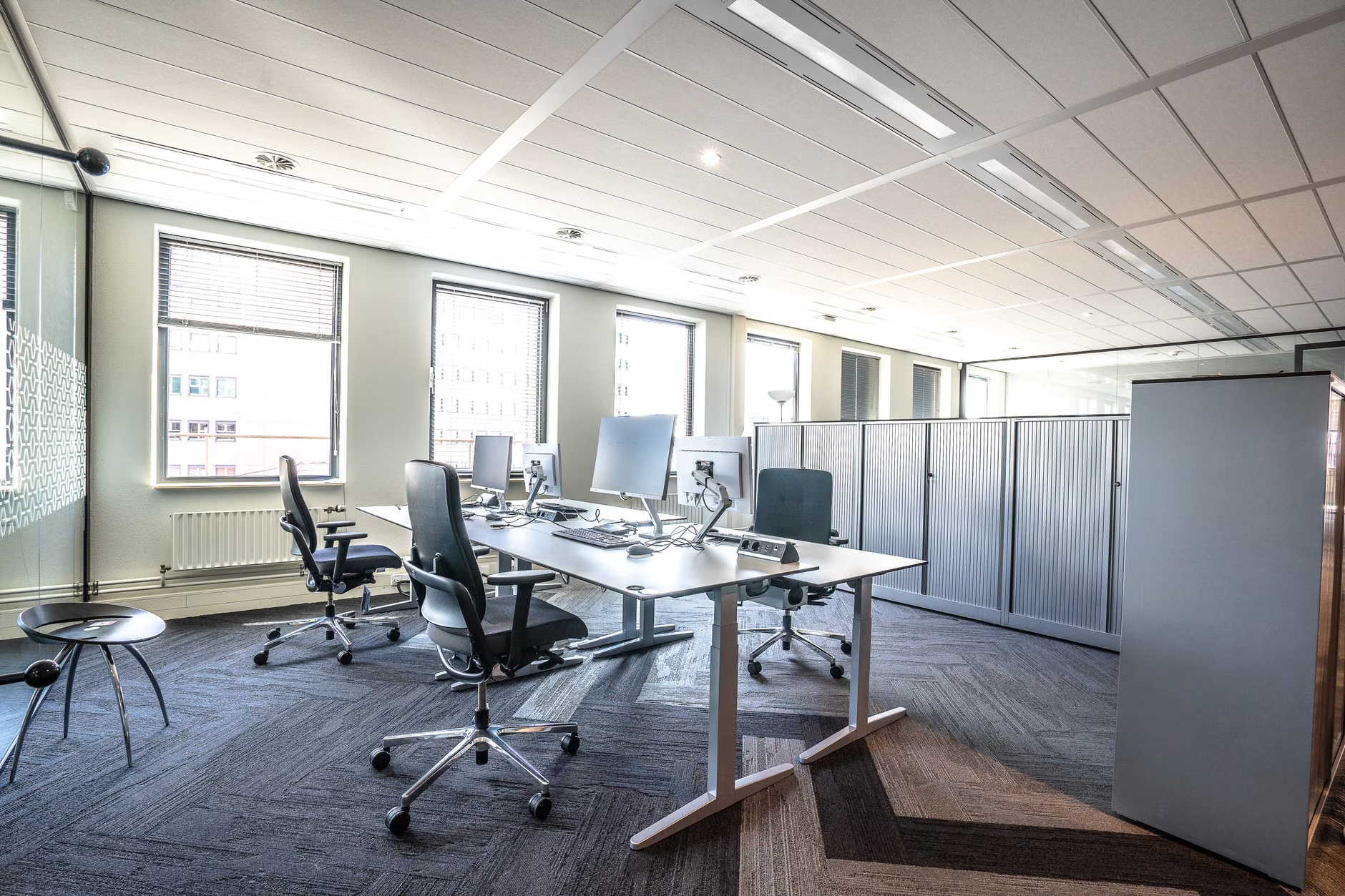
If you are traveling internationally, remember that “standard” amenities vary wildly. In Japan, for instance, you might find that the “workspace” is a floor-based table, which might not suit someone accustomed to western ergonomic setups. In parts of South America, water pressure can be inconsistent, requiring you to check if the building has a local water tank or booster pump.
Furthermore, be aware of local rental laws. In cities like Barcelona or New York, there are strict regulations regarding short-term rentals (often known as “tourist apartments”). If you book a place that is operating illegally, you risk having your reservation canceled by the platform or the local government on short notice. Always verify that the property has a valid registration number if the city requires one.
The Emotional Aspect of Long-Term Travel
There is a unique kind of fatigue that sets in after two weeks of living out of a suitcase. Even if you have the perfect rental, the lack of “your” things can start to wear you down. This is why the “personalization” phase is important. When you arrive, spend the first two hours setting up your space. Unpack your clothes into drawers. Put your own photos on the desk. Create a dedicated “school/play” station for your children so they don’t feel like they are constantly in the way.
This psychological anchoring is vital for parents. If your children feel settled, you will feel settled. If they are constantly asking “where is my toy” or “what is this place,” you will never reach the state of relaxation you are seeking. Treat the rental as a temporary home, not a hotel room.
Refining Your Search: The “Must-Have” vs. “Nice-to-Have”
It is easy to get distracted by features like “near the beach” or “city center view.” But for a working parent, these are often secondary to functionality. A rental that is 20 minutes from the city center but has a dedicated office room, high-speed fiber internet, and a quiet balcony is objectively better than a city-center studio that is loud and cramped.
Prioritize your search filters in this order:
- Connectivity: Verified high-speed internet.
- Acoustics/Location: Quiet, safe, and accessible.
- Work Setup: Dedicated desk and chair.
- Utility: Laundry and full kitchen.
- Leisure: Proximity to parks, schools, or local attractions.
If a property fails any of the first three, move on. Do not compromise on your productivity tools, as the time you lose dealing with technical issues is time taken away from your family.
Final Thoughts on Making the Move
Co-living, when done correctly, offers an incredible opportunity to expose your family to new cultures while maintaining your career trajectory. The key to success lies in the preparation. By treating your rental search with the same rigor you would apply to a business contract, you remove the guesswork and the stress.
Remember, the goal isn’t to find the “perfect” home, but to find a “functional” home that allows you to be the parent and professional you want to be. Start with the infrastructure, move to the layout, and always, always test the environment before committing to a long stay. Your future self—and your family—will thank you for the extra effort.
Frequently Asked Questions
1. How can I verify the internet speed of a rental before I book?
The most reliable method is to message the host directly and ask for a screenshot of a speed test taken from a site like Speedtest.net. If they hesitate or claim they “don’t know how,” it is usually a sign that the internet is not a priority for them, and you should look elsewhere if your work depends on a stable connection.
2. Is it common to ask for a discount for month-long stays?
Yes, absolutely. Most platforms have built-in weekly or monthly discounts, but if you are booking directly or through a platform that doesn’t automate this, it is standard practice to reach out to the host. Explain that you are a quiet, professional guest who will take care of the property, and ask if they offer a lower rate for longer stays. Many hosts prefer a single long-term guest over the constant turnover of short-term tourists.
3. What should I do if the property is not as described upon arrival?
Document everything immediately. Take photos and videos of the issues (e.g., the “dedicated workspace” is just a tiny stool, or the Wi-Fi is significantly slower than promised). Contact the host first to give them a chance to resolve it, but simultaneously contact the rental platform’s customer support. Do not wait more than 24 hours to report significant discrepancies, as platforms often have a strict window for “not as described” claims.
For more information on digital nomad safety and rental regulations, you can refer to resources like Nomad List for community-verified data on internet speeds and city safety, or check the official government tourism portals for the specific city you are visiting to ensure the rental’s compliance with local zoning laws.