If you are looking for a smart home hub that guarantees 100% privacy, you need to understand that “Privacy Mode” is a feature, not a magic shield; the most effective hubs are those that prioritize local processing over cloud-based data storage.
- Local Processing is Non-Negotiable: Choose hubs that process commands within your own four walls rather than sending every voice clip or sensor trigger to a corporate server.
- Physical Disconnects Beat Software Switches: A physical kill-switch for cameras and microphones is always more reliable than a digital “Privacy Mode” toggle that could be bypassed by a software glitch.
- The Data Trade-off: You will likely lose some “smart” convenience, such as advanced AI predictive habits, when you move to a privacy-first hub that refuses to share your data with external cloud providers.
Most of us in our 30s and 40s have reached a point where we want the convenience of a smart home—the lights that turn on when we walk in, the thermostat that adjusts while we’re picking up the kids from school—without feeling like we’ve invited a data-mining corporation to live in our living room. You’ve likely seen the “Privacy Mode” marketing on various hubs. It sounds great, but what does it actually do? And more importantly, does it actually keep your family’s private life private?
Why “Privacy Mode” Is Often Just a Software Layer
When a manufacturer advertises a “Privacy Mode,” they are usually referring to a software setting that mutes microphones or turns off cameras. While this is better than nothing, it is fundamentally a digital command. If the device has a software vulnerability, or if a firmware update accidentally resets your preferences, that “off” switch might not be as off as you think.
For a parent, this is a critical distinction. Think of it like a smart lock on your front door. If the door is locked by a software signal, you are relying on the manufacturer’s code to keep it locked. If the door has a physical deadbolt you have to slide yourself, you are relying on mechanics. In the world of smart home hubs, we want the equivalent of that physical deadbolt.
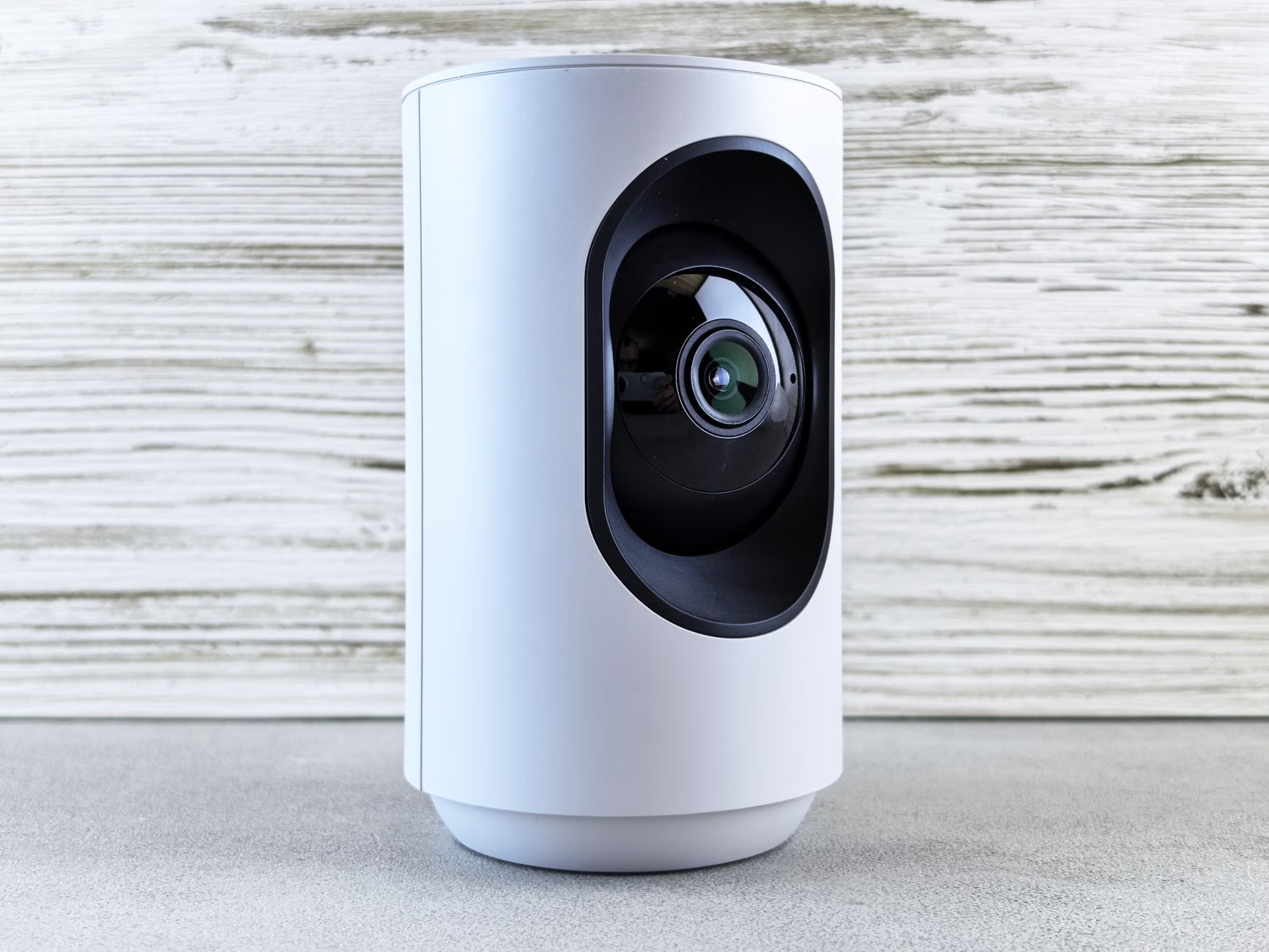
What you should look for: Look for hubs that offer a physical disconnect. This might be a physical shutter for a camera lens or a hardware switch that physically severs the electrical connection to the microphone. When the switch is flipped, the hardware literally cannot record because it is no longer receiving power. This is the gold standard for privacy-conscious families.
The Difference Between Cloud-Based and Local-Only Hubs
The biggest threat to your privacy isn’t usually a hacker “watching” you; it’s the massive amount of metadata your home generates. Every time you turn on a light, adjust the volume, or trigger a motion sensor, that data is logged. In cloud-based systems, that log lives on a server owned by the company that made your hub.
Why does this matter for your 30s and 40s lifestyle? Because that data is used to build a profile of your household habits. Companies use this to sell targeted advertisements or to refine their AI models. A “Local-Only” hub, by contrast, keeps all that information inside your house. If you use a voice command to dim the lights, the hub translates that command right there on your desk, rather than sending your voice to a server in a data center to be processed and returned.
The Trade-off: Convenience vs. Sovereignty
When you switch to a privacy-first, local-only hub, you will notice a few things:
- Setup is harder: You won’t have a simple “plug-and-play” experience. You might need to configure IP addresses or set up specific integrations manually.
- Cloud features disappear: You might lose the ability to ask your hub, “What is the weather in Tokyo?” if your hub doesn’t have a cloud connection to fetch that data.
- Better stability: Your smart home will work even if your internet goes down. This is a huge benefit for families who rely on smart locks or security systems.
If you are tech-savvy, moving to a local-only hub is a weekend project that pays dividends for years. If you are not, you should look for “Privacy-Focused” consumer hubs that offer a balance—these are devices that promise to process voice commands locally while still allowing for encrypted cloud backups of your settings.
Evaluating Privacy Features: A Comparison Table
To help you decide which level of privacy you actually need, consider the following comparison of hub types. Not every family needs the highest level of privacy; some prioritize ease of use. The key is to know what you are sacrificing.
| Feature | Cloud-Dependent Hub | Privacy-Focused Consumer Hub | Local-Only/DIY Hub |
|---|---|---|---|
| Data Storage | Cloud Servers | Encrypted Local + Cloud | 100% Local |
| Setup Difficulty | Easy (Minutes) | Moderate (Hour) | High (Days/Ongoing) |
| Internet Outage | Systems fail | Partial Functionality | Full Functionality |
| Best For | Convenience seekers | Busy families | Privacy enthusiasts |
For most parents in their 30s, the Privacy-Focused Consumer Hub is the sweet spot. These hubs allow you to set strict privacy rules while still providing an app interface that doesn’t require a degree in computer science to maintain.
Common Mistakes When Setting Up Your Privacy Hub
One of the most common mistakes I see is people buying a “private” hub but then connecting it to every insecure, cheap smart bulb they can find on a discount site. Your hub is only as secure as the weakest device connected to it.
If you have a secure, local-only hub but you link it to a $5 smart plug that communicates with an unencrypted server in another country, you have essentially bypassed your own security. The Golden Rule: Only pair devices from reputable brands that explicitly state their data policies, or better yet, avoid devices that require a constant cloud connection to function.
The “Guest” Problem
Another overlooked variable is your guests. When you have friends or extended family over, they might inadvertently trigger voice assistants or interact with your smart devices. If your hub is set to “high privacy” mode, it might record these interactions or save them in a log. Ensure that your hub’s privacy settings apply to all users, not just your primary account. Most hubs allow you to create a “Guest” profile that limits access and prevents the storage of voice history.

Step-by-Step: Strengthening Your Home Privacy Today
If you aren’t ready to swap out your entire system, you can still improve your privacy significantly by following these steps:
- Review Permissions: Go into your hub’s app and look for “Data Sharing.” Turn off any options that say “Improve product experience by sharing usage data” or “Allow third-party access.”
- Enable Multi-Factor Authentication (MFA): This is the single most effective way to prevent unauthorized access to your smart home. If your hub supports it, turn it on immediately.
- Isolate Your Devices: If your router supports it, create a “Guest Network” specifically for your smart home devices. This keeps your home automation gear on a separate digital lane from your personal computers and phones where you do your banking.
- Physical Taping: If you have an older camera or hub that lacks a privacy shutter, do not be afraid to use a small piece of electrical tape. It is the most reliable “Privacy Mode” ever invented.
These actions take less than an hour and provide a level of security that many people simply assume is already there by default, but often isn’t.
Why “It Depends” Is Not an Excuse for Poor Privacy
You will often read that privacy “depends on your usage habits.” While true, that doesn’t mean you should be passive. If you have children, your privacy requirements are higher by default. You are not just protecting your data; you are protecting your children’s digital footprints. Companies are increasingly building profiles on minors through the data collected by smart home devices. By choosing a hub that prioritizes local processing, you are effectively opting out of that data collection.
If a hub manufacturer tells you that they “need” your data to provide a better service, ask yourself: is the service worth the trade-off? For a light switch, the answer is almost certainly no. For a security camera, it might be different, but you should still demand that the data be encrypted with a key that only you control.
Final Thoughts on Smart Home Hygiene
The goal isn’t to live in a digital cave. You want the benefits of a modern, efficient home, but you want to maintain control over your domain. Start by choosing a hub that aligns with your privacy values, prioritize local processing, and treat your network like a secure perimeter. It is not about being paranoid; it is about being intentional. By spending a little extra time upfront to configure your devices correctly, you can enjoy the peace of mind that comes with knowing your home is truly yours.
Frequently Asked Questions
Q: Does a local-only hub mean I can’t control my home when I’m away?
A: Not necessarily. You can still access your local hub remotely if you set up a secure VPN (Virtual Private Network) or use a secure relay service provided by the manufacturer. This allows you to tunnel into your home network safely without exposing your devices to the open internet.
Q: Are smart speakers inherently insecure?
A: They are designed to be “always listening” for a wake word. While they are programmed to only record after the wake word is detected, they are still cloud-connected devices. If you want maximum privacy, keep smart speakers out of bedrooms and private areas, or use a hub that allows you to disable the microphone physically.
Q: Should I worry about firmware updates?
A: Yes. Firmware updates can sometimes reset your privacy settings or open new security holes. Make it a habit to check your hub’s settings once every few months to ensure your privacy preferences are still active and that no new “features” have been enabled by default.
For more information on securing your home network, visit the Cybersecurity & Infrastructure Security Agency (CISA) guide on IoT security.