You can slash your smart home energy bills and significantly improve your digital privacy by switching from cloud-dependent devices to edge-computing hardware that processes your data right inside your walls.
- Data Sovereignty: Edge computing keeps your usage patterns (like when you are home or asleep) inside your house, preventing them from being sold to third-party data brokers.
- Instant Response: By processing data locally, your smart devices react in milliseconds rather than waiting for a round-trip to a remote server, making automation more reliable.
- Energy Optimization: Local processing allows for complex, real-time energy management algorithms that can adjust your HVAC or lighting based on minute-by-minute grid demand without relying on an internet connection.
Most of us treat our smart homes like a simple remote control. We buy a plug, connect it to an app, and assume that when we toggle the switch, the command stays “in the house.” In reality, most consumer smart devices today operate on a “cloud-first” model. Your command travels from your wall switch to a server halfway across the world, gets processed, and then sends a signal back to your lightbulb. This creates a reliance on the internet, introduces security risks, and prevents the kind of sophisticated, real-time energy management that actually saves money.
Moving Beyond the Cloud: What is Edge Computing?
At its core, edge computing is simple: it moves the “brain” of your smart home from a giant, remote server farm to a physical device sitting in your living room or utility closet. Think of the cloud as a massive public library where you have to request a book, wait for it to be retrieved, and then have it sent to your house. Edge computing is like having your own personal reference shelf right next to your desk.
For a parent in their 30s or 40s, this distinction is crucial. You aren’t just buying “smart” gear; you are choosing the architecture of your family’s digital environment. When you rely on the cloud, your smart home’s “intelligence” is capped by the speed of your internet connection and the stability of the manufacturer’s servers. If your internet goes down, your smart schedule often falls apart. Edge computing changes this dynamic by ensuring your home’s logic remains intact, regardless of external connectivity.
Why does this matter for energy management? Because effective energy saving requires high-frequency data. To truly optimize your home’s consumption, you need to analyze usage patterns every few seconds. Sending that volume of data to the cloud is expensive and slow. Local processing allows for “always-on” monitoring that can identify power-hungry appliances or inefficient cooling cycles before they impact your monthly bill.
The Privacy Trade-off: Why Your Data Patterns Matter
One of the most overlooked aspects of cloud-based smart home systems is the “metadata” they collect. A smart thermostat that reports to a cloud server doesn’t just tell the company that you set the temperature to 22°C; it tells them when you leave for work, when you get home, and how long you are away on weekends. This is a goldmine for advertisers and data brokers.
By shifting to edge-based systems, you regain control. Your energy usage data remains yours. It is stored on a local hub—often a small, dedicated server or a high-end smart home controller—that never needs to broadcast your private habits to a third party. For families, this is a significant security upgrade. You are effectively closing the digital window that currently allows strangers to peek into your home routines.
It is important to note that “edge” doesn’t mean “disconnected.” You can still have remote access to your home, but the processing of the data happens locally. You are essentially building a private, secure intranet for your home that only interacts with the outside world when you explicitly request it.

Real-World Energy Savings: From Reactive to Proactive
Let’s look at a practical scenario. A standard cloud-based smart thermostat might adjust your heat based on a simple schedule or a basic geofencing rule (e.g., “turn off when I am 5km away”). This is reactive. It doesn’t account for the thermal efficiency of your home, the current cost of electricity on the grid, or the actual occupancy of specific rooms.
An edge-computing energy management system can do much more. Because it processes data locally at high speeds, it can integrate with real-time grid pricing (Time-of-Use tariffs). It can analyze the “thermal decay” of your home—how fast it loses heat—and time your HVAC system to pre-cool or pre-heat during off-peak hours when electricity is cheapest. This isn’t just about saving a few cents; it is about optimizing your home’s entire physical footprint.
Consider the difference in a typical month:
| Feature | Cloud-Based Smart Home | Edge-Computing Smart Home |
|---|---|---|
| Response Time | High latency (1-3 seconds) | Near-instant (milliseconds) |
| Data Privacy | Usage data shared with vendor | Data remains entirely local |
| Internet Dependency | Requires active connection | Functions offline |
| Energy Optimization | Basic scheduling | Advanced real-time grid-matching |
The table above highlights why the “Edge” approach is superior for long-term energy management. When you remove the latency caused by cloud round-trips, you enable “event-driven” automation. For example, if your smart energy monitor detects a spike in consumption from your refrigerator, an edge system can alert you immediately or even cycle the compressor to protect the unit, whereas a cloud system might miss the spike or delay the notification until it is too late.
Getting Started: How to Build Your Edge-Enabled Home
You don’t need to be a computer engineer to implement edge computing, but you do need to be selective about the hardware you buy. The first step is to look for devices that explicitly support local APIs or open-source standards like Matter, Home Assistant, or Zigbee/Z-Wave protocols that don’t require a cloud bridge.
Step 1: Choose a Local Controller. Instead of relying on a proprietary hub that forces cloud connectivity, look for a dedicated home automation server. Home Assistant is the industry standard for this. It runs on a small, low-power device (like a Raspberry Pi or a dedicated mini-PC) and acts as the central brain for all your devices.
Step 2: Audit Your Existing Devices. Many smart devices you already own can be integrated locally. Check if your current smart plugs or lights support local control. If they are “Wi-Fi only” devices that require a specific manufacturer’s app, they are likely cloud-dependent. Consider replacing these with devices that support local protocols like Zigbee, which communicates directly with your hub without needing your Wi-Fi router to constantly talk to the cloud.
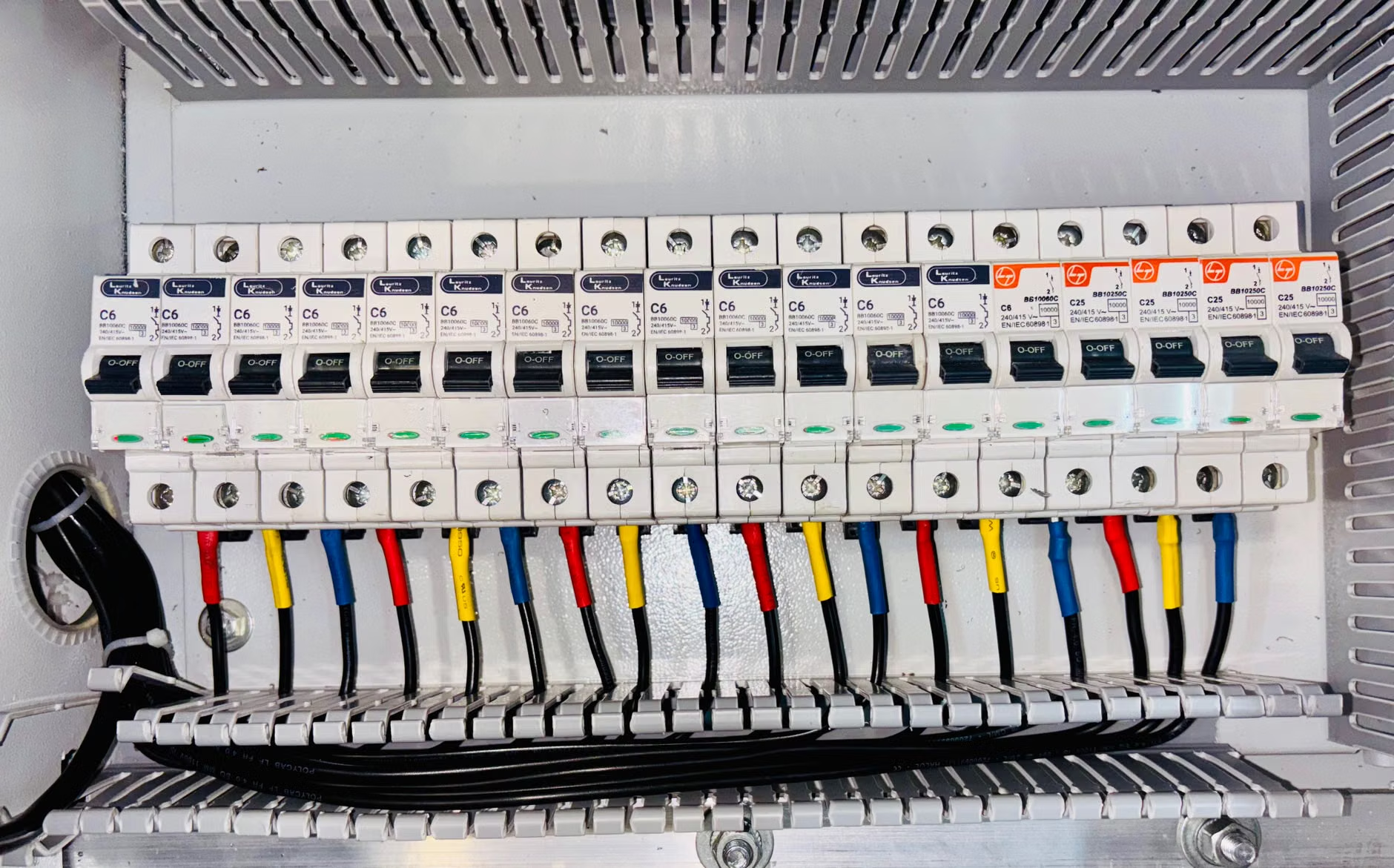
Step 3: Implement Local Energy Monitoring. Install a clamp-based energy monitor on your electrical panel. These devices measure the current flowing into your home in real-time. By connecting this to a local hub, you can create “if-then” rules. For example: “If the grid price exceeds $0.30/kWh, turn off the pool pump and dim the non-essential lighting.” This is the pinnacle of smart energy management.
Common Pitfalls and How to Avoid Them
The most common mistake people make is falling for the “convenience trap.” Many manufacturers offer slick, easy-to-use apps, but these apps are almost always designed to keep you locked into their cloud ecosystem. If the company goes bankrupt or decides to sunset their servers, your “smart” home becomes a collection of expensive, dumb plastic.
Another pitfall is assuming that “smart” equals “efficient.” Just because a device is connected to an app doesn’t mean it is saving you energy. Many smart devices consume power themselves, and if they are constantly pinging a cloud server, they might be using more energy than they save. Edge computing avoids this by keeping the communication local and low-power.
If you are just starting, do not try to automate everything at once. Start with your heating and cooling (HVAC) system, as this is where the vast majority of residential energy consumption happens. By simply optimizing your HVAC through local edge logic, you can often see a 10-15% reduction in annual energy costs.
The Financial Impact: Is It Worth the Effort?
Let’s talk numbers. A typical household spends thousands annually on energy. Even a 10% saving through smarter, edge-based automation translates to hundreds of dollars back in your pocket every year. While the initial investment for a local hub and compatible sensors might be $200-$500, the ROI (Return on Investment) is usually achieved within 18 to 24 months.
Beyond the direct financial return, there is the value of your time and the reduced frustration of a system that just works. When your automation isn’t dependent on the Wi-Fi being “perfect” or the manufacturer’s server being “up,” you spend less time troubleshooting and more time actually living. For busy parents, this reliability is the hidden benefit of edge computing.
Furthermore, consider the longevity of the equipment. Cloud-based devices are often abandoned by manufacturers after a few years. Local-first devices, because they rely on open protocols, tend to have a much longer shelf life. You aren’t just saving money on energy; you are saving money by not having to replace your entire smart home ecosystem every time a company decides to update its business model.
Integrating Edge Computing into Your Daily Life
Adopting edge computing is less about a single “setup” day and more about a shift in your procurement philosophy. Moving forward, whenever you need to buy a new smart device—whether it’s a smart lock, a light bulb, or a water sensor—ask one simple question: “Can this work without an internet connection?” If the answer is no, it’s not an edge-ready device.
This shift empowers you to build a home that is truly yours. You become the administrator of your digital environment. You decide which devices talk to each other, you decide what data leaves your house, and you decide how your energy is managed. It’s a transition from being a “user” of a service to being the “owner” of a system.
Take the time to research platforms like Home Assistant, Hubitat, or open-source Zigbee2MQTT setups. These platforms have vibrant, active communities. You don’t have to be a coder; you just need to be willing to follow a few straightforward guides. The community support is excellent, and because these systems are built on open standards, you will find plenty of resources to help you troubleshoot any issues.
Remember that your goal is not to create a “tech-heavy” home, but a “tech-efficient” one. The best smart home is the one you don’t have to think about. By moving the intelligence to the edge, you are setting yourself up for a home that manages itself, saves you money, and protects your family’s privacy in the long run.
Frequently Asked Questions
1. Do I need to be a programmer to set up an edge-computing smart home?
No, you do not. While it used to be a hobby for tech enthusiasts, modern platforms like Home Assistant have become much more user-friendly. Most setups now involve a simple “plug-and-play” installation process, and there are thousands of step-by-step video tutorials and community forums to guide you through the process if you get stuck.
2. Will my smart devices stop working if I move to an edge-based system?
Most devices that use standard protocols like Zigbee, Z-Wave, or Matter will work perfectly. However, some proprietary devices (like certain high-end, closed-ecosystem cameras or specialized appliances) may require specific “integrations” or might not be compatible at all. Always check the compatibility list of your chosen local hub before buying new hardware.
3. Is an edge-computing setup more expensive than buying standard smart home products?
The upfront cost is often slightly higher because you need to purchase a dedicated hub (like a Raspberry Pi or a mini-PC). However, because you avoid monthly subscription fees (often charged by cloud-based services for “advanced” features) and you can purchase cheaper, non-proprietary sensors, the total cost of ownership is almost always lower over a 3-to-5-year period.
For more information on the standards mentioned, you can visit the official Home Assistant project or the Connectivity Standards Alliance to learn more about the Matter protocol, which is paving the way for more local-first, interoperable smart home devices.
Ultimately, the move to edge computing is an investment in your home’s autonomy. Start small—perhaps with a local energy monitor—and build out your system as you become more comfortable. Your future self, and your monthly utility bill, will thank you.