Key Takeaways
- Economic Impact: The Right-to-Repair movement is fundamentally about reducing the “hidden tax” of forced device replacement, potentially saving a household hundreds of dollars annually on electronics.
- Legislative Reality: While laws in the EU, US, and Australia are gaining momentum, they currently vary by jurisdiction; checking your local legislation is the first step before attempting professional or DIY repairs.
- Practical Strategy: Prioritize modular devices and check official repair manuals before purchasing new tech to ensure your investment remains functional for more than just the warranty period.
If you have ever stared at a smartphone with a cracked screen or a laptop that refuses to hold a charge, only to be told by a manufacturer that the “repair” would cost nearly as much as a brand-new device, you have already encountered the central problem of modern consumer technology. We live in an era where we buy sophisticated computers, yet we are often treated as mere renters who lack the authority to maintain them. The ‘Right-to-Repair’ movement is the pushback against this reality, aiming to return the power of ownership—and maintenance—back to the people who actually paid for the devices.
Understanding the Shift from Disposable Tech to Repairable Assets
For most of us balancing work, family schedules, and the relentless pace of daily life, technology is a utility. We need our phones to manage school apps, our laptops to finish reports, and our tablets to keep the kids entertained during long car rides. When these devices fail, the immediate reflex is to replace them because that is the path of least resistance. However, this convenience comes at a significant cost: the loss of control over your own property.
The Right-to-Repair is not just about environmentalism or “green” living. It is a consumer rights issue. Historically, when you bought a radio or a sewing machine, you were expected to fix it. Today, manufacturers often use proprietary screws, software locks (known as “parts pairing”), and glued-in batteries to prevent unauthorized access. This isn’t just about safety; it is a business model designed to drive planned obsolescence. When a company prevents you from replacing a $50 battery, they are essentially forcing you to spend $800 on a new phone. Understanding this dynamic is the first step toward reclaiming your budget.
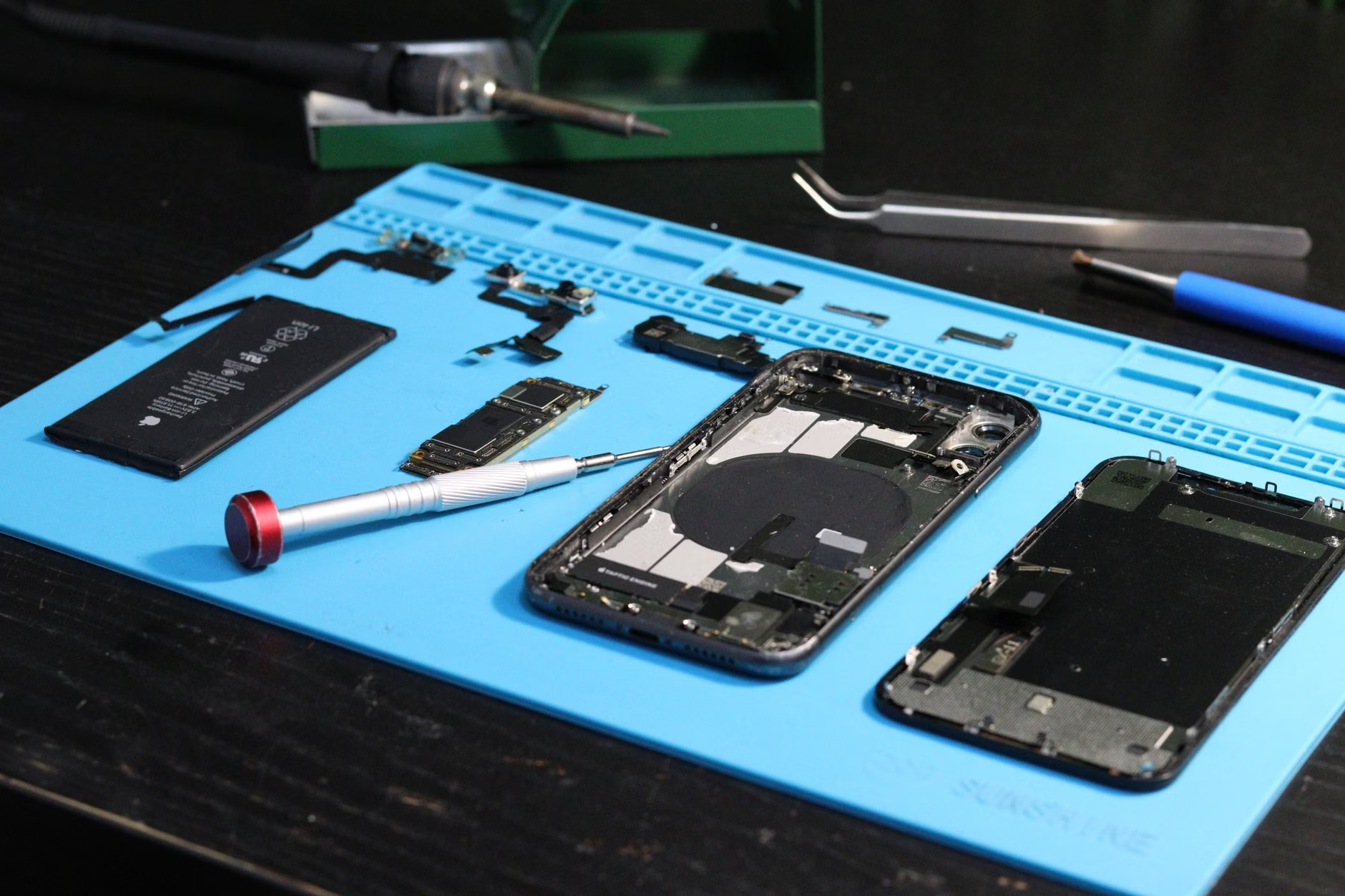
Why does this matter for a household budget? Think about the “hidden tax” of digital life. If you replace a device every two years instead of every four, you are essentially doubling your annual technology expenditure. By advocating for, and utilizing, the right to repair, you aren’t just saving money; you are extending the lifecycle of your hardware to match the actual utility it provides your family.
The Global Legislative Landscape and What It Means for You
The legal environment regarding repair is shifting rapidly. If you are in the European Union, the “Ecodesign for Sustainable Products Regulation” is pushing manufacturers to make devices that are easier to disassemble and repair. In the United States, several states, including New York and California, have passed or are debating bills that force manufacturers to provide manuals, diagnostic tools, and parts to independent repair shops and consumers.
However, it is crucial to understand that these laws are not uniform. A law in California does not automatically apply to a resident in London or Sydney. When you are looking for repair options, you should first identify your local legal protections. Manufacturers are often quick to tell you that “third-party repairs void your warranty.” While this is a common refrain, in many jurisdictions, this is legally unenforceable for the entire device. For example, if you replace a screen at a local shop, the manufacturer cannot legally deny a warranty claim on the motherboard unless they can prove the screen repair caused the motherboard failure.
Actionable Decision Rule: Before you walk into a store or send a device off for repair, check the official manufacturer’s website for their “Self-Repair” program. Many major companies, feeling the pressure from regulators, have launched these programs. They provide genuine parts and official guides. If they offer this, it is almost always the safest route for a DIY enthusiast.
Assessing Repairability Before You Buy
The best way to handle repair issues is to avoid buying “unrepairable” tech in the first place. When you are in the market for a new laptop or smartphone, do not just look at the processor speed or the camera quality. Look at the “Repairability Score.” Organizations like iFixit provide detailed teardowns of almost every popular consumer device.
| Category | What to Look For | Why It Matters |
|---|---|---|
| Battery Access | Is it glued or screwed? | Batteries are the first component to fail. |
| Screen Assembly | Is the glass fused to the display? | Fused screens double the cost of repairs. |
| Proprietary Parts | Are there standard connectors? | Proprietary parts force you to use specific, expensive service centers. |
| Software Locks | Does it require “pairing”? | Locks prevent you from using salvaged parts. |
If you are a parent buying a tablet for a child, for instance, consider purchasing a model with a high repairability score. Children are notoriously hard on devices; a tablet that allows for an easy screen swap or battery replacement will save you hundreds of dollars over the next five years compared to a “disposable” model.
Practical Steps for DIY Repairs in the Home
You do not need to be an electrical engineer to perform basic maintenance. Most common device failures—such as a bloated battery, a cracked screen, or a charging port clogged with lint—can be addressed with the right tools and a bit of patience. The key is in the preparation.
First, gather the right tools. A high-quality precision screwdriver set is essential. Avoid the cheap, soft-metal kits that can strip screws. Second, use a magnetic mat to keep track of the tiny screws you remove. If you have ever opened a phone and ended up with three “mystery screws” left over, you know exactly why this is important. Third, always, always consult a visual guide. Sites like iFixit provide step-by-step photography that is far superior to any text-based manual.

Common Mistake: The most frequent error people make is using too much force. Modern electronics are delicate. If a component does not pop out with gentle pressure, there is almost certainly a hidden screw or a piece of adhesive you have missed. If you feel like you are forcing it, stop. Go back to your guide, check for hidden fasteners, and use a heat gun or hair dryer on a low setting to loosen adhesive if necessary.
Another overlooked variable is data safety. Before performing any repair, back up your device. Even if you are just replacing a battery, accidents happen. If the device is dead, ensure your cloud backups are current. Never attempt a repair if the device contains the only copy of your family photos or critical documents without first attempting a professional data recovery service.
The Hidden Costs and Trade-offs of Repairing
While the goal is to repair, we must be realistic about the trade-offs. Sometimes, the cost of the spare part, combined with your time and the risk of breaking the device further, actually outweighs the benefit. For example, if you have an older laptop that is already showing signs of a failing motherboard, spending $150 on a new screen might be throwing good money after bad.
Consider the “Value-Added” rule: If the repair costs more than 50% of the current market value of a used version of that same device, it is rarely worth it. In that scenario, you are better off selling the broken device for parts and putting that money toward a newer, more repairable model. This is a common misconception in the Right-to-Repair community: the idea that *every* device should be saved. Sometimes, the most logical decision is to recycle the device responsibly and upgrade.

Moving Toward a Sustainable Tech Lifestyle
Adopting a “repair-first” mindset changes how you interact with your technology. It moves you from being a passive consumer to an active owner. This shift is not just about the device; it is about the culture we are creating for our families. By involving your children in the process of fixing a toy or a tablet, you are teaching them that objects have value and that they are capable of understanding how the world around them works.
If you are overwhelmed by the prospect of starting, start small. Replace a battery in an old TV remote. Upgrade the RAM in an older laptop. Once you have successfully completed a few small tasks, the intimidation factor of opening a smartphone will decrease significantly. You will find that most modern devices are not magic; they are just complex puzzles that can be solved with the right information and the right tools.
Ultimately, the Right-to-Repair is about reclaiming your autonomy. Manufacturers want you to upgrade because it is profitable for them. You should upgrade when it is useful for you. By choosing repairable products, supporting local repair businesses, and developing your own basic skills, you are taking a stand against the cycle of waste and ensuring that your hard-earned money stays in your pocket.
Frequently Asked Questions
1. Does opening my device to perform a repair automatically void my manufacturer’s warranty?
In many regions, including the US under the Magnuson-Moss Warranty Act, it is illegal for a manufacturer to void your warranty simply because you opened the device or used a third-party part. However, if your repair attempt causes damage to the device, the manufacturer is not responsible for fixing that specific damage. Always document your device’s condition before and after you open it.
2. Where can I find reliable, official repair manuals for my specific device?
Most major manufacturers now host “Self-Repair” or “Support” pages on their official websites. Search for “[Device Name] + Service Manual” on the manufacturer’s site. Additionally, platforms like iFixit host thousands of community-verified repair guides that are often more detailed than the official versions.
3. What should I do if a repair is too complex or risky for me to handle?
If you are uncomfortable with the repair, seek out an “independent repair shop.” These are often smaller, local businesses that specialize in component-level repairs (like soldering or screen replacement) rather than just “swapping out” the entire device. Use tools like the iFixit repair shop directory or local review platforms to find technicians who are transparent about their processes and use high-quality parts.
Official Resources for Further Research:
iFixit Repair Guides and Tools
Right to Repair Europe Campaign
FTC guidance on warranty and repair restrictions