- The “Digital Ghost” Risk: Without a designated legacy contact or vault, your family may face months of legal battles or permanent data loss to access photos, bank accounts, and subscriptions.
- Platform-Native Tools are Free: Apple, Google, and Meta already have built-in “Legacy Contact” features that take less than 5 minutes to activate.
- The 2FA Trap: A master password isn’t enough; you must provide a way for heirs to bypass Two-Factor Authentication (2FA) via hardware keys or physical recovery codes.
Your digital life is currently a fortress, and if you haven’t shared the keys, you’re inadvertently building a wall between your family and their own history. A digital legacy vault is the only way to ensure your spouse or children aren’t locked out of everything from the mortgage portal to the 40,000 photos of their own childhood.
In our 30s and 40s, we are the “Chief Information Officers” of our households. We manage the Netflix password, the school portal, the auto-pay for the electricity, and the cloud storage where every vacation memory lives. But here’s the cold, hard truth: if you were to disappear tomorrow, your “fortress” of security becomes a nightmare for your survivors. They don’t just lose you; they lose the ability to pay the bills, close your accounts, or even see the last photo you took of them.
Setting up a digital legacy isn’t about morbidly planning for the end. It’s about administrative kindness for the people you love.

## The “Digital Black Hole” and why your current backup isn’t enough
Most of us think, “My spouse knows my phone passcode, so we’re fine.” This is a dangerous half-truth. While a phone passcode gets them into the device, it doesn’t necessarily give them legal or technical access to the underlying cloud accounts, especially if two-factor authentication (2FA) is tied to a number they might eventually lose access to.
When a person passes away without a digital legacy plan, tech giants like Apple and Google are legally bound by privacy laws (like the GDPR in Europe or the RUFADAA in the US). They cannot simply “hand over” the keys because someone claims to be the next of kin. Without a pre-designated legacy contact, your family might need a court order—a process that costs thousands of dollars and takes months—just to download your Google Photos.
The goal of a digital legacy vault is to bridge the gap between “security for today” and “accessibility for tomorrow.” It acts as a controlled release valve, giving specific people access to specific things only when certain conditions are met.
## Step 1: Activating the “Big Three” built-in legacy tools
Before you spend a dime on fancy “digital vault” software, you need to turn on the free features already sitting in your pocket. These are the most robust ways to handle your primary accounts because they are integrated at the system level.
### Apple Legacy Contact (iOS 15.2 and later)
Apple allows you to choose a “Legacy Contact.” This person receives a unique access key. If you pass away, they provide this key and your death certificate to Apple. Apple then removes the Activation Lock from your devices and gives them access to your iCloud data.
* **What it covers:** Photos, Messages, Notes, Files, Contacts, and Device Backups.
* **What it doesn’t cover:** Movies, music, or books you purchased, or data stored in your Keychain (passwords).
* **Action:** Go to Settings > [Your Name] > Password & Security > Legacy Contact.
### Google Inactive Account Manager
Google takes a “timer” approach. You decide how long Google should wait after you stop using your account (e.g., 3 months) before it triggers a “legacy” event.
* **How it works:** After the period of inactivity, Google sends you several SMS and email alerts. If you don’t respond, it notifies your trusted contact and shares the specific folders (Drive, Photos, Gmail) you selected.
* **Action:** Search for “Inactive Account Manager” in your Google Account settings.
### Meta (Facebook and Instagram)
Meta allows you to choose a “Legacy Contact” to manage a memorialized account. They can’t read your private messages, but they can manage tribute posts and change profile pictures.
* **Action:** Settings > Memorialization Settings.
| Feature | Apple Legacy Contact | Google Inactive Manager | Meta Memorialization |
|---|---|---|---|
| Trigger | Death Certificate + Key | Inactivity Timer (3-18 months) | Report of Death |
| Access Level | Full iCloud Data download | Specific folders/services only | Limited profile management |
| Best For | Family photos and device access | Emails and cloud documents | Social legacy and announcements |
## Step 2: Choosing a dedicated third-party vault for the “Everything Else”
While Apple and Google cover the basics, they don’t hold your house deed, your life insurance policy details, or the password to your obscure regional utility provider. This is where a dedicated digital vault comes in.

### Option A: The Password Manager Approach (For the Tech-Savvy)
If you already use a password manager like **1Password** or **Bitwarden**, you are halfway there.
* **1Password “Emergency Kit”:** This is a PDF containing your Secret Key and Master Password. If you print this out and put it in a physical safe, whoever has that paper has everything.
* **Bitwarden Emergency Access:** This allows you to invite a trusted user who can “request” access. If you don’t deny the request within a set timeframe (e.g., 7 days), they are granted entry.
### Option B: The “Life Organizer” Vault (For the Busy Parent)
Services like **Trustworthy**, **Everplan**, or **Lantern** are designed specifically for family archives. They don’t just store passwords; they prompt you to upload specific “life” documents.
* **Why they are better for families:** They provide a checklist. They ask, “Where is your pet’s vaccination record?” or “What is the account number for your kid’s 529 college fund?”
* **The Trade-off:** These are usually subscription-based ($100-$300 per year). If you stop paying, the vault’s utility drops.
### Option C: The DIY “Encrypted Drive” (For the Privacy-Conscious)
You can buy a high-quality, encrypted USB drive (like an **Apricorn Aegis Padlock**). You store your sensitive PDFs and a “Read Me” file on it.
* **The Catch:** You have to physically tell someone where the drive is and what the PIN is. If the house burns down or the drive fails, the data is gone.
## The 5 Categories of assets you’re probably forgetting
When building your vault, don’t just think about money. Think about the “friction” your family will face. The goal is to reduce the number of phone calls your spouse has to make to customer service agents during a week of grieving.
1. **The “Hidden” Financials:** We all have them. A Venmo balance, a stray Robinhood account, or a crypto wallet. If the private keys to your Bitcoin are only in your head, that money is effectively deleted when you are.
2. **The Administrative Logistics:** Who is the landlord? Where is the spare key to the storage unit? What is the PIN for the home security system?
3. **The Sentimental “Dark Data”:** This is the most painful loss. Private journals in an app, voice memos of you reading to your kids, or the “family” email address you use for school updates.
4. **The Subscription Trap:** If your credit card is the primary for the family’s Amazon Prime, Spotify, and Disney+, those services will start failing one by one. List them so your partner can transition them to a new card.
5. **Professional IP:** If you are a freelancer or business owner, your family needs access to your website domain registrar and hosting. If the domain expires, your business email dies with it.
## The 2FA Trap: The biggest mistake in digital legacy planning
This is the “SoCooly” insight most people miss: Knowing the password is no longer enough.
Most secure accounts now require Two-Factor Authentication (2FA). Usually, this is a code sent to your phone. If your phone is locked and your spouse can’t get in, or if your phone service is canceled, the password to your bank account is useless.
**How to fix this in your vault:**
* **Recovery Codes:** Every time you set up 2FA (on Google, Facebook, etc.), the site offers “Recovery Codes.” Download these, print them, and put them in your digital or physical vault.
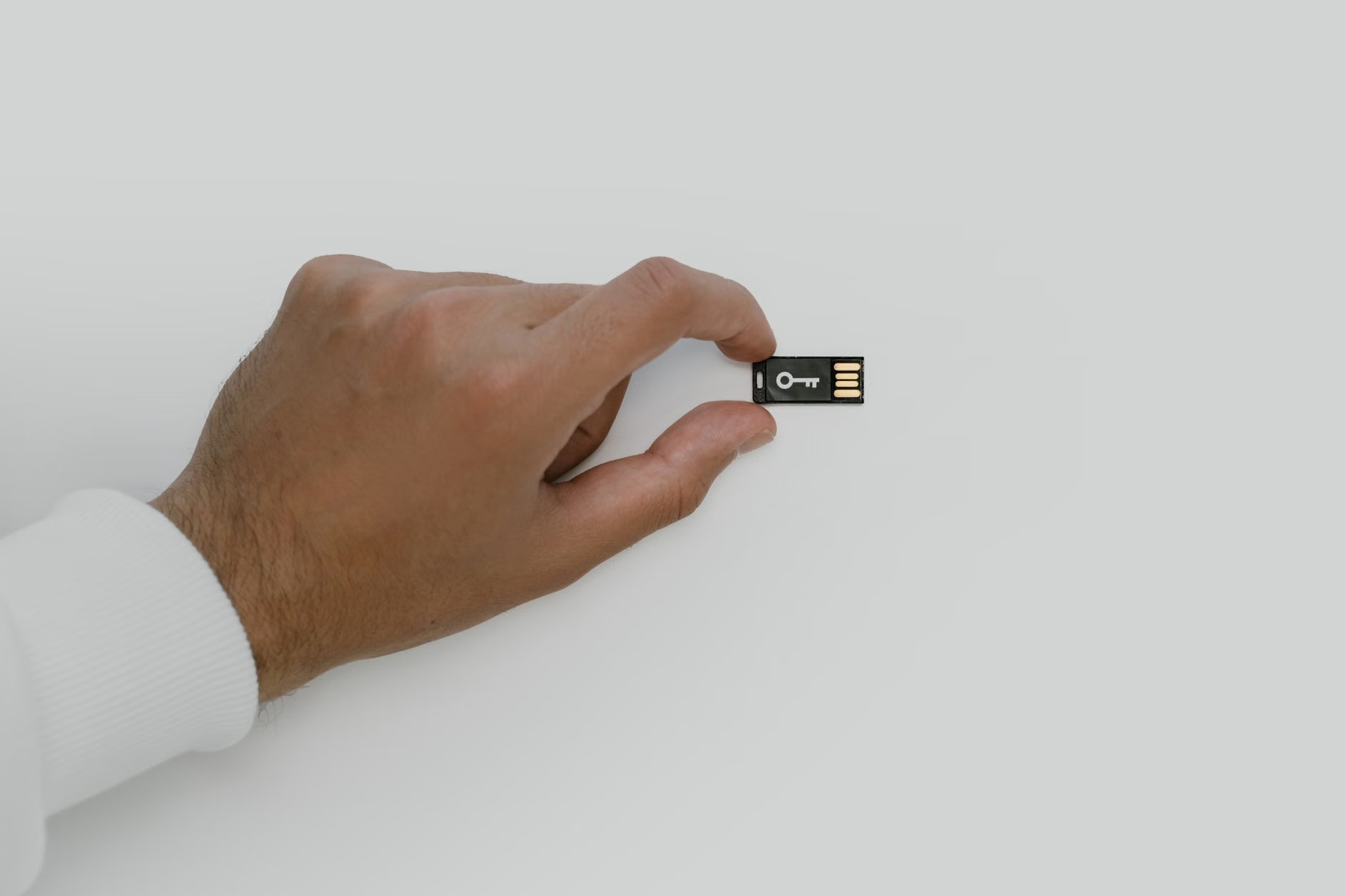
* **Hardware Keys:** Use a tool like a **YubiKey**. You can have two keys: one on your keychain and one in a safe. Your “Legacy Contact” just needs the physical key to bypass the 2FA.
* **Authenticator App Backups:** If you use Authy or Microsoft Authenticator, ensure the “Cloud Backup” feature is on and that your spouse knows the password to that specific backup.
## The “30-Minute Sprint” Setup Guide
If you are overwhelmed, don’t try to do it all at once. Follow this 30-minute protocol to cover 80% of your risk.
1. **Minutes 0-5:** Set up your **Apple Legacy Contact** or **Google Inactive Account Manager**. This covers your photos and primary email.
2. **Minutes 5-15:** Open your password manager (or a secure note) and document the **”Big Four” household bills**: Mortgage/Rent, Electricity, Water, and Internet. Include account numbers and login URLs.
3. **Minutes 15-25:** Create a “Master Instruction” document. This shouldn’t have every password, but it should tell your heir where to find the passwords (e.g., “Everything is in my 1Password; the Master Password is in the blue envelope in the fire safe”).
4. **Minutes 25-30:** Tell your person. A digital vault is useless if no one knows it exists. Send a simple text or have a 2-minute “If I’m not here” conversation.
## Regional Nuances: US vs. EU vs. Asia
Digital inheritance laws vary wildly.
* **In the United States:** Most states have adopted **RUFADAA** (Revised Uniform Fiduciary Access to Digital Assets Act). This gives your “executor” legal power to manage digital assets, but *only if* you’ve explicitly granted it in your will or through the platform’s own tools.
* **In the European Union:** The GDPR protects your privacy even after death. This makes it *harder* for families to get access without your prior consent. In Germany, for example, the Federal Court of Justice ruled that social media accounts are part of an inheritance, but the process is still legally complex.
* **In Asia:** Countries like Singapore have robust digital estate frameworks, while others have no specific laws, meaning the “terms of service” of the tech company (usually US-based) will dictate what happens.
The takeaway? Don’t rely on the law to help your family. Use the tech tools to bypass the need for legal intervention entirely.
## Common Pitfalls to Avoid
* **The “Secret” Vault:** Some people create a vault but are so worried about security that they hide it too well. If your spouse doesn’t know the vault exists, it doesn’t exist.
* **The Outdated Inventory:** You changed your bank last year but didn’t update the vault. Now your spouse is trying to log into an account that has a zero balance. Review your vault once a year (I do this on my birthday—it’s a weird tradition, but it works).
* **The 2FA lockout (again):** I cannot stress this enough. If you use an Authenticator app on a phone that is smashed or locked, your family is in trouble. Print those recovery codes.
## Closing Thoughts: Your Legacy is more than a bank balance
We spend so much time worrying about life insurance and college funds, but we often forget that the “wealth” of a modern family is stored in bits and bytes. Your legacy is the video of your daughter’s first steps, the 500-page draft of the novel you never finished, and the simple ability for your partner to keep the lights on without a headache.
Setting up a digital vault is the ultimate “set it and forget it” act of love. It’s 30 minutes of administrative work that saves your family 300 hours of frustration later.
Your next action: Open your phone right now, go to your Apple or Google settings, and add one person as a Legacy Contact. Do it before you finish your coffee.
Official Resources for Further Reading:
- Apple Official Support: How to add a Legacy Contact for your Apple ID
- Google Account Help: About Inactive Account Manager
- Federal Trade Commission (US): How to Plan Your Digital Legacy
***
### FAQ
**Q: If I add someone as a Legacy Contact on my iPhone, can they see my messages right now?**
A: No. They only get access after you have passed away and they provide a death certificate to Apple. They do not have access to your live account while you are active.
**Q: I use a shared family password manager. Is that enough?**
A: It’s a great start, but it’s not a complete “Legacy” plan. If the shared account is tied to your email and your email is locked behind 2FA, the “shared” part might become inaccessible. You still need a platform-level legacy contact for your primary email.
**Q: What happens to my crypto assets in a digital vault?**
A: Most digital vaults allow you to store “Secure Notes.” You should store your “Seed Phrase” or private keys here. However, never store a seed phrase in a plain text file on a standard cloud drive. Use a dedicated, encrypted vault like 1Password or a physical backup.