Key Takeaways for the Energy-Conscious Renter
- Prioritize “Plug-and-Play” Efficiency: Since you cannot renovate a rental, focus on smart plugs and sensors that provide granular data on your highest-consuming appliances, allowing you to cut “vampire power” usage by up to 15%.
- Deciphering Ratings: Don’t just look at the sticker; cross-reference the energy label (like the EU Energy Label or US Energy Star) with the device’s “smart” standby power consumption to ensure the tech isn’t costing more than it saves.
- Strategic Investment: Only purchase smart devices that are portable. In a rental, your ROI comes from taking the devices with you to your next home, not from permanent wall-mounted installations.
If you are renting, the phrase “energy efficiency” often feels like a cruel joke. You are likely paying for the inefficiency of an aging refrigerator the landlord bought in 2012, or battling drafty windows you aren’t allowed to replace. But here is the reality: while you cannot control the building’s envelope, you can control the “intelligence” of the devices inside it. For those of us in our 30s and 40s balancing career, kids, and the rising cost of living, smart home tech is less about the “cool factor” and more about keeping the utility bill from spiraling out of control.
Why Energy Ratings Are Often Misleading for Smart Tech
When we talk about energy ratings, most of us think of the big colorful stickers on large appliances. However, smart devices—the ones that connect to your Wi-Fi—exist in a gray area. A smart bulb might be an LED (which is efficient), but if it’s constantly pinging a server to stay “smart” while turned off, it’s drawing power around the clock. This is known as phantom or vampire power.
For a renter, the goal is to find the “net-positive” device. This is a device where the energy saved by its automation features (like turning off lights when you leave a room) significantly outweighs the energy it consumes to stay connected to your network. When you are looking at a product page, don’t just look for the “Energy Star” logo. Look for the “Standby Power Consumption” in the technical specifications. If a smart plug consumes more than 1-2 watts while idling, you are essentially paying a subscription fee to your electricity provider just to keep the device connected.
The Renter’s Toolkit: Where to Actually Save Money
In a rental, you have to be tactical. You aren’t going to install a smart HVAC system that requires rewiring the furnace. Instead, you focus on high-impact, low-friction devices. Here is how to prioritize your spending based on the highest return on investment (ROI).
1. Smart Plugs: The Gateway to Data
Smart plugs are the most underrated tool for renters. They act as a bridge between a “dumb” appliance and your smart ecosystem. By plugging your coffee maker, gaming console, or space heater into a smart plug, you gain two things: the ability to kill the power remotely and, more importantly, a log of how much energy that specific appliance uses.
Common Mistake: Many people use smart plugs only for convenience (turning on a lamp). Use them for monitoring. If you find a device is pulling 50 watts even when “off,” you’ve found a culprit for your high bill. You can then set an automation to cut the power to that outlet entirely during the hours you are asleep or at work.
2. Smart Thermostats (Non-Hardwired Versions)
If your rental uses a standard thermostat, you might be tempted to swap it for a smart one. Warning: Check your lease and your wiring. If you don’t have a “C-wire” (common wire), many smart thermostats won’t work without an adapter. Instead, look for battery-operated smart climate sensors that can be placed in different rooms. These help you identify which rooms are leaking heat or cold air, allowing you to use heavy curtains or door snakes (which you can do without landlord permission) to insulate effectively.
3. Smart Lighting and Motion Sensors
Lighting is the easiest win. Switching to smart LEDs is standard, but the real saving comes from occupancy sensors. In a family home, kids often leave lights on in every room they touch. A motion sensor that kills the light after five minutes of inactivity is the ultimate “set it and forget it” money saver. Unlike smart switches, these are usually battery-powered and stick to the wall with command strips, making them 100% rental-friendly.
Comparing Energy-Saving Smart Tech
To help you decide where to allocate your budget, the following table breaks down the typical setup costs versus the estimated monthly utility savings for a standard 2-bedroom rental apartment.
| Device Type | Avg. Setup Cost | Primary Benefit | Est. Monthly Savings |
|---|---|---|---|
| Smart Plugs (Set of 4) | $40 – $60 | Eliminating vampire power | $5 – $10 |
| Smart LED Bulbs (Whole Home) | $100 – $150 | Scheduling & Dimming | $8 – $15 |
| Smart Climate Sensors | $70 – $100 | Optimized HVAC usage | $10 – $20 |
Note: Savings are estimates based on standard utility rates in mid-sized urban centers. Actual savings depend on your local electricity cost per kWh.
Hidden Variables: Why Your “Smart” Home Might Be Costing More
There is a hidden cost to the “smart” lifestyle that often goes unmentioned: Hub Congestion and Network Overhead. If you have 40 smart devices all trying to maintain a connection to your router, you aren’t just using electricity; you are creating a stable, high-bandwidth environment that requires your router to work harder. In older apartments, this can lead to unstable connections, which causes devices to “re-handshake” with the network—a process that consumes more power than idle standby.
The Pro-Tip: If you are serious about energy efficiency, look for devices that use Zigbee or Thread protocols rather than standard Wi-Fi. Wi-Fi devices are power-hungry because they have to maintain a high-speed connection. Zigbee and Thread devices use a “mesh” network where they talk to each other and only need a single hub to talk to your router. This drastically reduces the energy footprint of your entire smart ecosystem.
Step-by-Step: The Renter’s Audit
Before you buy anything, you need to know where your money is going. Follow this process to audit your rental’s energy consumption:
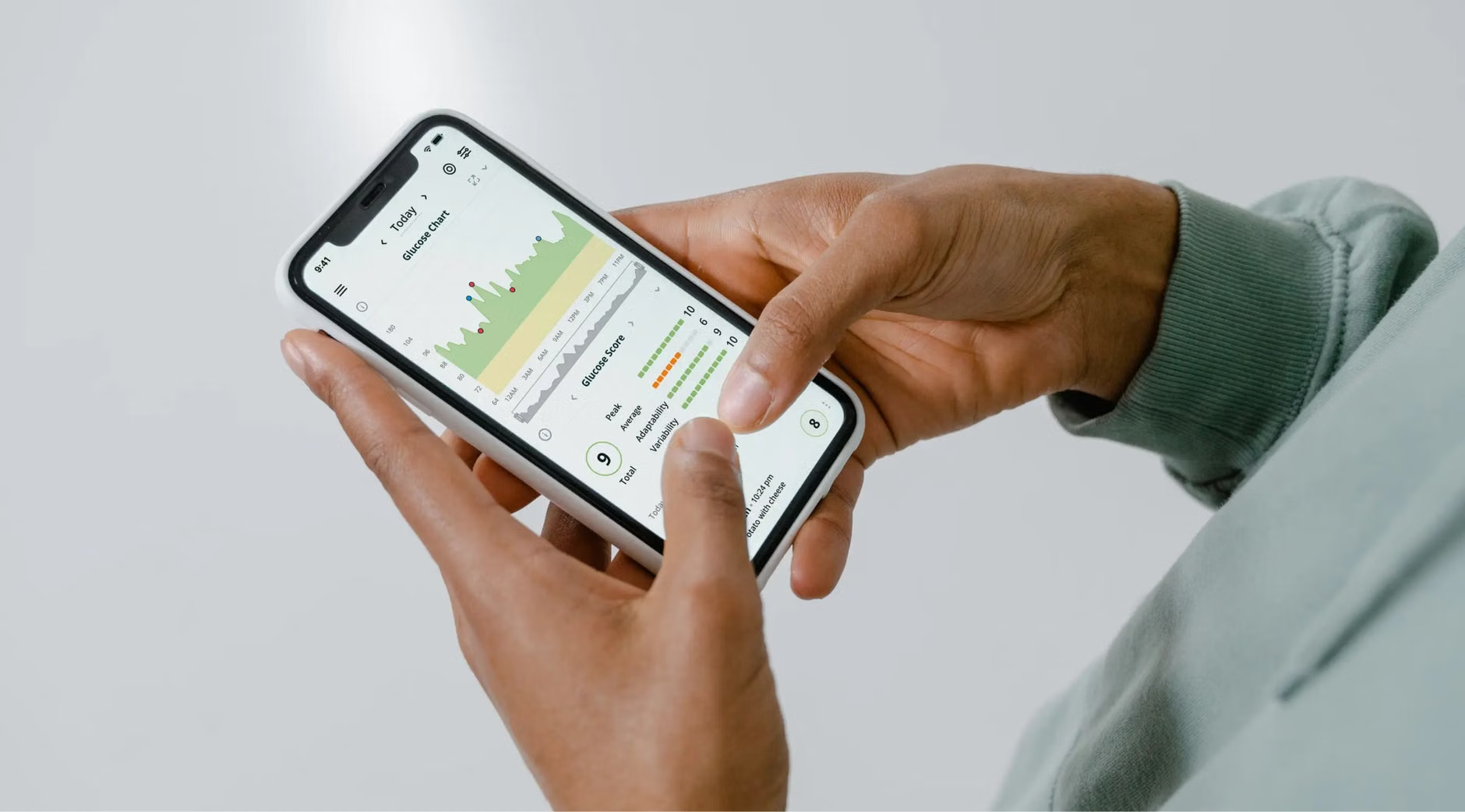
- The 24-Hour Baseline: Check your utility provider’s online portal. Most now offer hourly or daily usage charts. Look at your usage when you are at work or asleep. If the graph is high during these times, you have “always-on” appliances that are prime targets for smart plugs.
- Identify the “Heavy Hitters”: Usually, the culprits are older space heaters, dehumidifiers, or gaming PCs. Anything that gets hot or has a fan is a candidate for a smart plug with an energy-monitoring feature.
- Test and Measure: Use a smart plug with energy monitoring for one week on a suspicious appliance. If it uses more than 5kWh a week while not in use, it is time to either replace it or ensure it is fully powered down via a smart schedule.
- Automate: Once you know the patterns, set “scenes.” For example, a “Goodnight” scene that cuts power to the TV area, the home office, and the secondary lights, ensuring nothing is left in standby mode while the family sleeps.

Addressing the “Lease-Friendly” Constraint
Everything you buy as a renter must be portable. Avoid anything that requires drilling holes, painting over, or modifying existing electrical wiring. If you are moving in 12 months, your goal is to be able to pack your “energy-saving kit” into a single box. This is why stick-on sensors and plug-in devices are superior to wall-mounted smart switches. Not only do you avoid losing your security deposit, but you also ensure that the investment you made in energy efficiency follows you to your next home, where you can continue to refine your energy-saving habits.
Furthermore, be aware of the “Privacy vs. Efficiency” trade-off. Some energy-monitoring apps are more aggressive than others at data collection. If you are privacy-conscious, look for local-control smart home platforms that don’t require your usage data to be sent to a cloud server. This is often a more complex setup, but it ensures your data remains yours and your devices function even if the manufacturer’s server goes offline.
Final Thoughts on Sustainable Renting
Efficiency in a rental is rarely about a single massive upgrade; it is about the accumulation of small, intelligent choices. By treating your energy usage as a data problem rather than a mystery, you can regain control over your monthly bills. Start by monitoring, then automate, and finally, optimize. You don’t need to own the walls to control the environment within them. Your wallet—and the planet—will thank you for the extra bit of effort.
For more information on understanding your local energy labels and how to calculate your own appliance consumption, you can refer to the official Energy Star product guidelines or the EU energy labelling rules if you are based in Europe.
Frequently Asked Questions
Does leaving a smart device in standby mode really make a difference to my bill?
Yes, but it depends on the number of devices. While a single smart bulb in standby consumes very little, a house full of smart gadgets—including hubs, cameras, and smart plugs—can add up to a significant “base load” on your electricity bill. It’s similar to leaving a small light on 24/7. Monitoring this base load can help you identify if you are paying for “ghost” energy that isn’t providing any benefit.
Can I use smart plugs on high-wattage appliances like space heaters?
You must be very careful here. Most standard smart plugs are rated for a specific amperage (usually 10A or 15A). Space heaters often draw 1500W, which is right at the limit of many smart plugs. Always check the maximum wattage rating of the smart plug before connecting any heating or cooling appliance to avoid overheating the plug itself, which is a major fire hazard.
What happens to my smart home if the Wi-Fi goes down?
Most smart devices will fail to respond to app commands if the Wi-Fi is down, but many will retain their “last state.” However, if you have set up complex automated schedules via the cloud, those might stop working. This is why local-control devices (like those using Zigbee or Z-Wave) are often preferred—they continue to run your local automations even if your internet connection is interrupted.